Invoering
The Timex TW500 is a versatile alarm clock radio designed for modern living. It features wireless charging for compatible devices, a USB charging port, dual digital alarms, an FM radio with presets, a dimmable display, and a sleep timer. This manual provides detailed instructions for setting up and operating your device.
Product voorbijview

Voorkant View: The Timex TW500 alarm clock radio features a large, clear green LED display showing the time, along with indicators for PM, alarm status, and charging. Control buttons are located on the top panel.

Dubbele oplaadmogelijkheid: This image illustrates the dual charging feature of the TW500, with a smartphone wirelessly charging on the top surface and another smartphone connected to the USB-A charging port located on the back of the unit.
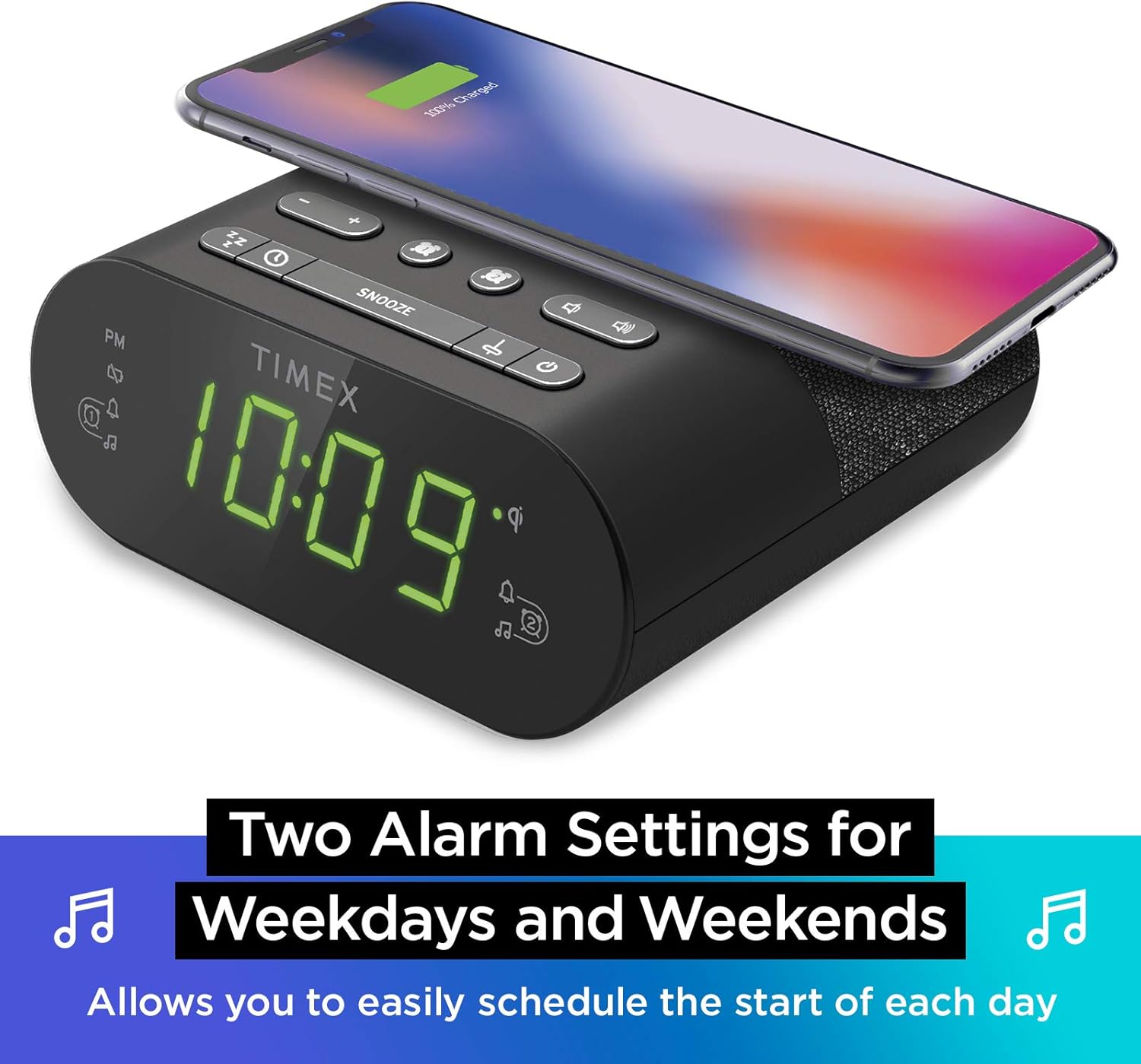
Dubbele alarminstellingen: The TW500 supports two independent alarm settings, allowing users to schedule separate wake times for different days or for two individuals.
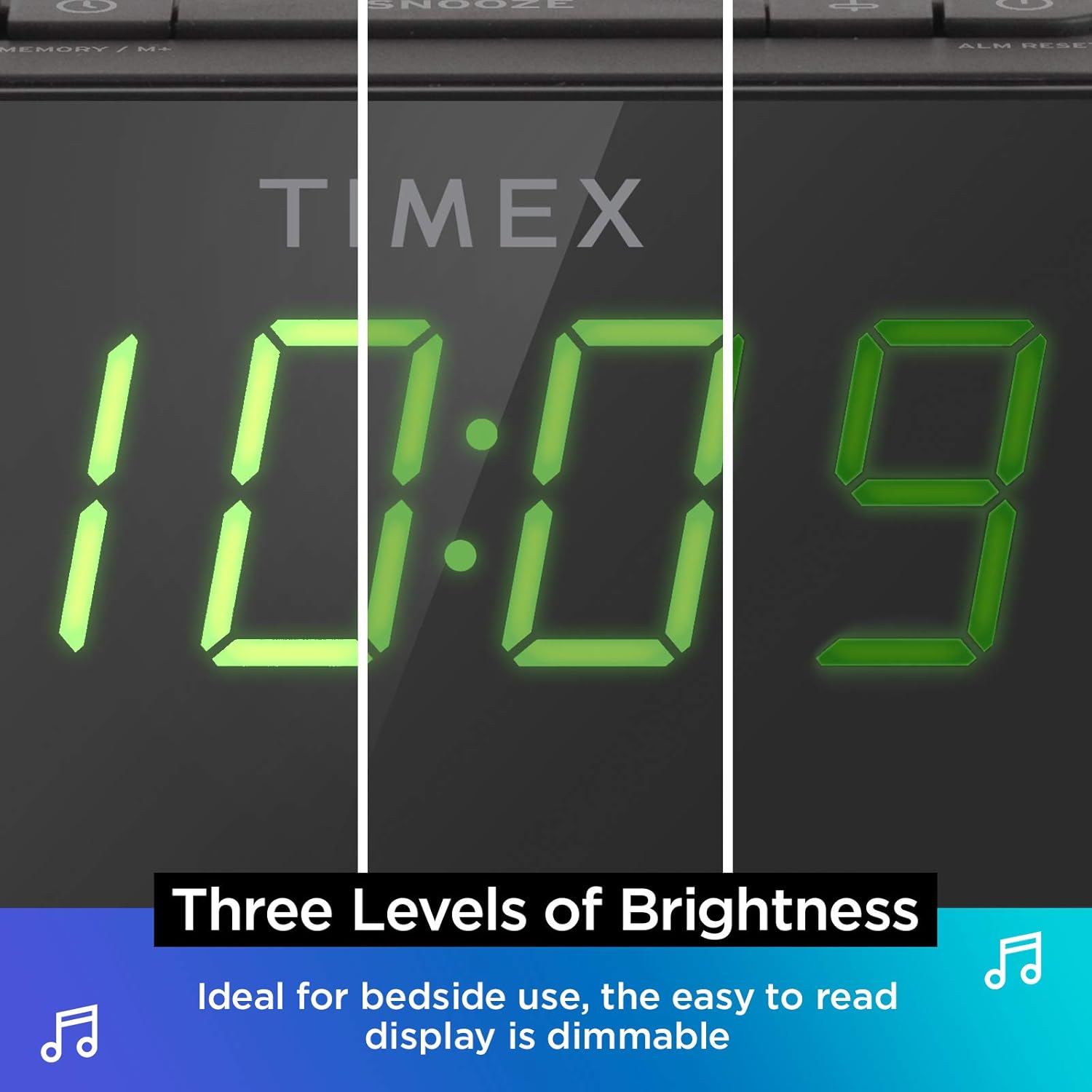
Dimbaar scherm: The digital display offers multiple brightness levels, ensuring comfortable viewing in various lighting conditions, from bright daylight to a dark bedroom.
Instellen
1. Stroomaansluiting
Connect the supplied AC power adapter to the DC jack on the back of the unit and plug the other end into a working wall outlet. The unit will power on and the display will light up.
2. Installatie van back-upbatterij
Voor continue tijdregistratie tijdens stroomuitvaltages, install one CR-2032 battery (included) into the battery compartment on the bottom of the unit. Ensure correct polarity (+/-) as indicated.
3. Antenne-installatie
Extend the FM wire antenna on the back of the unit fully for optimal FM radio reception. Adjust its position as needed to improve signal quality.
Gebruiksaanwijzing
De tijd instellen
- Houd de TIJD INSTELLEN button located on the top panel until the time display flashes.
- Druk op de - or + Knoppen om het uur aan te passen. Let op de PM-indicator.
- Druk op de TIJD INSTELLEN button again to confirm the hour and move to minutes setting.
- Druk op de - or + knoppen om de minuten aan te passen.
- Druk op de TIJD INSTELLEN button one last time to save the time and exit time setting mode.
Alarmen instellen (Alarm 1 en Alarm 2)
The TW500 features two independent alarms. The process is identical for both.
- Houd de ALARM EEN or ALARM TWEE knop totdat de alarmtijd knippert.
- Druk op de - or + Knoppen om de alarmtijd in te stellen. Let op de PM-indicator.
- Druk op de betreffende ALARM EEN or ALARM TWEE button again to confirm the hour and move to minutes setting.
- Druk op de - or + Knoppen om de alarmminuten aan te passen.
- Druk op de betreffende ALARM EEN or ALARM TWEE button again to select the alarm source (FM radio or Tone). The corresponding icon will light up.
- Druk op de betreffende ALARM EEN or ALARM TWEE button one last time to save the alarm setting. The alarm indicator will remain lit.
To turn an alarm off, repeatedly press the corresponding ALARM EEN or ALARM TWEE button until the alarm indicator light turns off.
FM-radiobediening
- Druk op de AAN/UIT knop om de radio aan te zetten.
- Druk op de - or + buttons to tune to your desired FM station. Press and hold to auto-scan for the next available station.
- Druk op de VOLUME - or VOLUME+ knoppen om het volume aan te passen.
- Voorinstellingen instellen: Houd de MEMORY/M+ button. The preset number will flash. Use the - or + buttons to select a preset number (1-10). Press MEMORY/M+ opnieuw om op te slaan.
- Voorinstellingen oproepen: Druk kort op de FM-VOORINSTELLINGEN knop om door opgeslagen zenders te bladeren.
- Druk op de AAN/UIT knop om de radio uit te zetten.
Draadloos opladen
The top surface of the TW500 features a Qi-compatible wireless charging pad.
- Place your Qi-enabled smartphone or other compatible device directly onto the wireless charging pad.
- Ensure the device is centered on the charging pad for optimal connection. A charging indicator on your device or the TW500 (if applicable) will confirm charging has begun.
- Verwijder uw apparaat zodra het volledig is opgeladen.
USB-opladen
A 5W USB-A charging port is located on the back of the unit.
- Connect your device's USB charging cable to the USB port on the TW500.
- Sluit het andere uiteinde van de kabel aan op uw apparaat. Het opladen begint automatisch.
Dimmer weergeven
De helderheid van het scherm kan naar wens worden aangepast.
- Druk op de DIMMER button repeatedly to cycle through different brightness levels (High, Medium, Low, Off).
Slaaptimer
Met de slaaptimer kunt u in slaap vallen met de radio in uw hand. Deze schakelt na een ingestelde tijd automatisch uit.
- Terwijl de radio speelt, drukt u op de SLAAP button repeatedly to cycle through sleep timer options (e.g., 10, 20, 30, 60, 90 minutes, Off).
- De radio speelt gedurende de geselecteerde tijdsduur en schakelt daarna automatisch uit.
Snooze-functie
Wanneer een alarm afgaat, drukt u op de grote SNOOZEN Met de knop bovenop het apparaat kunt u het alarm gedurende 9 minuten tijdelijk uitschakelen. Het alarm gaat na deze periode weer af.
Onderhoud
- Schoonmaak: Gebruik een zachte, droge doek om de buitenkant van het apparaat schoon te maken. Gebruik geen vloeibare reinigingsmiddelen of schurende materialen.
- Batterij vervangen: Replace the CR-2032 backup battery annually or if the time display is incorrect after a power outage.
- Opslag: Als u het apparaat voor langere tijd opbergt, koppelt u het los van de stroom en verwijdert u de back-upbatterij.
Probleemoplossing
| Probleem | Mogelijke oorzaak | Oplossing |
|---|---|---|
| Het apparaat wordt niet ingeschakeld. | De voedingsadapter is niet aangesloten of het stopcontact werkt niet. | Ensure AC adapter is securely plugged into the unit and a live wall outlet. Test the outlet with another device. |
| Het alarm gaat niet af. | Alarm niet ingesteld, alarmvolume te laag of alarm uitgeschakeld. | Verify alarm time and source are set correctly. Increase radio volume if alarm source is FM. Ensure alarm indicator is lit. |
| Slechte FM-radio-ontvangst. | Antenne niet uitgeschoven of gebied met slecht signaal. | Trek de FM-draadantenne volledig uit en verplaats deze voor betere ontvangst. Probeer het apparaat op een andere plek te zetten. |
| Draadloos opladen werkt niet. | Device not Qi-compatible, not centered, or foreign object on pad. | Ensure your device supports Qi wireless charging. Re-position the device centrally on the pad. Remove any metal objects or thick cases. |
| USB-opladen werkt niet. | De kabel is defect of het apparaat is niet compatibel. | Probeer een andere USB-kabel. Zorg ervoor dat het apparaat compatibel is met standaard USB-opladen. |
Specificaties
- Model: TW500
- Afmetingen: 5.48 cm (B) x 2.17 cm (D) x 5.20 cm (H)
- Gewicht: 0.7 pond (ongeveer 0.32 kg)
- Stroomverbruik: AC-voedingsadapter (meegeleverd)
- Batterij backup: 1 x CR-2032 batterij (meegeleverd)
- Draadloos opladen: Qi-compatibel
- USB-laadpoort: 5 W USB-A
- Radio: FM with 10 presets
- Weergave: 0.9" Green LED, Dimmable
- Alarmen: Dual Digital Alarms (Wake to Radio or Tone)
Officiële productvideo
Deze video biedt een visueel overzichtview of the Timex TW500, highlighting its key features such as wireless charging, USB charging, FM radio, dual alarms, and dimmable display. It demonstrates the product's compact design and functionality.
Garantie en ondersteuning
This Timex product comes with a limited warranty. For detailed warranty information, product support, or to register your product, please refer to the warranty card included in your product packaging or visit the official Timex website. If you are not 100% satisfied with your new Timex alarm clock radio and its performance, please contact the seller for assistance.
Fabrikant: Tijdstip
UPC-nummer: 758859207179


