Invoering
Bedankt voor uw aankoopasing the Havit IX-102 Wired In-Ear Headphones with Microphone. This manual provides essential information for the proper setup, operation, and maintenance of your new earphones. Please read this guide thoroughly before use to ensure optimal performance and longevity of your product.
Product voorbijview
The Havit IX-102 headphones are designed for clear audio and convenient communication. Familiarize yourself with the components:
- In-Ear Earphones (Left and Right)
- Integrated Microphone and Control Module (on cable)
- 3.5mm Audio Jack
- Verschillende maten oorkussens
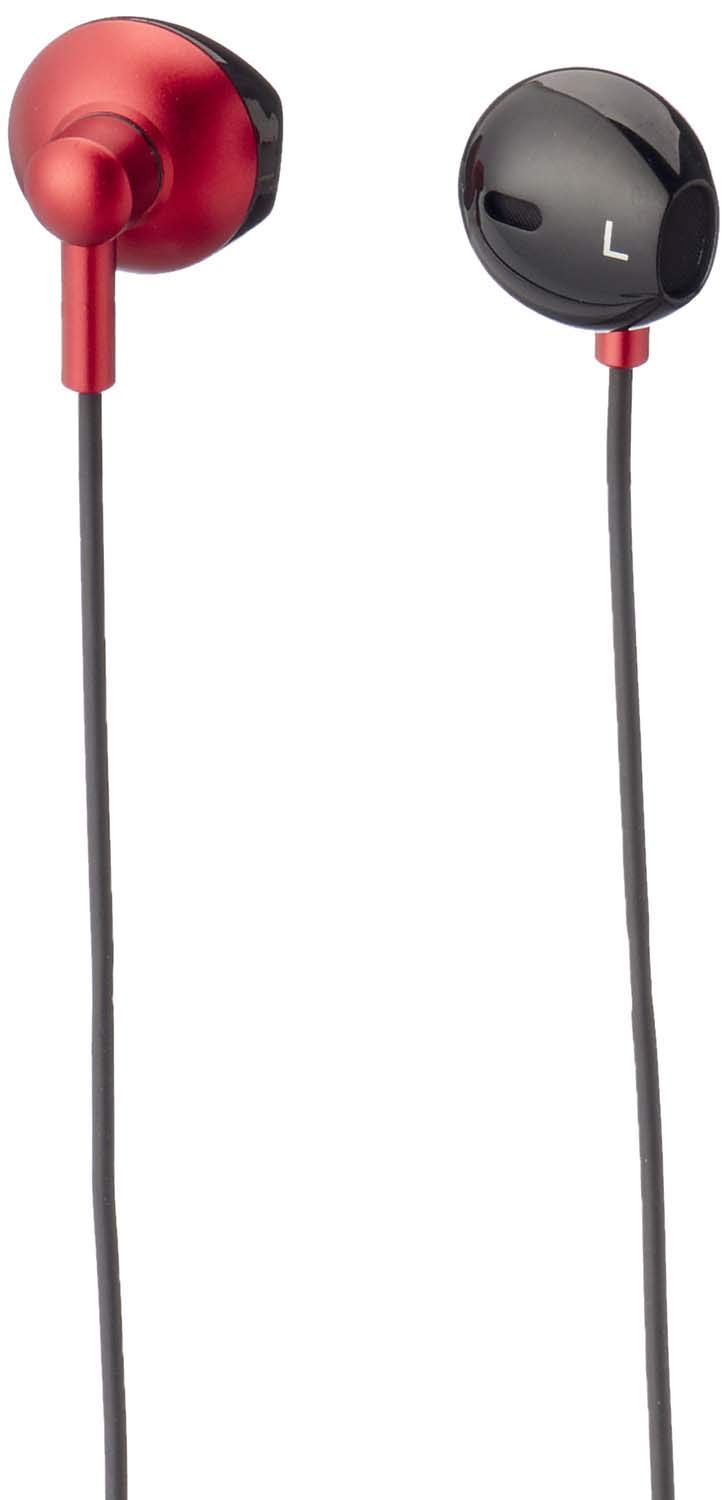
Figuur 1: Havit IX-102 Wired In-Ear Headphones. This image shows the complete set of in-ear headphones, featuring the earbuds, cable, and 3.5mm audio jack.

Figuur 2: Cable with Integrated Control Module. This image highlights the cable section that includes the microphone and a potential control button for managing audio and calls.

Figuur 3: 3.5mm Audio Jack. A close-up view of the standard 3.5mm connector used to plug the headphones into compatible audio devices.

Figuur 4: Replacement Ear Cushions. This image displays the various sizes of silicone ear cushions provided for a comfortable and secure fit.
Instellen
- Selecteer oorkussens: Choose the ear cushion size that provides the most comfortable and secure fit for your ears. A good seal enhances sound quality and bass response. Gently attach the selected ear cushions to the earphone nozzles.
- Verbinding maken met apparaat: Insert the 3.5mm audio jack firmly into the headphone port of your audio device (smartphone, tablet, laptop, MP3 player, etc.). Ensure the jack is fully inserted to prevent audio issues.
- Draag oordopjes: Place the earphones into your ears. Adjust them until they feel comfortable and provide a good seal.
Gebruiksaanwijzing
The Havit IX-102 headphones feature an in-line control module for basic audio and call management. Functionality may vary slightly depending on your connected device.
- Muziek afspelen/pauzeren: Press the button on the control module once to play or pause the current track.
- Oproep beantwoorden/beëindigen: Als er een inkomend gesprek is, druk dan één keer op de knop om op te nemen. Tijdens een gesprek drukt u één keer op de knop om het gesprek te beëindigen.
- Oproep afwijzen: Houd de knop ongeveer 2 seconden ingedrukt om een inkomend gesprek te weigeren.
- Volgende nummer: Druk twee keer snel achter elkaar op de knop om naar het volgende nummer te gaan.
- Vorig nummer: Druk drie keer snel achter elkaar op de knop om terug te gaan naar het vorige nummer.
- Microfoongebruik: The integrated microphone allows for hands-free communication during calls. Ensure the microphone is positioned clearly for optimal voice pickup.
Note: Volume control is typically managed directly on your connected audio device.
Onderhoud
Proper care will extend the life of your Havit IX-102 headphones.
- Oorkussens schoonmaken: Remove the silicone ear cushions and wash them gently with mild soap and water. Rinse thoroughly and allow them to air dry completely before reattaching.
- Oordopjes schoonmaken: Use a soft, dry, lint-free cloth to wipe the earphone bodies. Do not use harsh chemicals or abrasive materials. Avoid getting moisture into the speaker grilles.
- Kabelonderhoud: Avoid sharp bends, twists, or excessive pulling on the cable. Store the headphones neatly to prevent tangling.
- Opslag: When not in use, store your headphones in a clean, dry place, away from extreme temperatures and direct sunlight.
Probleemoplossing
Als je problemen ondervindt met je hoofdtelefoon, raadpleeg dan de volgende veelvoorkomende problemen en oplossingen:
| Probleem | Mogelijke oorzaak | Oplossing |
|---|---|---|
| Geen geluid of laag volume |
|
|
| Het geluid is vervormd of valt weg. |
|
|
| Microfoon werkt niet |
|
|
Specificaties
| Merk | Hadit |
| Modelnummer | IX-102 |
| Kleur | Zwart en rood |
| Vormfactor van koptelefoon | In-oor |
| Connectiviteitstechnologie | Bedraad |
| Aansluitingstype | 3.5 mm-aansluiting |
| Kabellengte | 1.2 meter |
| Materiaalsoort | Plastic |
| Artikelgewicht | 60 gram |
| Meegeleverde componenten | Oorkussentjes |
| Compatibele apparaten | Multiple devices with 3.5mm audio jack |
Garantie en ondersteuning
For warranty information or technical support, please refer to the documentation included with your purchase or contact Havit customer service directly. Contact details can typically be found on the manufacturer's official weblocatie of productverpakking.
Bewaar uw aankoopbewijs voor eventuele garantieclaims.


