1. Inleiding
Thank you for choosing the CREATE NETBOT S15 Robot Vacuum Cleaner. This manual provides essential information for the safe operation, maintenance, and troubleshooting of your device. Please read it thoroughly before first use and retain it for future reference.
Product voorbijview

The image above displays the CREATE NETBOT S15 Robot Vacuum Cleaner, its dedicated remote control, and a smartphone screen showing the companion application interface. The robot is black with a textured top surface and a central green power button. The remote control features a digital display and various control buttons. The app shows a map of a cleaned area.
The NETBOT S15 is designed to simplify your cleaning routine, offering multiple cleaning modes and smart features for efficient floor maintenance.
2. Veiligheidsinstructies
Om een veilige werking te garanderen en schade te voorkomen, dient u de volgende veiligheidsmaatregelen in acht te nemen:
- Lees alle instructies voordat u het apparaat gebruikt.
- Laat kinderen de robotstofzuiger niet bedienen. Houd toezicht op kinderen en huisdieren wanneer de robot in werking is.
- Zorg ervoor dat het laadstation tegen een muur op een harde, vlakke ondergrond staat, met voldoende vrije ruimte eromheen.
- Houd haar, losse kleding, vingers en alle lichaamsdelen uit de buurt van openingen en bewegende delen.
- Pak geen grote voorwerpen, scherpe voorwerpen, vloeistoffen of brandende/rokende materialen op.
- Do not use the robot in wet environments or on wet surfaces.
- Remove power cords, small objects, and fragile items from the floor before operation to prevent entanglement or damage.
- Gebruik uitsluitend de originele oplader en batterij die door de fabrikant zijn meegeleverd.
- Do not modify or attempt to repair the robot vacuum yourself. Contact qualified service personnel for repairs.
3. Inhoud van het pakket
Controleer of alle componenten in het pakket aanwezig zijn:

The image shows the retail box for the CREATE NETBOT S15 Robot Vacuum Cleaner, indicating the product and its key features.
- CREATE NETBOT S15 Robotstofzuiger
- Oplaadbasis
- Stroomadapter
- Afstandsbediening
- Dustbin (600 ml capacity)
- Watertank (inhoud 400 ml)
- Side Brushes (2 + 2 replacements)
- HEPA Filter (1 + 1 replacement)
- Cleaning Mop (1 + 1 replacement)
- Reinigingsborstel
- Magneetstrip
- Gebruiksaanwijzing
4. Instellen
4.1 Plaatsing van het laadstation

The image shows the CREATE NETBOT S15 Robot Vacuum Cleaner correctly docked on its charging station, indicating proper placement for recharging.
- Plaats het laadstation tegen een muur in een open ruimte.
- Ensure there is at least 1 meter (3 feet) of clear space on both sides of the charging base and 2 meters (6 feet) in front of it.
- Sluit de stroomadapter aan op het laadstation en steek de stekker in een stopcontact.
- Ensure the power indicator light on the charging base is illuminated.
4.2 Eerste keer opladen

This image depicts the CREATE NETBOT S15 Robot Vacuum Cleaner positioned near its charging dock in a room, ready for or undergoing charging.
Before first use, fully charge the robot vacuum. Place the robot onto the charging base, ensuring the charging contacts align. The indicator light on the robot will show charging status. A full charge typically takes 4-5 hours.
4.3 App-installatie en verbinding
The CREATE NETBOT S15 can be controlled via a smartphone application, compatible with Alexa and Google Home.
- Download the official CREATE app from your smartphone's app store.
- Registreer een account en log in.
- Follow the in-app instructions to add your NETBOT S15 device. This typically involves putting the robot into pairing mode and connecting it to your home Wi-Fi network.
- Once connected, you can program cleaning schedules, select cleaning modes, and monitor the robot's status from your phone.
- For voice control, link the CREATE app with your Alexa or Google Home account through their respective applications.
5. Gebruiksaanwijzing
5.1 Reinigingsmodi
The NETBOT S15 offers four cleaning functions:
- Vegen: Uses side brushes to gather debris.
- Vacuüm: Utilizes suction power to collect dust and dirt. Features up to 1500 Pa suction power with adjustable levels.
- Dweil: Wipes floors with a damp cloth from the water tank.
- Wassen: Combines sweeping, vacuuming, and mopping for comprehensive cleaning.

This image illustrates the CREATE NETBOT S15 Robot Vacuum Cleaner actively cleaning under a sofa, demonstrating its ability to reach confined spaces. Two dogs are visible in the foreground, suggesting a pet-friendly environment.
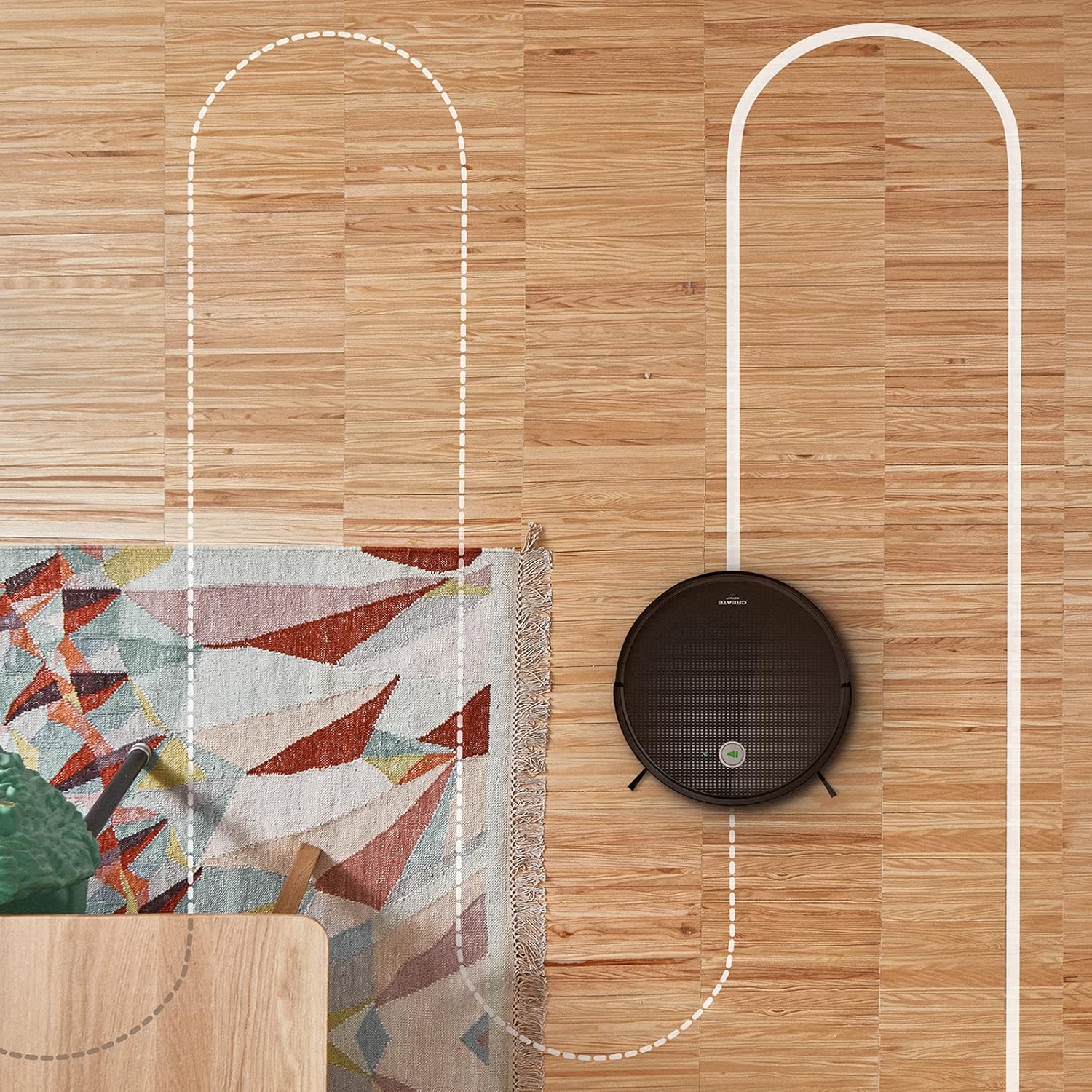
Een antenne view shows the CREATE NETBOT S15 Robot Vacuum Cleaner moving across a wooden floor, with a dotted line indicating its systematic cleaning path, highlighting its gyroscopic navigation.
5.2 De afstandsbediening gebruiken
The included remote control allows for direct operation of the robot vacuum. Refer to the remote control diagram in your quick start guide for button functions. Common functions include:
- Reiniging starten / pauzeren
- Keer terug naar het oplaadstation
- Directional Control (manual steering)
- Vlekken verwijderen
- Randreiniging
- Schema-instelling
5.3 Magnetic Strip Usage
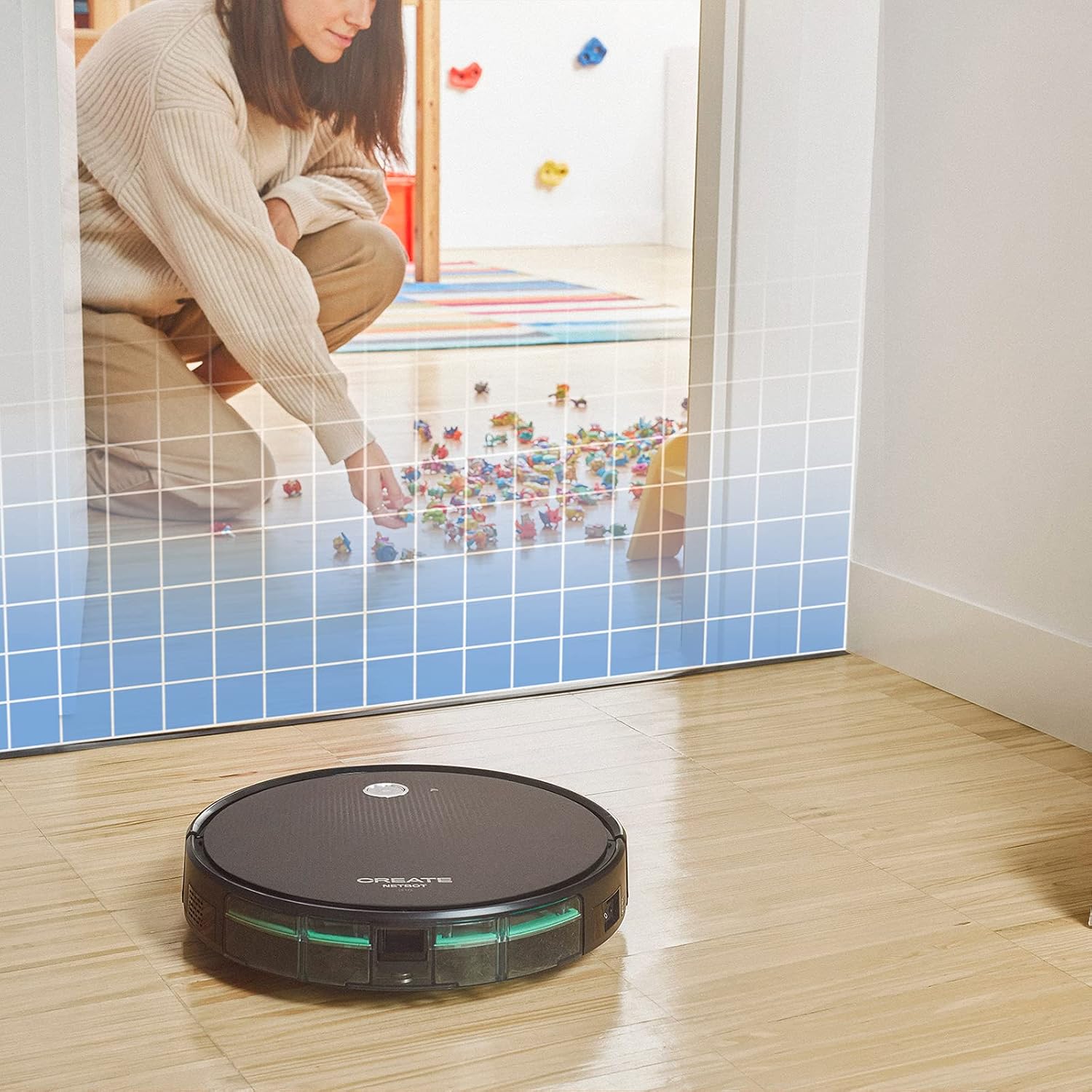
This illustration demonstrates the CREATE NETBOT S15 Robot Vacuum Cleaner approaching a virtual boundary, represented by a grid, which prevents it from entering a specific area, such as where toys are located.
Use the provided magnetic strip to create virtual boundaries that the robot will not cross. Place the strip on the floor to delimit areas where the robot should not enter, such as pet feeding zones or areas with delicate items.
5.4 Levensduur van de batterij
The NETBOT S15 is equipped with a long-lasting LG Lithium battery, providing up to 120 minutes of cleaning autonomy on a single charge, depending on the selected power mode.
6. Onderhoud
Regelmatig onderhoud zorgt voor optimale prestaties en verlengt de levensduur van uw robotstofzuiger.
6.1 Reiniging van de vuilnisbak en de watertank
Empty the dustbin after each use. The 600 ml dustbin is easily removable. If using the mopping function, empty and rinse the 400 ml water tank after each use to prevent mold or odors.
6.2 Borstelreiniging

Een close-up view of the CREATE NETBOT S15 Robot Vacuum Cleaner's side brush, showing its design for sweeping debris into the main suction path.
- Zijborstels: Regularly check for hair or debris entanglement. Remove and clean as needed. Replace worn brushes with the provided spares.
- Hoofdborstel: Verwijder de beschermkap van de borstel en til de borstel eruit. Gebruik het reinigingsgereedschap om vastzittend haar en vuil te verwijderen.
6.3 Filterreiniging/vervanging
The robot uses a double filter system: a sponge filter and a HEPA filter. Tap the filters to remove loose dirt. Do not wash HEPA filters with water. Replace filters every 3-6 months, or more frequently with heavy use, to maintain suction performance.
6.4 Sensorreiniging
Wipe the cliff sensors (located on the bottom of the robot) and the bumper sensors (on the front) with a clean, dry cloth to ensure proper navigation and obstacle detection.
7. Probleemoplossing
If you encounter issues with your NETBOT S15, refer to the following common problems and solutions:
| Probleem | Mogelijke oorzaak | Oplossing |
|---|---|---|
| Robot start niet of reageert niet. | Batterij bijna leeg; Aan/uit-schakelaar uit; Robot vastgelopen. | Laad de robot op. Zorg ervoor dat de aan/uit-schakelaar op AAN staat. Verwijder eventuele obstakels. |
| Slechte reinigingsprestaties. | Full dustbin; Clogged brushes/filters; Worn brushes. | Empty dustbin; Clean brushes and filters; Replace brushes/filters. |
| De robot kan het laadstation niet vinden. | Charging base obstructed; Robot too far from base; Base not powered. | Ensure clear space around base; Manually place robot closer; Check power connection to base. |
| Robot loopt vaak vast. | Cables/small objects on floor; Uneven surfaces; Dark colored carpets. | Clear floor of obstacles; Use magnetic strips for problem areas; Robot may struggle on very dark surfaces. |
| Problemen met de wifi-verbinding. | Onjuist wifi-wachtwoord; router te ver weg; 5GHz-netwerk. | Verify password; Move robot closer to router; Ensure connection to a 2.4GHz Wi-Fi network. |
8. Specificaties
Key technical specifications for the CREATE NETBOT S15 Robot Vacuum Cleaner:
- Merk: CREËREN
- Modelnummer: Netbot S15
- Kleur: Black - Turquoise
- Afmetingen (L x B x H): 33x33x7.5cm
- Gewicht: 3 kilogram
- Stroom: 25 Watt
- Zuigkracht: Tot 1500 Pa
- Geluidsniveau: 62dB
- Batterijtype: Lithium-ion
- Levensduur batterij: Tot 120 minuten
- Vuilnisbak Capaciteit: 600 ml
- Capaciteit watertank: 400 ml
- Filtersysteem: Double sponge Clean + HEPA filter
- Connectiviteit: Wi-Fi, app-bediening
- Compatibiliteit met spraakassistent: Google Home, Alexa
- Speciale kenmerken: Gyroscopic navigation, Magnetic strip boundary, 4 cleaning modes (sweep, vacuum, mop, wash)
9. Garantie en ondersteuning
For warranty information, technical support, or service inquiries, please refer to the warranty card included with your product or visit the official CREATE webwebsite. Bewaar uw aankoopbewijs als bewijs van aankoop.


