Invoering
This manual provides comprehensive instructions for the setup, operation, maintenance, and troubleshooting of your TELLUR Basic Wireless Keyboard and Mouse Kit. Please read this manual thoroughly before using the product to ensure proper functionality and longevity.
The TELLUR Basic Wireless Keyboard and Mouse Kit offers a complete digital control solution with plug-and-play functionality, requiring no special software. Both devices operate within a 10-meter range, providing flexibility and comfort. The mouse features adjustable DPI resolution (800/1200/1600) to suit various activities.
Inhoud van het pakket
- 1 x Draadloos toetsenbord
- 1 x draadloze muis
- 1 x USB-ontvanger
- 1 x AAA-batterij (voor het toetsenbord)
- 1 x AA-batterij (voor muis)
- 1 x Gebruikershandleiding (dit document)
Installatiehandleiding
1. Batterijen plaatsen
The kit includes batteries for both the keyboard and mouse. Ensure correct polarity when inserting.
- Voor het toetsenbord: Open the battery compartment on the underside of the keyboard. Insert one AAA battery. Close the compartment.
- Voor de muis: Open the battery compartment on the underside of the mouse. Insert one AA battery. Close the compartment.
2. De USB-ontvanger aansluiten
The keyboard and mouse share a single USB receiver for wireless connectivity.
- Zoek de USB-ontvanger, die zich meestal in het batterijcompartiment van de muis of in een daarvoor bestemd slot bevindt.
- Sluit de USB-ontvanger aan op een beschikbare USB-poort op uw computer (pc of laptop).
- Your computer should automatically detect and install the necessary drivers. This is a plug-and-play process and typically requires no manual driver installation.

Afbeelding: Van boven naar beneden view of the TELLUR Basic Wireless Keyboard and Mouse Kit, showing the full keyboard layout and the ergonomic mouse.
Gebruiksaanwijzing
Toetsenbordgebruik
The keyboard functions as a standard full-size keyboard. Ensure the USB receiver is connected to your computer for wireless operation.
- Functietoetsen (F1-F12): These keys may have secondary functions (e.g., media control, volume) accessible by pressing the Fn toets tegelijkertijd indrukken.
- Numeriek toetsenbord: The dedicated numeric keypad on the right provides quick entry for numbers. Ensure Num Lock is active if needed.
Muisgebruik
The wireless mouse offers precise tracking and adjustable sensitivity.
- Linker- en rechtermuisknop: Standaard muisknoppen voor selectie en contextmenu's.
- Muis wieltje: Wordt gebruikt voor verticaal scrollen in documenten en web pagina's. Kan ook functioneren als een middelste muisklikknop.
- DPI-aanpassing: The mouse features a DPI adjustment button, typically located behind the scroll wheel. Press this button to cycle through the available DPI settings: 800, 1200, and 1600. This allows you to adjust the cursor speed and sensitivity to your preference.

Afbeelding: Schuin view of the TELLUR Basic Wireless Keyboard and Mouse Kit, highlighting the slim profile of the keyboard and the contoured design of the mouse.
Werkingsbereik: Both devices operate reliably within a 10-meter (approximately 33 feet) range from the USB receiver. Obstructions or interference may reduce this range.
Onderhoud en verzorging
Proper care will extend the life of your wireless keyboard and mouse kit.
- Schoonmaak: Gebruik een zachte, droge doek om de oppervlakken van het toetsenbord en de muis schoon te maken. Voor hardnekkig vuil is een licht damp cloth with mild soap can be used, but ensure no liquid enters the devices. Avoid abrasive cleaners or solvents.
- Batterij vervangen: Replace batteries when performance degrades (e.g., delayed response, intermittent connection). Always use new, good quality batteries of the specified type (AAA for keyboard, AA for mouse).
- Opslag: When not in use for extended periods, remove batteries to prevent leakage. Store the devices in a cool, dry place away from direct sunlight and extreme temperatures.
- USB-ontvanger: Keep the USB receiver free from dust and debris. Avoid bending or applying excessive force to the receiver when plugging or unplugging.
Probleemoplossing
| Probleem | Mogelijke oorzaak | Oplossing |
|---|---|---|
| Toetsenbord/muis reageert niet |
|
|
| De muiscursor beweegt schokkerig of schokkerig. |
|
|
| Vertraagde reactie of vertraging |
|
|
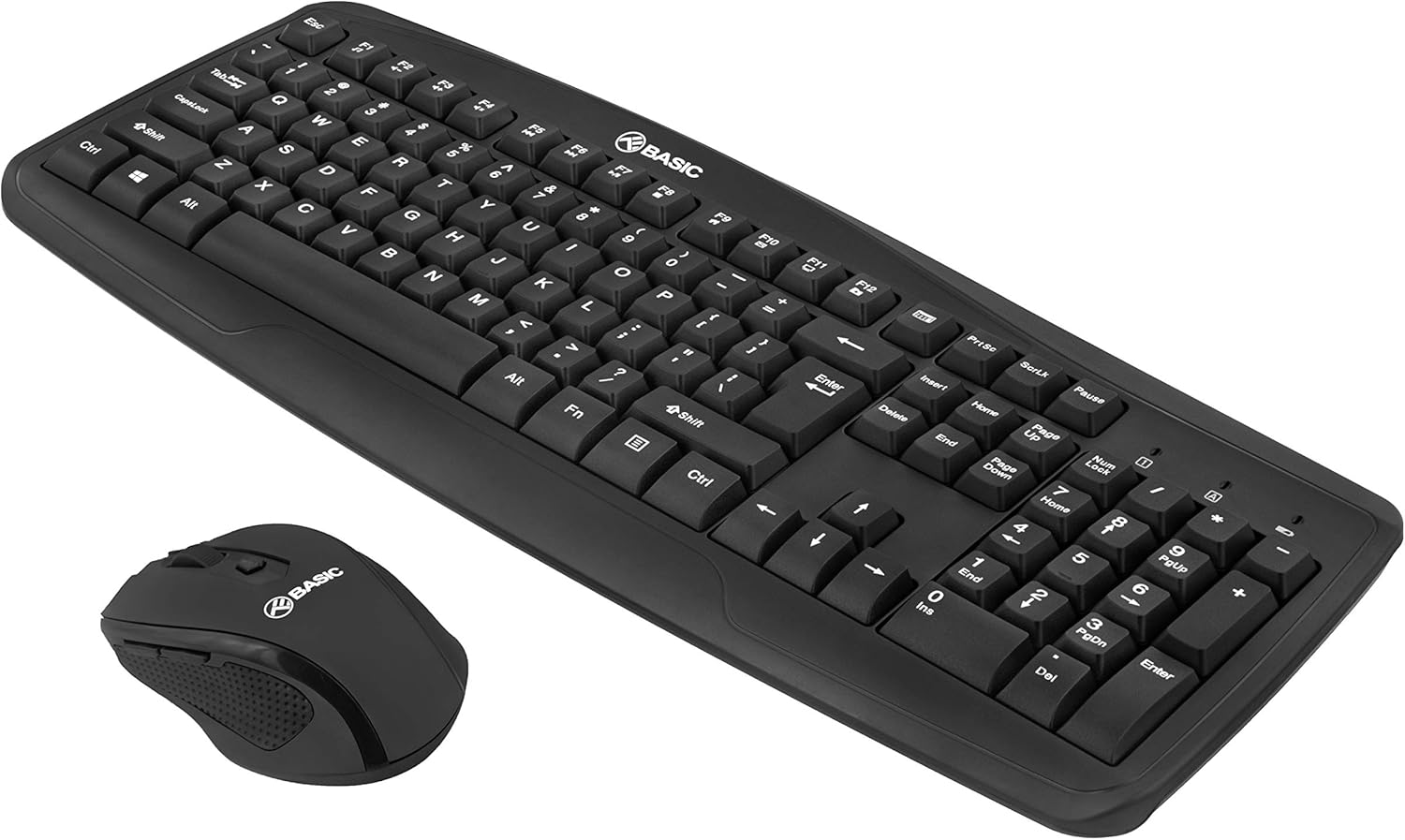
Afbeelding: Nog een schuine foto view of the TELLUR Basic Wireless Keyboard and Mouse Kit, showing the full keyboard and mouse from a different perspective, emphasizing the compact design.
Specificaties
| Functie | Detail |
|---|---|
| Merk | VERTELLEN |
| Modelnaam | Basic Wireless Keyboard and Mouse kit |
| Modelnummer | TLL491051 |
| Connectiviteitstechnologie | 2.4 GHz draadloos (via USB-ontvanger) |
| Wireless Range | Tot 10 meter (33 voet) |
| DPI-instellingen voor muis | 800 / 1200 / 1600 DPI (instelbaar) |
| Voedingsbron van het toetsenbord | 1 x AAA-batterij (meegeleverd) |
| Voedingsbron voor de muis | 1 x AA-batterij (meegeleverd) |
| Compatibele apparaten | Laptop, computer |
| Productafmetingen | 45x18x3.1cm |
| Artikelgewicht | 583 gram |
Note on Connectivity: While some specifications may list "Bluetooth", this product operates via a dedicated 2.4GHz USB receiver for plug-and-play functionality.
Garantie en ondersteuning
For warranty information and technical support, please refer to the warranty card included with your product or visit the official TELLUR webwebsite. Bewaar uw aankoopbewijs als aankoopbewijs voor garantieclaims.
Contactgegevens:
- Merk: VERTELLEN
- Webwebsite: www.tellur.com
- E-mailadres: Refer to official website for support contact.
Disclaimer: Product specifications and appearance are subject to change without notice.


