
1. Inleiding
This user manual provides detailed instructions for the installation, configuration, and operation of your Jennov 5.0MP PTZ Outdoor WiFi Security Camera. Please read this manual thoroughly before using the product to ensure proper functionality and safety. Keep this manual for future reference.
Productkenmerken voorbijview:
- Resolutie van 5.0 megapixels: Levert heldere en gedetailleerde videobeelden.tage.
- 5x optische zoom: Allows for detailed magnification of distant objects without loss of clarity.
- Pan/Tilt/Zoom (PTZ)-functionaliteit: Offers a 355° horizontal rotation and 100° vertical tilt for comprehensive area coverage.
- Tweerichtingsaudio: Ingebouwde microfoon en luidspreker maken realtimecommunicatie mogelijk.
- Verbeterd nachtzicht: Equipped with infrared LEDs for clear monitoring up to 65ft in low-light conditions.
- Bewegingsdetectie en waarschuwingen: Configurable motion detection zones and sensitivity with push notifications and email alerts.
- IP66 weerbestendige classificatie: Duurzaam metaal casing designed to withstand various outdoor weather conditions.
- 64GB SD-kaart inbegrepen: Provides local storage for continuous 24/7 recording.
- Op afstand toegang: Monitor and control the camera from your smartphone, tablet, or PC.
2. Inhoud van het pakket
Controleer of alle hieronder vermelde artikelen in uw pakket aanwezig zijn. Neem contact op met de klantenservice als er artikelen ontbreken of beschadigd zijn.
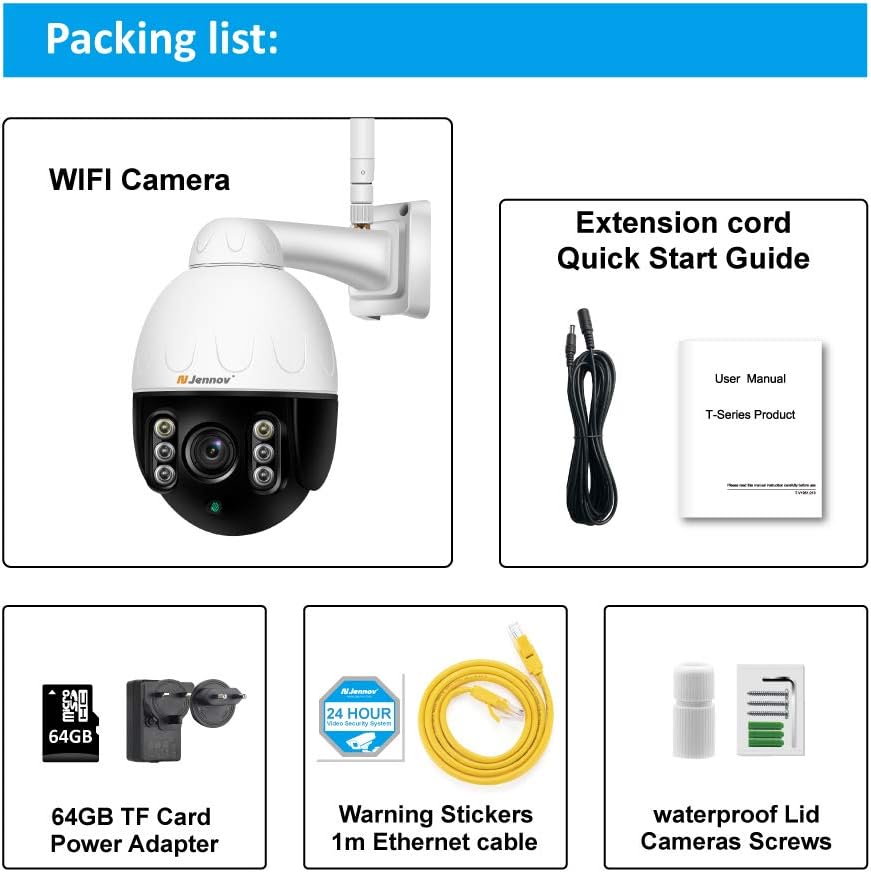
Image: Visual representation of the Jennov PTZ Camera and its included accessories.
- Jennov 5.0MP PTZ WiFi Camera (1 unit)
- 12V1A Power Adapter (1 unit)
- 3.3ft Ethernet Cable (1 unit)
- Montageschroeven (set)
- Waterproof Cap for Ethernet connection (1 unit)
- Warning Label (1 unit)
- 64 GB Micro SD-kaart (voorgeïnstalleerd)
- Snelstartgids / Gebruikershandleiding
3. Installatie-instructies
3.1 fysieke installatie
- Kies een locatie: Select a suitable outdoor location for mounting the camera. Ensure it has a clear line of sight to the area you wish to monitor and is within range of your 2.4GHz Wi-Fi network. The camera is designed for wall or ceiling mounting.
- Monteer de camera: Use the provided mounting screws to securely attach the camera bracket to the chosen surface. Ensure the camera is positioned correctly for optimal viewhoek.
- Sluit stroom aan: Connect the 12V1A power adapter to the camera's power input and plug it into a power outlet.
- Ethernet-verbinding (optioneel): For a more stable connection, you can use the provided Ethernet cable to connect the camera directly to your router. Use the waterproof cap to protect the Ethernet port if installed outdoors.
3.2 App-installatie en eerste configuratie
- Download de app: Zoeken naar the recommended camera application (e.g., 'HiCam' or similar as per quick start guide) on your smartphone's app store (iOS or Android) and install it.
- Registreer een account: Open de app en volg de instructies op het scherm om een nieuw gebruikersaccount te registreren.
- Camera toevoegen: Power on the camera. In the app, select 'Add Device' or '+' icon. Follow the prompts to connect the camera to your home 2.4GHz Wi-Fi network. Ensure your phone is also connected to the 2.4GHz network during setup.
- Instellingen configureren: Once connected, you can rename the camera, set a password, and adjust initial video settings.
4. Gebruiksaanwijzing
4.1 Levend View en PTZ-besturing
Access the live video feed through the mobile app or PC client.

Image: A smartphone screen displaying the camera's live feed with pan and tilt controls, indicating 355° horizontal and 100° vertical rotation.
- Pannen/kantelen: Use the directional controls within the app to rotate the camera horizontally (355°) and vertically (100°) to adjust the viewhoek.
- Optische zoom: Utilize the zoom controls (often a pinch-to-zoom gesture or dedicated buttons) to activate the 5X optical zoom for closer inspection of details.
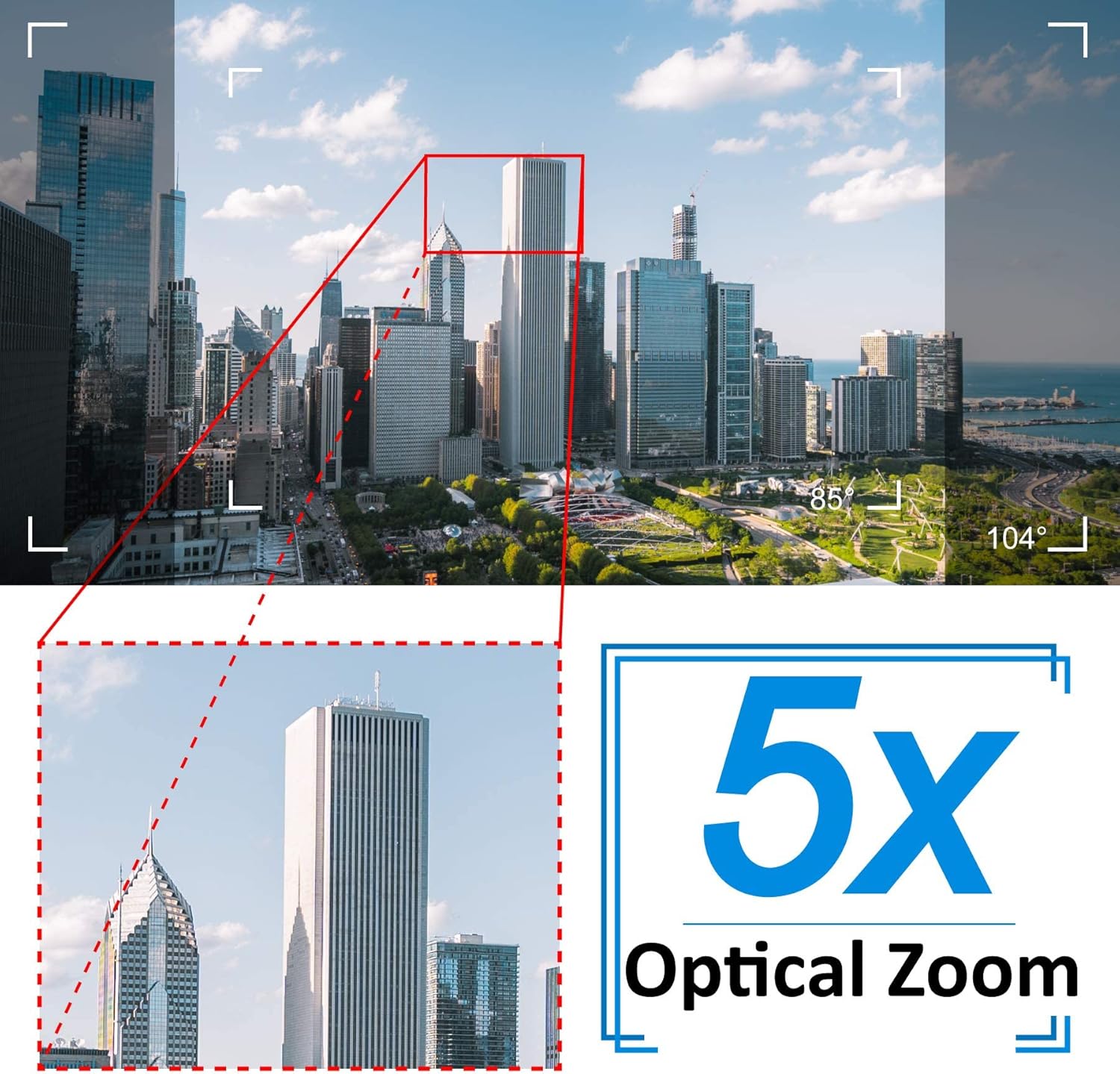
Image: A cityscape view demonstrating the 5X optical zoom feature, highlighting the ability to magnify distant objects clearly.
4.2 Tweerichtingsaudio
De camera ondersteunt tweewegs audiocommunicatie.

Image: A person interacting with the camera's two-way audio feature via a smartphone, showing speech bubbles for communication.
- Luisteren: Tap the speaker icon in the app to hear audio from the camera's location.
- Spreken: Press and hold the microphone icon to speak through the camera's speaker. Release to stop speaking.
4.3 Nachtzicht
Bij weinig licht schakelt de camera automatisch over naar de nachtzichtmodus.

Image: A comparison showing a daytime view of a house and its clear night vision equivalent captured by the 5MP 1920P camera.
- The integrated IR-Cut filter and infrared LEDs provide clear black-and-white video up to 65ft (20 meters) in complete darkness.
4.4 Bewegingsdetectie en waarschuwingen
Configure motion detection settings to receive alerts for suspicious activity.

Image: A visual representation of the camera's human detection, email alert, and app notification features, with highlighted detection zones.
- Set Detection Zone: In the app settings, define specific areas within the camera's view voor bewegingsdetectie.
- Gevoeligheid aanpassen: Modify the motion detection sensitivity to minimize false alarms.
- Configure Alerts: Enable push notifications to your smartphone and/or email alerts with snapshots when motion is detected.
4.5 Opname en opslag
The camera comes with a pre-installed 64GB SD card for local storage.
- Continu opnemen: The camera supports 24/7 continuous recording to the SD card.
- Loop-opname: When the SD card is full, new recordings will automatically overwrite the oldest footage.
- Afspelen: Toegang tot opgenomen footage through the app's playback function.
5. Onderhoud
Regelmatig onderhoud zorgt voor optimale prestaties en een lange levensduur van uw beveiligingscamera.

Image: The Jennov PTZ camera shown outdoors in various weather conditions (rain, snow, sun, wind), emphasizing its IP66 weatherproof rating.
- Schoonmaak: Maak de cameralens regelmatig schoon met een zachte doek.amp Gebruik een doek om stof, vuil of watervlekken te verwijderen die de beeldkwaliteit kunnen beïnvloeden. Gebruik geen agressieve chemicaliën.
- Controleer verbindingen: Regularly inspect power and Ethernet cable connections for any signs of wear or damage. Ensure waterproof caps are securely in place.
- Firmware-updates: Check the app regularly for available firmware updates. Keeping the camera's firmware updated can improve performance and security.
- Milieubescherming: While the camera is IP66 weatherproof, extreme conditions (e.g., direct lightning strikes, prolonged submersion) should be avoided.
6. Probleemoplossing
Als u problemen ondervindt met uw camera, raadpleeg dan de volgende veelvoorkomende problemen en oplossingen.
| Probleem | Mogelijke oorzaak | Oplossing |
|---|---|---|
| Camera kan geen verbinding maken met wifi. | Onjuist wifi-wachtwoord; Camera te ver van de router; Ondersteunt alleen 2.4 GHz wifi. | Verify password. Move camera closer to router. Ensure your router is broadcasting a 2.4GHz network and your phone is connected to it during setup. |
| No image or black screen in live view. | Power issue; Network disconnection; Camera malfunction. | Check power connection. Verify Wi-Fi/Ethernet connection. Restart camera and router. |
| Nachtzicht is onduidelijk. | Dirty lens; Obstruction; Insufficient IR illumination. | Clean the camera lens. Ensure no objects are blocking the IR LEDs. |
| Motion detection alerts are too frequent or not triggered. | Sensitivity too high/low; Detection zone not configured correctly. | Adjust motion detection sensitivity in the app. Redefine the detection zone to focus on critical areas. |
| Tweerichtingsaudio werkt niet. | Microfoon/luidspreker gedempt; App-machtigingen; Netwerkvertraging. | Check mute settings in the app. Ensure the app has microphone permissions on your phone. Verify stable network connection. |
7. Specificaties
Detailed technical specifications for the Jennov 5.0MP PTZ Outdoor WiFi Security Camera.
| Functie | Specificatie |
|---|---|
| Modelnummer | JE-P22HT55-5X-FAS-64-UK |
| Effectieve videoresolutie | 5 MP (1920p) |
| Optische zoom | 5X (2.7-13.5mm autofocus lens) |
| Pan / tilt hoek | Horizontaal: 355°, Verticaal: 100° |
| Draadloze technologie | Wi-Fi (alleen 2.4 GHz) |
| Nachtzichtbereik | Up to 65ft (20 meters) with Infrared LED |
| Weerbestendige classificatie | IP66 |
| Opslag | 64 GB Micro SD-kaart (voorgeïnstalleerd) |
| Stroomvoorziening | 12V1A DC (24 Watts) |
| Materiaal | Metaal Casing |
| Afmetingen (L x B x H) | 21.5x19.5x11.5cm |
| Gewicht | 1.2 kilogram |
| Compatibele apparaten | Android/iOS Smartphones, Tablets, PCs |
| Installatietype | Wandmontage, plafondmontage |
8. Garantie en ondersteuning
For warranty information and technical support, please refer to the official Jennov website or contact their customer service directly. Details regarding warranty periods and support channels are typically provided with your purchase documentation or on the manufacturer's product page.
Bewaar uw aankoopbewijs voor eventuele garantieclaims.


