Invoering
This manual provides essential instructions for the safe and efficient operation of your Hama TH50 Thermo/Hygrometer. This device is designed to accurately measure and display indoor temperature and humidity levels. Please read this manual thoroughly before using the device and keep it for future reference.
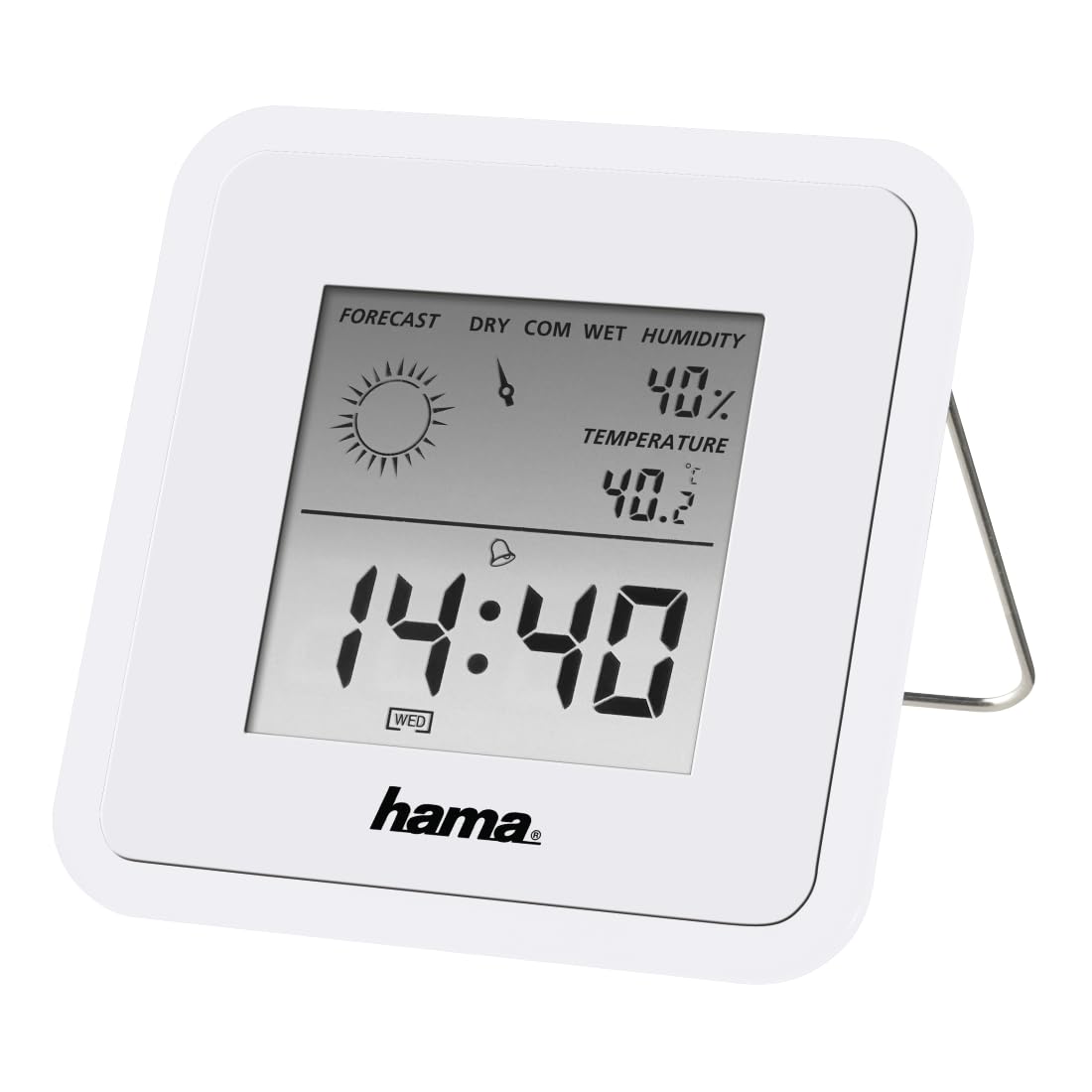
Image: The Hama TH50 Thermo/Hygrometer, a compact white device displaying digital temperature and humidity readings.
Veiligheidsinstructies
- Stel het apparaat niet bloot aan extreme temperaturen, direct zonlicht of hoge luchtvochtigheid.
- Laat het apparaat niet vallen en stel het niet bloot aan sterke schokken.
- Open het apparaat niet casinof probeer het zelf te repareren. Laat al het onderhoud over aan gekwalificeerd personeel.
- Houd het apparaat buiten bereik van kinderen.
- Gooi batterijen weg volgens de plaatselijke voorschriften.
Inhoud van het pakket
Controleer of alle items aanwezig zijn en in goede staat zijn:
- Hama TH50 Thermo/Hygrometer
- 1 Lithium Metal Battery (pre-installed or separate)
- Deze handleiding
Instellen
1. Batterij installatie
The Hama TH50 requires one Lithium Metal battery for operation. If the battery is not pre-installed, follow these steps:
- Zoek het batterijklepje aan de achterkant van het apparaat.
- Open het batterijklepje.
- Plaats de lithium-metaalbatterij en let daarbij op de juiste polariteit (+/-) zoals aangegeven in het batterijcompartiment.
- Sluit het batterijklepje goed.
2. Plaatsing
The Hama TH50 is designed for tabletop mounting. For accurate readings, place the device in a central location within the room, away from direct heat sources, air conditioning vents, or open windows that could affect temperature and humidity measurements.

Image: The Hama TH50 Thermo/Hygrometer displayed on a small table in a modern living room setting, demonstrating typical placement.
Het apparaat bedienen
Weergave-informatie
Once the battery is installed, the device will automatically power on and begin displaying the current temperature and humidity. The display typically shows:
- Temperatuur: Measured in degrees Celsius (°C). The accuracy is ±1°C.
- Vochtigheid: Gemeten als een percentagetage (%).
- Tijd: The current time may also be displayed, depending on the model's features.
There are no user-adjustable settings or buttons on this model for changing units or modes. The device operates automatically.
Onderhoud
Schoonmaak
To clean the device, use a soft, dry, lint-free cloth. Do not use abrasive cleaners, solvents, or chemical agents, as these can damage the display or casing. Voorkom dat er vocht in het apparaat komt.
Batterij vervangen
When the display becomes dim or the readings appear inaccurate, it may be time to replace the battery. Follow the battery installation steps outlined in the "Setup" section to replace the Lithium Metal battery. Ensure proper disposal of the old battery.
Probleemoplossing
| Probleem | Mogelijke oorzaak | Oplossing |
|---|---|---|
| Device does not power on / Display is blank. | Battery is not installed or is depleted. Incorrect battery polarity. | Check battery installation and polarity. Replace with a new Lithium Metal battery if necessary. |
| Onnauwkeurige temperatuur-/vochtigheidsmetingen. | Device placed near heat sources, vents, or in direct sunlight. Battery low. | Relocate the device to a more central and stable environment. Replace the battery. |
| Display is zwak. | Batterij bijna leeg. | Replace the Lithium Metal battery. |
Specificaties
- Modelnummer: 00186371
- Merk: Hama
- Productafmetingen: 10.5x8.6x3.2cm
- Artikelgewicht: 66 gram
- Kleur: Wit
- Montagetype: Tafelblad
- Nauwkeurigheid temperatuurmeting: ±1°C
- Batterijen: 1 lithium-metaalbatterij (meegeleverd)
Garantie en ondersteuning
Hama provides a limited warranty for this product. For detailed warranty information, technical support, or service inquiries, please refer to the official Hama webwebsite of neem contact op met hun klantenservice. Bewaar uw aankoopbewijs als aankoopbewijs.
Let op: Productspecificaties en uiterlijk kunnen zonder voorafgaande kennisgeving worden gewijzigd.


