Invoering
Thank you for choosing the Bontempi 12 2407 Electronic Mini Keyboard. This manual provides essential information for the safe and proper use, setup, and maintenance of your new instrument. Please read it thoroughly before use and keep it for future reference.
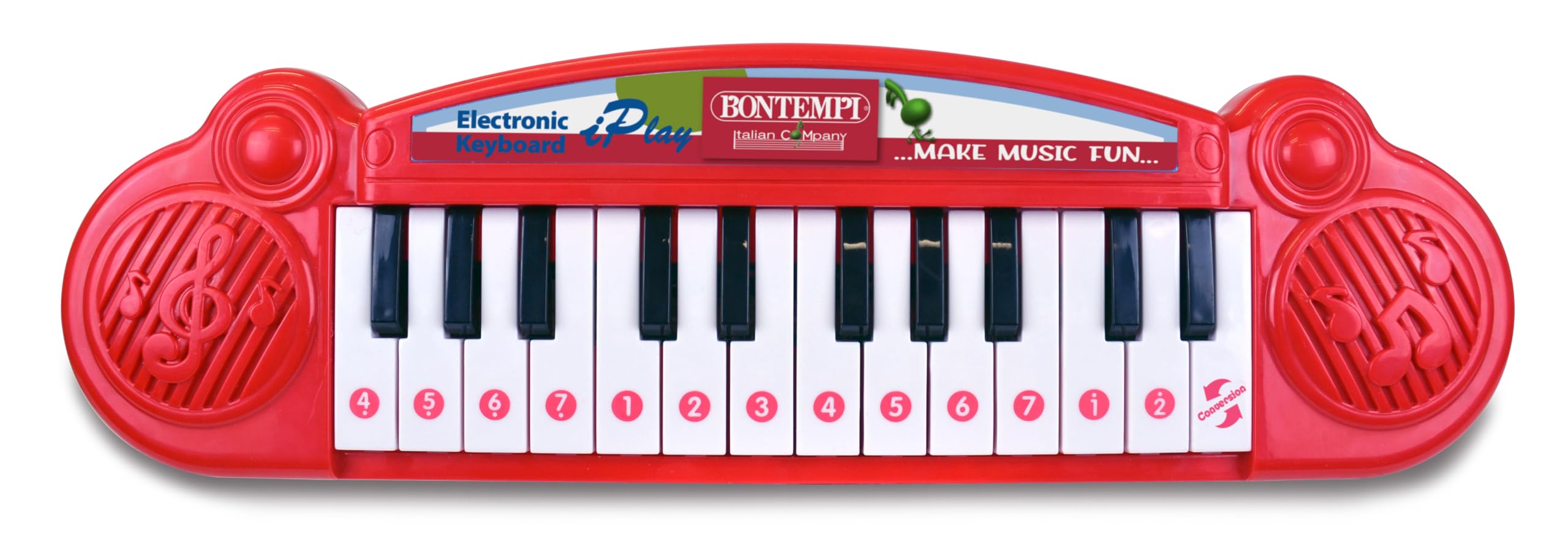
Image showing the Bontempi 12 2407 Electronic Mini Keyboard, red in color, with 24 keys, displayed in its retail packaging. The packaging highlights features like '23 Demo' songs and 'Any Key Play'.
Veiligheidsinformatie
Warning: Not suitable for children under 36 months (3 years) due to small parts that could be swallowed.
- Houd altijd toezicht op kinderen als ze met hen spelen.
- Stel het toetsenbord niet bloot aan water of overmatig vocht.
- Laat het toetsenbord niet vallen en stel het niet bloot aan harde stoten.
- Only use the specified battery type and ensure correct polarity.
Inhoud van het pakket
Het pakket moet het volgende artikel bevatten:
- 1 x Bontempi 12 2407 Electronic Mini Keyboard
Instellen
Batterij installatie
- Zoek het batterijvak aan de onderkant van het toetsenbord.
- Open het deksel van het batterijvak met een schroevendraaier.
- Insert 2 x 1.5V batteries (not included), ensuring correct polarity (+/-) as indicated inside the compartment.
- Plaats het deksel van het batterijcompartiment terug en zet het vast met de schroef.
Opmerking: Always remove exhausted batteries promptly and dispose of them responsibly. Do not mix old and new batteries or different types of batteries.
Bediening
Aan/uit
Locate the power switch, usually on the front or side of the keyboard. Slide it to the 'ON' position to power on the instrument. Slide it to the 'OFF' position to turn it off.
Noten spelen
Press any of the 24 keys to play individual musical notes. Experiment with different keys to create melodies.
Demonstratieliederen
The keyboard features 23 pre-recorded demonstration songs. To activate them, use the 'demosong' selector. Pressing the selector button will cycle through the available demonstration songs.
Any Key Play Function
Engage the 'any key play' function using its dedicated selector. In this mode, pressing any key will advance the melody of a selected demonstration song, allowing interactive play.
Functies
- 24 electronic keys
- 23 demonstratienummers
- Selector for notes, demo songs, and 'any key play' function
- Aan/Uit-functie
Onderhoud
Schoonmaak
To clean the keyboard, wipe it with a soft, dry cloth. Do not use abrasive cleaners, solvents, or immerse the unit in water.
Opslag
When not in use, store the keyboard in a dry place away from direct sunlight and extreme temperatures. If storing for an extended period, remove the batteries to prevent leakage.
Probleemoplossing
- Geen geluid:
Check if the power switch is in the 'ON' position. Ensure batteries are correctly installed and not depleted. Replace batteries if necessary. - Toetsen reageren niet:
Ensure the keyboard is powered on. If the issue persists after checking batteries, contact customer support.
Specificaties
| Functie | Specificatie |
|---|---|
| Modelnummer | 12 2407 |
| Afmetingen (L x B x H) | 34.5 x 10 x 3 cm (13.58 x 3.94 x 1.18 inch) |
| Gewicht | 280 gram (0.62 lbs) |
| Aantal sleutels | 24 |
| Stroomvoorziening | 2 x 1.5V batteries (not included) |
| Materiaal | Plastic |
| Aanbevolen leeftijd | 3 jaar en ouder |
| UPC | 047663335452 |
Garantie en ondersteuning
Information regarding product warranty and customer support is not available in this manual. Please refer to the product packaging or the manufacturer's official webVoor meer informatie over de garantie en hoe u contact kunt opnemen met de klantenservice, kunt u terecht op de website.