Invoering
This manual provides instructions for the setup, operation, and maintenance of your LG 32QN600-B QHD 32-inch IPS monitor. Please read this manual thoroughly before operating your device to ensure safe and optimal performance. Keep this manual for future reference.
Belangrijke veiligheidsinformatie
Neem bij het gebruik van dit product altijd de basisveiligheidsmaatregelen in acht om het risico op brand, elektrische schokken en letsel te verminderen. Dit omvat, maar is niet beperkt tot:
- Blokkeer de ventilatieopeningen niet.
- Niet in de buurt van warmtebronnen installeren.
- Zorg ervoor dat er niet op het netsnoer wordt gelopen en dat het niet bekneld raakt.
- Gebruik uitsluitend de door de fabrikant gespecificeerde hulpstukken/accessoires.
- Laat alle onderhoudswerkzaamheden over aan gekwalificeerd onderhoudspersoneel.
Instellen
1. Uitpakken
Carefully remove all components from the packaging. Ensure all parts listed in the packing list are present and undamaged. Keep packaging materials for future transport or return.
2. Stand Assembly / Wall Mounting
The monitor can be set up using its adjustable Edge-ArcLine stand or mounted to a wall using a VESA compatible mount (100 x 100 mm). Follow the instructions provided with the stand or wall mount kit for proper assembly.

Afbeelding: Achterkant view of the LG 32QN600-B monitor with its Edge-ArcLine stand attached. The stand provides stability and allows for tilt and height adjustments.
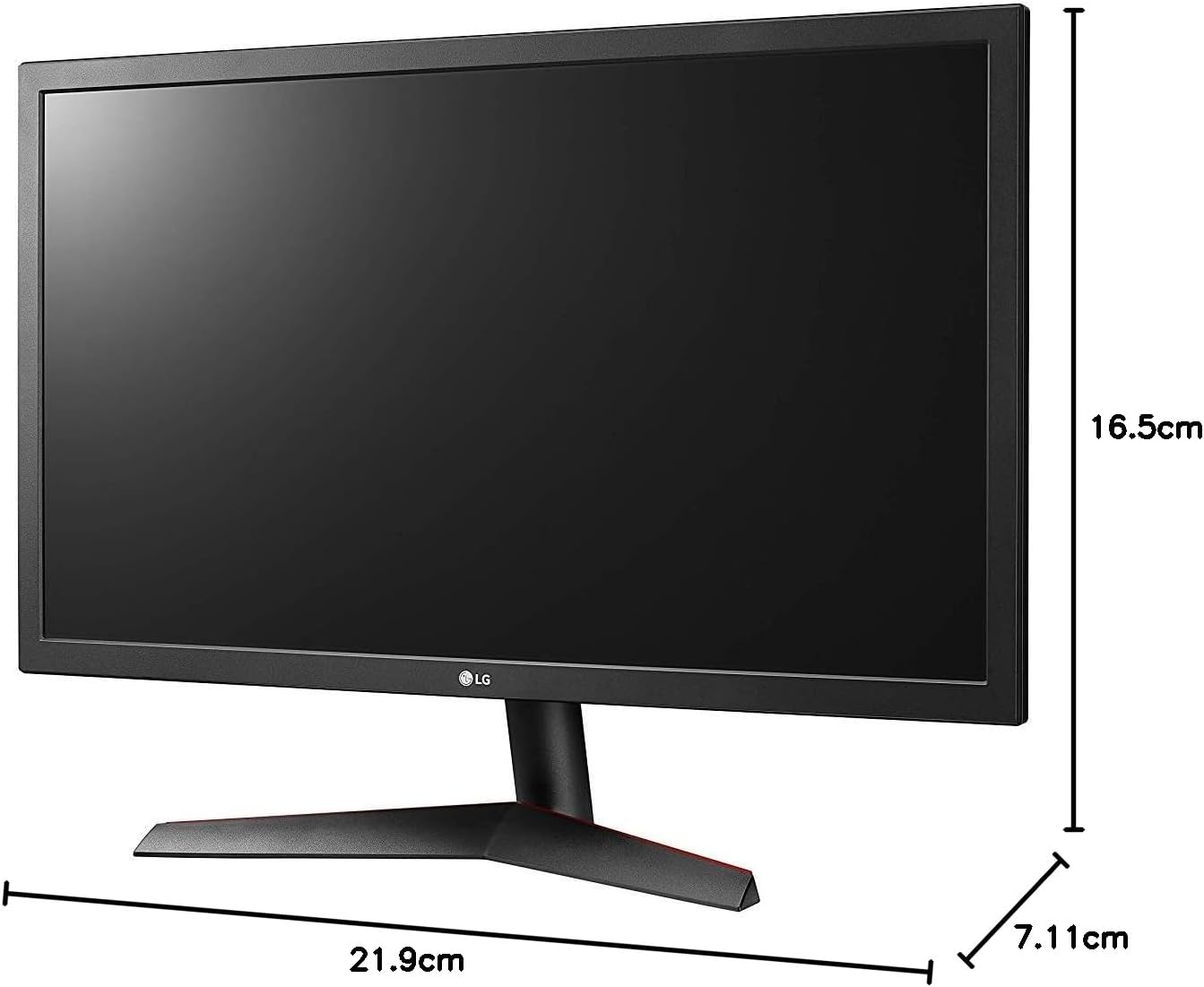
Image: Diagram illustrating the approximate dimensions of a similar LG monitor, showing width, height, and depth. Note: Specific dimensions for the 32QN600-B model are not provided in the available data.
3. Verbinding maken met een computer
Connect the monitor to your computer using one of the following cable types. Ensure the monitor and computer are powered off before making connections.
- HDMI-aansluiting: Use an HDMI cable to connect the monitor's HDMI port to the HDMI port on your computer's graphics card. This monitor supports 2 HDMI inputs.
- DisplayPort-verbinding: Use a DisplayPort cable to connect the monitor's DisplayPort to the DisplayPort on your computer's graphics card. This monitor supports 1 DisplayPort input.

Image: Close-up of the rear panel of the LG 32QN600-B monitor, displaying the available input ports including HDMI and DisplayPort connections.
4. Stroomaansluiting
Sluit de stroomadapter aan op de stroomingang van de monitor en steek vervolgens de stekker van het netsnoer in een stopcontact.
De monitor bedienen
1. Aan/uit

Afbeelding: Voorzijde view of the LG 32QN600-B QHD 32-inch IPS monitor, showing the display and stand.
Press the power button (usually a joystick-style button located on the bottom center of the monitor) to turn the monitor on or off.
2. Navigatie in het OSD-menu (On-Screen Display)
The OSD menu allows you to adjust various monitor settings. Use the joystick button to navigate the menu:
- Druk op de joystickknop om het OSD-hoofdmenu te openen.
- Beweeg de joystick omhoog/omlaag/naar links/naar rechts om door menuopties te navigeren.
- Druk op de joystickknop om een optie te selecteren of een instelling te bevestigen.
- Beweeg de joystick naar links om een submenu of het OSD te verlaten.
3. Beeldinstellingen
Pas de weergave-instellingen aan voor een optimale weergave viewervaring:
- Helderheid: Regelt de algehele helderheid van het scherm.
- Contrast: Past het verschil tussen lichte en donkere gebieden aan.
- Kleurtemperatuur: Changes the color warmth or coolness.
- Gamma: Adjusts the mid-tone luminance.
4. Speciale kenmerken
The LG 32QN600-B monitor includes several features to enhance your viewspel- en spelervaring:
- HDR 10 Compatibility: Supports High Dynamic Range content for enhanced contrast and color detail.
- Lezermodus: Vermindert de uitstoot van blauw licht om belasting van de ogen tijdens langdurig lezen te minimaliseren.
- Flikkerveilig: Virtually eliminates screen flicker to reduce eye fatigue.
- AMD FreeSync: Synchronizes the monitor's refresh rate with compatible AMD graphics cards to reduce screen tearing and stuttering for smoother gameplay.
- Dynamische Actie Sync (DAS): Minimizes input lag, allowing for quicker responses in fast-paced games.
- Zwarte stabilisator: Automatically brightens dark areas in games, making it easier to spot objects or enemies hidden in shadows.
Onderhoud
De monitor schoonmaken
To clean the monitor, ensure it is powered off and unplugged from the power outlet. Use a soft, lint-free cloth lightly dampened with water or a mild, non-abrasive screen cleaner. Do not spray cleaner directly onto the screen. Avoid using harsh chemicals, abrasives, or solvents.
Algemene verzorging
Avoid placing heavy objects on the monitor or its cables. Do not expose the monitor to direct sunlight, high humidity, or extreme temperatures. Ensure adequate ventilation around the monitor.
Probleemoplossing
If you experience issues with your monitor, refer to the following common problems and solutions:
| Probleem | Mogelijke oorzaak / oplossing |
|---|---|
| Geen stroom | Ensure the power cord is securely connected to the monitor and a working power outlet. Check if the power adapter is functioning. |
| Geen signaal / Leeg scherm | Verify that the video cable (HDMI or DisplayPort) is securely connected to both the monitor and the computer. Ensure the correct input source is selected in the OSD menu. Check if the computer is powered on and not in sleep mode. |
| Afbeelding is wazig of vervormd | Adjust the resolution settings on your computer to match the monitor's native resolution (2560 x 1440). Check the video cable for damage. Perform an auto-adjustment or reset picture settings in the OSD menu. |
| Kleuren zijn onjuist | Adjust color settings (color temperature, gamma) in the OSD menu. Ensure your graphics card drivers are up to date. |
| Schermscheuren of haperingen (tijdens het gamen) | Ensure AMD FreeSync is enabled on both the monitor (via OSD) and your compatible AMD graphics card settings. |
Als het probleem aanhoudt na het proberen van deze oplossingen, neem dan contact op met de klantenservice van LG.
Specificaties
| Modelnaam | LG 32QN600-B |
| Schermgrootte | 32 inch |
| Paneeltype | IPS |
| Oplossing | QHD (2560 x 1440) |
| Beeldverhouding | 16:9 |
| HDR-ondersteuning | HDR 10 compatibel |
| Helderheid (typisch) | 350 neten |
| Kleurengamma | DCI-P3 90% (typisch) |
| Adaptieve synchronisatietechnologie | AMD FreeSync |
| Connectiviteit | 2x HDMI, 1x DisplayPort |
| VESA-muurbevestiging | 100x100mm |
| Speciale kenmerken | Reader Mode, Flicker Safe, Dynamic Action Sync, Black Stabilizer |
| Stroomverbruik | 100-240 Volts |
| Afmetingen (B x H x D) | Specific dimensions for the 32-inch model are not available in the provided data. |
| Gewicht | Specific weight for the 32-inch model is not available in the provided data. |
Garantie-informatie
LG monitors typically come with a limited manufacturer's warranty. For detailed information regarding your product's warranty period, coverage, and terms and conditions, please refer to the warranty card included with your product or visit the official LG webwebsite. Bewaar uw aankoopbewijs voor garantieclaims.
Klantenservice
Voor technische assistentie, probleemoplossing die niet in deze handleiding staat of servicevragen kunt u contact opnemen met LG Klantenservice:
- Webwebsite: Bezoek de officiële LG webWebsite met ondersteuningsbronnen, veelgestelde vragen en driverdownloads.
- Telefoon: Raadpleeg de productdocumentatie of de LG-website. website voor regionale contactnummers.