Invoering
Welcome to the world of Resident Evil 5. This manual provides essential information to help you get started and navigate the game's challenging environments. Prepare to face new bio-organic threats as you uncover a global conspiracy.

Image: The official game cover for Resident Evil 5 on PlayStation 4, featuring protagonists Chris Redfield and Sheva Alomar.
Instellen en installeren
To install Resident Evil 5 on your PlayStation 4 console, follow these steps:
- Insert the Resident Evil 5 game disc into the PlayStation 4 console's disc drive.
- Het systeem start automatisch het installatieproces. Volg de aanwijzingen op het scherm.
- Ensure your PlayStation 4 is connected to the internet to download any available game updates or patches for optimal performance.
- Zodra de installatie is voltooid, selecteer je het Resident Evil 5-pictogram op het startscherm van je PlayStation 4 om het spel te starten.
Systeemvereisten
- PlayStation 4-console
- Minimum 18 GB available storage space
- Internet connection for updates and online features
Operating the Game: Basic Controls
Resident Evil 5 utilizes the standard PlayStation 4 controller layout. Familiarize yourself with the basic controls before beginning your mission.
| Controller Input | Actie |
|---|---|
| Linker analoge stick | Move Character |
| Rechter analoge stick | Camera bedienen |
| X-knop | Confirm / Action |
| Cirkelknop | Cancel / Dodge |
| Vierkante knop | Reload Weapon |
| Driehoek knop | Access Inventory |
| R2-knop | Vuurwapen |
| L2-knop | Aim Weapon |
| R1-knop | Melee Attack |
| L1-knop | Partnercommando |
Detailed control schemes and customizable options can be found within the game's settings menu.
Gameplay voorbijview
Resident Evil 5 is a third-person shooter with survival horror elements. Players control Chris Redfield, accompanied by his partner Sheva Alomar, as they investigate a bioterrorism threat in Africa. The game emphasizes cooperative play, with an AI partner or another player controlling Sheva.
Belangrijkste kenmerken:
- Cooperative Gameplay: Work together with your partner to overcome challenges, solve puzzles, and defeat enemies.
- Bronnenbeheer: Strategically manage your limited ammunition, health items, and weapons.
- Enemy Variety: Encounter a diverse range of infected humans and mutated creatures.
- Weapon Upgrades: Collect currency to upgrade your weapons and unlock new ones.

Image: Chris Redfield and Sheva Alomar surveying a desolate village environment, typical of the game's setting.

Image: An intense combat scene where characters are engaging multiple infected enemies in a confined space.
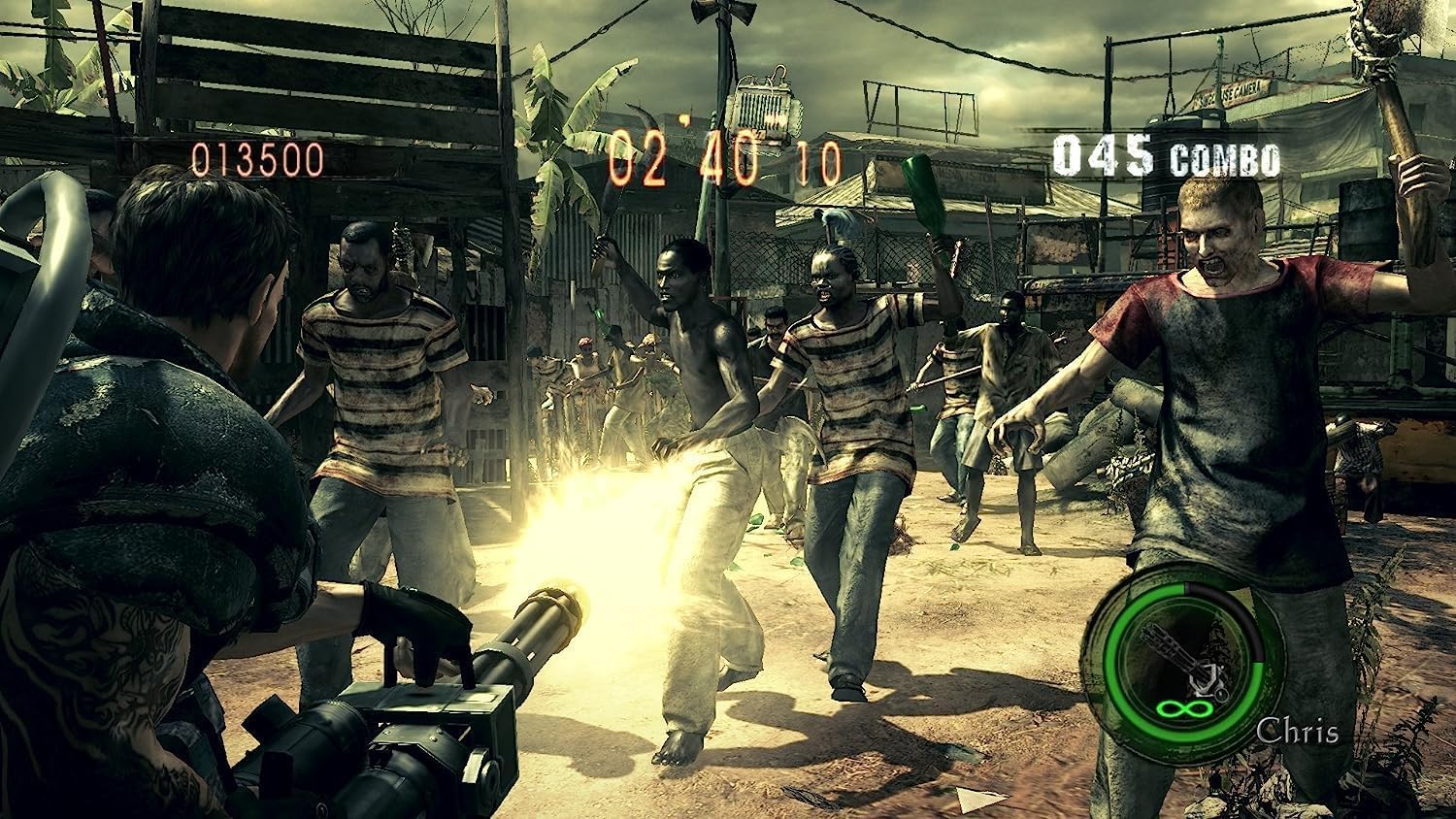
Image: Chris Redfield wielding a powerful minigun against a horde of approaching enemies.

Image: Chris and Sheva exploring a dark, cavernous area, encountering a mutated creature.

Image: Excella Gionne observing as zombies approach in a futuristic-looking facility.

Image: Chris and Sheva engaging in combat against flying, mutated enemies in an outdoor environment.
Onderhoud en verzorging
To ensure the longevity of your Resident Evil 5 game disc and optimal performance:
- Pak de game-disc altijd vast aan de randen om vingerafdrukken en krassen te voorkomen.
- Bewaar de cd in de originele hoes wanneer u deze niet gebruikt.
- Keep the disc away from direct sunlight, extreme temperatures, and humidity.
- Als de schijf vuil wordt, veeg deze dan voorzichtig af met een zachte, pluisvrije doek, van het midden naar buiten toe. Gebruik geen schurende reinigingsmiddelen.
- Ensure your PlayStation 4 console's disc drive is clean and free of dust.
Probleemoplossing
If you encounter issues while playing Resident Evil 5, refer to the following common solutions:
- Game Not Starting / Disc Read Error:
- Controleer de speldisc op krassen of vlekken. Maak hem indien nodig schoon.
- Zorg ervoor dat de schijf correct in de console is geplaatst.
- Start je PlayStation 4-console opnieuw op.
- Verify that your console's system software is up to date.
- Freezing / Crashing:
- Sluit de game-applicatie af en start deze opnieuw op.
- Ensure there is sufficient free space on your console's hard drive.
- Check for and install any available game updates.
- Problemen met de internetverbinding:
- Controleer of uw internetverbinding stabiel is.
- Check PlayStation Network (PSN) status for any service outagen.
- Start uw router/modem opnieuw op.
For persistent issues, consult the official Capcom support webde website of de PlayStation-ondersteuningsbronnen.
Specificaties
| Attribuut | Detail |
|---|---|
| Producttitel | Resident Evil 5 (PS4) |
| Fabrikant | Capcom |
| Platform | PlayStation4 |
| ASIN | B07831LNP3 |
| ESRB-beoordeling | Volwassen |
| Productafmetingen | 13.49 x 1.4 x 17.2 cm; 68 g (Disc and Case) |
Garantie en ondersteuning
For information regarding product warranty, technical support, or customer service for Resident Evil 5, please refer to the official Capcom support channels.
- Capcom-officieel Webwebsite: Bezoek www.capcom.com for general information and news.
- Capcom Support: For technical assistance, FAQs, and troubleshooting guides, please visit the dedicated support section on the Capcom website. Specific support details may vary by region.
- PlayStation-ondersteuning: For console-related issues or PlayStation Network support, visit the official PlayStation support weblocatie bij www.playstation.com/support.
Bewaar uw aankoopbewijs voor eventuele garantieclaims.


