1. Inleiding
This manual provides essential instructions for the installation, operation, and maintenance of your ANNKE i61dr 1080P WiFi IP Security Camera. Please read this manual thoroughly before using the product to ensure proper setup and functionality. Keep this manual for future reference.
2. Inhoud van het pakket
Controleer of alle hieronder vermelde artikelen in uw pakket aanwezig zijn. Neem contact op met de klantenservice als er artikelen ontbreken of beschadigd zijn.

Image: Contents of the ANNKE i61dr camera package, including the camera, power adapter, Ethernet cable, mounting hardware, drill template, and user manual.
- ANNKE i61dr 1080P WiFi IP Security Camera
- Voedingsadapter (DC12V)
- Ethernet-kabel
- Montageschroeven en pluggen
- Boorsjabloon
- Gebruiksaanwijzing
- Software CD
3. Product voorbijview
Familiarize yourself with the components and indicators of your ANNKE i61dr camera.
Voorkant View
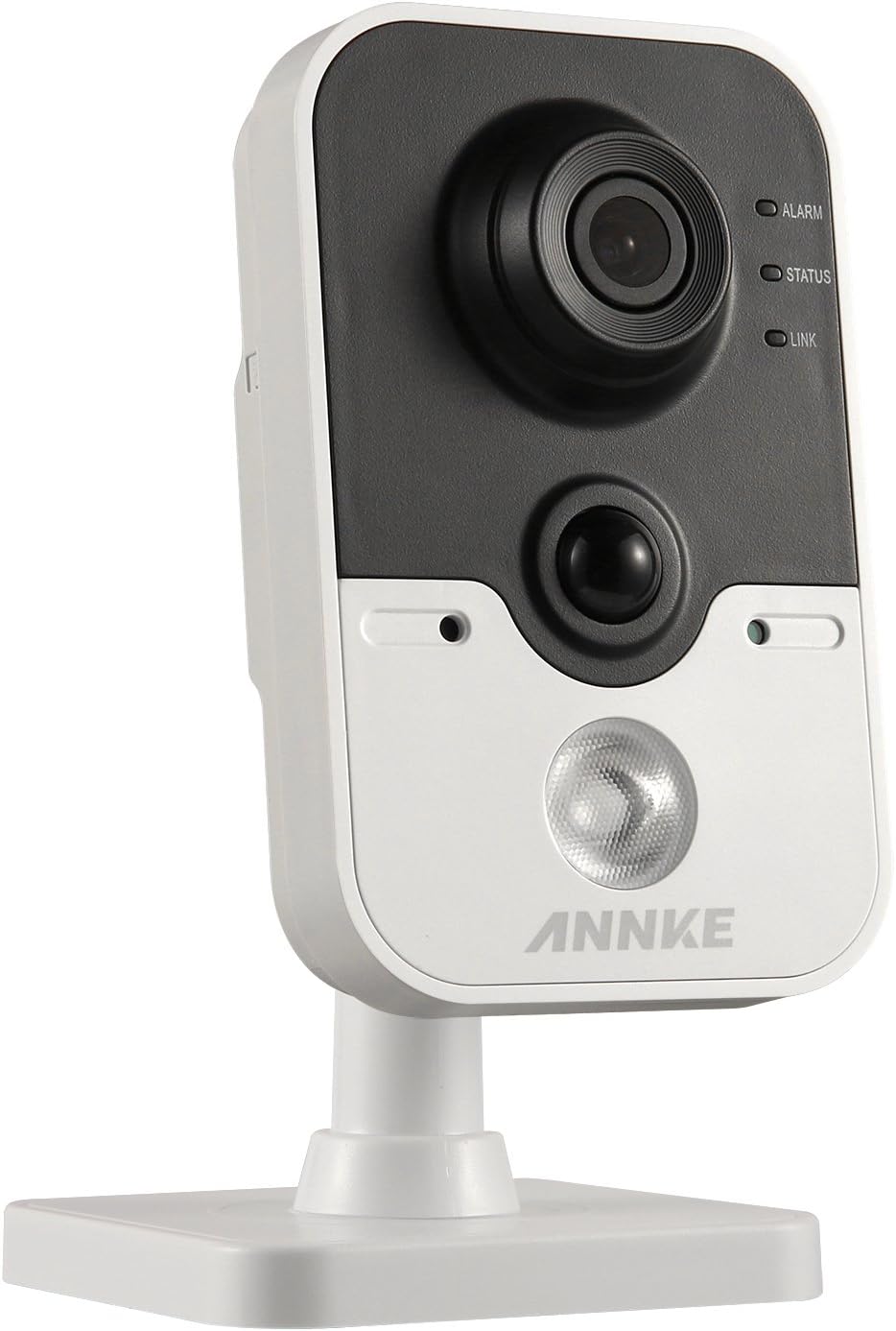
Image: The front of the ANNKE i61dr camera, featuring the main camera lens, a passive infrared (PIR) sensor, and three LED indicators labeled ALARM, STATUS, and LINK.
- Cameralens: Legt 1080p HD-video vast.
- PIR-sensor: Detecteert warmtesignaturen voor nauwkeurige bewegingsdetectie.
- ALARM-LED: Geeft de alarmstatus aan.
- STATUS-LED: Indicates camera operational status.
- LINK-LED: Geeft de netwerkverbindingsstatus aan.
Achterkant View

Image: The rear of the ANNKE i61dr camera, displaying the LAN port, WPS/RST button, Alarm I/O terminals, and DC12V power input.
- LAN-poort: For wired Ethernet connection and Power over Ethernet (PoE).
- WPS/RST-knop: Used for WPS Wi-Fi setup or to reset the camera to factory defaults.
- ALARM I/O: Terminals for external alarm devices.
- DC12V-voedingingang: Wordt aangesloten op de meegeleverde stroomadapter.
Kant View

Image: The side of the ANNKE i61dr camera, showing the accessible SD card slot for local storage.
- SD-kaartsleuf: Insert a microSD card (not included) for local video storage.
4. Instellen
Follow these steps to set up your ANNKE i61dr camera.
4.1 De camera van stroom voorzien
- Connect the included power adapter to the DC12V input port on the back of the camera.
- Sluit de stroomadapter aan op een stopcontact.
- Alternatively, if using Power over Ethernet (PoE), connect an Ethernet cable from a PoE-enabled switch or injector to the LAN port.
4.2 Netwerkverbinding
De camera ondersteunt zowel Wi-Fi- als bekabelde Ethernet-verbindingen.
Wi-Fi Setup (One-Touch or WPS)
- Ensure your router supports WPS or follow the camera's app instructions for one-touch Wi-Fi setup.
- For WPS, press the WPS button on your router, then press the WPS/RST button on the camera within 2 minutes. The LINK LED will indicate successful connection.
- For app-guided setup, download the ANNKE app (compatible with Android) and follow the on-screen instructions to connect the camera to your Wi-Fi network.
Bekabelde Ethernet-installatie
- Connect an Ethernet cable from your router or network switch to the LAN port on the back of the camera.
- The camera will automatically obtain an IP address.
4.3 De camera monteren
The camera is designed for ceiling mounting but can also be placed on a flat surface.
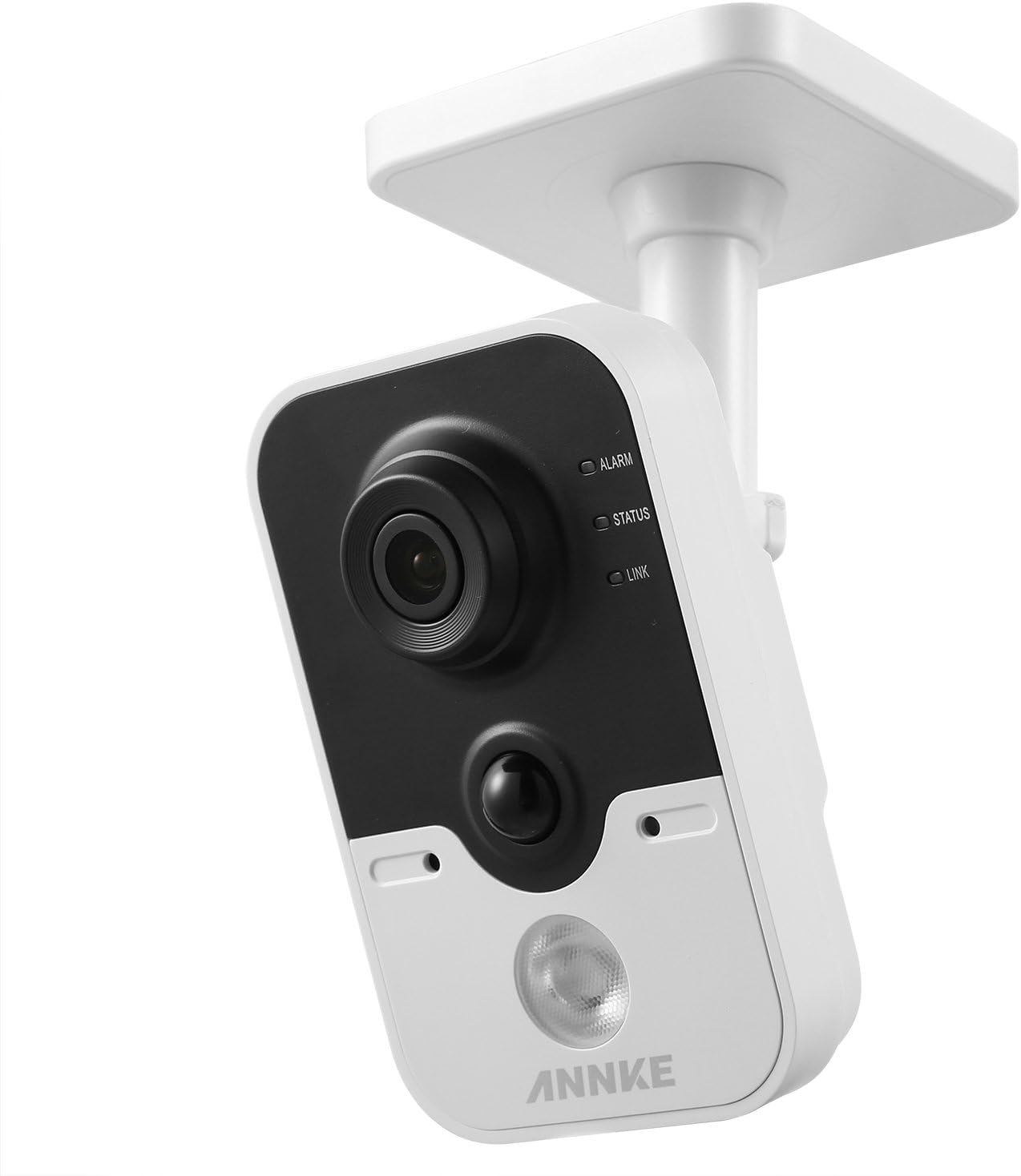
Image: The ANNKE i61dr camera shown mounted on a ceiling, demonstrating its intended installation method.
- Kies een geschikte locatie voor optimaal viewing and network signal.
- Gebruik de meegeleverde boormal om de schroefgaten op het montageoppervlak te markeren.
- Drill pilot holes and insert wall plugs if mounting on drywall or masonry.
- Secure the camera's base to the surface using the provided screws.
- Pas de camerahoek naar wens aan.
5. Gebruiksaanwijzing
Once set up, your ANNKE i61dr camera offers various monitoring and recording features.
5.1 Levend View en afspelen
- Access the live 1080p HD video feed through the ANNKE mobile application or compatible VCA NVR system.
- Review opgenomen footage stored on the microSD card or cloud storage (if subscribed).
5.2 Motion and PIR Detection
- The camera utilizes both pixel-based motion detection and advanced PIR (Passive Infrared) detection to minimize false alarms.
- Configure detection zones and sensitivity settings within the ANNKE app.
- Receive email alerts or push notifications to your smartphone upon detection of activity.
5.3 Tweerichtingsaudio
- Use the built-in microphone and speaker to communicate with individuals near the camera via the mobile app.
5.4 Videocompressie
- The camera uses H.264 video compression for efficient storage and bandwidth usage while maintaining high video quality.
5.5 Inbraakdetectie
- Advanced intrusion detection features are available, compatible with VCA NVR systems for enhanced security monitoring.
6. Onderhoud
Regelmatig onderhoud zorgt ervoor dat uw camera optimaal presteert en lang meegaat.
- Schoonmaak: Veeg de cameralens en -body voorzichtig af met een zachte, droge doek. Vermijd schurende reinigingsmiddelen of oplosmiddelen.
- Firmware-updates: Periodically check for and install firmware updates through the ANNKE app to ensure the latest features and security enhancements.
- Netwerkstabiliteit: Ensure your Wi-Fi network is stable and has sufficient bandwidth for continuous video streaming.
- Opslagbeheer: If using a microSD card, regularly check its status and ensure there is sufficient space for recordings. Back up important footage zoals nodig.
7. Probleemoplossing
Raadpleeg dit gedeelte voor oplossingen voor veelvoorkomende problemen.
7.1 Geen stroom
- Controleer de stroomaansluiting: Ensure the power adapter is securely plugged into the camera and a working electrical outlet.
- PoE verifiëren: If using PoE, confirm the Ethernet cable is connected to a PoE-enabled port and the PoE device is functioning.
7.2 Geen netwerkverbinding
- Wi-Fi-signaal: Ensure the camera is within range of your Wi-Fi router. Relocate the camera or router if necessary.
- Routerinstellingen: Verify your router's Wi-Fi settings (SSID, password) are correct.
- Camera resetten: Press and hold the WPS/RST button for approximately 10 seconds to reset the camera to factory defaults, then attempt setup again.
- Ethernetkabel: If using a wired connection, ensure the Ethernet cable is properly connected and undamaged.
7.3 Slechte videokwaliteit
- Schone lens: Maak de cameralens voorzichtig schoon met een zachte doek.
- Netwerkbandbreedte: Ensure your internet connection has sufficient upload speed for 1080p video streaming.
- Verlichting: Adjust camera placement to optimize lighting conditions.
7.4 Bewegingsdetectie werkt niet
- Gevoeligheidsinstellingen: Adjust motion detection sensitivity in the ANNKE app.
- Detectiezones: Ensure detection zones are correctly configured to cover the desired areas.
- Obstakels: Controleer of er fysieke obstakels zijn die de camera blokkeren view of de PIR-sensor.
8. Specificaties
| Functie | Specificatie |
|---|---|
| Modelnummer | I61DR |
| Videoresolutie | 1080p HD |
| Connectiviteit | Wireless (Wi-Fi), Wired (Ethernet/PoE) |
| Energiebron | DC12V Power Adapter, Power over Ethernet (PoE) |
| Bewegingsdetectie | PIR Detection, Pixel-based Motion Detection |
| Geluid | Tweerichtingsaudio |
| Videocompressie | H.264 |
| Opslag | MicroSD Card Slot (card not included) |
| Montagetype | Ceiling Mount (also suitable for flat surfaces) |
| Afmetingen (L x B x H) | 13x7x9cm |
| Materiaal | Plastic |
9. Garantie en ondersteuning
ANNKE-producten zijn ontworpen voor betrouwbaarheid en prestaties. Voor garantie-informatie, technische ondersteuning of servicevragen kunt u terecht bij de officiële ANNKE-website. webwebsite of neem rechtstreeks contact op met hun klantenservice. Bewaar uw aankoopbewijs als aankoopbewijs voor garantieclaims.


