1. Inleiding
Thank you for choosing the Volkano Diamond Series USB Powered Speakers. These speakers are designed to provide a convenient and portable audio solution for your computer or other USB-compatible devices. Please read this manual carefully before using the product to ensure proper operation and to maximize its lifespan.
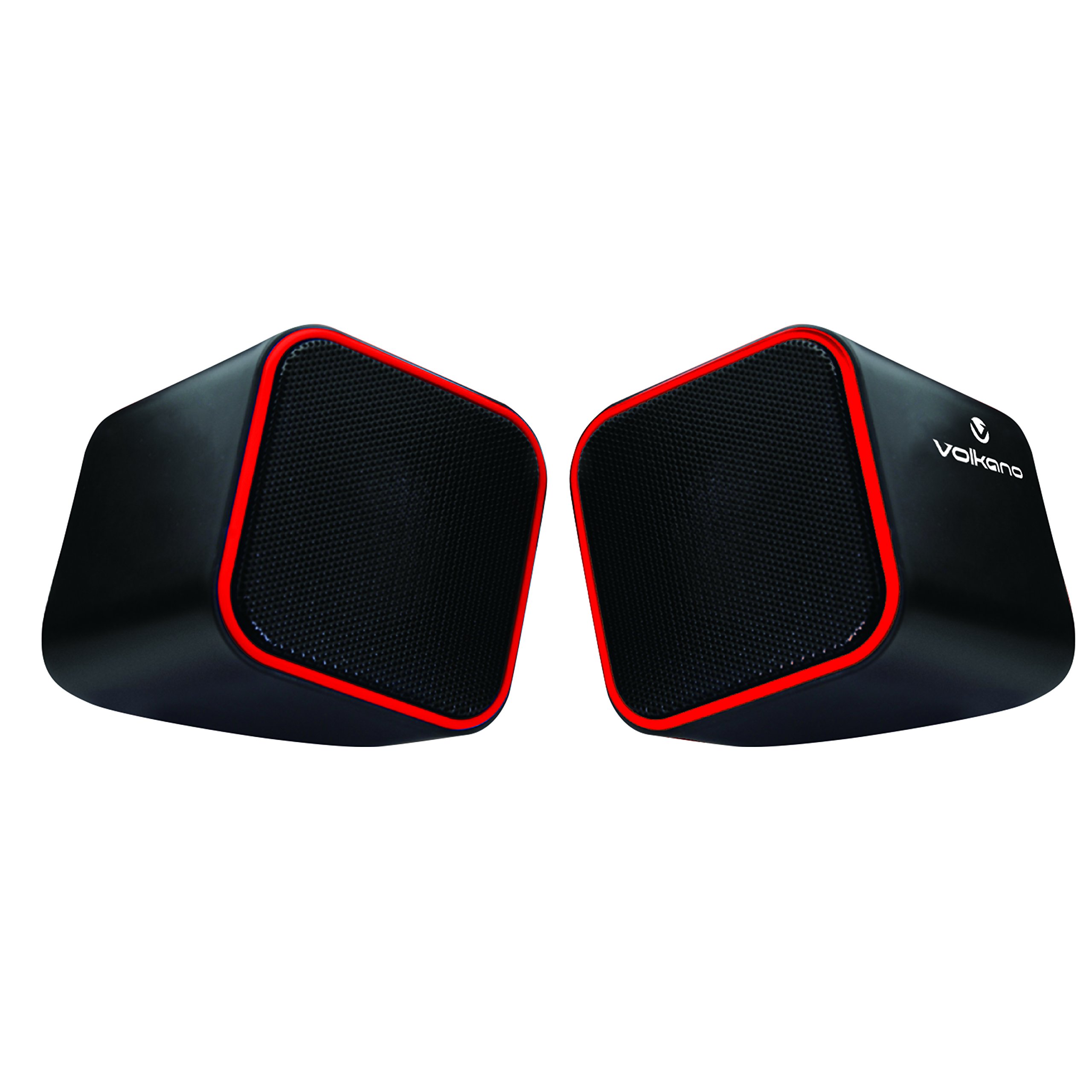
Figure 1: Volkano Diamond Series USB Powered Speakers (Red)
This image displays the Volkano Diamond Series USB Powered Speakers in their red color variant. The speakers feature a compact, cubic design with a mesh grille on the front and a red trim around the edges. The Volkano logo is visible on the side of one speaker.
2. Veiligheidsinformatie
- Stel de luidsprekers niet bloot aan water of vocht.
- Vermijd extreme temperaturen en direct zonlicht.
- Do not attempt to disassemble or modify the speakers. This will void the warranty.
- Buiten bereik van kinderen houden.
- Alleen reinigen met een droge, zachte doek.
- Ensure proper ventilation around the speakers during use.
3. Inhoud van het pakket
Controleer de inhoud van het pakket om er zeker van te zijn dat alle artikelen aanwezig zijn:
- 1 x Volkano Diamond Series USB Powered Speakers (Red)
- 1 x Gebruiksaanwijzing
4. Product voorbijview
The Volkano Diamond Series speakers are designed for simplicity and portability. They feature a compact design and are powered directly via USB, eliminating the need for an external power adapter.

Figure 2: Speaker connections (Note: Product color is Red)
Deze afbeelding toont de achterkant. view of the Volkano Diamond Series speakers, highlighting the integrated USB power cable and the 3.5mm audio jack cable. These are the primary connections for both power and audio input.

Figure 3: USB and Audio Cables with Volume Control
This image details the USB power cable, the 3.5mm audio jack, and the inline volume control unit. The volume control allows for easy adjustment of audio output.
5. Instellen
Follow these steps to set up your Volkano Diamond Series speakers:
- Sluit de USB-kabel aan: Plug the USB-A connector into an available USB port on your computer, laptop, or a compatible USB power adapter. This provides power to the speakers.
- Sluit de audiokabel aan: Plug the 3.5mm audio jack into the headphone or audio output port of your computer, laptop, smartphone, or other audio source.
- Positie Sprekers: Plaats de luidsprekers op een vlakke, stabiele ondergrond en zorg ervoor dat ze zo gepositioneerd zijn dat het geluid optimaal wordt weergegeven.
- Inschakelen: The speakers will power on automatically once the USB cable is connected and receiving power.

Figure 4: Speakers connected to a computer (Note: Product color is Red)
This image illustrates the Volkano Diamond Series speakers positioned next to a computer monitor, demonstrating a typical setup. The cables are connected to the computer, ready for audio playback.
6. Gebruiksaanwijzing
Once connected, operating your Volkano Diamond Series speakers is straightforward:
- Volumeregeling: Use the inline volume control dial on the cable to adjust the speaker's output volume. Turn the dial clockwise to increase volume and counter-clockwise to decrease it.
- Volume van de audiobron: You can also control the volume from your connected audio source (e.g., computer's system volume, media player volume).
- Uitschakelen: To turn off the speakers, simply disconnect the USB power cable from its source.
7. Onderhoud
Proper maintenance ensures the longevity of your speakers:
- Schoonmaak: Use a soft, dry, lint-free cloth to wipe the exterior of the speakers. Do not use liquid cleaners, aerosols, or solvents.
- Opslag: Wanneer u de luidsprekers gedurende langere tijd niet gebruikt, bergt u ze op op een koele, droge plaats, uit de buurt van direct zonlicht en extreme temperaturen.
- Kabelonderhoud: Voorkom dat u de kabels te veel buigt of knelt om interne schade te voorkomen.
8. Probleemoplossing
Als u problemen ondervindt met uw luidsprekers, raadpleeg dan de volgende veelvoorkomende problemen en oplossingen:
| Probleem | Mogelijke oorzaak | Oplossing |
|---|---|---|
| Geen geluid uit luidsprekers. |
|
|
| Het geluid is vervormd of onduidelijk. |
|
|
| Luidsprekers worden niet door de computer herkend. |
|
|
9. Specificaties
| Functie | Detail |
|---|---|
| Modelnaam | Diamond Series |
| Artikelmodelnummer | VB-702-RED |
| Kleur | Rood |
| Luidsprekertype | Multimedia |
| Connectiviteitstechnologie | USB |
| Energiebron | Elektrisch met snoer (via USB) |
| Maximale uitgangsvermogen luidspreker | 6 Watt |
| Audio-uitvoermodus | Stereo |
| Luidsprekergrootte | 2 inch |
| Productafmetingen | 15D x 15B x 15H centimeter |
| Materiaal | Plastic |
| Speciale functie | Draagbaar |
| Aanbevolen toepassingen | Voor muziekspelers |
10. Garantie-informatie
The Volkano Diamond Series USB Powered Speakers come with a 1 jaar beperkte garantie Van de fabrikant. Deze garantie dekt materiaal- en fabricagefouten bij normaal gebruik. Bewaar uw aankoopbewijs voor garantieclaims.
For extended coverage, Volkano offers an additional 12-Month extension upon product registration, totaling 24 Months of coverage. Visit the official Volkano website voor registratiegegevens.
11. Klantenservice
Should you have any questions, require assistance, or need to make a warranty claim, please contact Volkano customer support. Your satisfaction is important to us.
- Online hulp: Visit the official Volkano Page for assistance and to message us directly.
- Garantie registratie: Register your product to extend your warranty coverage.
Note: Specific contact details (e.g., phone number, email) are typically found on the official brand weblocatie of productverpakking.


