KEYSIGHT U1242C Handheld Digitale Multimeter Gebruikershandleiding
Model: U1242C
1. Inleiding
The KEYSIGHT U1242C is a robust and reliable handheld digital multimeter (DMM) designed for professional and industrial use. It offers high accuracy, durability, and advanced features for various electrical measurements. This manual provides essential information for the safe and efficient operation, maintenance, and troubleshooting of your U1242C DMM.
Belangrijkste kenmerken zijn:
- 50,000 counts resolution on dual display
- 0.03% basic DC voltagde nauwkeurigheid
- True RMS AC measurement
- Data logging to DMM (max. 200 points) & PC with software bundle
- IP 67 certified for dust and water resistance
- Withstands up to 3-meter (10 feet) drop
- Ingebouwde LED-zaklamp
2. Veiligheidsinformatie
WARNING: Read and understand all safety instructions before operating this device. Failure to follow these instructions may result in injury or damage to the meter.
- Dit product is uitsluitend bedoeld voor professioneel gebruik.
- Houd u altijd aan de lokale en nationale veiligheidsvoorschriften.
- Gebruik de meter niet als deze beschadigd lijkt of als de isolatie is aangetast.
- Zorg ervoor dat de meetsnoeren in goede staat verkeren en correct zijn aangesloten voordat u metingen uitvoert.
- Overschrijd de maximale invoerlimieten voor geen enkele functie.
- Wees voorzichtig bij het werken met voltages boven 30V AC RMS, 42V piek of 60V DC. Deze voltagZe vormen een gevaar voor elektrische schokken.
- Schakel altijd de stroom uit en ontlaad alle hoog-voltagControleer de condensatoren voordat u weerstands-, continuïteits- of diodetests uitvoert.
- Replace the battery and fuses only with the specified type and rating.
3. Product voorbijview
3.1 voorzijde View

This image displays the front of the KEYSIGHT U1242C Digital Multimeter, showing its large orange casing, the dual display screen, the rotary dial for function selection, and the input jacks for test leads. Various buttons for functions like Max/Min, Hz, Log, Hold, and Range are visible around the display.
3.2 Zijde View
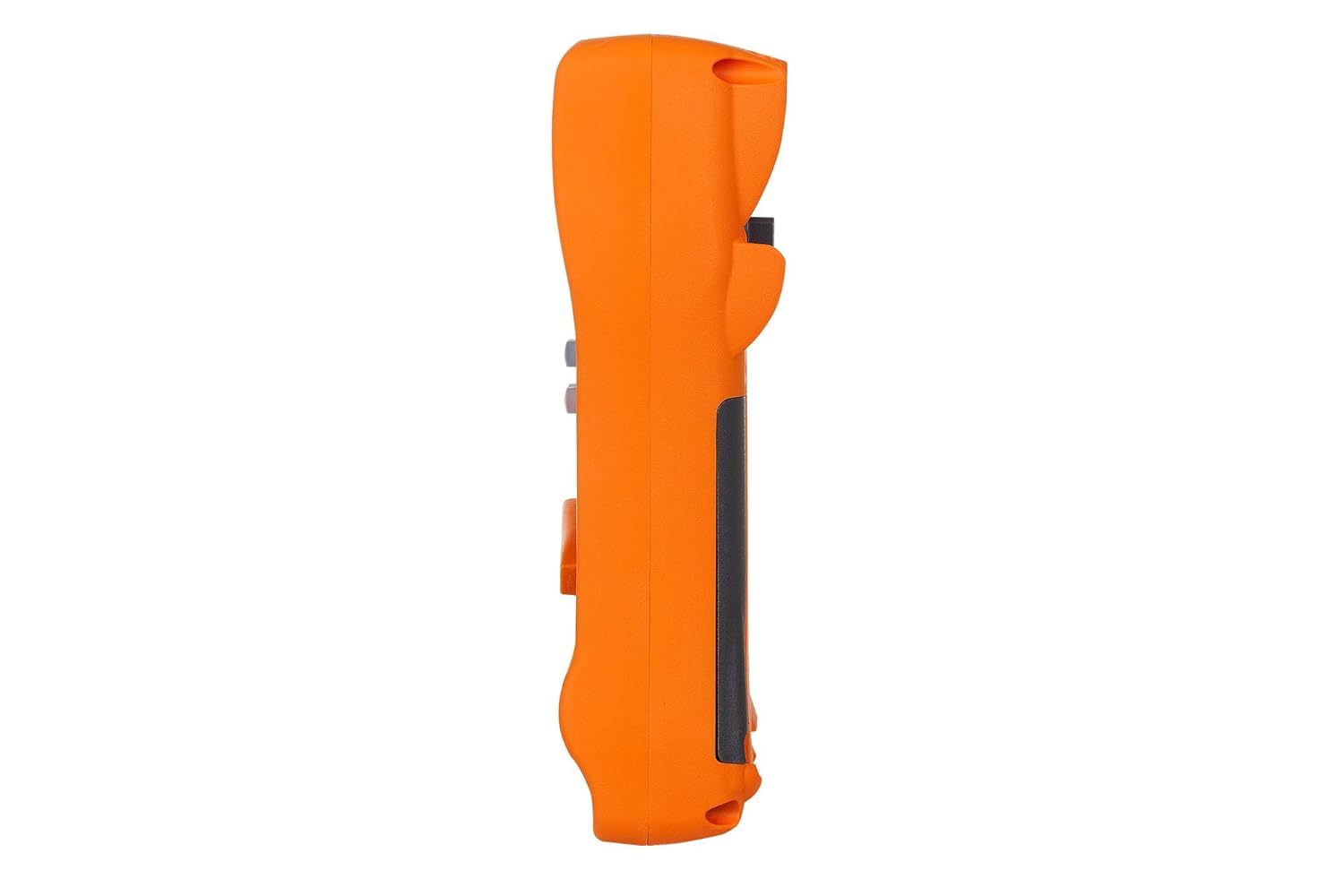
Deze afbeelding toont de zijkant van de profile of the KEYSIGHT U1242C Digital Multimeter, highlighting its ergonomic design and the textured grip on the orange casing. The side view emphasizes the compact and robust build of the device.
3.3 Terug View

This image presents the back of the KEYSIGHT U1242C Digital Multimeter, revealing the battery compartment cover, the kickstand for hands-free operation, and the product label with model and serial number information. The robust construction of the casing is also evident.
3.4 Bedieningselementen en aansluitingen
- Weergave: Large dual display for primary and secondary readings.
- Draaischakelaar: Selecteert meetfuncties (Voltage, Stroomsterkte, Weerstand, enz.).
- Functieknoppen: Max/Min, Hz, Log, Hold, Range, View, Shift.
- Ingangsaansluitingen:
- VΩHz: Ingang voor voltage, resistance, frequency, capacitance, and diode tests.
- COM: Common input for all measurements.
- mAµA: Invoer voor milliampere en microamphuidige metingen.
- 10A MAX FUSED: Ingang voor metingen met hoge stroomsterkte (tot 10A).
4. Instellen
4.1 Batterij installatie
- Zorg ervoor dat de multimeter is uitgeschakeld.
- Zoek het batterijvakje aan de achterkant van de meter.
- Gebruik een schroevendraaier om de schroef los te draaien waarmee het batterijklepje vastzit.
- Verwijder het batterijklepje.
- Insert the specified batteries (e.g., 4 x AAA batteries) observing the correct polarity (+/-).
- Plaats het batterijdeksel terug en draai de schroef stevig vast.
4.2 Aansluiting van de testkabel
Always connect the test leads to the appropriate input jacks for the measurement you intend to perform. Incorrect connection can lead to damage to the meter or personal injury.
- Voor de meeste metingen (Vol.)tage, Resistance, Continuity, Diode, Capacitance, Frequency), connect the black test lead to the COM Jack en de rode test leiden tot de VΩHz krik.
- For current measurements (mA/µA), connect the black test lead to the COM Jack en de rode test leiden tot de mAµA krik.
- For high current measurements (up to 10A), connect the black test lead to the COM Jack en de rode test leiden tot de 10A MAX FUSED krik.
5. Gebruiksaanwijzing
This section outlines the basic steps for performing common measurements with your U1242C DMM.
5.1 AC/DC meten Voltage
- Draai de draaischakelaar naar het gewenste volumetage range (V~ for AC, V- for DC). The meter may have an auto-ranging feature.
- Sluit het zwarte testsnoer aan op de COM Jack en de rode test leiden tot de VΩHz krik.
- Sluit de testprobes parallel aan op het circuit of het onderdeel dat u wilt meten.
- Lees het deeltage-waarde op het display.
5.2 Het meten van wissel- en gelijkstroom
CAUTION: Never connect the meter in parallel with a voltagEen stroombron kan de stroom doorbranden of de meter beschadigen.
- Turn the rotary switch to the desired current range (A~ for AC, A- for DC, or mA/µA ranges).
- Sluit het zwarte testsnoer aan op de COM krik.
- For mA/µA measurements, connect the red test lead to the mAµA jack. Voor 10A-metingen sluit u de rode meetsnoer aan op de 10A MAX FUSED krik.
- Onderbreek de stroomkring waar de stroom gemeten moet worden en sluit de meter in serie aan op de stroomkring.
- Lees de huidige waarde af op het display.
5.3 Weerstand meten
- Turn the rotary switch to the Ω (Ohms) range.
- Sluit het zwarte testsnoer aan op de COM Jack en de rode test leiden tot de VΩHz krik.
- Zorg ervoor dat het circuit of het onderdeel spanningsloos is voordat u de weerstand meet.
- Sluit de testprobes aan op het te meten onderdeel.
- Lees de weerstandswaarde af op het display.
5.4 Continuïteitstest
- Turn the rotary switch to the continuity symbol (speaker icon).
- Sluit het zwarte testsnoer aan op de COM Jack en de rode test leiden tot de VΩHz krik.
- Zorg ervoor dat het circuit spanningsloos is.
- Sluit de testprobes aan over het circuit of het onderdeel.
- The meter will beep if continuity is detected (resistance below a certain threshold).
5.5 Gegevensregistratie
The U1242C supports data logging. Refer to the detailed user manual for specific instructions on activating and managing data logging functions, including connecting to a PC with the software bundle for extended logging capabilities.
6. Onderhoud
6.1 Reinigen
Veeg de meter schoonasing met advertentieamp Een doek en een mild reinigingsmiddel. Gebruik geen schuurmiddelen of oplosmiddelen. Zorg ervoor dat de meter volledig droog is voor gebruik.
6.2 Batterij vervangen
When the battery indicator appears on the display, replace the batteries as described in Section 4.1. Prompt battery replacement ensures accurate readings and proper operation.
6.3 Zekering vervangen
WARNING: Always replace blown fuses with fuses of the exact same type and rating to maintain safety and performance.
- Zorg ervoor dat de multimeter UIT staat en dat alle meetsnoeren zijn losgekoppeld.
- Open the battery compartment as described in Section 4.1.
- Locate the fuse(s) inside the compartment.
- Gently remove the blown fuse.
- Insert a new fuse of the correct rating (e.g., 10A/1000V for the 10A input).
- Plaats het batterijdeksel terug en draai de schroef stevig vast.
6.4 Kalibratie
The U1242C is factory calibrated. For continued accuracy, periodic calibration by a qualified service center is recommended. Refer to KEYSIGHT's official support channels for calibration services.
7. Probleemoplossing
| Probleem | Mogelijke oorzaak | Oplossing |
|---|---|---|
| De meter gaat niet aan. | Lege of verkeerd geïnstalleerde batterijen | Batterijen vervangen, polariteit controleren |
| No reading or "OL" (Overload) displayed | Incorrect function selected; Open circuit; Input exceeds range | Select correct function; Check circuit continuity; Select higher range or auto-range |
| Onnauwkeurige metingen | Low battery; Dirty test leads; Environmental interference; Needs calibration | Replace battery; Clean leads; Move away from interference; Consider calibration |
| Stroommeting werkt niet | Blown fuse; Incorrect lead connection; Meter not in series | Check/replace fuse; Verify lead connection; Ensure meter is in series with circuit |
8. Specificaties
| Functie | Specificatie |
|---|---|
| Modelnummer | U1242C |
| Tellingen weergeven | 50,000 |
| Basic DC Voltage Nauwkeurigheid | 0.03% |
| AC-meting | Echte RMS |
| Ingress Protection (IP)-classificatie | IP-adres 67 |
| Bescherming tegen vallen | Tot 3 meter (10 voet) |
| Energiebron | Op batterijen |
| Artikelgewicht | 1 pond (16 ounces) |
| Fabrikant | SLEUTELZICHT |
| Datum eerste beschikbaarheid | 22 mei 2018 |
9. Garantie en ondersteuning
9.1 Juridische disclaimer
Keysight Technologies products are classified as industrial monitoring and control equipment designed exclusively for professional or industrial use and related training programs. Keysight products are designed and certified to meet national industrial safety standards (such as Electrical Equipment for Measurement, Control and Laboratory Use) where products are sold solely for use by trained professionals. Keysight products are not intended for consumer use in a residential setting and may not meet consumer level standards for EMC and other regulated radiated emissions. Keysight products are intended for use in the country where the product was originally sold.
9.2 Technische ondersteuning
For technical assistance, service, or warranty claims, please contact KEYSIGHT customer support through their official website or authorized service centers. Provide your product model number (U1242C) and serial number when seeking support.


