Invoering
This manual provides instructions for the proper setup, operation, and maintenance of your Motorola HKLN4601 Surveillance Earpiece Kit. This single-wire earpiece features a combined microphone and Push-to-Talk (PTT) button, designed for clear communication in various environments. It includes a clear acoustic tube and a comfortable rubber ear tip for extended wear.
Product voorbijview
The Motorola HKLN4601 Surveillance Earpiece Kit consists of the following components:
- Earpiece with Acoustic Tube: Delivers audio directly to the ear.
- In-line Microphone and Push-to-Talk (PTT) Button: For transmitting voice and controlling communication.
- Cable with 3.5mm Jack: Connects the earpiece to compatible two-way radios.
- Two In-line Cable Clips: For securing the cable to clothing.
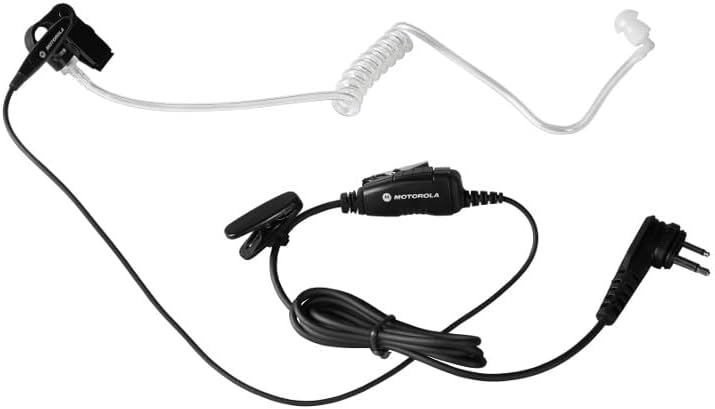
Figure 1: Complete Motorola HKLN4601 Surveillance Earpiece Kit.
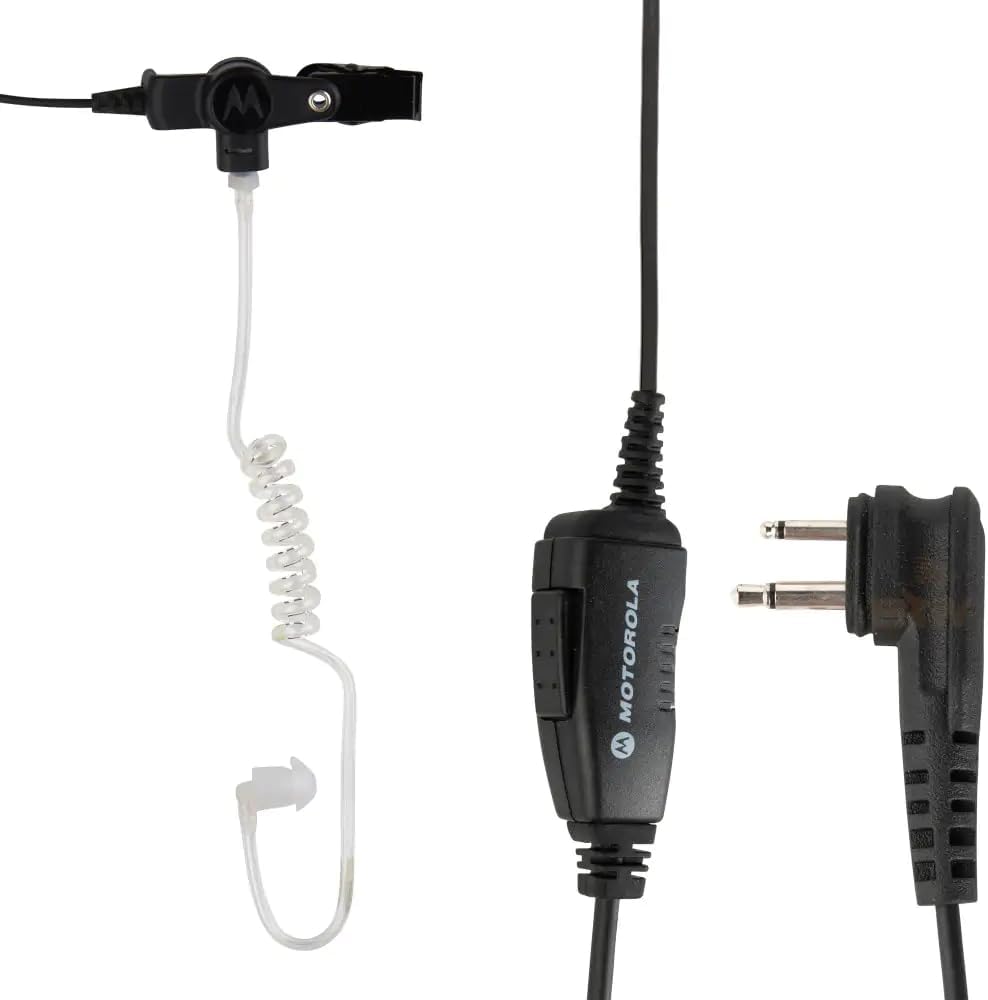
Figure 2: Detail of the in-line PTT and radio connector.
Installatie-instructies
- Verbinding maken met de radio: Insert the 3.5mm audio jack firmly into the corresponding port on your compatible two-way radio. Ensure the plug is fully inserted to establish a secure connection.
- Draag het oortje: Place the rubber ear tip comfortably over your ear. The acoustic tube should direct sound into your ear canal.
- Zet de kabel vast: Use the two in-line cable clips to attach the cable to your shirt, tie, or lanyard. This helps manage cable slack and prevents accidental dislodgement during movement.
Gebruiksaanwijzing
The HKLN4601 earpiece is designed for straightforward communication with your two-way radio.
- Audio ontvangen: Audio from your radio will be heard directly through the earpiece. The design ensures clear audio even in noisy environments.
- Audio verzenden (Push-to-Talk): To speak, press and hold the in-line Push-to-Talk (PTT) button. Speak clearly into the microphone located on the same unit as the PTT button. Release the button when you have finished speaking to return to receive mode.
Onderhoud en verzorging
- Schoonmaak: Wipe the earpiece, acoustic tube, and cables with a soft, damp lap. Vermijd het gebruik van agressieve chemicaliën of schurende schoonmaakmiddelen.
- Opslag: Store the earpiece in a clean, dry place when not in use. Avoid extreme temperatures.
- Waterbestendigheid: Dit product is Niet waterbestendig. Avoid exposing the earpiece to water or excessive moisture to prevent damage.
- Kabelonderhoud: Do not pull on the cable to disconnect the earpiece from the radio. Always grasp the plug directly. Avoid sharp bends or kinks in the cable.
Probleemoplossing
| Probleem | Mogelijke oorzaak | Oplossing |
|---|---|---|
| No audio from earpiece. | Earpiece not fully plugged in; radio volume too low; earpiece malfunction. | Ensure the 3.5mm jack is fully inserted into the radio. Increase radio volume. Test with another earpiece if available. |
| Others cannot hear me. | PTT button not pressed; microphone blocked; radio transmission issue. | Press and hold the PTT button firmly while speaking. Ensure the microphone is not covered. Check radio's transmission functionality. |
| Earpiece is uncomfortable. | Onjuiste plaatsing. | Adjust the rubber ear tip and acoustic tube for a comfortable fit over your ear. |
Specificaties
- Modelnummer: HKLN4601
- Connectiviteitstechnologie: Bedraad
- Hoofdtelefoonaansluiting: 3.5 mm Jack
- Materiaal: Rubber
- Stijl: Push-to-talk (PTT)
- Controletype: Volume Control (via radio), In-line PTT
- Oor plaatsing: In Ear (over-ear hook for stability)
- Waterbestendigheidsniveau: Niet waterbestendig
- Artikelgewicht: Ongeveer 0.35 ounces (10 gram)
- Productafmetingen: Ongeveer 3 x 1.29 x 5 inch
- Fabrikant: Motorola
- UPC-nummer: 748091000393
Veiligheidsinformatie
Juridische disclaimer: Dit product is uitsluitend bedoeld voor zakelijk of ander professioneel gebruik, niet voor consumenten.
Always operate the earpiece and connected radio in accordance with local regulations and safety guidelines. Avoid listening at excessively high volumes for prolonged periods to prevent hearing damage.
Garantie en ondersteuning
For warranty information and technical support, please refer to the documentation provided with your original purchase or contact Motorola customer service directly. Keep your proof of purchase for warranty claims.


