Invoering
This manual provides comprehensive instructions for the installation, operation, maintenance, and troubleshooting of your Intel DC S3710 800 GB 2.5" Internal Solid State Drive. Please read this manual thoroughly before using the product to ensure optimal performance and longevity.
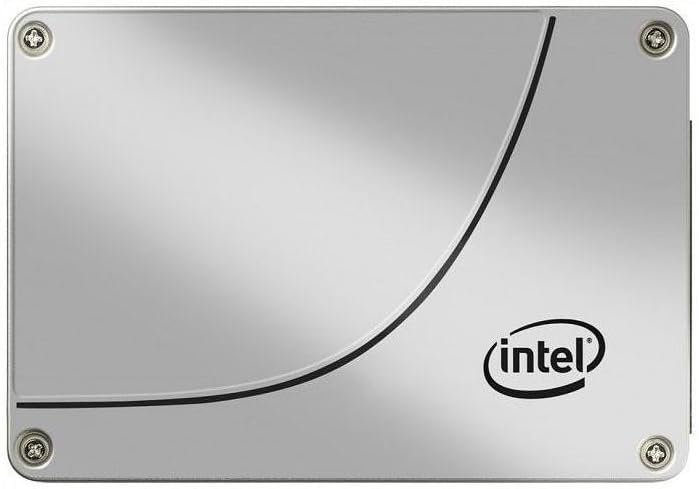
Figuur 1: Voorzijde view of the Intel DC S3710 800 GB 2.5" Internal Solid State Drive, showcasing its metallic silver casing with the Intel logo and a distinctive curved line design.
Instellen en installeren
The Intel DC S3710 SSD is designed for internal installation in desktop computers. Ensure your system is powered off and disconnected from the power source before proceeding.
Vereisten:
- Desktop computer with an available 2.5-inch drive bay.
- SATA data cable.
- SATA power cable from your power supply unit (PSU).
- Screwdriver (Phillips head recommended).
Installatiestappen:
- Bereid je computer voor: Power down your desktop computer and unplug all cables. Open the computer case.
- Locate a drive bay: Identify an available 2.5-inch drive bay. Some cases may require a 3.5-inch to 2.5-inch adapter bracket (not included).
- De SSD monteren: Secure the SSD into the drive bay using screws. Ensure it is firmly seated to prevent movement.
- Sluit de datakabel aan: Connect one end of the SATA data cable to the SSD's SATA data port and the other end to an available SATA port on your motherboard.
- Voedingskabel aansluiten: Connect a SATA power cable from your PSU to the SSD's SATA power port.
- De zaak sluiten: Once all connections are secure, close your computer case and reconnect all cables.
- Inschakelen: Power on your computer. The system should detect the new SSD.
Gebruiksaanwijzing
After physical installation, the SSD needs to be initialized and formatted before use. If you plan to install an operating system, refer to your operating system's installation guide.
Initializing and Formatting (Windows 10 Example):
- Open Schijfbeheer: Right-click the Start button and select "Disk Management".
- Schijf initialiseren: A pop-up window may appear prompting you to initialize the new disk. Select MBR (Master Boot Record) or GPT (GUID Partition Table) based on your system's requirements (GPT is recommended for modern systems and drives larger than 2TB, though this drive is 800GB). Click OK.
- Nieuw eenvoudig volume maken: Locate the unallocated space on your new SSD. Right-click it and select "New Simple Volume...".
- Volg Wizard: Follow the New Simple Volume Wizard to specify the volume size, assign a drive letter, and format the partition (NTFS file system is standard for Windows).
- Compleet: Once the wizard completes, your SSD will be ready for use.
Gegevensoverdracht:
Je kunt overdragen files to and from the SSD like any other storage drive. For optimal performance, ensure your motherboard's SATA ports are configured for AHCI mode in the BIOS/UEFI settings.
Onderhoud
Solid State Drives generally require less maintenance than traditional Hard Disk Drives. However, following these practices can help maintain performance and extend lifespan:
- TRIM inschakelen: Ensure TRIM is enabled in your operating system. TRIM helps the SSD manage data more efficiently, preventing performance degradation over time. Most modern operating systems (Windows 7+, macOS, Linux) enable TRIM by default.
- Vermijd defragmentatie: Defragmenteer een SSD niet. Defragmentatie is bedoeld voor harde schijven (HDD's) en kan de levensduur van een SSD verkorten door onnodige schrijfcycli te veroorzaken.
- Zorg voor voldoende vrije ruimte: Try to keep at least 10-15% of the SSD's capacity free. This allows the SSD's wear-leveling algorithms to function optimally.
- Firmware-updates: Periodically check Intel's official website for firmware updates for your SSD model. Firmware updates can improve performance, stability, and address known issues.
- Proper Shutdowns: Always shut down your computer properly. Abrupt power loss can potentially lead to data corruption or drive issues.
Probleemoplossing
If you encounter issues with your Intel DC S3710 SSD, refer to the following common problems and solutions:
| Probleem | Mogelijke oorzaak | Oplossing |
|---|---|---|
| SSD not detected by BIOS/OS. | Loose cables, incorrect BIOS settings, faulty port. |
|
| Trage prestaties. | TRIM not enabled, nearly full drive, outdated firmware. |
|
| Operating system not booting from SSD. | Onjuiste opstartvolgorde, beschadigde OS-installatie. |
|
Specificaties
| Functie | Detail |
|---|---|
| Merk | Intel |
| Reeks van modellen | SSDSC2BA800G4 |
| Opslagcapaciteit | 800GB |
| Vormfactor | 2.5 inch |
| Interface | SATA 6Gb/s |
| Installatietype | Interne harde schijf |
| Compatibele apparaten | Bureaublad |
| Artikelgewicht | 2.53 ons |
| Productafmetingen (LxBxH) | 4.1 x 2.7 x 0.3 inch |
| Fabrikant | Intel-corporatie |
| Eerste beschikbare datum | 16 februari 2015 |
Garantie en ondersteuning
For warranty information and technical support, please refer to Intel's official webwebsite of neem contact op met hun klantenservice. Bewaar uw aankoopbewijs als aankoopbewijs voor garantieclaims.
Intel may offer various support resources including:
- Online kennisbank en veelgestelde vragen.
- Stuurprogramma's en firmware downloaden.
- Community forums.
- Direct customer support via phone or email.
Overweeg aankoopasing additional data recovery plans for enhanced protection of your valuable data. Options such as 2-Year or 3-Year Data Recovery Plans may be available from various retailers.


