1. Inleiding
Bedankt voor uw aankoopasing the RCA DHT235A 3.5-Inch LED-lit 720p 60Hz TV. This portable television is designed to provide digital television viewing on a compact screen. This manual provides instructions for the proper setup, operation, and maintenance of your device.
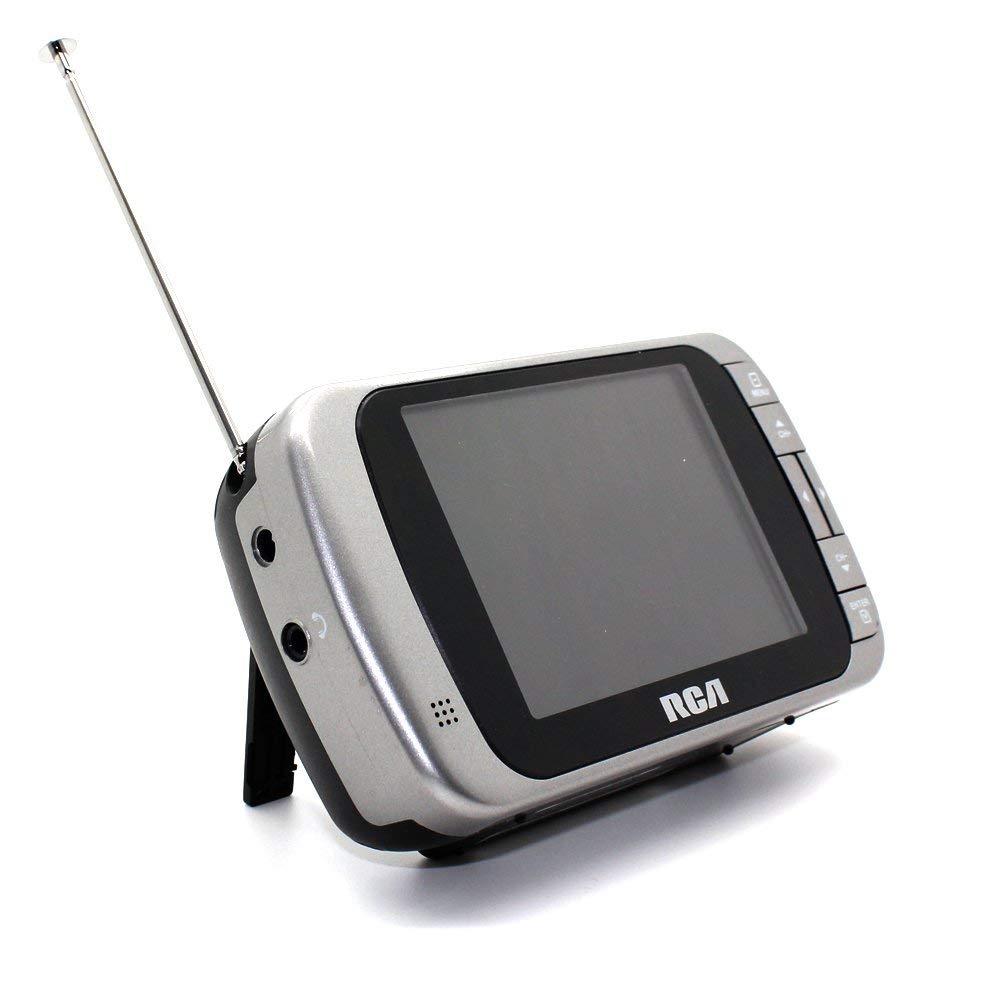
Image 1.1: The RCA DHT235A portable television, featuring its 3.5-inch screen and compact design.
2. Veiligheidsinformatie
- Lees alle instructies voordat u het apparaat gebruikt.
- Stel het apparaat niet bloot aan regen of vocht om brand of elektrische schokken te voorkomen.
- Blokkeer de ventilatieopeningen niet. Zorg voor voldoende ruimte rondom het apparaat voor een goede luchtstroom.
- Use only specified power sources (4 AA batteries or compatible AC adapter).
- Zorg ervoor dat het apparaat niet valt en dat er geen sterke stoten of schokken op het apparaat worden uitgeoefend.
- Probeer dit product niet zelf te onderhouden. Laat al het onderhoud over aan gekwalificeerd onderhoudspersoneel.
- Gooi batterijen op de juiste manier weg, volgens de plaatselijke voorschriften.
3. Inhoud van het pakket
Controleer of alle artikelen in het pakket aanwezig zijn:
- RCA DHT235A Portable TV Unit
- Stellage
- Quick Guide (refer to this manual for detailed instructions)
- Gebruikershandleiding (dit document)
4. Product voorbijview
The RCA DHT235A features a 3.5-inch LED-lit display, designed for portable digital television reception. Key components include:
- 3.5-Inch LED Backlit LCD Display: Provides clear visual output.
- Ingebouwde luidspreker: Voor audio-uitgang.
- Koptelefoon aansluiting: Voor privéluisteren.
- Embedded Monopole Antenna: For receiving terrestrial ATSC and NTSC signals.
- Batterijcompartiment: Voor 4 AA-batterijen.
- AC Adapter Input (9-24VDC): Voor externe voeding.
- Bedieningsknoppen: For power, channel, volume, and menu navigation.
5. Instellen
5.1 Powering the TV
The TV can be powered by 4 AA batteries or an optional AC adapter.
Batterijen gebruiken:
- Locate the battery compartment on the back of the TV.
- Open het batterijklepje.
- Plaats 4 AA-batterijen en let op de juiste polariteit (+/-).
- Sluit het batterijklepje goed.
Using AC Adapter (Optional):
- Connect a compatible 9-24VDC AC adapter (not included) to the DC input jack on the TV.
- Sluit de netadapter aan op een standaard stopcontact.
5.2 Antenne-instelling
Extend the embedded monopole antenna fully for optimal signal reception. For improved reception, especially in areas with weak signals, an external antenna may be connected to the dedicated RCA connector input.
6. Gebruiksaanwijzing
6.1 In-/uitschakelen
Druk op de STROOM Knop om de tv aan of uit te zetten.
6.2 Eerste kanaalscan
Upon first use or after moving to a new location, perform an auto channel scan to find available digital and analog channels.
- Druk op de MENU knop.
- Navigate to the "Channel" or "Setup" menu using the arrow buttons.
- Select "Auto Scan" or "Auto Program" and confirm.
- De tv scant naar beschikbare zenders. Dit proces kan enkele minuten duren.
6.3 Kanaalselectie
- Gebruik de CH+ En CH- buttons to cycle through available channels.
- For direct channel input, use the numeric keypad (if available on your model) or the "Direct Channel Changing" option in the menu.
6.4 Volume-aanpassing
Gebruik de VOL+ En VOL- knoppen om het audiovolume aan te passen.
6.5 Menunavigatie
Druk op de MENU button to access settings. Use the arrow buttons to navigate and the OK or BINNENKOMEN knop om selecties te bevestigen. Druk op MENU again or an EXIT button to leave the menu.
Available menu options include:
- Beeldinstellingen: Pas de helderheid, het contrast en de kleur aan.
- Geluidsinstellingen: Adjust audio mode, balance.
- Kanaalinstellingen: Auto scan, manual scan, channel editing.
- Tijdinstellingen: Auto time setting, time zone.
- Taal: Select menu language (English, Spanish).
- Ondertiteling: Enable/disable digital closed captioning (E1A-708B compliant).
7. Onderhoud
7.1 Reinigen
- Before cleaning, ensure the TV is powered off and disconnected from any external power source.
- Veeg het scherm en de buitenkant schoon met een zachte, droge doek.
- Bij hardnekkige vlekken lichtjes dampReinig de doek met water. Gebruik geen schuurmiddelen, was of oplosmiddelen.
- Spuit geen vloeistoffen rechtstreeks op het scherm of in openingen.
7.2 Opslag
When storing the TV for an extended period, remove the batteries to prevent leakage. Store the unit in a cool, dry place away from direct sunlight and extreme temperatures.
8. Probleemoplossing
| Probleem | Mogelijke oplossing |
|---|---|
| Geen stroom | Ensure batteries are correctly inserted and not depleted. If using AC adapter, verify it is properly connected and the outlet is functional. |
| No Picture/Weak Signal | Extend the antenna fully. Perform an auto channel scan. Try repositioning the TV or antenna. Consider using an external antenna for better reception. Check signal strength display in the menu. |
| Geen geluid | Increase the volume. Check if headphones are plugged in. Ensure the Mute function is not active. |
| Knoppen reageren niet | Turn the TV off and then on again. If the issue persists, remove and reinsert batteries or disconnect/reconnect the AC adapter. |
| Screen Scratches Easily | Handle the screen with care. Use a screen protector if desired (not included). |
| Korte batterijduur | Use fresh, high-quality alkaline or rechargeable batteries. Consider using the AC adapter for extended viewind. |
| Low Audio Volume | Ensure volume is set to maximum. For better audio, consider connecting external speakers to the headphone jack. |
9. Specificaties
- Model: DHT235A
- Weergavegrootte: 3.5 inch (diagonaal)
- Weergavetype: Lcd met led-achtergrondverlichting
- Oplossing: 320 x 240 digital RGB (720p compatible)
- Vernieuwingsfrequentie: 60Hz
- Video Decodering: MPEG-2 (MP at ML, MP at HL)
- Audio Decodering: Dolby Digital Audio, Digital multi-lingual
- Stemapparaat: Terrestrial ATSC 8VSB, Terrestrial NTSC CH2 - CH69
- Energiebron: 4 AA Batteries or 9-24VDC AC Adapter (optional)
- Levensduur batterij: Approximately 2+ hours of DTV playback on 4 AA batteries
- Audio-uitvoer: Headphone jack, Built-in speaker
- Extra functies: Real-time signal strength display, On-screen program information, Direct channel changing, Channel editing, Time zone setting, Auto channel scan, Digital Closed Captioning (E1A-708B compliant), Menu languages (English, Spanish).
- Afmetingen: Ongeveer 4.84 x 1.34 x 2.83 inch
- Gewicht: Ongeveer 5.6 gram
10. Garantie-informatie
This product is covered by a limited warranty. For detailed warranty terms and conditions, please refer to the warranty card included with your purchase or visit the official RCA webwebsite. Bewaar uw aankoopbewijs voor garantieclaims.
11. Klantenservice
If you encounter any issues or have questions not covered in this manual, please contact RCA customer support. You can find contact information on the official RCA webde website of via de documentatie die bij uw product is geleverd.
Online hulp: Bezoek de officiële RCA-website. website voor veelgestelde vragen en ondersteuningsbronnen.
Telefonische ondersteuning: Raadpleeg de productverpakking of de RCA. website voor actuele contactnummers.


