1. Inleiding
This manual provides essential information for the safe and effective operation of your Canon PowerShot SX130IS digital camera. Please read it thoroughly before using the camera and keep it for future reference.

Figuur 1: Voorzijde view of the Canon PowerShot SX130IS Digital Camera.
2. Instellen
2.1. Batterijen plaatsen
The PowerShot SX130IS operates on AA-size batteries. For optimal performance and longevity, it is recommended to use rechargeable AA batteries.
- Open the battery compartment cover, typically located on the bottom of the camera.
- Plaats twee AA-batterijen en let daarbij op de juiste polariteit (+/-) zoals aangegeven in het batterijvak.
- Sluit het batterijklepje goed.
2.2. Een geheugenkaart plaatsen
The camera supports SD, SDHC, and SDXC memory cards (not included). A memory card is required to store photos and videos.
- Open het klepje van het geheugenkaartsleufje, dat zich meestal naast het batterijcompartiment bevindt.
- Plaats de geheugenkaart met het label naar de voorkant van de camera totdat deze vastklikt.
- Sluit het klepje van de geheugenkaartsleuf goed.
2.3. Datum en tijd instellen
Upon first use or after replacing batteries, you may need to set the date and time.
- Zet de camera aan.
- If prompted, follow the on-screen instructions to set the date, time, and time zone.
- Use the directional buttons to navigate and the FUNC.SET/OK button to confirm selections.
3. De camera bedienen
3.1. Aan/uit
Druk op de AAN/UIT Met de aan/uit-knop bovenop de camera kan deze worden in- of uitgeschakeld. De lens schuift uit wanneer de camera is ingeschakeld.
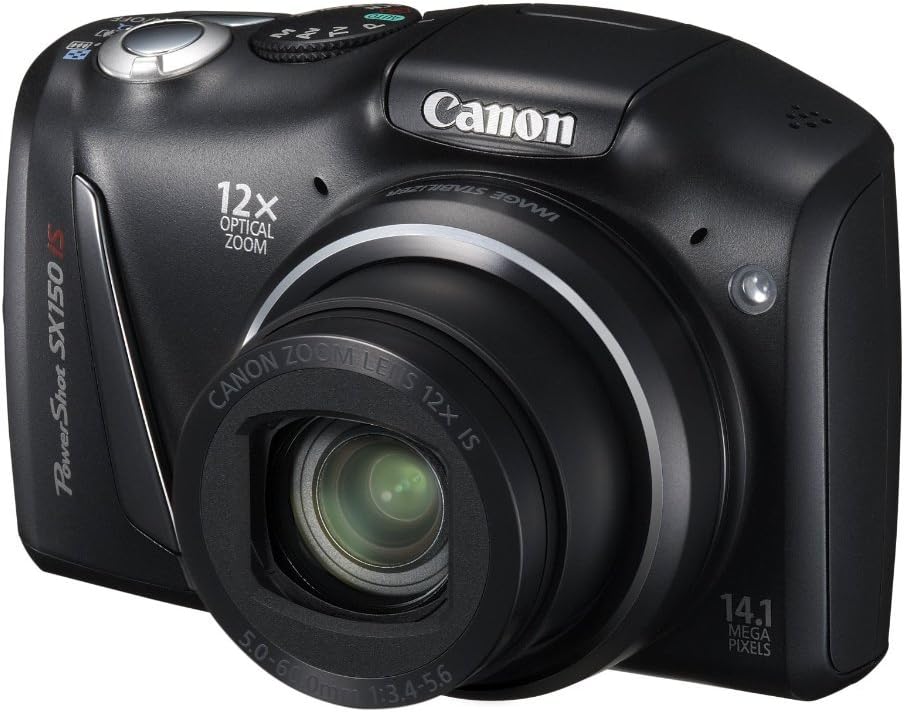
Figuur 2: Schuin view of the camera, highlighting the top controls including the ON/OFF button and mode dial.
3.2. Foto's maken
Om een stilbeeld vast te leggen:
- Select a shooting mode using the mode dial (e.g., AUTO voor automatische instellingen).
- Kader je opname met behulp van het 3.0-inch lcd-scherm.
- Druk de ontspanknop half in om scherp te stellen. Het scherpstelkader wordt groen wanneer de scherpstelling is bereikt.
- Druk de ontspanknop volledig in om de foto te maken.
3.3. Video's opnemen
The camera can record 720p HD video with stereo sound.
- Turn the mode dial to the movie mode icon (usually a small movie camera symbol).
- Press the movie button (often a red dot or movie camera icon) to start recording.
- Druk nogmaals op de filmknop om de opname te stoppen.
3.4. De optische zoom gebruiken
The camera features a 12x wide-angle optical zoom with Optical Image Stabilizer.
- Use the zoom lever, typically located around the shutter button, to zoom in (telephoto) or zoom out (wide-angle).
- The Optical Image Stabilizer helps reduce blur caused by camera shake, especially at higher zoom levels.
3.5. De flitser gebruiken
The camera has a built-in pop-up flash for low-light conditions.
- In certain shooting modes, the flash may pop up automatically.
- You can manually activate or deactivate the flash by pressing the flash button (lightning bolt icon) and selecting the desired mode (Auto, On, Off, Slow Synchro).
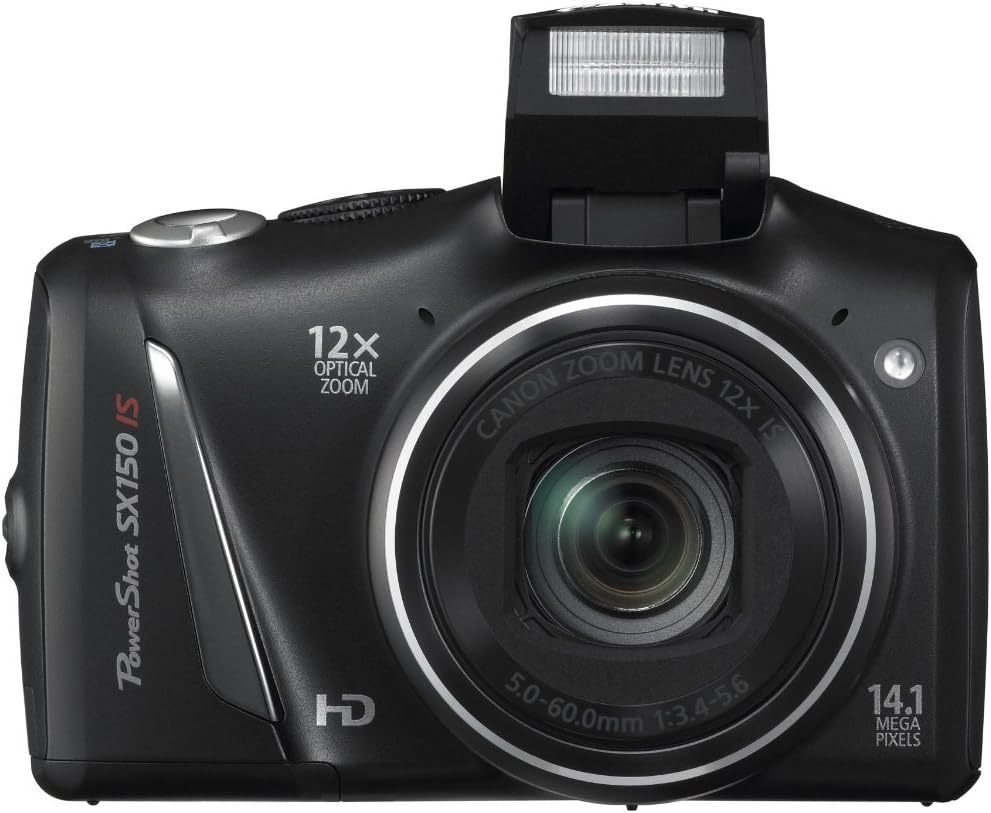
Figuur 3: Voorzijde view of the camera with the pop-up flash extended.
3.6. Scene Modes and Smart AUTO
The PowerShot SX130IS offers various scene modes and an advanced Smart AUTO system to optimize settings for different shooting situations.
- Slimme AUTO: Automatically selects from 28 predefined shooting situations to ensure optimal image quality.
- Scènemodi: Includes creative options like Miniature Effect for Movies and Fisheye Effect for artistically distorted stills. Select these via the mode dial or menu.
- Smart Flash Exposure: Analyzes lighting conditions to apply the correct flash, preventing over or underexposed images.
3.7. Overviewing Foto's en video's
Naar view Uw vastgelegde foto's en video's:
- Druk op de Afspelen button (usually an arrow icon).
- Use the directional buttons to scroll through your media.
- Druk op de FUNC.SET/OK knop naar view een video bekijken of inzoomen op een foto.
4. Onderhoud
4.1. Algemene verzorging
- Houd de camera schoon door hem af te vegen met een zachte, droge doek.
- Vermijd blootstelling van de camera aan extreme temperaturen, vochtigheid of stof.
- Protect the lens and LCD screen from scratches.
4.2. Batterijverzorging
- Always use high-quality batteries. Rechargeable batteries are recommended for cost-effectiveness and environmental reasons.
- Verwijder de batterijen als de camera gedurende langere tijd niet wordt gebruikt.
5. Probleemoplossing
5.1. "No Memory Card" Error
If this message appears, ensure the memory card is inserted correctly and fully seated in its slot. If the issue persists, try a different compatible memory card.
5.2. Korte batterijduur
Battery life can vary significantly based on usage (e.g., frequent flash use, video recording, reviewing images). If you experience consistently short battery life:
- Ensure you are using fresh, high-quality alkaline batteries or fully charged rechargeable batteries.
- Consider using higher capacity rechargeable batteries.
- Reduce flash usage and LCD screen brightness if possible.
5.3. Dust in Lens
If dust appears on images, it may be on the lens. Avoid attempting to clean the internal lens elements yourself. Consult a professional camera service center for cleaning.
5.4. Video Playback Issues
The camera records videos in .mov format. If you encounter issues playing videos on a computer, ensure you have the necessary codecs or a compatible media player installed.
6. Specificaties
| Functie | Specificatie |
|---|---|
| Productafmetingen | 4.45 x 1.81 x 2.87 inch |
| Artikelgewicht | 10.9 ons |
| Artikelmodelnummer | SX130 |
| Batterijen | Lithiummetaalbatterijen vereist (meegeleverd) |
| Fabrikant | Canon Camera's VS |
| Taal | Engels |
| Compatibele bevestigingen | Canon |
| Beeldverhouding | 16:9 |
| Fotosensortechnologie | CCD |
| Ondersteund File Formaat | JPEG, RAW |
| Beeldstabilisatie | Optisch |
| Maximale brandpuntsafstand | 336 millimeter |
| Optische zoom | 12x |
| Maximale diafragma | 3.5 millimeter |
| Uitgebreid ISO-minimum | 80 |
| Meterbeschrijving | Multi, centrumgericht, spot |
7. Garantie en ondersteuning
Voor garantie-informatie, technische ondersteuning of servicevragen kunt u terecht bij de officiële Canon-website. website or contact Canon customer service directly. Keep your purchase receipt as proof of purchase.
8. Productvideo's
Er zijn momenteel geen officiële verkoopvideo's beschikbaar voor dit product.


