
1. Inleiding
Welcome to the OPPO K14 5G Smartphone user manual. This guide provides comprehensive instructions to help you set up, operate, and maintain your new device. Please read this manual thoroughly to ensure optimal performance and longevity of your smartphone.
2. Product voorbijview
The OPPO K14 5G is a high-performance smartphone designed for daily use, gaming, and content creation. It features a durable design, a powerful 7000 mAh battery, 6GB RAM, 128GB internal storage, and a SuperCool VC System for efficient thermal management.
2.1 Apparaatcomponenten
- Weergave: Large, vibrant screen for immersive viewind.
- Achtercamera's: Dual AI camera system for high-quality photography.
- Voorcamera: Voor selfies en videogesprekken.
- Aan/uit-knop: Aan de zijkant, te gebruiken voor het in- en uitschakelen en het vergrendelen van het scherm.
- Volumeknoppen: Located on the side, used to adjust audio levels.
- USB-C-poort: Voor opladen en gegevensoverdracht.
- SIM-/SD-kaartsleuf: Voor het plaatsen van simkaarten en uitbreidbare opslag.
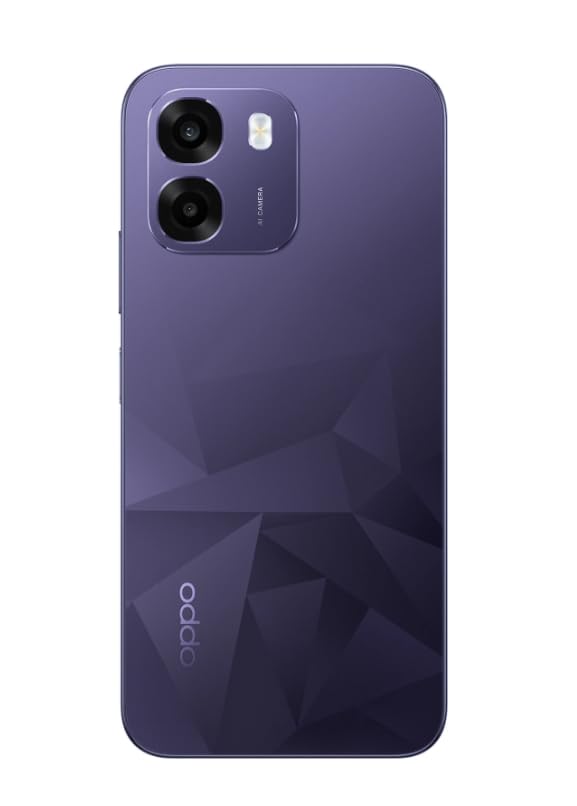
Afbeelding: Achterkant view of the OPPO K14 5G Smartphone, showcasing the dual camera setup and geometric pattern in Prism Violet.
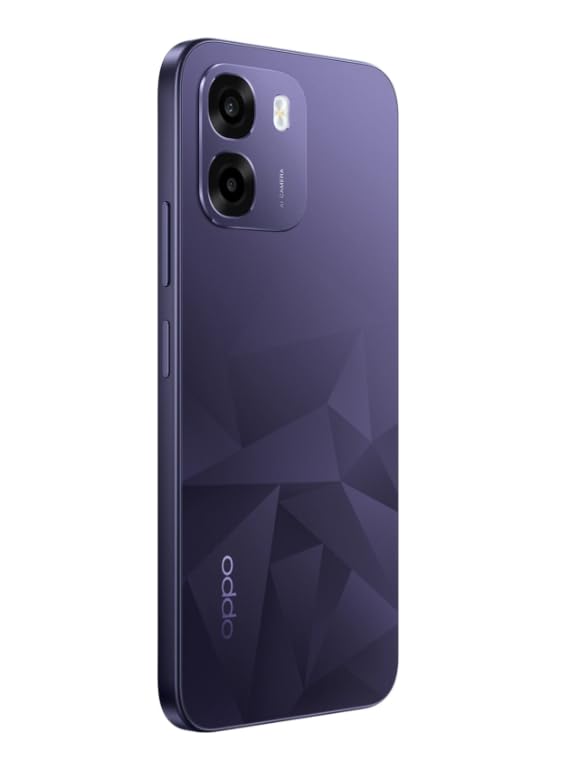
Afbeelding: Zijkant view of the OPPO K14 5G Smartphone, highlighting the slim profile en plaatsing van de knoppen.
3. Instellen
3.1 SIM-/SD-kaart plaatsen
- Zoek de SIM-/SD-kaarthouder aan de zijkant van uw toestel.
- Plaats het SIM-uitwerpgereedschap in het kleine gaatje naast de lade en druk voorzichtig totdat de lade eruit springt.
- Plaats uw nano-simkaart(en) en/of microSD-kaart in de lade met de gouden contactpunten naar beneden. Zorg ervoor dat ze goed vastzitten.
- Plaats de lade voorzichtig terug in de telefoon.
3.2 Eerste keer inschakelen en instellen
- Houd de aan/uit-knop ingedrukt totdat het OPPO-logo verschijnt.
- Volg de instructies op het scherm om uw taal en regio te selecteren, verbinding te maken met wifi en uw Google-account in te stellen.
- You can transfer data from an old device during this process or skip it for later.
3.3 Het apparaat opladen
Before first use, it is recommended to fully charge your OPPO K14 5G. Connect the USB-C cable to the phone's charging port and the other end to a compatible power adapter. The device supports 45W fast charging.
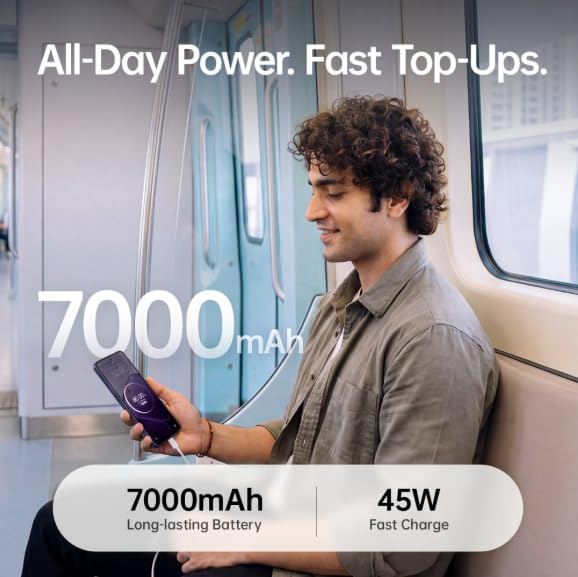
Image: The OPPO K14 5G highlighting its 7000mAh long-lasting battery and 45W fast charge capability.
4. Gebruiksaanwijzing
4.1 Basisnavigatie
- Aanraken: Tap to select items, open apps, or confirm actions.
- Veeg: Move your finger across the screen to scroll, switch between home screens, or navigate within apps.
- Snuifje: Gebruik twee vingers om in of uit te zoomen op foto's en web pagina's.
- Gebaren: Customize navigation gestures in Settings for a fluid experience. The 120Hz display ensures smooth motion.
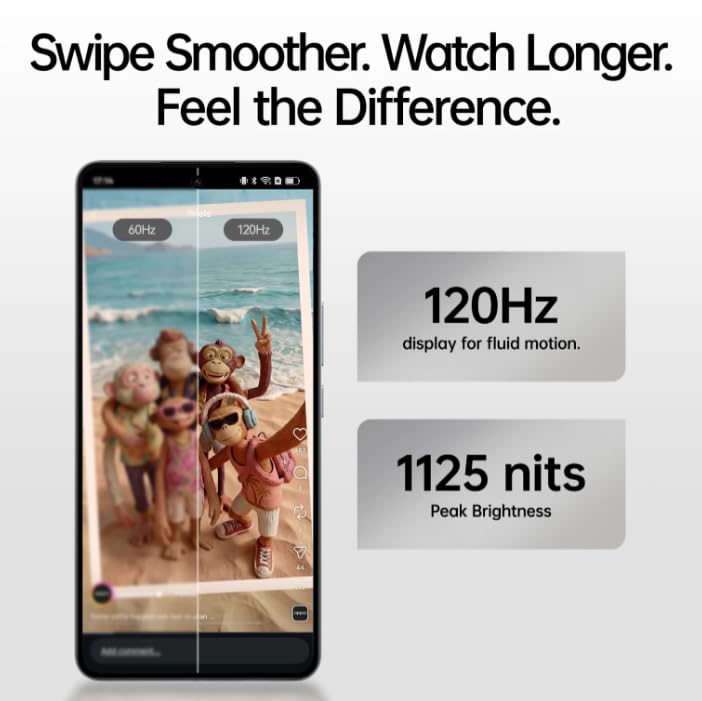
Image: The OPPO K14 5G display showcasing 120Hz for fluid motion and 1125 nits peak brightness.
4.2 Bellen en berichten
- Telefoneren: Open de Telefoon-app, voer het nummer in en tik op het belpictogram.
- Berichten verzenden: Open de Berichten-app, tik om een nieuw gesprek te starten, voer de ontvanger en je bericht in.
4.3 Netwerkconnectiviteit
The OPPO K14 5G supports 5G connectivity for fast internet speeds. Ensure your SIM card supports 5G and that you are in a 5G coverage area. You can manage Wi-Fi and mobile data settings in the Settings app.
5. Cameragebruik
Your OPPO K14 5G is equipped with a dual AI camera system designed to capture sharp and detailed photos in various conditions. The main camera is 50MP.
5.1 Foto's en video's maken
- Open de Camera-app.
- Selecteer de gewenste modus (Foto, Video, Portret, Nacht, enz.).
- Tik op de ontspanknop om een foto te maken of een video-opname te starten of te stoppen.
- Use the zoom controls or switch between lenses as needed.
6. Batterijbeheer
The OPPO K14 5G features a large 7000 mAh battery, providing extended usage time. To maximize battery life:
- Schermhelderheid aanpassen.
- Sluit ongebruikte apps die op de achtergrond draaien.
- Schakel de energiebesparende modi in wanneer de batterij bijna leeg is.
- Vermijd extreme temperaturen.
7. Prestaties en koeling
The device is engineered for smooth performance with 6GB RAM and is equipped with a SuperCool VC System. This system includes a 3900 mm² vapour chamber cooling area, which effectively dissipates heat during intensive tasks like gaming, ensuring sustained performance without overheating.
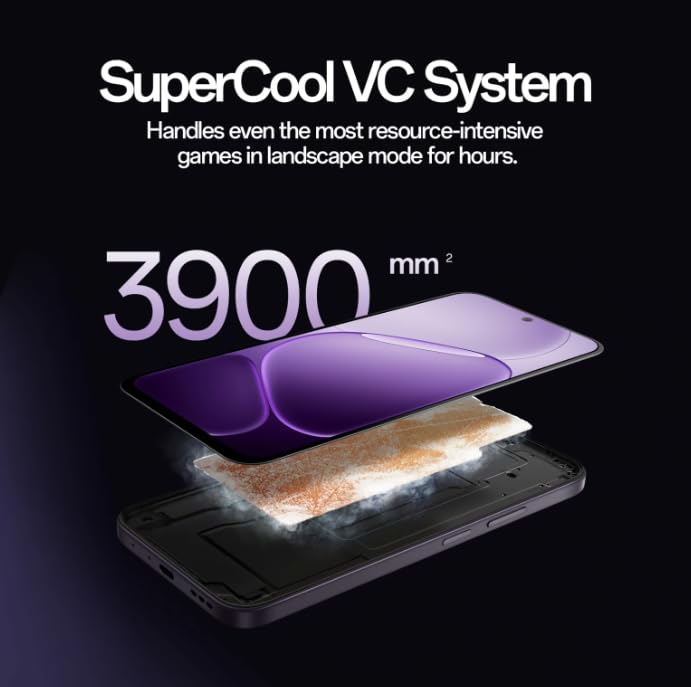
Image: Diagram illustrating the SuperCool VC System with its 3900 mm² vapour chamber, designed to prevent overheating during extended use.
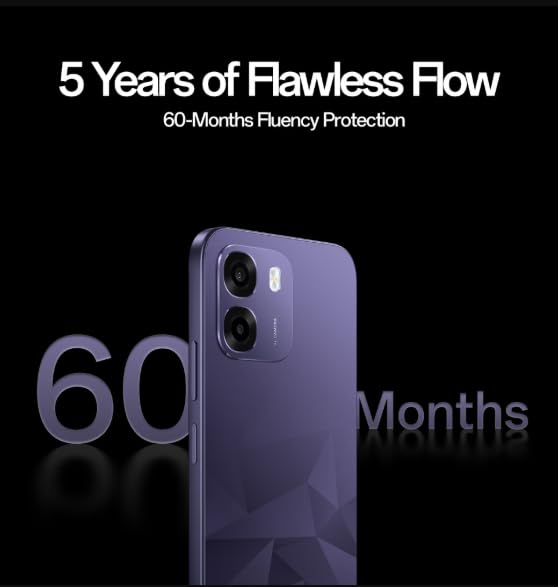
Image: The OPPO K14 5G promoting 60-Months Fluency Protection for long-term smooth performance.
8. Onderhoud
8.1 Uw apparaat schoonmaken
Use a soft, lint-free cloth to clean the screen and body of your phone. Avoid using harsh chemicals or abrasive materials. The device offers IP69 all-weather protection.
8.2 Software-updates
Regularly check for and install software updates to ensure your device has the latest features, security patches, and performance improvements. Go to Settings > About device > Software update.
8.3 Gegevensback-up
Maak regelmatig een back-up van uw belangrijke gegevens (foto's, contacten, documenten) naar een cloudservice of een computer om gegevensverlies te voorkomen.
9. Probleemoplossing
If you encounter issues with your OPPO K14 5G, try the following steps:
- Apparaat gaat niet aan: Zorg ervoor dat de batterij is opgeladen. Sluit het apparaat minimaal 15 minuten aan op een oplader voordat u het probeert in te schakelen.
- Apps crashen/bevriezen: Close the app and reopen it. If the issue persists, clear the app's cache (Settings > Apps > [App Name] > Storage > Clear cache).
- Network Issues (5G/Wi-Fi): Check if Airplane Mode is off. Restart your phone. For Wi-Fi, try forgetting the network and reconnecting. For 5G, ensure you have coverage and your SIM is active.
- Trage prestaties: Close background apps, clear cache, or restart the device.
- Fabrieksinstellingen: As a last resort, if problems persist, you can perform a factory reset (Settings > System settings > Back up and reset > Reset phone). Waarschuwing: hiermee worden alle gegevens op je telefoon gewist. Maak een back-up van je gegevens voordat je verdergaat.
10. Specificaties
| Functie | Specificatie |
|---|---|
| Merk | TEGENSTANDER |
| Model | K14 5G |
| Geïnstalleerde RAM-geheugengrootte | 6GB |
| Geheugenopslagcapaciteit | 128GB |
| Cellulaire technologie | 5G |
| Connectiviteitstechnologie | 5G |
| Kleur | Prism Violet |
| Number of Rear Facing Cameras | 2 |
| Batterijcapaciteit | 7000 milliamp Uren |
| Specifieke toepassingen voor het product | Gaming, Content Creation |
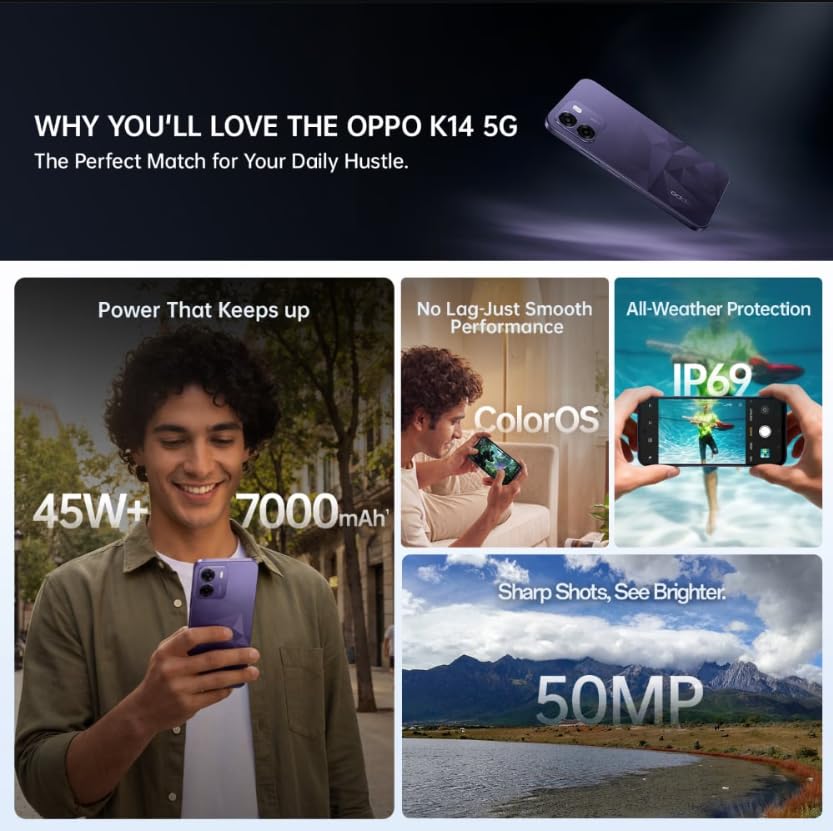
Image: A collage of key features for the OPPO K14 5G, including 7000mAh battery, smooth performance with ColorOS, IP69 all-weather protection, and a 50MP camera.
11. Garantie en ondersteuning
Your OPPO K14 5G Smartphone comes with a standard manufacturer's warranty. Please refer to the warranty card included in your product packaging for specific terms and conditions, including coverage duration and service procedures. For technical assistance, troubleshooting beyond this manual, or warranty claims, please contact OPPO customer support through their official weblocatie of aangewezen servicecentra.
Keep your purchase receipt and product packaging for warranty purposes.