
1. Inleiding
The GET LT-100 1D USB Barcode Scanner is designed for high performance, precision, and durability in daily operations. Featuring bidirectional laser technology and a resolution of ≥5 mil, it ensures rapid scanning, performing up to 200 scans per second, even on damaged or low-quality barcodes. It is compatible with major 1D barcode standards, making it an ideal solution for retail, logistics, inventory management, POS systems, and industrial applications.
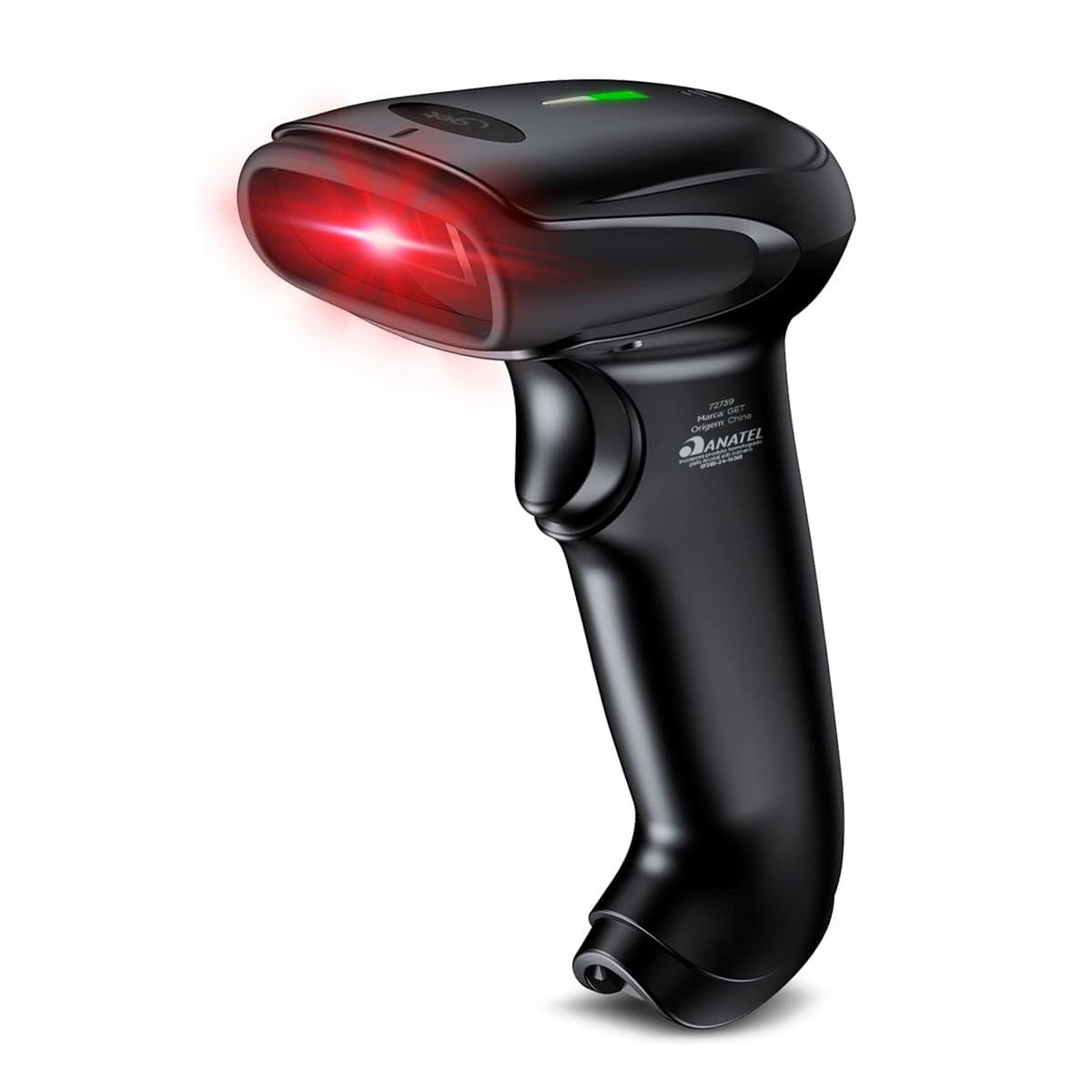
Figure 1: GET LT-100 1D USB Barcode Scanner. This image shows the overall design of the black scanner with its ergonomic handle and a prominent green indicator light.
2. Instellen
2.1 Pakketinhoud
Controleer voordat u verdergaat of alle onderdelen in het pakket aanwezig zijn:
- 1x GET LT-100 1D USB Barcode Scanner
- 1x USB Cable (integrated or detachable, depending on model variant)
- Gebruikershandleiding (dit document)

Figure 2: Product Packaging. This image displays the retail packaging for the GET LT-100 scanner, highlighting the brand and model.
2.2 De scanner aansluiten
The GET LT-100 scanner utilizes a USB interface for connectivity, offering a plug-and-play experience with most operating systems.
- Locate an available USB port on your computer or host device.
- Steek de USB-connector van de scannerkabel in de USB-poort.
- The operating system (Windows, Linux, Android, iOS) will typically detect and install the necessary drivers automatically. No additional software installation is usually required.
- Once connected, the scanner will emit a short beep and the LED indicator will light up, signifying it is ready for use.
3. De scanner bedienen
3.1 Basis scanprocedure
Een streepjescode scannen:
- Ensure the scanner is properly connected to your device and powered on.
- Point the scanner's laser window at the barcode you wish to scan.
- Press and hold the trigger button. A red laser line will appear.
- Position the laser line across the entire barcode.
- Once successfully scanned, the scanner will emit a beep and the LED indicator will flash, and the barcode data will be transmitted to your host device.

Figure 3: Scanner in Use. This image demonstrates the GET LT-100 scanner actively scanning a barcode on a bank bill, with the red laser visible.
3.2 Leesmodi
The GET LT-100 supports multiple reading modes to suit various applications:
- Handmatige modus: De scanner leest een barcode alleen wanneer de triggerknop wordt ingedrukt. Dit is de standaardmodus.
- Automatische modus: The scanner automatically detects and reads barcodes when they are presented within its scanning field, without needing to press the trigger.
- Continuous Reading Mode: The scanner continuously emits the laser and reads any barcode it detects. This mode is suitable for high-volume scanning environments.
Refer to the programming guide (if provided separately) for instructions on how to switch between these modes using configuration barcodes.

Figure 4: Key Features Diagram. This diagram visually represents the main functionalities of the GET LT-100, including its laser reading capability, indicator lights, USB connectivity, and various scanning modes.
3.3 Supported Barcode Types (1D)
The scanner is compatible with a wide range of 1D barcode symbologies, including but not limited to:
- EAN-8, EAN-13
- Codabar
- Code 39, Code 93, Code 128
- Chinese Post
- GS1-128
- UPC-A, UPC-E
- UCC/EAN-nummer 128
- ISBN/ISSN, ISBT
- Interleaved 2 of 5, Standard 2 of 5, Matrix 2 of 5, Industrial 2 of 5
- MSI
- RSS
- ITF14
- Telepen
4. Onderhoud
4.1 De scanner reinigen
To ensure optimal performance and longevity of your GET LT-100 scanner, regular cleaning is recommended.
- Buitenkant: Gebruik een zachte, damp cloth to wipe the exterior of the scanner. Avoid abrasive cleaners or solvents that could damage the plastic housing.
- Scanvenster: Gently clean the scanning window with a soft, lint-free cloth, such as a microfiber cloth, slightly dampened with water or a mild glass cleaner. Do not use excessive force or sharp objects, as this can scratch the window and impair scanning performance.
4.2 Opslag
When not in use, store the scanner in a clean, dry environment, away from direct sunlight, extreme temperatures, and corrosive materials.
5. Probleemoplossing
If you encounter issues with your GET LT-100 barcode scanner, refer to the following common problems and solutions:
| Probleem | Mogelijke oorzaak | Oplossing |
|---|---|---|
| Scanner start niet op en reageert niet. | USB cable not properly connected or damaged. Insufficient power from USB port. | Ensure the USB cable is securely connected to both the scanner and the host device. Try a different USB port or a different host device. |
| De scanner leest geen barcodes. | Barcode is damaged or poorly printed. Incorrect reading mode. Scanning window is dirty. | Ensure the barcode is clear and undamaged. Verify the scanner is in the correct reading mode (e.g., Manual). Clean the scanning window as described in Section 4.1. Try scanning a known good barcode. |
| Barcode data is incorrect or incomplete. | Partial scan. Incorrect symbology settings. | Ensure the entire barcode is covered by the laser line during scanning. If using specific symbologies, ensure they are enabled in the scanner's configuration (refer to programming guide). |
| De scanner piept, maar er worden geen gegevens verzonden. | Host device software issue. USB Virtual Serial driver issue. | Ensure the application on your host device is ready to receive input. Check device manager for proper USB Virtual Serial driver installation. Restart the host device. |
6. Specificaties
Below are the technical specifications for the GET LT-100 1D USB Barcode Scanner:
- Merk: KRIJGEN
- Model: LT-100
- Kleur: Zwart
- Oplossing: ≥ 5 mil
- Interface: USB (compatible with USB Virtual Serial)
- Scansnelheid: 200 scant per seconde
- Reading Technology: Laser, Bidirectional
- Soorten streepjescodes: 1D (EAN-8, EAN-13, Codabar, Code 39, Code 93, Code 128, China Post, GS1-128, UPC-A, UPC-E, UCC/EAN 128, ISBN/ISSN, ISBT, Interleaved 2 of 5, Standard 2 of 5, Matrix 2 of 5, Industrial 2 of 5, MSI, RSS, ITF14, Telepen, etc.)
- Leesmodi: Manual, Automatic, Continuous Reading
- Beschermingsniveau: IP54
- Kabellengte: 2 minuten
- Indicatoren: Beep + LED
- Systeemcompatibiliteit: Linux, Android, Windows, iOS
- Lichtbron: Laser 650nm
- Leesdiepte: 2.5mm – 600mm
- Productgewicht: 176 gram
- Productafmetingen: 70x90x165mm
7. Garantie en ondersteuning
7.1 Garantie-informatie
The GET LT-100 Barcode Scanner comes with a standard manufacturer's warranty against defects in materials and workmanship. Please retain your proof of purchase for warranty claims. Specific warranty terms and duration may vary by region and retailer. For detailed warranty information, please refer to the documentation provided at the time of purchase or contact your vendor.
7.2 Technische ondersteuning
For technical assistance, troubleshooting beyond this manual, or warranty inquiries, please contact the retailer or the manufacturer's customer support. Contact information can typically be found on the product packaging or the official GET webplaats.