
1. Inleiding
This manual provides detailed instructions for setting up, operating, and maintaining your AOOSTAR MACO AMD Ryzen 7 H255 Mini PC. Please read this manual thoroughly before using the device to ensure proper functionality and safety. The AOOSTAR MACO Mini PC is designed for high performance, featuring an AMD Ryzen 7 H255 processor, Radeon 780M graphics, and extensive connectivity options.
2. Inhoud van het pakket
Controleer of alle onderstaande artikelen in uw pakket aanwezig zijn:
- 1 x AOOSTAR MACO AMD Ryzen 7 H255 Mini PC
- 1 x SSD-koelpad
- 1 x 120W 19V 6.32A Type-C Power Supply
3. Product voorbijview
The AOOSTAR MACO Mini PC is a compact yet powerful computing solution. Below are key features and an overview van de componenten en poorten ervan.
3.1 Belangrijkste kenmerken
- Verwerker: AMD Ryzen 7 H255 (8-core, 16-thread, up to 4.9 GHz) with Zen 4 architecture and 4nm process.
- Grafisch: Integrated Radeon 780M graphics (RDNA 3 architecture).
- Geheugen: Dual-channel DDR5 5600MHz (expandable up to 128GB).
- Opslag: Dual-channel M.2 2280 NVMe PCIe4.0x4 SSD (expandable up to 8TB).
- Beveiliging: One-touch fingerprint unlock for secure access.
- Display Ondersteuning: Supports up to four 4K displays simultaneously.
- Connectiviteit: OCuLink, Dual USB4, USB 3.2 Gen2, USB 3.0, HDMI, DisplayPort, Dual 2.5G LAN, Wi-Fi 6.
3.2 Externe componenten en poorten
Familiarize yourself with the various ports and components of your Mini PC.
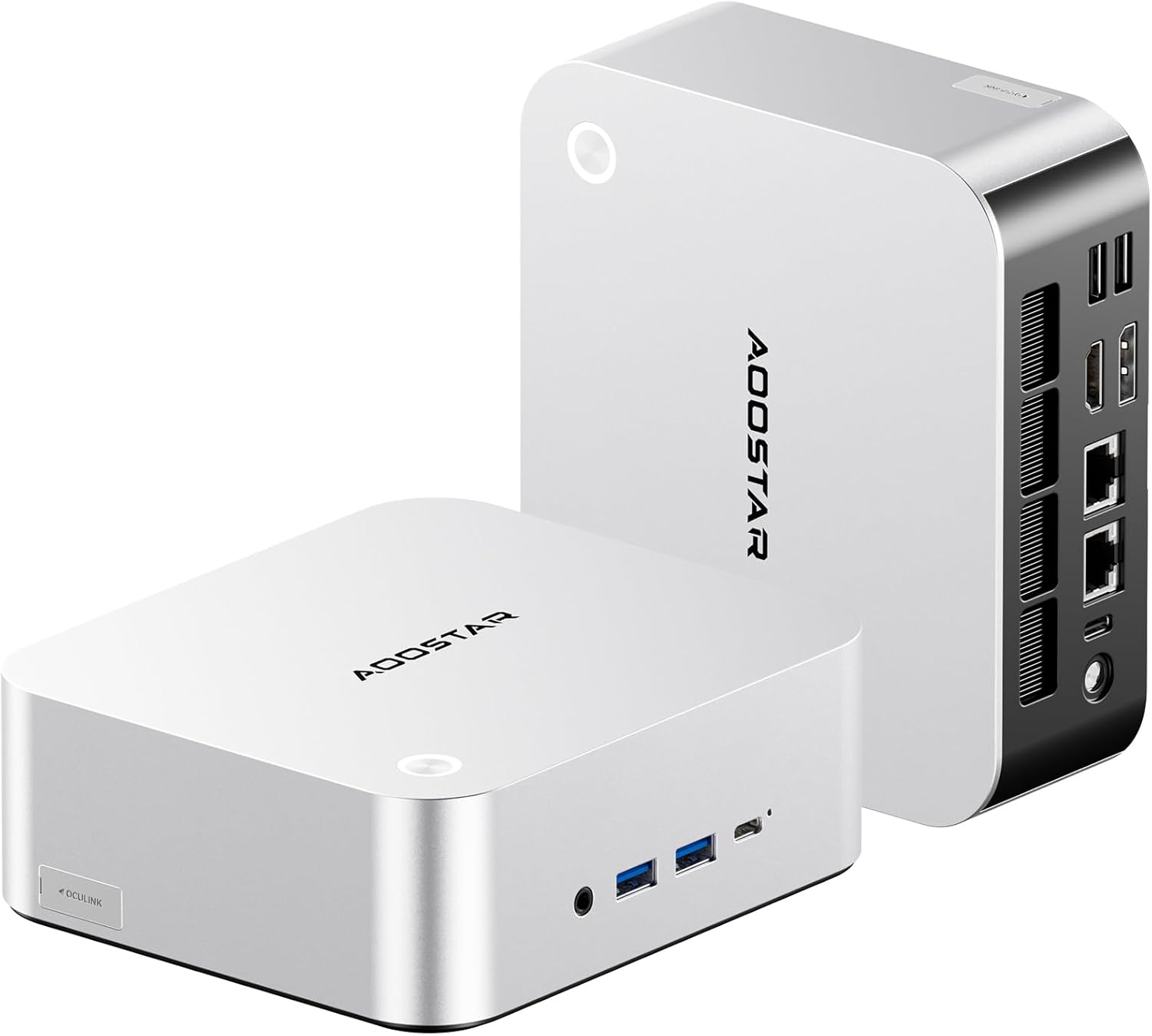
Afbeelding: Voor- en achterkant view of the AOOSTAR MACO Mini PC, showcasindoor het compacte ontwerp en de verschillende aansluitingen.

Afbeelding: Gedetailleerd view of the AOOSTAR MACO Mini PC's rear ports, including OCuLink, USB4, USB 3.2 Gen2, HDMI, DisplayPort, and Dual 2.5G LAN ports.
- Voorpaneel: Power button with fingerprint sensor, USB ports.
- Achter paneel: OCuLink port (1), USB4 ports (2), USB 3.2 Gen2 ports (2), USB 3.0 ports (2), HDMI port (1), DisplayPort (1), 2.5G LAN ports (2), DC power input (1), Audio Jack (1).

Image: Close-up of the one-touch fingerprint sensor on the AOOSTAR MACO Mini PC for secure login.

Image: Visual representation of the AMD Ryzen 7 H255 processor, highlighting its core count, turbo frequency, and architecture.

Afbeelding: Intern view showing the dual DDR5 memory slots and dual M.2 PCIe 4.0 SSD slots for high-speed storage and memory.

Image: The OCuLink port connected to an external GPU enclosure, demonstrating its use for enhanced graphics performance.

Image: Two AOOSTAR MACO Mini PCs side-by-side, highlighting the dual USB4 ports for high-speed data transfer and power delivery.
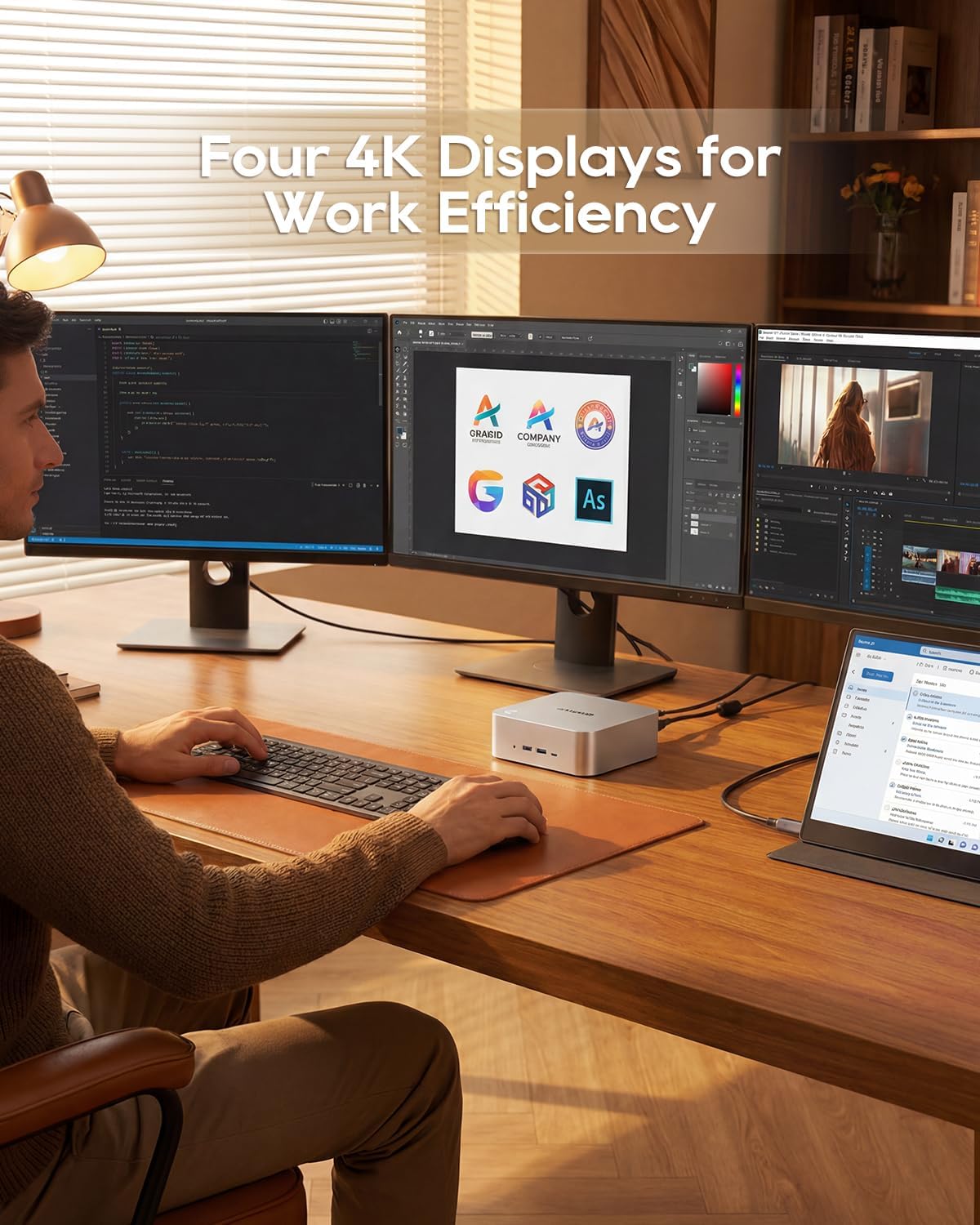
Image: A user working with the AOOSTAR MACO Mini PC connected to four 4K displays, illustrating its multi-display capability for productivity.
Image: The rear of the Mini PC showing the dual 2.5G LAN ports and an external WiFi antenna, emphasizing its high-speed networking capabilities.
Video: Een overview of the AOOSTAR MACO Mini PC, demonstrating its features such as fingerprint unlock, business applications, gaming performance, and home theater use.
4. Installatie-instructies
Follow these steps to set up your AOOSTAR MACO Mini PC:
- Scherm aansluiten: Connect your monitor(s) to the Mini PC using an HDMI or DisplayPort cable. The Mini PC supports up to four 4K displays.
- Randapparatuur aansluiten: Sluit je toetsenbord, muis en eventuele andere USB-apparaten aan op de beschikbare USB-poorten.
- Netwerkverbinding: For wired internet, connect an Ethernet cable to one of the 2.5G LAN ports. For wireless internet, ensure the Wi-Fi antenna is connected (if external) and the device is powered on to configure Wi-Fi settings.
- Stroomaansluiting: Connect the 120W Type-C power supply to the DC input port on the Mini PC, then plug the power adapter into a wall outlet.
- Inschakelen: Press the power button on the front of the Mini PC. The system will boot up.
- Initiële setup: Follow the on-screen instructions to complete the operating system setup (e.g., Windows OS).
5. Gebruiksaanwijzing
In dit gedeelte worden de algemene werking en specifieke functies van uw mini-pc beschreven.
5.1 Vingerafdruk ontgrendelen
The Mini PC features a one-touch fingerprint unlock for enhanced security and quick access. During initial OS setup or via system settings, you can enroll your fingerprints. Once configured, simply touch the power button to wake and log in without needing a password.
5.2 Multi-schermopstelling
The Mini PC supports connecting up to four 4K displays. Connect your monitors to the available HDMI and DisplayPort outputs. You can configure display settings (e.g., extend, duplicate) within your operating system's display settings.
5.3 OCuLink for External Graphics
The OCuLink port provides a high-bandwidth connection (64 Gbps) for external GPU solutions. This allows for significantly improved graphics performance for demanding applications or gaming. Note that OCuLink is not hot-swappable and does not occupy an M.2 2280 PCIe4.0 SSD slot.
5.4 USB4 Ports
The dual USB4 ports offer versatile connectivity with high data transfer speeds and power delivery capabilities (up to 100W). These ports can be used for external graphics card docks, NVMe SSD arrays, or other high-speed peripherals.
6. Onderhoud
Regelmatig onderhoud draagt bij aan de lange levensduur en optimale prestaties van uw mini-pc.
- Schoonmaak: Use a soft, dry cloth to clean the exterior of the Mini PC. For dust accumulation in vents, use compressed air. Ensure the device is powered off and unplugged before cleaning.
- Ventilatie: Ensure the Mini PC is placed in a well-ventilated area. Do not block the ventilation openings.
- Software-updates: Regularly update your operating system, drivers, and applications to maintain security and performance.
7. Probleemoplossing
Als u problemen ondervindt met uw mini-pc, raadpleeg dan de volgende veelvoorkomende stappen voor probleemoplossing:
- Geen stroom:
- Zorg ervoor dat de stroomadapter goed is aangesloten op zowel de mini-pc als op een werkend stopcontact.
- Controleer of het stopcontact werkt door er een ander apparaat op aan te sluiten.
- Geen scherm:
- Check that the display cable (HDMI/DisplayPort) is securely connected to both the Mini PC and the monitor.
- Zorg ervoor dat de monitor is ingeschakeld en is ingesteld op de juiste invoerbron.
- Probeer verbinding te maken met een ander scherm of gebruik een andere kabel.
- Geen internet verbinding:
- Controleer bij een bekabelde verbinding de status van de Ethernetkabel en de router.
- For Wi-Fi, ensure Wi-Fi is enabled in the operating system settings and you are connected to the correct network with the correct password.
- Start uw router/modem en de Mini PC opnieuw op.
- Trage prestaties:
- Sluit onnodige toepassingen die op de achtergrond draaien.
- Controleer of er voldoende vrije opslagruimte is op uw SSD.
- Ensure the Mini PC is well-ventilated to prevent overheating.
8. Specificaties
Detailed technical specifications for the AOOSTAR MACO AMD Ryzen 7 H255 Mini PC:
| Functie | Specificatie |
|---|---|
| Merk | AOOSTAR |
| Modelnummer | MACO AMD Ryzen 7 H255 |
| CPU-model | AMD Ryzen 7 H255 |
| CPU-snelheid | 3.8 GHz (Base), up to 4.9 GHz (Max Boost) |
| Grafische coprocessor | Radeon 780M |
| Geïnstalleerde RAM-geheugengrootte | 24GB |
| RAM-geheugentechnologie | DDR5 |
| Geheugensnelheid | 5600 MHz |
| Maximale grootte van RAM-geheugen | 128GB |
| Geheugenopslagcapaciteit | 1TB SSD |
| Harde schijfinterface | PCIE x 4 |
| Besturingssysteem | Besturingssysteem (vooraf geïnstalleerd) |
| Connectiviteitstechnologie | HDMI, USB, Wi-Fi 6, 2.5G LAN, OCuLink |
| Video-uitgangsinterface | DisplayPort-, HDMI- |
| Oplossing | 4K |
| Totaal aantal USB-poorten | 6 (2x USB4, 2x USB 3.2 Gen2, 2x USB 3.0) |
| Artikelafmetingen | 5.12 x 5.12 x 2.36 inch |
| Artikelgewicht | 660 gram |
| Kleur | Zwart |
9. Garantie en ondersteuning
The AOOSTAR MACO AMD Ryzen 7 H255 Mini PC comes with a 1-year warranty. For warranty claims, technical support, or service inquiries, please contact AOOSTAR customer support through their official channels or the retailer where the product was purchased. Keep your proof of purchase for warranty validation.