
1. Inleiding
This manual provides detailed instructions for the installation, operation, and maintenance of your Lemorele 4K HDMI Video Capture Card with USB3.0. This device is designed for high-quality video capture and passthrough, supporting resolutions up to 4K@60Hz for passthrough and 1080p for capture. It is compatible with various gaming consoles, cameras, and computers, making it suitable for streaming, recording, and live presentations.
2. Inhoud van het pakket
Controleer of alle artikelen in uw pakket aanwezig zijn:
- Lemorele 4K HDMI Video Capture Card (Model: 4K60HZ)
- USB-C naar USB-A-kabel
- Gebruiksaanwijzing

Image: The Lemorele 4K HDMI Video Capture Card, USB-C cable, and user manual are shown together, indicating the typical package contents.
3. Product voorbijview
The Lemorele 4K HDMI Video Capture Card features a durable aluminum alloy body and multiple ports for versatile connectivity.
3.1. Apparaatindeling
Afbeelding: Boven view of the capture card highlighting the HDMI OUT, HDMI IN, and Type-C ports. The HDMI OUT port is for looping out the display, HDMI IN is for the device being captured, and Type-C is for connecting to the acquisition device (computer).

Afbeelding: Zijkant view of the capture card highlighting the MIC IN, LINE IN, and AUDIO OUT ports. These ports are used for connecting external microphones, mixers, and audio output devices respectively.
3.2. Poortbeschrijvingen
- HDMI UITGANG: Connects to a display (monitor, TV, projector) for zero-latency passthrough.
- HDMI-IN: Connects to the source device (gaming console, camera, laptop) for video input.
- TYPE C: Connects to your computer (laptop, PC, Mac, iPad Pro) for data transfer and power.
- MICROFOON INGANG: Connects to an external microphone for audio input.
- LIJN IN: Connects to an audio mixer or instrument for additional audio input.
- GELUID UIT: Connects to headphones or speakers for audio monitoring.
4. Instellen
Follow these steps to set up your Lemorele 4K HDMI Video Capture Card:
- Bronapparaat aansluiten: Connect your HDMI source device (e.g., Nintendo Switch dock, PS5, Xbox, camera) to the HDMI IN via een HDMI-kabel op de capturekaart.
- Display aansluiten (optioneel): If you wish to monitor your gameplay or video feed without latency, connect your display (monitor, TV) to the HDMI-UITGANG via een HDMI-kabel op de capturekaart.
- Verbinden met computer: Connect the capture card to your computer (laptop, PC, Mac, iPad Pro) using the provided USB-C to USB-A cable. Plug the USB-C end into the TYPE-C port on the capture card and the USB-A end into an available USB 3.0 port on your computer.
- Audio aansluiten (optioneel): For external audio input, connect your microphone to the MICROFOON INGANG port or an audio mixer to the LIJN IN port. For audio monitoring, connect headphones or speakers to the GELUID UIT haven.
- Software-instellingen: Install and open your preferred video capture software (e.g., OBS Studio, Zoom, Twitch, YouTube). The capture card should be recognized as a video input device.
Video: This video demonstrates the connection process for the Lemorele AC09 video capture card, showing how to connect the HDMI IN, HDMI OUT, and Type-C ports to a Nintendo Switch dock, a monitor, and a laptop for capturing game footage using OBS Studio.

Image: A visual diagram illustrating the connection of the capture card to a gaming console (PS5), a monitor, and a laptop for streaming and recording.
5. Gebruiksaanwijzing
Once the capture card is set up, you can begin capturing or streaming your content.
5.1. Using with OBS Studio (Exampde)
- Open OBS Studio op uw computer.
- In the 'Sources' panel, click the '+' icon and select 'Video-opnameapparaat'.
- Create a new source or select an existing one. In the device dropdown, choose your Lemorele capture card (it may appear as 'USB Video' or similar).
- Configure resolution, FPS, and audio input settings as needed. Ensure 'Use custom audio device' is checked and select the capture card's audio input.
- Click 'OK' to add the source. You should now see your video feed in OBS.
- Adjust the video source size and position within the preview raam.
- To start recording or streaming, click the 'Start Recording' or 'Start Streaming' button in OBS Studio.
5.2. Audiobediening
The capture card features dedicated MIC IN and LINE IN ports for advanced audio integration. Ensure your capture software is configured to use these audio inputs for optimal sound quality.
Video: Deze video geeft een overzichtview of the Lemorele 4K HDMI Video Capture Card, showcasing its features and various applications in gaming, streaming, and professional settings.

Image: A user is shown actively streaming a game, with the capture card connected to a console and a laptop running streaming software, demonstrating a typical usage scenario.
6. Kenmerken
- 4K@60Hz Ultra HD Passthrough: Supports 4K@60Hz zero-lag passthrough to a display while capturing video at 1080p, ensuring a smooth viewing experience for the user and high-quality capture for the audience.
- Advanced Audio Control: Dedicated MIC IN and LINE IN ports allow direct connection to external microphones, mixers, or instruments, facilitating professional audio integration for various content creation needs.
- Comprehensive I/O Connectivity: Equipped with HDMI IN & OUT, USB-C, and AUDIO OUT ports, providing flexible setup options for connecting gaming consoles, cameras, laptops, and monitors.
- Stable & Reliable Performance: The durable aluminum alloy body ensures efficient heat dissipation and anti-interference protection, supporting continuous operation during extended streaming or recording sessions.
- Plug-and-Play Wide Compatibility: Works seamlessly with Windows, macOS, and iPad Pro, and supports popular software such as OBS Studio, Zoom, Twitch, and YouTube. Compatible with PS5, Xbox Series X/S, Nintendo Switch, and DSLR cameras.

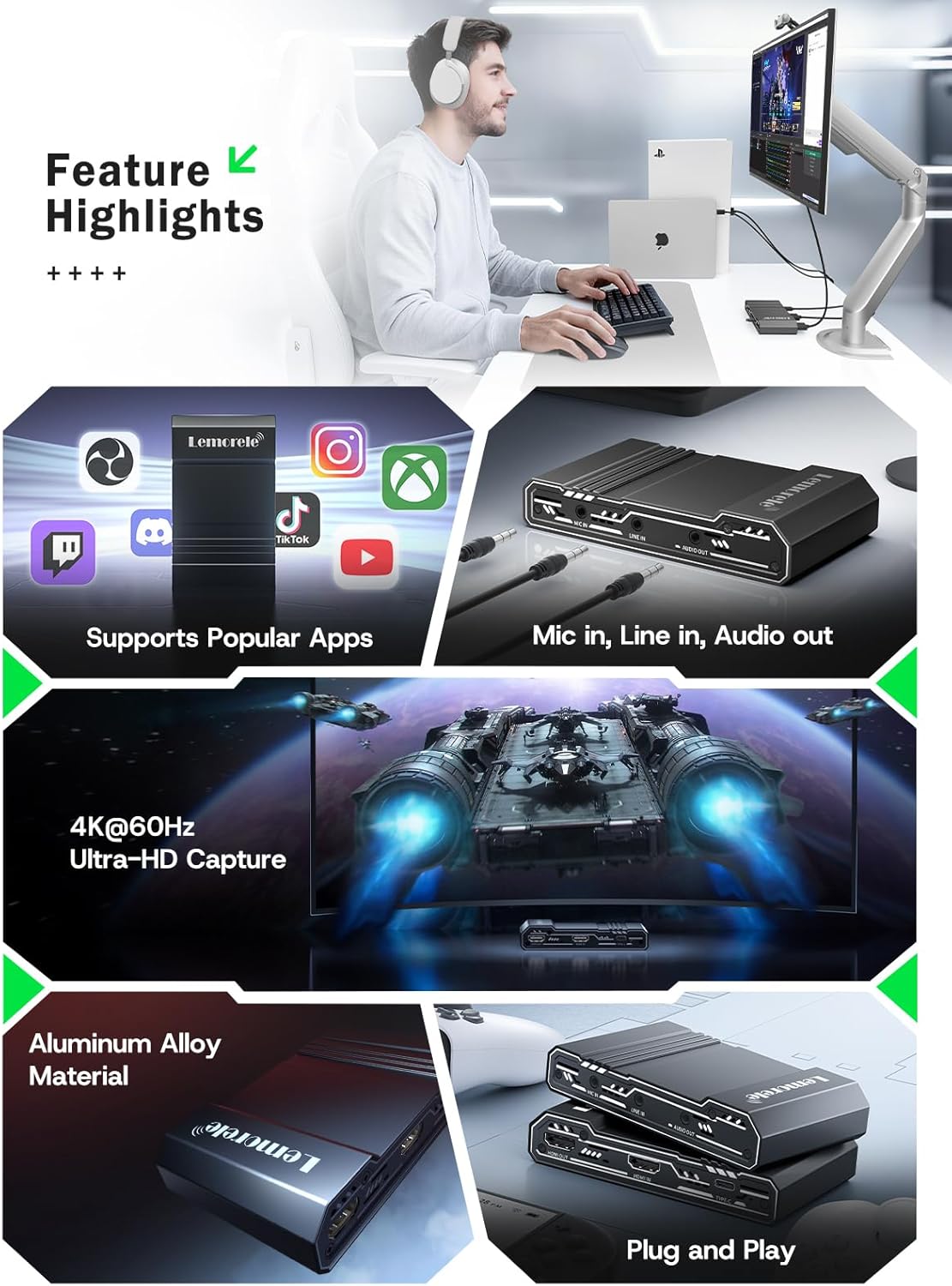
Image: This graphic highlights key features of the capture card, including support for popular streaming applications, dedicated audio input/output ports, 4K@60Hz Ultra-HD capture, durable aluminum alloy construction, and plug-and-play functionality.
7. Probleemoplossing
Als u problemen ondervindt, raadpleeg dan de volgende veelvoorkomende problemen en oplossingen:
- Geen videosignaal:
- Ensure all HDMI cables are securely connected to the correct ports (HDMI IN from source, HDMI OUT to display).
- Controleer of het bronapparaat is ingeschakeld en video uitvoert.
- Check your capture software settings to ensure the correct video capture device is selected and configured.
- Disable HDCP on your source device (e.g., PS5 settings) if you are experiencing a blank screen.
- Geen audio:
- Confirm audio cables are correctly connected to MIC IN, LINE IN, or AUDIO OUT ports.
- In your capture software, ensure the audio input device is correctly selected and not muted.
- Check the audio settings on your source device.
- Video hapert of stottert:
- Zorg ervoor dat uw computer voldoet aan de minimale systeemvereisten voor video-opname en -streaming.
- Use a USB 3.0 port for connecting the capture card to your computer.
- Sluit onnodige toepassingen die op de achtergrond draaien om systeembronnen vrij te maken.
- Lower the capture resolution or frame rate in your software settings.
- Apparaat niet herkend:
- Probeer de capture card aan te sluiten op een andere USB-poort op uw computer.
- Start uw computer opnieuw op.
- Zorg ervoor dat uw besturingssysteem up-to-date is.
8. Specificaties
| Functie | Detail |
|---|---|
| Merk | Lemorele |
| Model | 4K60HZ |
| hardware Interface | 3.5mm Audio, HDMI, USB 3.0 Type C |
| Max HDMI Input Resolution | 4K bij 60 Hz |
| Maximale HDMI-doorvoerresolutie | 4K bij 60 Hz |
| Maximale opnameresolutie | 1080p |
| Artikelgewicht | 9.8 ons |
| Pakket afmetingen | 6.1 x 4.02 x 1.42 inch |
| Materiaal | Aluminiumlegering |
| Verenigbaarheid | Windows, macOS, iPad Pro, OBS Studio, Zoom, Twitch, YouTube, PS5, Xbox Series X/S, Nintendo Switch, DSLR cameras |
9. Onderhoud
Volg deze onderhoudsrichtlijnen om de levensduur en optimale prestaties van uw capturekaart te garanderen:
- Schoonmaak: Gebruik een zachte, droge doek om de buitenkant van het apparaat schoon te maken. Gebruik geen vloeibare reinigingsmiddelen of schurende materialen.
- Opslag: Bewaar het apparaat op een koele, droge plaats, uit de buurt van direct zonlicht en extreme temperaturen.
- Behandeling: Ga voorzichtig met het apparaat om om fysieke schade te voorkomen. Laat het niet vallen en stel het niet bloot aan sterke schokken.
- Ventilatie: Ensure the device has adequate ventilation during operation to prevent overheating, especially during long streaming sessions. The aluminum alloy body is designed for efficient heat dissipation.
10. Garantie en ondersteuning
Lemorele products are designed for reliability and performance. This product comes with a standard manufacturer's warranty. For specific warranty details, please refer to the warranty card included in your package or visit the official Lemorele webplaats.
For technical support, troubleshooting assistance, or any inquiries regarding your Lemorele 4K HDMI Video Capture Card, please contact our customer support team:
- E-mailadres: ondersteuning@lemorele.com
- Webwebsite: Visit the Lemorele official website voor veelgestelde vragen en aanvullende informatie.