
Invoering
This manual provides detailed instructions for the Generic Knup KPFN634 Wireless Cat Ear Gaming Headset. Please read this manual carefully before using the product to ensure proper operation and to maximize your user experience. Keep this manual for future reference.
Product voorbijview
Functies
- Draadloze Bluetooth-connectiviteit: Offers freedom of movement with stable and practical connection for various compatible devices.
- Cat Ear Design: Modern and stylish aesthetic, suitable for gamers and streamers.
- Geïntegreerde microfoon: Enables clear communication for online gaming, calls, and meetings.
- Meeslepend geluid: Provides an immersive audio experience for games, music, and movies.
- Brede compatibiliteit: Compatible with PCs, notebooks, smartphones, tablets, and other Bluetooth-enabled devices.
Componenten inbegrepen
- 1x Knup KPFN634 Cat Ear Gaming Headset with LED
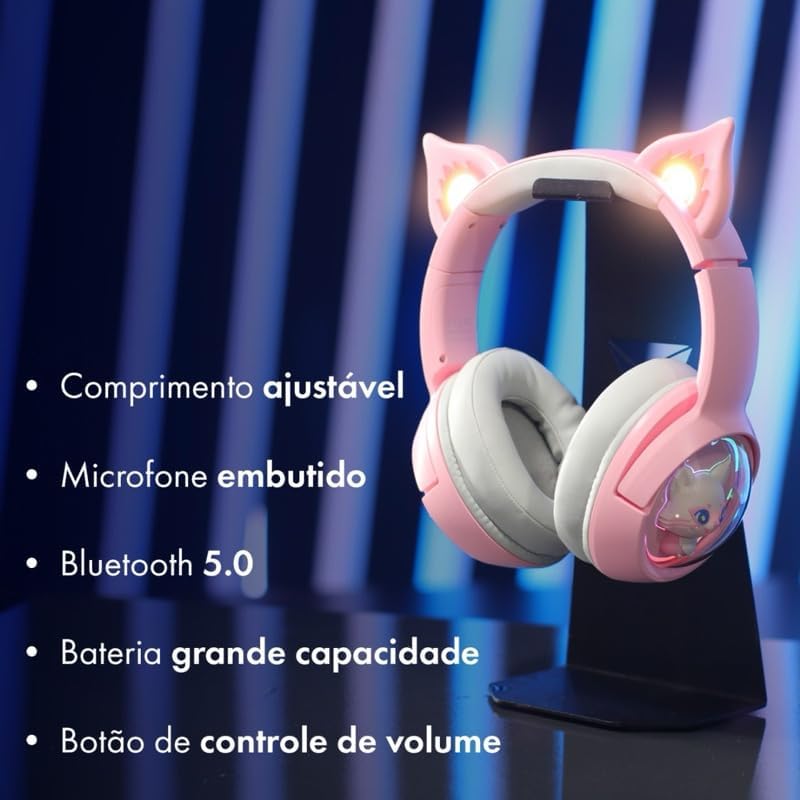
Afbeelding: The headset highlighting its key features: adjustable length, built-in microphone, Bluetooth 5.0 connectivity, large capacity battery, and a volume control button for easy audio management.
Instellen
De headset opladen
- Sluit de oplaadkabel aan op de oplaadpoort van de headset.
- Sluit het andere uiteinde van de kabel aan op een USB-voedingsbron (bijv. computer, muuradapter).
- The LED indicator will show charging status (refer to product for specific LED behavior). Charge fully before first use.
Bluetooth-koppeling
- Zorg ervoor dat de headset is opgeladen en uitgeschakeld.
- Houd de aan/uit-knop ingedrukt totdat het led-lampje knippert. Dit geeft aan dat de koppelingsmodus actief is.
- On your device (PC, smartphone, tablet), enable Bluetooth and search for available devices.
- Select "KPFN634" or a similar name from the list of devices.
- Once connected, the LED indicator will change (e.g., solid blue) to confirm successful pairing.

Afbeelding: The headset demonstrating its wireless Bluetooth connection, compatible with various devices including smartphones, desktop computers, and laptops.
Gebruiksaanwijzing
Aan/uit
- Inschakelen: Press and hold the power button for approximately 3 seconds until the LED lights up.
- Uitschakelen: Press and hold the power button for approximately 5 seconds until the LED turns off.
Volumeregeling
- Use the volume control button (or wheel, if applicable) on the headset to adjust the audio level.
- Alternatively, adjust the volume directly on your connected device.
Microfoongebruik
- The integrated microphone is automatically active when the headset is connected.
- Ensure the microphone is positioned correctly for clear voice pickup.
- For calls or in-game chat, select the headset as the input device in your system's audio settings if necessary.
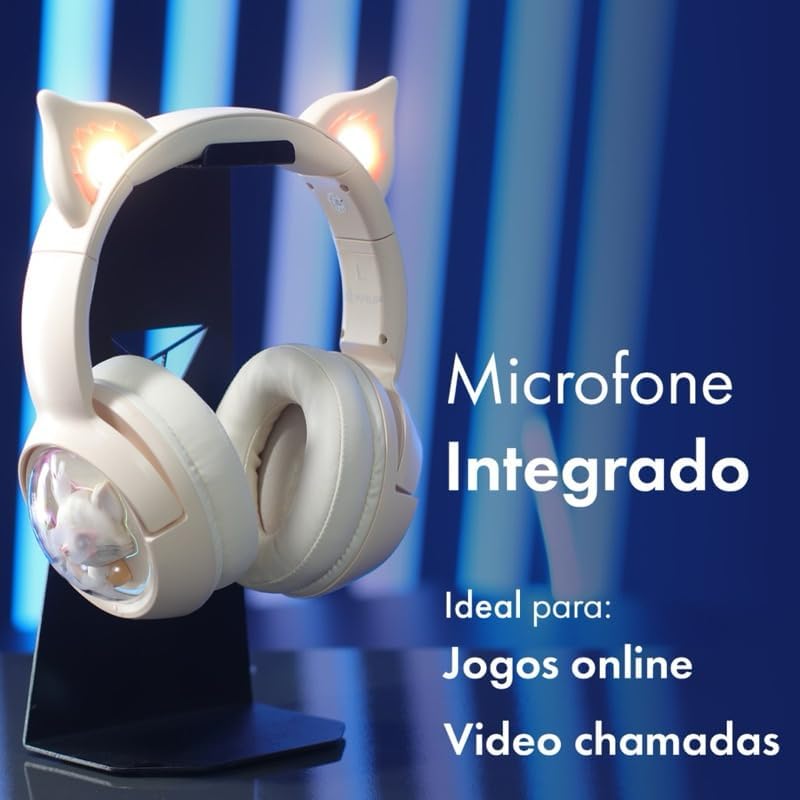
Afbeelding: The headset showcasing its integrated microphone, emphasizing its suitability for clear communication during online gaming sessions and video calls.
Onderhoud
- Maak de headset regelmatig schoon met een zachte, droge doek.
- Gebruik geen agressieve chemicaliën of schurende materialen.
- Bewaar de headset op een koele, droge plaats, uit de buurt van direct zonlicht en extreme temperaturen.
- Do not expose the headset to water or excessive moisture, as it is not water-resistant.
Probleemoplossing
- Geen stroom: Zorg ervoor dat de headset volledig is opgeladen.
- Kan niet koppelen:
- Make sure the headset is in pairing mode (flashing LED).
- Zorg ervoor dat Bluetooth op uw apparaat is ingeschakeld.
- Plaats de headset dichter bij uw apparaat.
- Probeer de headset te ontkoppelen en opnieuw te koppelen via de Bluetooth-instellingen van je apparaat.
- Geen geluid/Weinig geluid:
- Controleer het volume op zowel de headset als het aangesloten apparaat.
- Zorg ervoor dat de headset correct is verbonden via Bluetooth.
- Test het met een andere audiobron of een ander apparaat.
- Microfoon werkt niet:
- Verify that the headset is selected as the input device in your device's audio settings.
- Check if the microphone is muted on the headset or your device.
Specificaties
| Merk | Algemeen |
| Modelnaam | KPFN634 |
| Kleur | Beige |
| Plaatsing van de oren | Circumauraal |
| Koptelefoonvormfactor | Circumauraal |
| Impedantie | 32 Ohm |
| Connectiviteitstechnologie | Draadloos (Bluetooth) |
| Compatibele apparaten | Mobile phones, Desktops (and other Bluetooth-enabled devices) |
| Materiaal | Plastic |
| Geluidsbeheersing | Geen |
| Waterbestendigheidsniveau | Niet waterbestendig |
| Land van herkomst | China |
Garantie-informatie
Warranty details for this product are currently unknown. Please refer to your point of purchase or retailer for specific warranty terms and conditions.
Steun
For further assistance or inquiries not covered in this manual, please contact the retailer or the manufacturer's customer support. Keep your purchase receipt as proof of purchase.