1. Inleiding
The T-WOLF G520 is a high-performance wired gaming mouse designed for precision and comfort. It features a USB2.0 wired connection, 7 customizable buttons, and dynamic RGB lighting. This manual provides essential information for setting up, operating, and maintaining your G520 gaming mouse.
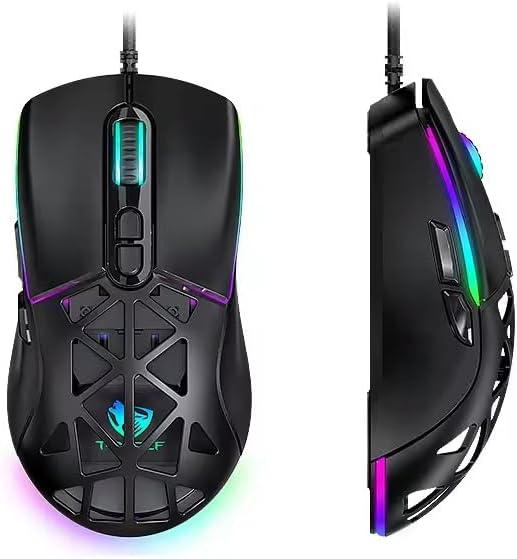
Figure 1: T-WOLF G520 Gaming Mouse (Front and Side View)
2. Producteigenschappen
- Verbinding: Wired USB2.0 for stable and responsive performance.
- Sensortype: Optical sensor for accurate tracking.
- DPI-instellingen: Adjustable DPI from 800 to 12800 (800 / 1600 / 3200 / 4800 / 6400 / 12800).
- Polling-percentage: 1000Hz for rapid response times.
- Knoppen: 7 programmable buttons (Left, Right, Middle, Forward, Back, DPI+, DPI-).
- RGB-verlichting: 13 dynamic RGB lighting modes.
- Duurzaamheid: 10 million click lifespan for micro switches.
- Kabel: 1.5m braided cable for enhanced durability and tangle resistance.
- Ontwerp: Lightweight honeycomb structure and ergonomic shape for comfortable grip and ventilation.
- Aanpassing: Magnetic interchangeable back cover.

Figuur 2: Belangrijkste kenmerken vanview
3. Inhoud van het pakket
- T-WOLF G520 Gaming Mouse Unit
- Interchangeable Magnetic Back Covers (2 types)

Figure 3: G520 Mouse with Interchangeable Back Covers
4. Installatie-instructies
- Connect the USB connector of the T-WOLF G520 gaming mouse to an available USB 2.0 port on your computer.
- The mouse is Plug & Play compatible and does not require additional drivers for basic functionality. Your operating system will automatically detect and install the necessary drivers.
- Once detected, the mouse will be ready for use.
5. Gebruiksaanwijzing
5.1 Knopfuncties
The T-WOLF G520 mouse features 7 buttons with the following default functions:
- Linkerknop: Primaire klikfunctie.
- Rechterknop: Secundaire klikfunctie (contextmenu).
- Middle Button / Scroll Wheel: Scroll up/down, click for universal scroll or other functions.
- Doorsturen knop: Navigeert vooruit in web browsers of file ontdekkingsreizigers.
- Terugknop: Navigeert achteruit in web browsers of file ontdekkingsreizigers.
- DPI+-knop: Verhoogt de DPI-gevoeligheid.
- DPI-knop: Vermindert de DPI-gevoeligheid.
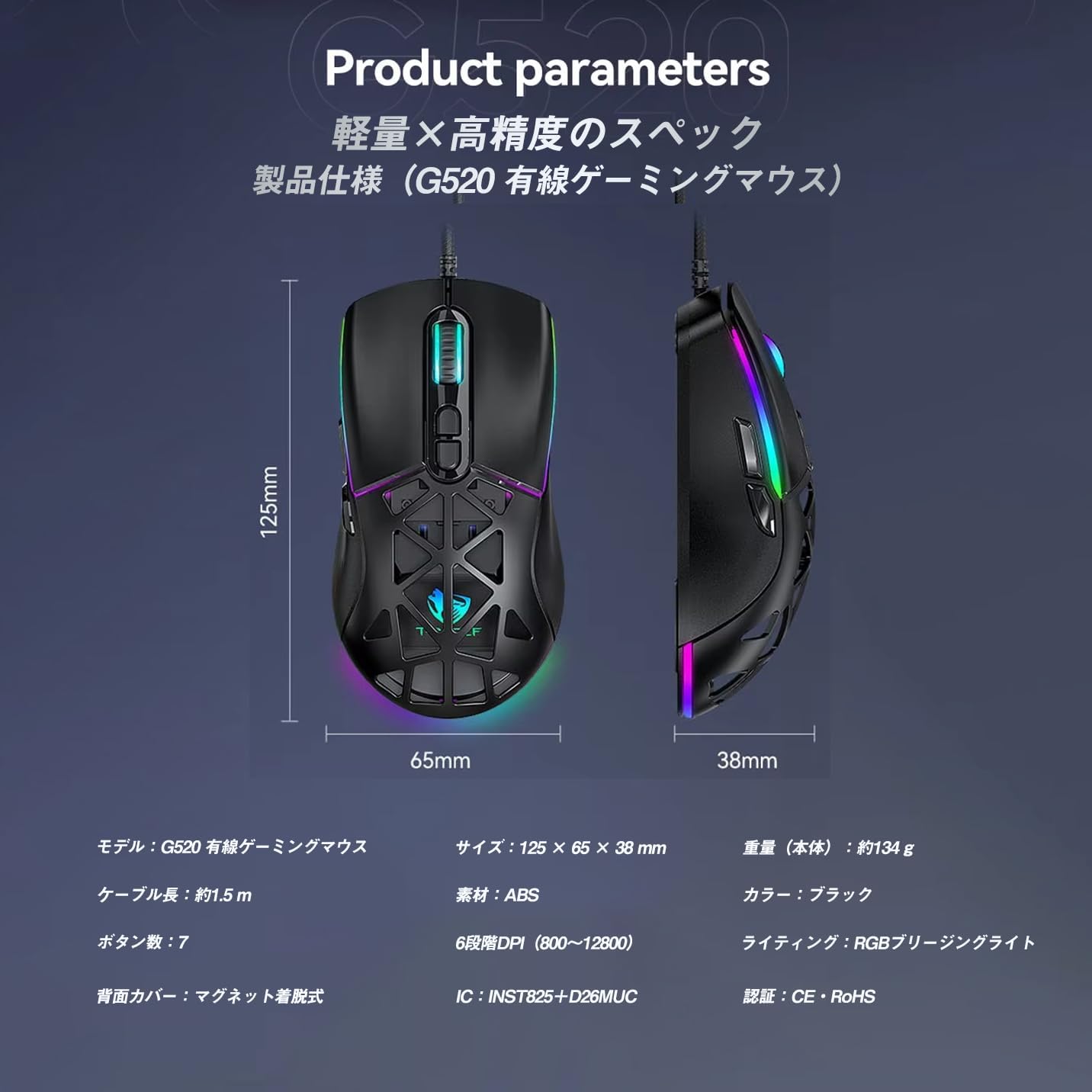
Figure 4: G520 Button Layout
5.2 DPI-aanpassing
The mouse supports 6 adjustable DPI levels. To change the DPI, press the DPI+ or DPI- buttons located on the top of the mouse. Each press will cycle through the available DPI settings: 800, 1600, 3200, 4800, 6400, and 12800.

Figuur 5: DPI-aanpassingsniveaus
5.3 RGB-verlichtingsregeling
The T-WOLF G520 features 13 RGB lighting modes. To change the RGB lighting mode, press and hold the Terugknop en de DPI-knop simultaneously for approximately 3 seconds. Repeat this action to cycle through the different lighting effects.
5.4 Magnetic Back Cover
The mouse comes with two types of magnetic back covers that can be easily interchanged. To remove a cover, gently lift it from the back of the mouse. To attach a cover, align it with the mouse body and allow the magnets to secure it in place.

Figure 6: Magnetic Back Cover Exchange
6. Onderhoud
- Schoonmaak: Gebruik een zachte, droge doek om de muis schoon te maken. Voor hardnekkig vuil is een licht damp Een doek kan worden gebruikt om te voorkomen dat er vloeistof in de muis terechtkomt.
- Vermijd vloeistoffen: Dompel de muis niet onder in water en stel hem niet bloot aan overmatige vochtigheid.
- Opslag: Bewaar de muis op een koele, droge plaats, uit de buurt van direct zonlicht en extreme temperaturen.
- Kabelonderhoud: Avoid bending or twisting the braided cable excessively to prevent damage.
7. Probleemoplossing
- Muis reageert niet:
- Ensure the USB cable is securely connected to your computer's USB port.
- Probeer de muis op een andere USB-poort aan te sluiten.
- Start uw computer opnieuw op.
- DPI verandert niet:
- Ensure you are pressing the correct DPI+ or DPI- buttons.
- The mouse cycles through 6 fixed DPI levels; there is no software adjustment.
- RGB Lighting Not Working/Changing:
- Zorg ervoor dat de muis goed is aangesloten.
- Houd de Terugknop En DPI-knop simultaneously for 3 seconds to cycle through modes.
- Problemen met volgen:
- Maak de optische sensor aan de onderkant van de muis schoon.
- Gebruik de muis op een schoon, vlak oppervlak of een muismat.
8. Specificaties
| Functie | Specificatie |
|---|---|
| Model | G520 |
| Verbindingstype | Wired USB2.0 |
| Sensortype | Optisch |
| DPI-instellingen | 800 / 1600 / 3200 / 4800 / 6400 / 12800 |
| Polling-percentage | 1000Hz |
| Aantal knoppen | 7 |
| Kabellengte | 1.5m (Braided) |
| Afmetingen (L×B×H) | 124 × 65 × 40mm |
| Gewicht | Ongeveer 132g |
| Bedrijfsvolumetage/huidige | 5 V / 150 mA |
| Verlichting | RGB (13 Modes) |
| Materiaal | Kunststof (ABS) |
| Compatibel besturingssysteem | Windows 10, Windows 11, Mac OS, Linux (OS standard, no driver required) |

Figure 7: Product Specifications Diagram
9. Garantie en ondersteuning
This product is covered by a standard manufacturer's warranty. Please refer to your purchase documentation for specific warranty terms and conditions. For technical support or warranty claims, please contact the retailer or the manufacturer's customer service.