
1. Inleiding
This manual provides detailed instructions for the setup, operation, and maintenance of your CHEREEKI Wireless Controller for PlayStation 4. Please read this manual thoroughly before using the product to ensure proper functionality and to maximize your gaming experience.
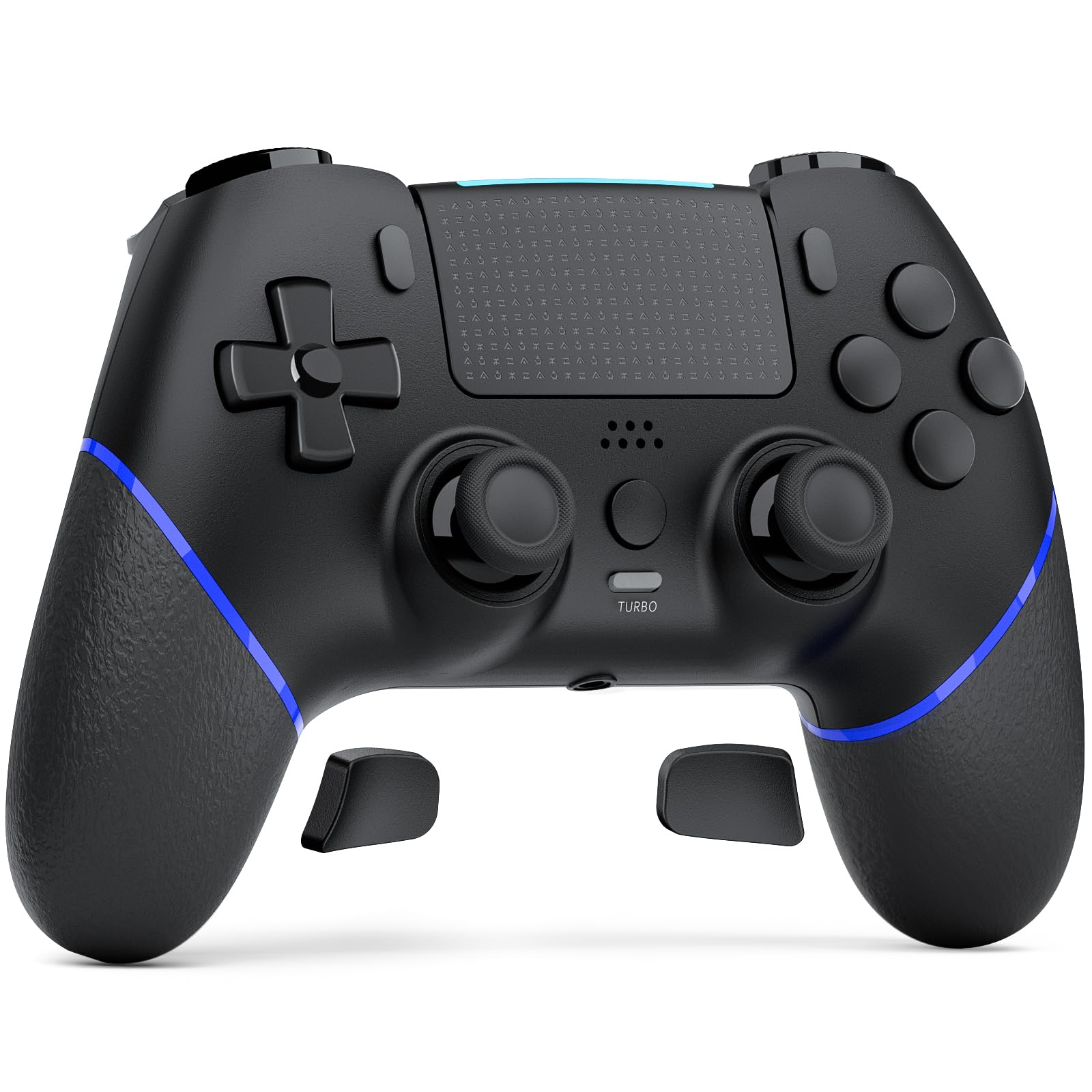
Image 1.1: The CHEREEKI Wireless Controller for PS4. This image displays the black controller from a front-top angle, highlighting its ergonomic design and button layout.
2. Product voorbijview
The CHEREEKI Wireless Controller is designed for use with PlayStation 4 consoles (PS4, PS4 Slim, PS4 Pro). It features advanced Hall Effect joysticks, customizable back buttons, vibration feedback, motion sensing, a touchpad, and a 3.5mm headphone jack for an immersive gaming experience.
2.1 Belangrijkste kenmerken
- Universal PS4 Compatibility: Connects seamlessly with PS4, PS4 Slim, and PS4 Pro consoles.
- Hall Effect Joystick Technology: Provides precise, lag-free control and eliminates stick drift.
- Customizable Back Button Programming: Map frequently used actions to two programmable back buttons.
- Batterij met lange levensduur: Equipped with a 1000mAh battery, offering 8-10 hours of gameplay on a 3-hour charge.
- Verbeterd comfort: Generously proportioned design for a natural grip, suitable for various hand sizes.
- Double Vibration Feedback: Provides realistic in-game sensations.
- Bewegingssensor: Integrated motion sensing for interactive gameplay.
- Aanraakscherm: Functional touchpad for additional control options.
- 3.5 mm koptelefoonaansluiting: For audio output and communication.
2.2 Controllerindeling

Image 2.1: Labeled diagram of the CHEREEKI Wireless Controller. This image identifies the Type C Port, R1/R2/L1/L2 Buttons, SHARE Button, LED indicator, OPTIONS Button, Directional Buttons, Left Stick, Right Stick, Home Button, Turbo Button, Stereo Headset Jack, and Reset button location.
3. Installatie en verbinding
3.1 Initial Connection to PS4
- Zorg ervoor dat je PS4-console is ingeschakeld.
- Connect the CHEREEKI Wireless Controller to your PS4 console using the included USB-C cable.
- Druk op de Home-knop (located in the center of the controller) to activate the controller.
- The controller will automatically pair with your PS4. Once paired, you can disconnect the USB-C cable for wireless use.
- Voor later gebruik drukt u gewoon op de knop Home-knop to reconnect wirelessly.
3.2 De controller opladen
The controller features a 1000mAh rechargeable battery. To charge:
- Connect the controller to your PS4 console or a USB power adapter (5V/1A recommended) using the USB-C cable.
- The LED indicator on the controller will show charging status.
- Een volledige oplaadbeurt duurt ongeveer 3 uur en biedt 8-10 uur speeltijd.
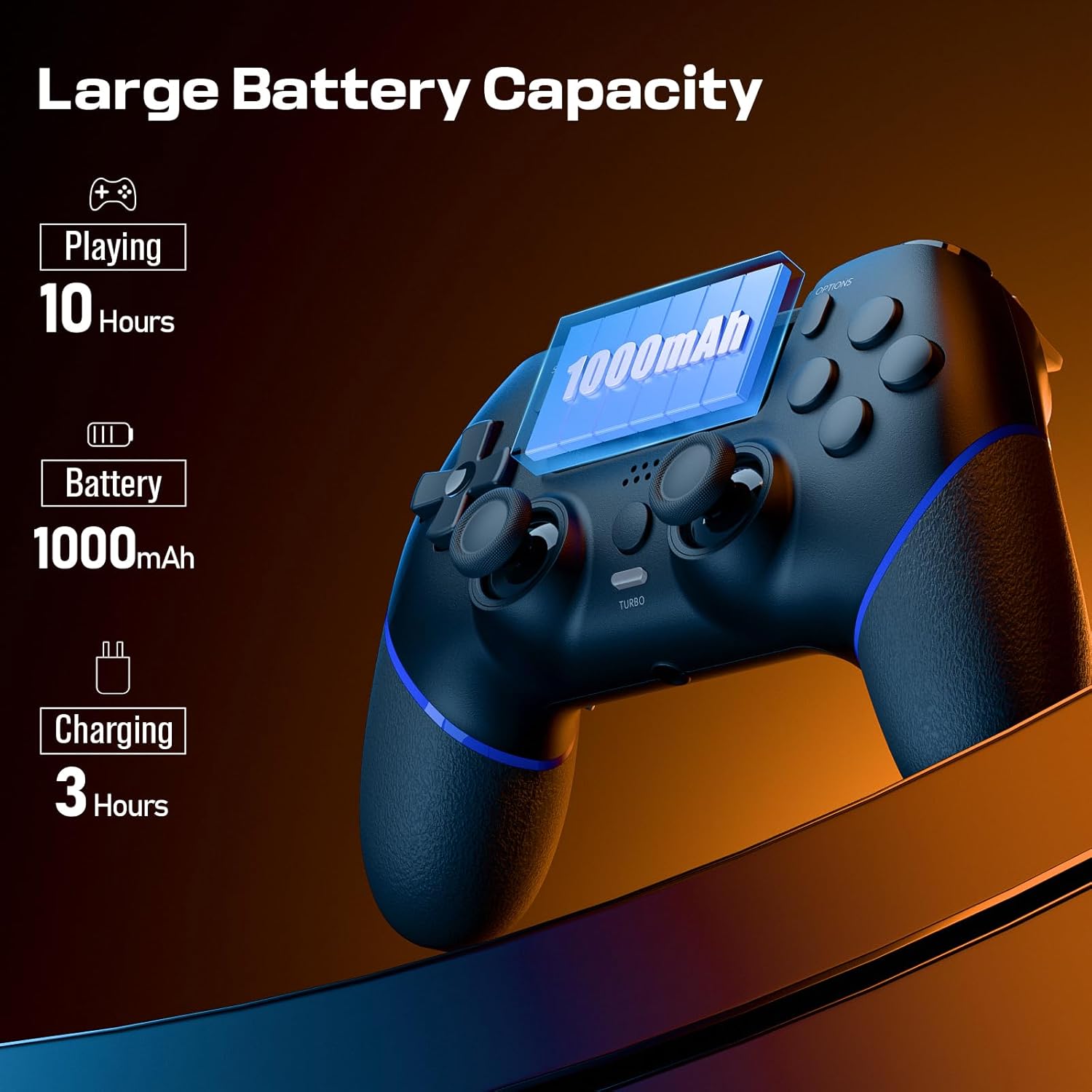
Image 3.1: Visual representation of the controller's battery capacity and charging details. It shows 'Playing 10 Hours', 'Battery 1000mAh', and 'Charging 3 Hours'.
4. Gebruiksaanwijzing
4.1 Hall-effect joysticks
The controller is equipped with Hall Effect joysticks, which use magnetic sensors instead of physical contacts. This design significantly reduces wear and tear, preventing common issues like stick drift and ensuring consistent, precise input over time.
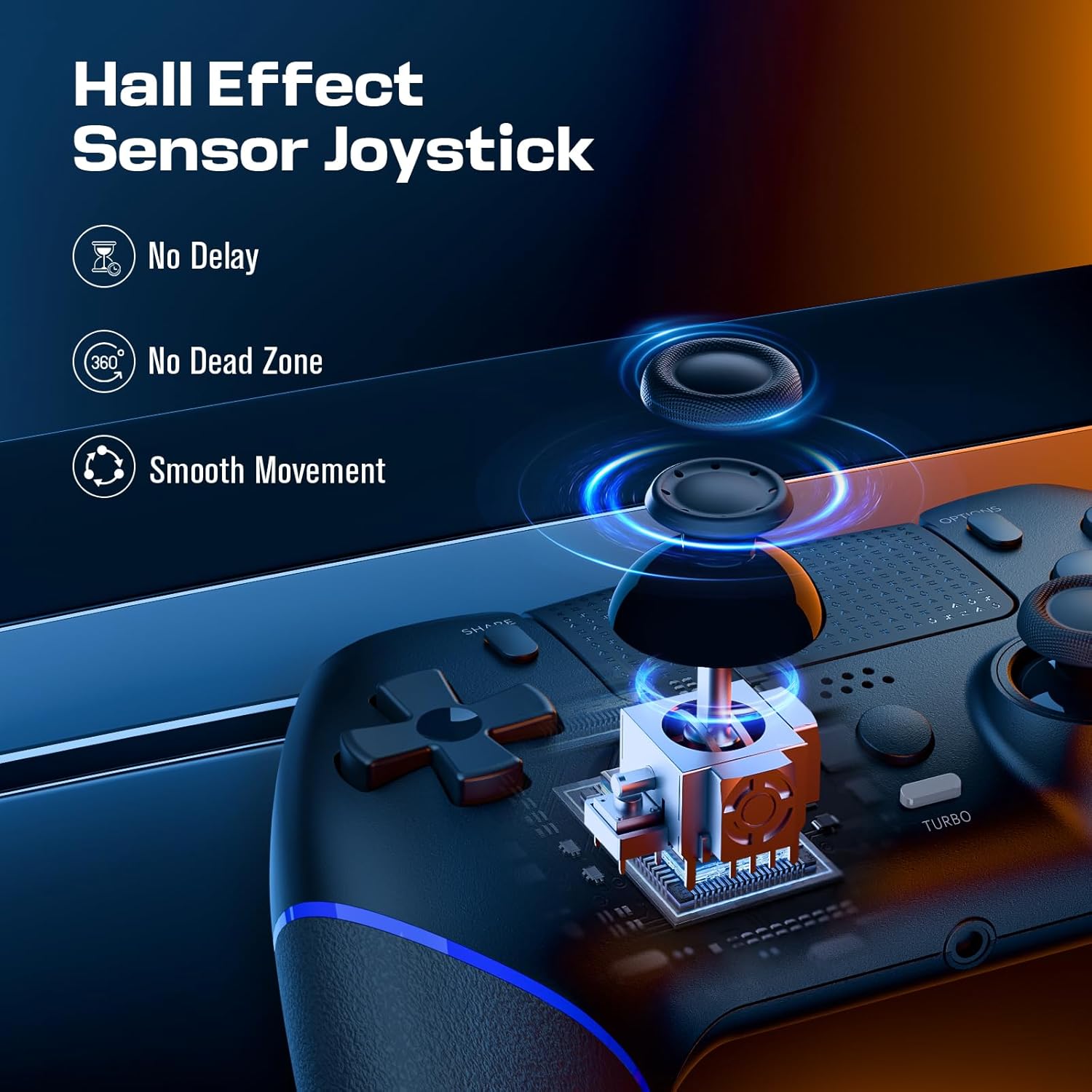
Image 4.1: Diagram illustrating the Hall Effect Sensor Joystick technology. It highlights 'No Delay', 'No Dead Zone', and 'Smooth Movement' as benefits.
4.2 Customizable Back Buttons
The two programmable back buttons (often labeled L3/R3 or similar in mapping) allow you to assign complex actions or frequently used button combinations for quicker execution and reduced finger fatigue. Refer to your console's settings or specific game options for detailed button remapping procedures.

Image 4.2: Visual of the Custom Button Mapping feature. It shows how L3/R3 can be converted to other face buttons or shoulder buttons.
4.3 Turbofunctie
The Turbo function allows for rapid, sustained input of a button press without repeatedly pressing the button. To activate/deactivate the Turbo function:
- Houd de Turbo-knop.
- While holding Turbo, press the desired action button (e.g., X, O, Square, Triangle, R1, L1, etc.).
- Release both buttons. The selected action button will now continuously register input as long as it is held down.
- To deactivate, repeat the process: hold Turbo and press the action button again.

Image 4.3: The Turbo button on the controller is highlighted, with text indicating 'Sustain Auto-Fire with a Single Button Press'.
4.4 Trillingsfeedback
The controller includes dual motors for vibration feedback, providing tactile responses to in-game events such as impacts, explosions, or environmental effects. This enhances immersion and provides additional sensory cues during gameplay.

Image 4.4: Controller with visual effects representing Double Vibration Feedback, indicating a 'More Realistic Feeling in the Games'.
4.5 Motion Sensor and Touchpad
The integrated motion sensor allows for intuitive control in games that utilize tilt and movement. The central touchpad provides an additional input method, supporting gestures and taps for navigation and specific in-game actions.
4.6 hoofdtelefoonaansluiting
A 3.5mm stereo headphone jack is located at the bottom of the controller, allowing you to connect a headset for game audio and voice chat.
4.7 Productvideo
Video 4.1: An official product video demonstrating the CHEREEKI Wireless Controller, focusing on its Hall Effect joystick technology and overall design. This video highlights the precision and responsiveness of the controller's inputs.
5. Onderhoud
To ensure the longevity and optimal performance of your CHEREEKI Wireless Controller, follow these maintenance guidelines:
- Schoonmaak: Gebruik een zachte, droge doek om de controller af te vegen. Voor hardnekkig vuil, lichtjesampMaak de doek schoon met water. Vermijd het gebruik van agressieve chemicaliën of schurende reinigingsmiddelen.
- Opslag: Bewaar de controller op een koele, droge plaats, uit de buurt van direct zonlicht en extreme temperaturen.
- Behandeling: Laat de controller niet vallen en stel hem niet bloot aan harde stoten, aangezien dit interne componenten kan beschadigen.
- Opladen: Do not overcharge the battery. Disconnect the charging cable once the controller is fully charged.
6. Probleemoplossing
If you encounter issues with your CHEREEKI Wireless Controller, please refer to the following common solutions:
6.1 Verbindingsproblemen
- Controller maakt geen verbinding: Ensure the controller is charged. Connect it to the PS4 with the USB-C cable and press the Home button for initial pairing.
- Onderbroken verbinding: Move closer to the PS4 console to rule out interference. Ensure no other wireless devices are causing interference.
6.2 Stick Drift or Unresponsive Inputs
- While the Hall Effect joysticks are designed to prevent stick drift, if you experience any unusual input, try resetting the controller.
6.3 Controller Reset
If the controller is unresponsive or behaving erratically, perform a reset:
- Locate the small reset button on the back of the controller (often near the L2/R2 triggers or a screw hole).
- Gebruik een klein, puntig voorwerp (zoals een rechtgebogen paperclip) om de resetknop 3-5 seconden ingedrukt te houden.
- Laat de knop los.
- Reconnect the controller to your PS4 using the USB-C cable and press the Home button to re-establish connection.
6.4 Batterij laadt niet op
- Zorg ervoor dat de USB-C-kabel stevig is aangesloten op zowel de controller als de stroombron.
- Try a different USB-C cable or a different USB port/power adapter.
- Confirm the power source is providing sufficient power (e.g., a PS4 USB port or a 5V/1A adapter).
7. Specificaties
| Functie | Specificatie |
|---|---|
| Compatibele apparaten | Playstation 4 (PS4, PS4 Slim, PS4 Pro) |
| Controller-type | Spelcomputer |
| Connectiviteit | Draadloos (Bluetooth), bedraad (USB-C) |
| Joystick Technology | Hall-effect |
| Batterijcapaciteit | 1000mAh |
| Oplaadtijd | Ongeveer 3 uur |
| Speeltijd | Ongeveer 8-10 uur |
| Extra functies | Ergonomic Design, Headphone Jack, Motion Sensing, Touchpad, Programmable Back Buttons, Double Vibration |
| Kleur | Zwart |
8. Garantie en ondersteuning
For warranty information, technical support, or any product-related inquiries, please contact CHEREEKI customer service through the retailer where the product was purchased or visit the official CHEREEKI webwebsite. Bewaar uw aankoopbewijs voor garantieclaims.