
1. Inleiding en voorbijview
This manual provides detailed instructions for the TELESIN Magnetic Camera Grip and Cooling Case, designed to enhance your iPhone 17 Pro Max photography and videography experience. It features a professional grip, efficient cooling, wireless charging, and customizable controls.
Belangrijkste kenmerken:
- Professional Cooling Design: Integrated 7600mm² graphene and grill design in the phone case enhances heat dissipation by 25%, maintaining stable iPhone 17 Pro Max performance during extended use.
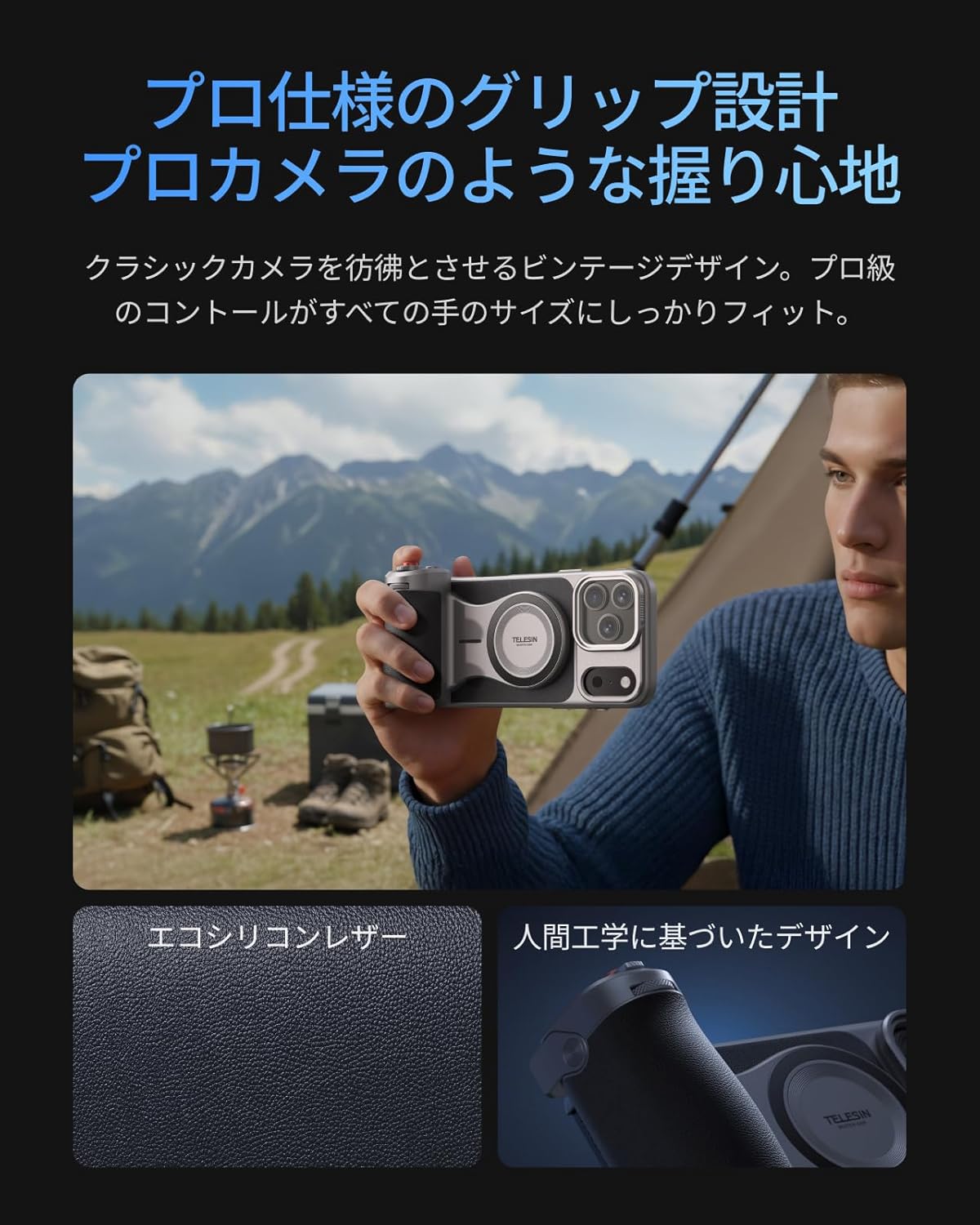
- Ergonomische handgreep: Inspired by classic cameras, the grip provides a comfortable and secure hold for all hand sizes, improving stability for shooting.
- Large Capacity Battery & Wireless Charging: The grip includes a built-in 3200mAh battery for extended iPhone power via wireless charging. It also supports wired power output to other devices.
- Reef Color APP & Customizable Fn Button: The dedicated 'Reef Color' app redefines camera functions, offering 8 master filters and detailed manual settings. The dial can be assigned functions like EV, shutter speed, or ISO. Firmware updates are available via OTA.
- Twee-Stage Shutter & Zoom Dial: Heeft een twee-stage mechanical shutter button (half-press for focus, full-press for capture/record) and a smooth zoom dial for up to 8x optical zoom on iPhone 17 series telephoto lenses, reducing screen tap shake.
- MagSafe Compatibility & Accessory Support: Dual-sided MagSafe compatibility allows easy attachment of accessories like the TELESIN C03 magnetic fill light. A 1/4" screw hole supports tripods and microphones. The case's aluminum CNC slide rail and magnetic system allow for easy attachment of physical filters (UV/CPL/ND filters sold separately).
- Aluminum Thumb Rest & Accidental Touch Prevention: An aluminum alloy thumb rest with anti-slip texture provides a natural resting position for the thumb, preventing accidental screen touches and ensuring a firm grip.
2. Inhoud van het pakket
Controleer of alle hieronder vermelde artikelen in uw pakket zijn opgenomen:
- TELESIN Master Grip x 1
- iPhone 17 Pro Max Phone Case x 1
- Polsband x 1
- Oplaadkabel (USB-C) x 1
- Gebruiksaanwijzing x 1

Note: Smartphone light and UV filters are not included in this set. For smartphone light, please refer to ASIN: B0DHGHKB19. For UV filters, please refer to ASIN: B0FVKYMRLY.
3. Instellen
3.1 App Installation and Permissions
- Zoeken naar and download the 'Reef Color' app from your device's app store.
- Grant all necessary permissions (wireless data, photo library, camera, microphone) when prompted by the app.
- Review the beginner's guide within the app for an initial walkthrough.
3.2 Apparaatverbinding
- Insert your iPhone 17 Pro Max into the provided cooling case.
- Power on the Master Grip by pressing and holding the power button until the indicator light flashes green.
- Open the 'Reef Color' app. Tap the '+' icon in the top-left corner to add a new device.
- Select 'Add New Device' and follow the on-screen prompts to pair the Master Grip via Bluetooth. The indicator light will turn solid green upon successful connection.

4. Gebruiksaanwijzing
4.1 Basis camerabediening
Once connected, the Master Grip allows for intuitive control over your iPhone's camera functions:
- Sluiterknop: Half-press to focus, full-press to capture a photo or start/stop video recording.
- Zoomknop: Rotate the dial for smooth optical zoom control.
- Belichtingsaanpassing: Use the dial to adjust exposure compensation (EV).
4.2 Customizable Buttons (Reef Color App)
The 'Reef Color' app allows you to customize the functions of the dial and Fn button:
- Tap the device icon in the top-left corner of the app to enter the device settings page.
- Select 'Dial' or 'Fn Key' to choose from various functions such as Exposure Adjust, Filter Switch, Filter Intensity, Switch Shooting Mode, Adjust ISO, or Adjust Shutter Speed.
- The 'Wake-Up Key' can be configured to switch focal length, switch camera (front/rear), or switch shooting mode (video/photo/LivePhoto).
4.3 Geavanceerde app-functies
The Reef Color app provides advanced features for professional-grade photography:
- Master Filters: Choose from 8 master filters (e.g., FNC, Hass X, Leica M, Polaroid, CCD, FSA, EOS, Faded) to apply unique color tones and styles to your photos and videos.
- Handmatige instellingen: Access detailed manual controls for precise adjustments.
- OTA-firmware-updates: Keep your Master Grip updated with the latest features and performance improvements through over-the-air firmware updates via the app.

5. Onderhoud
To ensure the longevity and optimal performance of your TELESIN Magnetic Camera Grip and Cooling Case, follow these maintenance guidelines:
- Schoonmaak: Use a soft, dry cloth to clean the grip and case. Avoid using harsh chemicals or abrasive materials.
- Opslag: Bewaar het apparaat op een koele, droge plaats, uit de buurt van direct zonlicht en extreme temperaturen.
- batterij zorg: Voor een optimale levensduur van de batterij is het belangrijk om te voorkomen dat de batterij van de grip vaak volledig leeg raakt. Laad de batterij regelmatig op, ook als u de grip langere tijd niet gebruikt.
- Voorzichtig behandelen: Hoewel het apparaat duurzaam is, moet u voorkomen dat u het laat vallen of blootstelt aan harde stoten.
6. Probleemoplossing
If you encounter any issues with your TELESIN Magnetic Camera Grip and Cooling Case, please refer to the following common solutions:
- Apparaat maakt geen verbinding:
- Ensure the Master Grip is powered on and the indicator light is flashing green.
- Check your iPhone's Bluetooth settings to ensure it's enabled and the grip is not already paired with another device.
- Restart both your iPhone and the Master Grip, then attempt to pair again.
- Ensure the 'Reef Color' app has all necessary permissions granted.
- Knoppen reageren niet:
- Verify that the Master Grip is successfully connected to the 'Reef Color' app.
- Check the app's device settings to ensure the buttons are assigned to desired functions.
- Ensure the app is the active camera application.
- Problemen met opladen:
- Gebruik de meegeleverde USB-C-oplaadkabel.
- Ensure the charging cable is securely connected to both the grip and a power source.
- If wireless charging to the iPhone is not working, ensure the iPhone is correctly aligned with the MagSafe area on the grip.
- Overheating (iPhone):
- The cooling case is designed to mitigate overheating. If your iPhone still overheats, ensure the case is properly installed and the cooling vents are not obstructed.
- Reduce background app usage on your iPhone during intensive tasks.
Als het probleem met deze stappen niet is opgelost, neem dan contact op met de klantenservice voor verdere hulp.
7. Specificaties
| Merknaam | TELESIN |
| Modelnummer van de fabrikant | TX-JP-P5-MCS-11-TIP |
| Compatibele apparaten | iPhone 17 Pro Max |
| Meegeleverde componenten | TELESIN Master Grip x1, Phone Case x1, Wrist Strap x1, Charging Cable x1, Instruction Manual x1 |
| Video-opname-indeling | MP4, MOV |
| Videoresolutie | 4K (3840x2160) |
| Schietfuncties | Photo, Video, Time-lapse, Slow Motion, Portrait, Night Mode, etc. |
| Type belichtingsregeling | Av, Tv, M |
| Waterdicht | Nee |
| Viewzoeker type | LCD-scherm |
| Land van herkomst | China |
8. Garantie en ondersteuning
Your TELESIN Magnetic Camera Grip and Cooling Case comes with a 1 jaar garantie vanaf de aankoopdatum. Deze garantie dekt fabricagefouten en storingen bij normaal gebruik.
For warranty claims, technical support, or any inquiries, please contact TELESIN customer service through the retailer where you purchased the product or visit the official TELESIN website voor contactgegevens voor ondersteuning.
Bewaar uw aankoopbewijs om de garantie te valideren.