
1. Inleiding
This manual provides detailed instructions for the Inateck BCST-72 2D Wireless Barcode Scanner. Please read this guide thoroughly before using the device to ensure proper operation and to maximize its performance. The Inateck BCST-72 is designed for efficient and accurate scanning of various 1D and 2D barcodes, offering versatile connectivity and a long-lasting battery.
2. Inhoud van het pakket
Controleer of alle artikelen in uw pakket aanwezig zijn:
- Inateck BCST-72 2D Wireless Barcode Scanner
- USB Charging Cable (USB-A to USB-B)
- 2.4G draadloze USB-dongle
- Gebruikershandleiding (dit document)
Videobeschrijving: An unboxing video showing the Inateck BCST-72 barcode scanner, user guide, USB cable, and 2.4G USB dongle being removed from their packaging. This video provides a visual confirmation of the package contents.
3. Product voorbijview
3.1 Fysieke kenmerken
The Inateck BCST-72 is built for durability and comfort, featuring a robust design suitable for various work environments.
- Duurzaam ontwerp: The scanner incorporates thickened TPU soft rubber for 360° drop protection, capable of withstanding repeated drops from 1.8 meters.
- Ergonomische handgreep: Engineered for comfort during extended use, its balanced weight and slip-resistant backstrap ensure effortless handling.
- Duurzame knop: The trigger button features a metal and plastic combined design, supporting millions of clicks for long-term reliability.
Afbeeldingbeschrijving: Een gedetailleerde view of the Inateck BCST-72 barcode scanner, illustrating its robust construction with enhanced TPU for 360-degree protection against drops from up to 1.8 meters.

Afbeeldingbeschrijving: A hand holding the Inateck BCST-72 barcode scanner, emphasizing its ergonomic design for comfortable and effortless control during use.

Afbeeldingbeschrijving: A close-up shot of the Inateck BCST-72 barcode scanner's yellow trigger button, highlighting its durable construction designed for millions of clicks.
4. Instellen
4.1 De scanner opladen
Before initial use, fully charge the scanner. Connect the provided USB charging cable to the scanner's charging port and a USB power source. The scanner is equipped with a 2600mAh battery, offering up to 180 days of standby time or 180,000 scans on a single charge.

Afbeeldingbeschrijving: The Inateck BCST-72 barcode scanner with an overlay indicating its 180-day standby battery life, 144 hours of non-stop scanning, and 2600mAh battery capacity.
4.2 Connectiviteitsopties
The BCST-72 offers three connectivity modes: 2.4G Wireless, Bluetooth, and Wired USB. It is compatible with Windows, Mac, iOS, Android, iPadOS, and Linux operating systems.
4.2.1 Bluetooth-verbinding
Verbinding maken via Bluetooth:
- Zet de scanner aan.
- Download the "Inateck Scanner" app from the App Store or Google Play.
- Open the app and follow the on-screen instructions to pair the scanner via Bluetooth. The app will guide you through the setup process.
- Once paired, the scanner can be used with your device.
4.2.2 2.4G draadloze verbinding
For 2.4G wireless connection:
- Steek de 2.4G USB-dongle in een beschikbare USB-poort op uw computer of hostapparaat.
- Schakel de scanner in. Deze zou automatisch verbinding moeten maken met de dongle.
- De scanner zal functioneren als een toetsenbordinvoerapparaat.
4.2.3 Bekabelde USB-verbinding
To connect via wired USB:
- Sluit de scanner aan op uw computer met behulp van de meegeleverde USB-kabel.
- The scanner will be recognized as a USB HID keyboard device and is ready for use.

Afbeeldingbeschrijving: The Inateck BCST-72 barcode scanner shown connecting via Bluetooth to devices running Windows, macOS, Linux, Raspberry Pi, iOS, and Android, illustrating its broad compatibility.

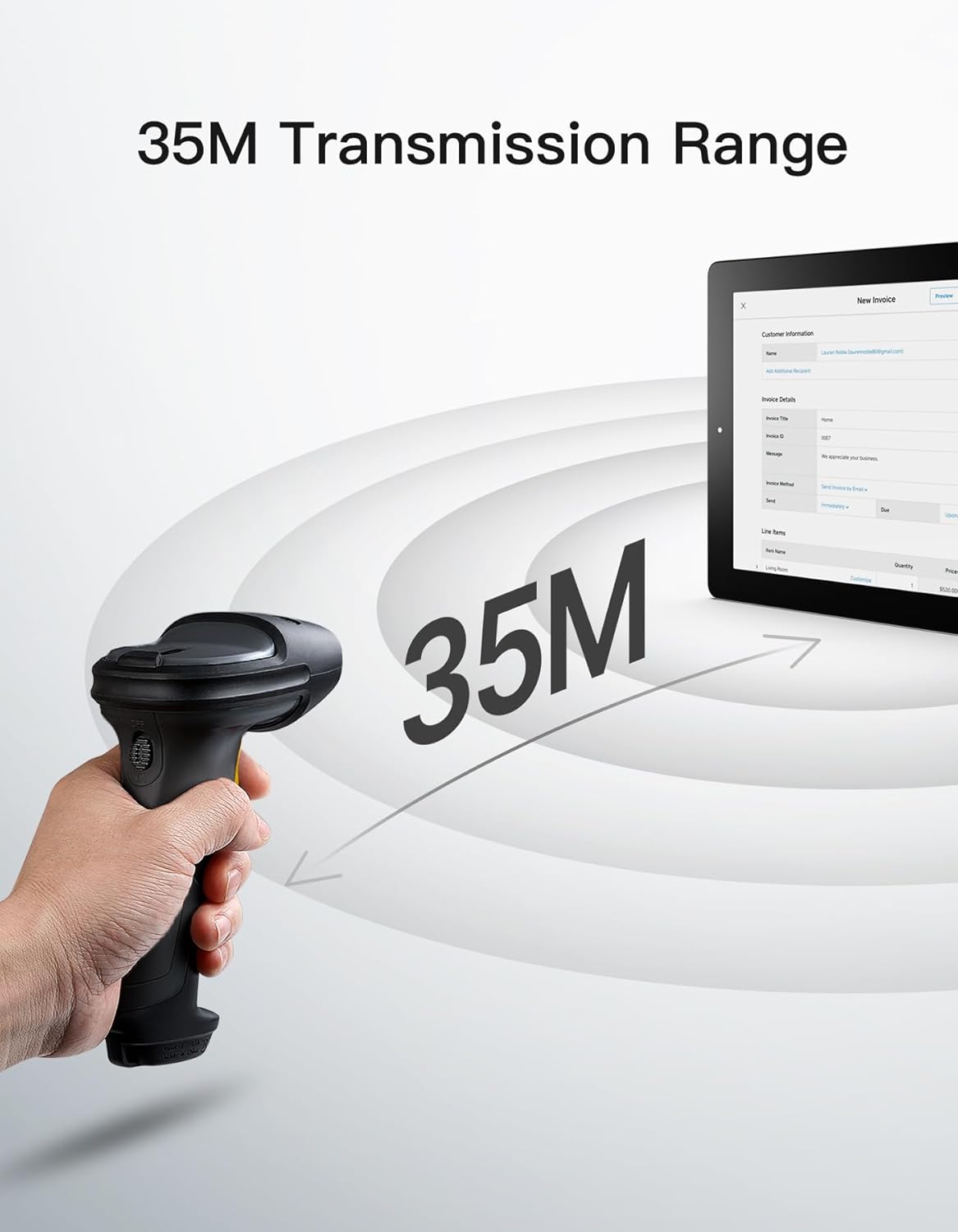
Afbeeldingbeschrijving: The Inateck BCST-72 barcode scanner illustrating its 35-meter wireless transmission range, connecting to a tablet displaying an invoice.
5. Gebruiksaanwijzing
5.1 Barcodes scannen
The Inateck BCST-72 accurately reads almost all 1D and 2D barcodes within a 4–35 cm scanning range. It supports mainstream barcode types including Code 128, EAN-13, UPC-A, QR Code, PDF-417, Data Matrix, Aztec Code, and more. Equipped with a red laser aiming frame and white fill light, it reliably scans damaged, small, or blurred barcodes in both bright and low-light conditions.

Afbeeldingbeschrijving: The Inateck BCST-72 barcode scanner head shown with various 1D and 2D barcodes, indicating its "Super Decoding Ability" to read different types of codes.

Afbeeldingbeschrijving: The Inateck BCST-72 barcode scanner highlighting its capability to read both 1D and 2D barcodes, listing various supported formats like Code 128, EAN-13, UPC-A, QR, and Data Matrix.
5.2 Scanmodi
The scanner offers multiple scanning modes to suit different applications:
- Handmatige modus: Druk op de triggerknop om elke barcode afzonderlijk te scannen.
- Continue modus: De scanner zendt continu een scanstraal uit en leest barcodes terwijl ze door het scanveld bewegen. view zonder de trekker over te hoeven halen.
- Automatische detectiemodus: The scanner automatically detects barcodes placed within its scanning range and activates the scan beam.
- Inventarismodus: Allows for offline data collection, storing up to 270,000 barcodes internally before uploading them to a host device.

Afbeeldingbeschrijving: The Inateck BCST-72 barcode scanner in a stand, demonstrating its automatic detection mode for hands-free scanning.

Afbeeldingbeschrijving: The Inateck BCST-72 barcode scanner continuously scanning multiple items on a conveyor belt, illustrating its continuous scanning mode.

Afbeeldingbeschrijving: The Inateck BCST-72 barcode scanner used in inventory mode, showing scanned data being uploaded to a spreadsheet, highlighting its offline data collection capability.
5.3 Inateck Scanner App & SDK
The Inateck Scanner app (available on App Store and Google Play) and SDK provide advanced configuration options and seamless integration with ERP systems. The app allows for fast configuration of Bluetooth pairing, barcode settings, and data processing. You can customize settings such as volume, barcode types, suffixes, and prefixes. The SDK enables developers to integrate the scanner directly into custom software solutions.
Videobeschrijving: An official product video demonstrating the Inateck BCST-72 barcode scanner's features, including its decoding ability, battery life, durable design, and the functionality of the Inateck Scanner app for configuration and data processing. It also highlights the SDK for seamless integration.
6. Onderhoud
To ensure the longevity and optimal performance of your Inateck BCST-72 barcode scanner, follow these maintenance guidelines:
- Schoonmaak: Gebruik een zachte, droge doek om de buitenkant van de scanner schoon te maken. Voor het scanvenster gebruikt u een pluisvrije doek en veegt u er voorzichtig mee.ampReinig de lens met een mild, niet-schurend reinigingsmiddel. Vermijd agressieve chemicaliën of schurende materialen die krassen op de lens kunnen veroorzaken.
- batterij zorg: Avoid fully discharging the battery frequently. For long-term storage, charge the battery to about 50% and store the device in a cool, dry place. Recharge periodically if stored for extended periods.
- Opslag: Bewaar de scanner op een schone, droge plaats, uit de buurt van extreme temperaturen, direct zonlicht en corrosieve materialen.
7. Probleemoplossing
If you encounter issues with your Inateck BCST-72 scanner, refer to the following common solutions:
- Scanner gaat niet aan: Ensure the battery is charged. Connect the scanner to a power source using the USB cable and allow it to charge for at least 30 minutes before attempting to turn it on again.
- Unable to Connect via Bluetooth/2.4G:
- Zorg ervoor dat de scanner in de juiste koppelingsmodus staat.
- Controleer of Bluetooth is ingeschakeld op uw hostapparaat.
- For 2.4G, ensure the USB dongle is securely plugged in and recognized by your device.
- Probeer zowel de scanner als het hostapparaat opnieuw op te starten.
- Scanner leest barcodes niet:
- Ensure the barcode is clean, undamaged, and within the scanner's optimal reading range (4-35 cm).
- Check if the barcode type is supported by the scanner. You can configure supported barcode types via the Inateck Scanner app.
- Adjust the distance and angle of the scanner relative to the barcode.
- Ensure sufficient lighting for the barcode. The scanner has a white fill light for low-light conditions.
- Geen gegevensoverdracht:
- Confirm successful connection (Bluetooth, 2.4G, or wired).
- Ensure the cursor is in an active text field on your host device where data can be input.
- Check the scanner's settings via the Inateck Scanner app for any data processing rules that might be affecting output.
For further assistance, refer to the electronic manual within the Inateck Scanner app or contact Inateck customer support.
8. Specificaties
| Functie | Detail |
|---|---|
| Merk | Inateck |
| Model | BCST-72 |
| Scanvermogen | 1D and 2D Barcodes (Code 128, EAN-13, UPC-A, QR Code, PDF-417, Data Matrix, Aztec Code, etc.) |
| Scanbereik | 4–35cm |
| Connectiviteit | 2.4G Wireless, Bluetooth, Wired USB |
| Verenigbaarheid | Windows, Mac, iOS, Android, iPadOS, Linux |
| Batterij | 1 lithium-ionbatterij (meegeleverd), 2600 mAh |
| Levensduur van de batterij | Up to 180 days standby or 180,000 scans |
| Bescherming tegen vallen | Withstands 1.8-meter drops |
9. Garantie en ondersteuning
Inateck products come with a standard warranty. For specific warranty terms and conditions, please refer to the documentation included with your purchase or visit the official Inateck website. If you require technical support, have questions about product operation, or need assistance with troubleshooting, please contact Inateck customer support. You can find contact information on the Inateck website or within the Inateck Scanner app.
Bezoek de Inateck Store voor meer informatie en producten.