
Invoering
This manual provides essential information for the safe and effective operation of your WORKPRO Portable Tire Inflator Model W125218A. Please read this manual thoroughly before use and retain it for future reference.
The WORKPRO Portable Tire Inflator is a versatile device designed for inflating tires on cars, motorcycles, bicycles, and various sports balls. It features a digital display, automatic shut-off, multiple inflation modes, and an integrated LED light for convenience and safety.
Veiligheidsinstructies
- Lees alle instructies: Before operating the inflator, read and understand all safety warnings and instructions in this manual.
- Oogbescherming: Always wear safety glasses when operating the inflator to protect against potential debris.
- Gehoorbescherming: The inflator can be loud during operation. Use hearing protection, especially during prolonged use.
- Buiten bereik van kinderen houden: This device is not a toy. Keep it out of reach of children.
- Correct gebruik: Use the inflator only for its intended purpose. Do not attempt to inflate objects beyond their recommended pressure limits.
- Oververhitting: The inflator may become hot during extended use. Allow it to cool down between inflation cycles to prevent damage and burns. The air hose and chuck can become very hot.
- Batterijveiligheid: Do not expose the inflator to extreme temperatures or direct sunlight. Do not disassemble or modify the battery pack.
- Opladen: Use only the provided charging cable and a compatible power adapter. Do not charge in damp voorwaarden.
- Opslag: Store the inflator in a dry, cool place away from flammable materials.
- Check Tire Pressure Manually: While the inflator has a digital display, it is recommended to verify tire pressure with a separate, calibrated gauge for critical applications.
Inhoud van het pakket
Controleer of alle artikelen in het pakket aanwezig zijn:
- WORKPRO Portable Tire Inflator
- Luchtslang met Schrader-ventielaansluiting
- Presta ventieladapter
- Kogelnaaldadapter
- Nozzle Adapter for Inflatables
- USB-oplaadkabel (Type-C)
- Opbergzak
- Gebruiksaanwijzing
Product voorbijview
Familiarize yourself with the components of your WORKPRO Portable Tire Inflator.

Afbeelding: Voorkant view of the WORKPRO Portable Tire Inflator, showing the digital display, control buttons, and air hose connection point.

Afbeelding: Diagram illustrating the 7500 mAh large battery capacity of the WORKPRO Portable Tire Inflator, capable of inflating multiple car tires on a single charge.
- Digitaal beeld: Shows real-time pressure, preset pressure, battery level, and mode.
- Bedieningsknoppen: Power, Mode selection, Increase/Decrease pressure.
- Luchtslangaansluiting: Point where the inflation hose attaches.
- LED-lamp: Voor verlichting bij weinig licht.
- USB-C-oplaadpoort: Voor het opladen van de interne batterij.
- USB-A-uitvoerpoort: Functions as a power bank for external devices.
Instellen
1. De opblaaspomp opladen
Before first use, fully charge the inflator. The device is powered by three 2500mAh rechargeable batteries.
- Connect the provided USB-C charging cable to the inflator's charging port.
- Connect the other end of the cable to a suitable USB power adapter (not included) or a USB port.
- The digital display will indicate the charging status. A full charge typically takes 3 to 5 hours.
- Zodra deze volledig is opgeladen, koppelt u de oplaadkabel los.
2. De luchtslang aansluiten
Screw the air hose firmly onto the inflator's air outlet port. Ensure it is tight to prevent air leakage during operation.
Gebruiksaanwijzing
1. In-/uitschakelen
- Inschakelen: Houd de aan/uit-knop ingedrukt (□) for 3 seconds. The digital display will illuminate.
- Uitschakelen: Houd de aan/uit-knop ingedrukt (□) for 3 seconds. The display will turn off. The device will also automatically power off after a period of inactivity.
2. De opblaasmodus en de drukeenheid selecteren

Afbeelding: Digital display of the inflator showing different preset inflation modes for car, motorcycle, bicycle, and balls, along with a manual mode.
- Modusselectie: Druk kort op de Mode-knop (M) to cycle through the 5 available inflation modes: Car, Motorcycle, Bicycle, Ball, and Manual. Each mode has a preset default pressure value.
- Drukeenheid: While in any mode, long press the Mode button (M) to switch between pressure units: PSI, BAR, and KPA.
3. Doeldruk instellen
- After selecting a mode, the preset pressure will be displayed.
- Use the Increase (+) and Decrease (-) buttons to adjust the target pressure to your desired value. The maximum adjustable pressure is 150 PSI.
- The display will flash while adjusting and then stabilize, indicating the set target pressure.
4. Connecting to the Item to be Inflated
- For car/motorcycle/bicycle tires: Screw the Schrader valve connector of the air hose onto the tire valve stem. Ensure a secure, airtight connection.
- For Presta valves (bicycles): Attach the Presta valve adapter to the tire valve, then connect the Schrader valve connector to the adapter.
- For balls/inflatables: Select the appropriate adapter (ball needle or nozzle adapter) and attach it to the Schrader valve connector, then insert into the item.
- Once connected, the digital display will show the current real-time pressure of the item.
5. Inflatie starten en stoppen

Afbeelding: The WORKPRO Portable Tire Inflator connected to a car tire, demonstrating fast inflation capabilities, showing inflation times for different pressure ranges.
- Begin inflatie: Druk op de Start/Stop-knop (▶) to begin inflation. The display will show the increasing real-time pressure.
- Automatische uitschakeling: De opblaaspomp stopt automatisch wanneer de vooraf ingestelde streefdruk is bereikt.
- Handmatig stoppen: You can manually stop inflation at any time by pressing the Start/Stop button (▶) opnieuw.
- Drukindicatoren: After connecting, the inflator uses three-color indicators:
- Rood: Pressure exceeds 110% of the preset value.
- Groente: Pressure is between 90% and 110% of the preset value.
- Geel: Pressure is below 90% of the preset value.

Afbeelding: Close-up of the inflator's digital display highlighting the three-color LED indicators for real-time pressure status (Red, Yellow, Green) and the automatic inflation stop feature.
6. Het LED-licht gebruiken
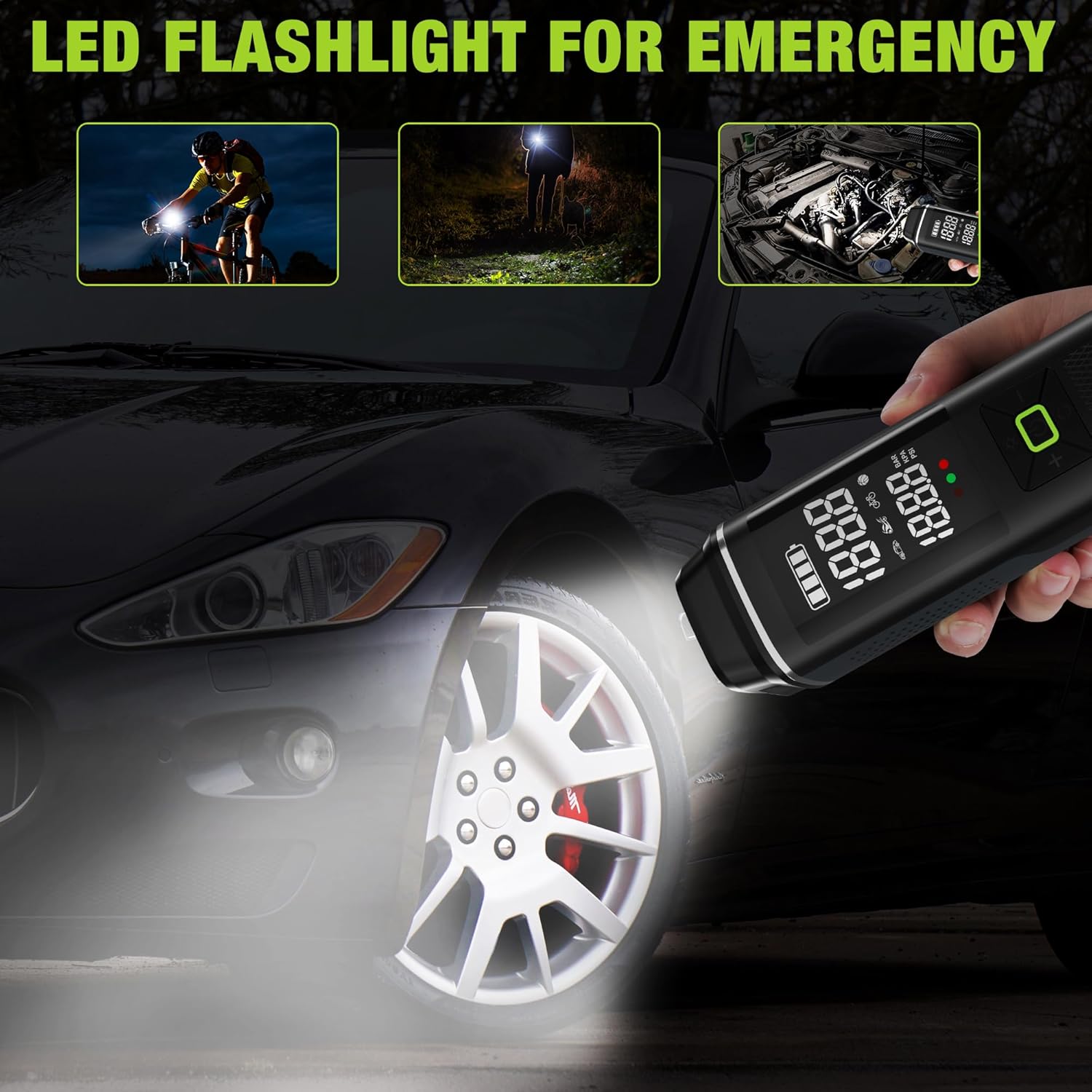
Afbeelding: The WORKPRO Portable Tire Inflator being used as an LED flashlight in various scenarios, including illuminating a bicycle path, a dark area, and a car engine bay.
- Druk kort op de lichtknop (☀) to turn on the LED light.
- Press again to cycle through different light modes (e.g., steady light, flashing, SOS).
- Druk een derde keer om het LED-lampje uit te schakelen.
7. Gebruik als draagbare powerbank

Afbeelding: The WORKPRO Portable Tire Inflator connected via USB to a smartphone, demonstrating its function as a portable power bank for charging electronic devices.
- The inflator can serve as a backup power bank for your electronic devices.
- Connect your device's USB charging cable to the USB-A output port on the inflator.
- Het opladen begint automatisch.
Onderhoud
- Schoonmaak: Veeg de buitenkant van de pomp schoon met een zachte, droge doek.amp lap. Gebruik geen agressieve chemicaliën of schurende schoonmaakmiddelen.
- Opslag: Store the inflator and its accessories in the provided storage bag in a cool, dry place when not in use.
- batterij zorg: To prolong battery life, charge the inflator at least once every three months, even if not in regular use. Avoid fully discharging the battery frequently.
- Controleer slang en adapters: Regularly check the air hose and adapters for any signs of wear, cracks, or damage. Replace if necessary.
Probleemoplossing
| Probleem | Mogelijke oorzaak | Oplossing |
|---|---|---|
| De pomp gaat niet aan. | Batterij is leeg. | Charge the inflator fully. |
| Inflator does not start inflating. | Target pressure not set; Air hose not securely connected; Battery too low. | Set target pressure; Ensure air hose is tightly screwed on; Charge the inflator. |
| Luchtlekkage tijdens het oppompen. | Air hose not securely connected; Damaged air hose/adapter. | Tighten air hose connection; Inspect and replace damaged components. |
| De opblaasinrichting stopt voortijdig. | Target pressure reached (auto shut-off); Overheating; Battery low. | Check target pressure; Allow unit to cool down; Charge the inflator. |
| Onjuiste drukmeting. | Losse verbinding; sensorprobleem. | Ensure secure connection; Compare with a known accurate gauge. If persistent, contact support. |
Specificaties
| Modelnaam | Bandenpomp |
| Modelnummer | W125218A |
| Merk | WERKPRO |
| Deeltage | 12 Volt |
| Energiebron | Corded Electric (for charging), Battery Powered (for operation) |
| Speciale functie | Portable, Digital Display, Auto Shut-Off, LED Light, Power Bank Function |
| Materiaal | Kunststof, aluminium |
| Maximale druk | 150 PSI |
| Batterijcapaciteit | 3 x 2500mAh (7500mAh totaal) |
| Oplaadtijd | 3-5 uur |
| Artikelgewicht | 930 gram |
| Pakket afmetingen | 28.3x13.11x8cm |

Afbeelding: The WORKPRO Portable Tire Inflator displayed with its various adapters, illustrating its wide range of applications for inflating car, motorcycle, bicycle tires, balls, and swimming rings.
Garantie en ondersteuning
WORKPRO products are manufactured to high-quality standards. For warranty information, technical support, or service inquiries, please refer to the warranty card included with your product or visit the official WORKPRO webplaats.
Bewaar uw aankoopbewijs voor garantieclaims.