
Invoering
This manual provides comprehensive instructions for the Noise Buds Evoke Truly Wireless Bluetooth Earbuds. Please read this guide thoroughly before using your device to ensure proper operation and to maximize your listening experience. Keep this manual for future reference.
Wat zit er in de doos?
- 1N Bluetooth Headphone (Pair of Earbuds)
- 1N oplaadetui
- 1N Type-C oplaadkabel
- 1N Gebruikershandleiding (Dit document)
- 1N Warranty Registration Card
Product voorbijview
Familiarize yourself with the components of your Noise Buds Evoke earbuds and charging case.

Image: A pair of Noise Buds Evoke earbuds, showcasing their design and in-ear form factor.
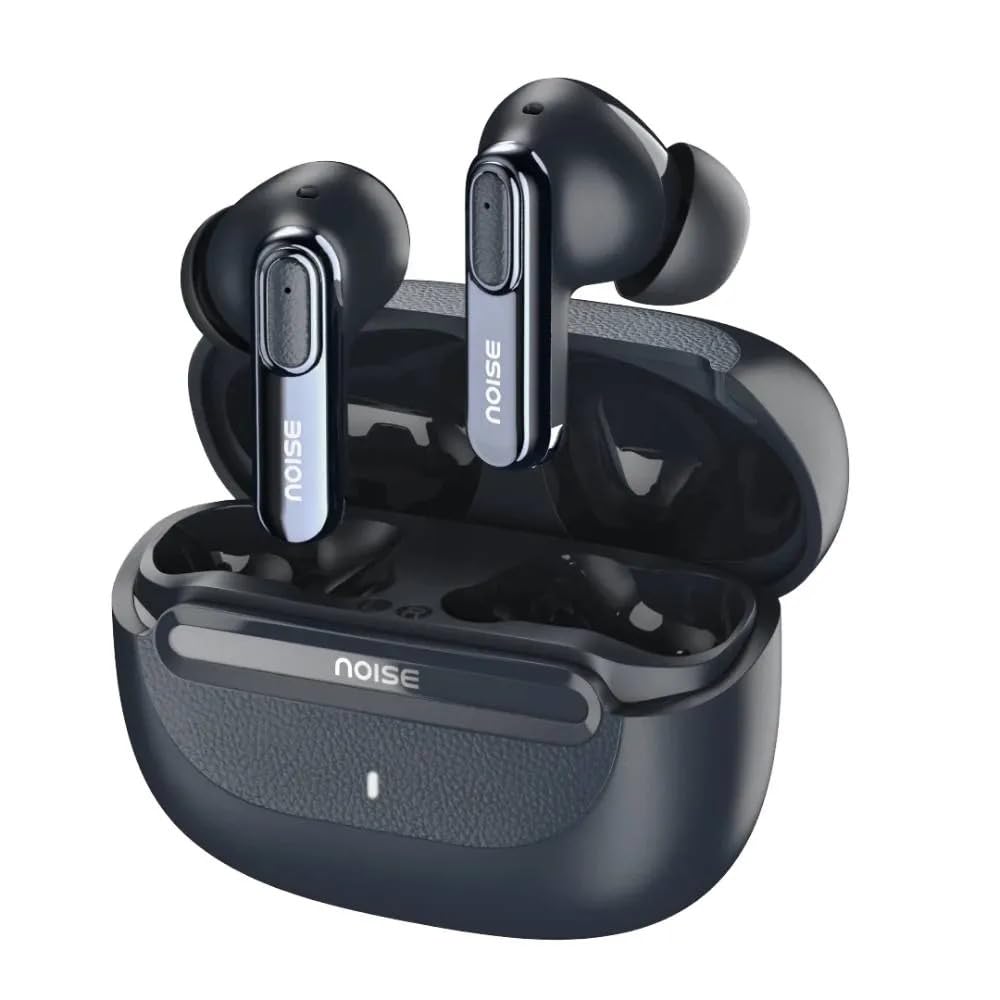
Image: Noise Buds Evoke earbuds placed inside their open charging case, illustrating how they fit for charging and storage.
The earbuds feature touch-sensitive areas for control and are designed for a comfortable in-ear fit. The charging case protects the earbuds and provides additional battery life.
Instellen
1. De oordopjes en het doosje opladen
Laad de oordopjes en de oplaadcase volledig op voordat u ze voor het eerst gebruikt.
- Plaats beide oordopjes in de oplaadcassette.
- Sluit de Type-C-oplaadkabel aan op de oplaadpoort van de behuizing en het andere uiteinde op een USB-voedingsadapter (niet meegeleverd).
- The indicator light on the charging case will show the charging status. A full charge is indicated when the light changes or turns off (refer to specific LED behavior in the product's quick start guide if available).

Image: Noise Buds Evoke charging case with earbuds inside, illustrating the compact design for charging and portability.
2. Koppelen met een apparaat
To connect your Noise Buds Evoke to a new device:
- Zorg ervoor dat de oordopjes zijn opgeladen.
- Open the charging case. The earbuds will automatically enter pairing mode, and an indicator light on the earbuds or case will flash (refer to specific LED behavior).
- Ga op uw apparaat (smartphone, tablet, laptop) naar de Bluetooth-instellingen.
- Schakel Bluetooth in.
- Zoeken naar available devices and select "Noise Buds Evoke" from the list.
- Zodra de verbinding tot stand is gebracht, verschijnt er een gesproken melding die bevestigt dat de koppeling is geslaagd.
The earbuds will automatically reconnect to the last paired device when taken out of the case, provided Bluetooth is enabled on the device and it is within range (10 meters).
Gebruiksaanwijzing
Aan/uit
- Inschakelen: Open de oplaadcassette en de oordopjes worden automatisch ingeschakeld.
- Uitschakelen: Plaats de oordopjes terug in de oplaadcase en sluit het deksel. Ze worden automatisch uitgeschakeld en beginnen met opladen.
Aanraakbediening
The Noise Buds Evoke feature touch controls on each earbud. The specific functions may vary slightly, but common controls include:
- Afspelen/Pauzeren: Tik één keer op een van de oordopjes.
- Volgende nummer: Dubbeltik op het rechteroordopje.
- Vorig nummer: Dubbeltik op het linkeroordopje.
- Oproep beantwoorden/beëindigen: Tik één keer op een van de oordopjes tijdens een inkomende oproep.
- Oproep afwijzen: Houd een van de oordopjes 2 seconden ingedrukt tijdens een inkomende oproep.
- Activeer de spraakassistent (Google Assistent/Siri): Tik drie keer op een van de oordopjes.
- Annulering van omgevingsgeluiden (ENC): The earbuds feature Environmental Noise Cancellation for calls. This is typically active automatically during calls to reduce background noise for the person you are speaking with.
Note: For detailed and precise touch control mapping, refer to the quick start guide included with your product or the NoiseFit app if applicable.
Onderhoud
Schoonmaak
- Gebruik een zachte, droge, pluisvrije doek om de oordopjes en de oplaadcase schoon te maken.
- Gebruik geen schuurmiddelen, alcohol of chemische oplosmiddelen.
- Verwijder voorzichtig eventueel oorsmeer of vuil van de oordopjes en het luidsprekergaas met een klein, schoon borsteltje of wattenstaafje.
Opslag
- Wanneer u de oordopjes niet gebruikt, kunt u ze het beste in de oplaadcase bewaren. Zo worden ze beschermd en blijven ze opgeladen.
- Bewaar het apparaat op een koele, droge plaats, uit de buurt van extreme temperaturen en direct zonlicht.
Waterbestendigheid
The Noise Buds Evoke are water resistant. This means they are protected against splashes and sweat, making them suitable for workouts. However, they are not waterproof and should not be submerged in water or exposed to heavy rain. Ensure the earbuds are dry before placing them back in the charging case to prevent damage.
Probleemoplossing
If you encounter issues with your Noise Buds Evoke, try the following solutions:
Oordopjes koppelen niet
- Zorg ervoor dat beide oordopjes zijn opgeladen.
- Place earbuds back in the case, close the lid, wait a few seconds, then open the lid again to re-enter pairing mode.
- Schakel Bluetooth op uw apparaat uit en weer in.
- Forget "Noise Buds Evoke" from your device's Bluetooth list and attempt to pair again.
- Ensure no other Bluetooth devices are interfering or already connected to the earbuds.
Geen geluid of laag volume
- Controleer het volumeniveau op zowel het aangesloten apparaat als de oordopjes.
- Zorg ervoor dat de oordopjes goed in uw oren zitten.
- Verwijder eventueel vuil uit het gaas van de oordopjes.
- Sluit de oordopjes opnieuw aan op uw apparaat.
Problemen met opladen
- Controleer of de oplaadkabel goed is aangesloten op zowel de behuizing als de stroombron.
- Probeer een andere USB Type-C-oplaadkabel en -adapter.
- Zorg ervoor dat de oplaadcontactpunten op de oordopjes en in de case schoon en vrij van vuil zijn.
Spraakassistent reageert niet
- Zorg ervoor dat de oordopjes met uw apparaat zijn verbonden.
- Confirm that your device's voice assistant (Google Assistant, Siri) is enabled and configured correctly.
- Perform the triple-tap gesture accurately on either earbud.
Specificaties
| Modelnaam | Buds Evoke |
| Modelnummer | AUD-HDPHN-BUDSEVOKE-BLU |
| Connectiviteitstechnologie | Draadloos (Bluetooth) |
| Bluetooth-bereik | 10 Meter |
| Geluidsbeheersing | Omgevingsgeluidannulering (ENC) |
| Koptelefoonaansluiting | Type-C snellaadaansluiting |
| Controlemethode | Stem, aanraking |
| Controller-type | Google Assistent, Siri |
| Waterbestendigheidsniveau | Waterbestendig |
| Artikelgewicht | 50 gram |
| Productafmetingen (LxBxH) | 6.5x4.9x2.9cm |
| Materiaal | Polycarbonaat (PC) |
| Impedantie | 16 Ohm |
Garantie en ondersteuning
Garantie-informatie
The Noise Buds Evoke come with a 1-year assured warranty from Noise. Please refer to the included Warranty Registration Card for details on how to register your product and the terms and conditions of the warranty.
This warranty covers manufacturing defects. Damage caused by misuse, accidents, unauthorized modifications, or normal wear and tear is typically not covered.
Klantenservice
For any queries, technical assistance, or warranty claims, please contact Noise customer support:
- Fabrikant: Nexxbase Marketing Pvt. Ltd
- Contactnummer: 8882-132-132
- Adres: Khasra No-146/25/2/1, Jail Road Badshahpur, Gurugram Haryana-122101
- Visit the Noise Store on Amazon voor meer informatie en productupdates.