
Invoering
This manual provides essential instructions for the safe operation, setup, and maintenance of your 4DRC V39 RC Airplane with Camera. Please read this manual thoroughly before operating the aircraft to ensure proper function and to prevent damage or injury. The 4DRC V39 is a foam remote control airplane equipped with a 1080P FPV camera, designed for ease of use with features like one-key take-off, headless mode, and gravity control.
Veiligheidsinformatie
- Always operate the aircraft in open, unobstructed areas, away from people, animals, buildings, and power lines.
- Vlieg niet bij harde wind of ongunstige weersomstandigheden.
- Houd uw handen en gezicht uit de buurt van draaiende propellers.
- Zorg ervoor dat de batterijen voor elke vlucht volledig zijn opgeladen.
- Supervise children during operation. Recommended age is 8 years and above.
- Wijzig het vliegtuig of de onderdelen ervan niet.
- Turn off the aircraft and remote control when not in use.
Inhoud van het pakket
Controleer of alle artikelen in het pakket aanwezig zijn:
- 4DRC V39 RC Airplane (Blue)
- Afstandsbediening
- Modular Lithium-Ion Batteries (2 included for aircraft)
- C Batteries (2 included for remote control)
- USB-oplaadkabel
- Spare Propellers (if included, typically)
- Gebruikershandleiding (dit document)
Product voorbijview
Vliegtuigonderdelen
The 4DRC V39 RC Airplane features a durable EPP foam body, integrated propellers with protective structures, and vibrant LED lights for visibility.

Image: The 4DRC V39 RC Airplane shown alongside its remote control, highlighting its design.
Afstandsbediening lay-out
The remote control provides intuitive access to all flight functions. Familiarize yourself with the joystick controls, trim buttons, and special function buttons before flight.
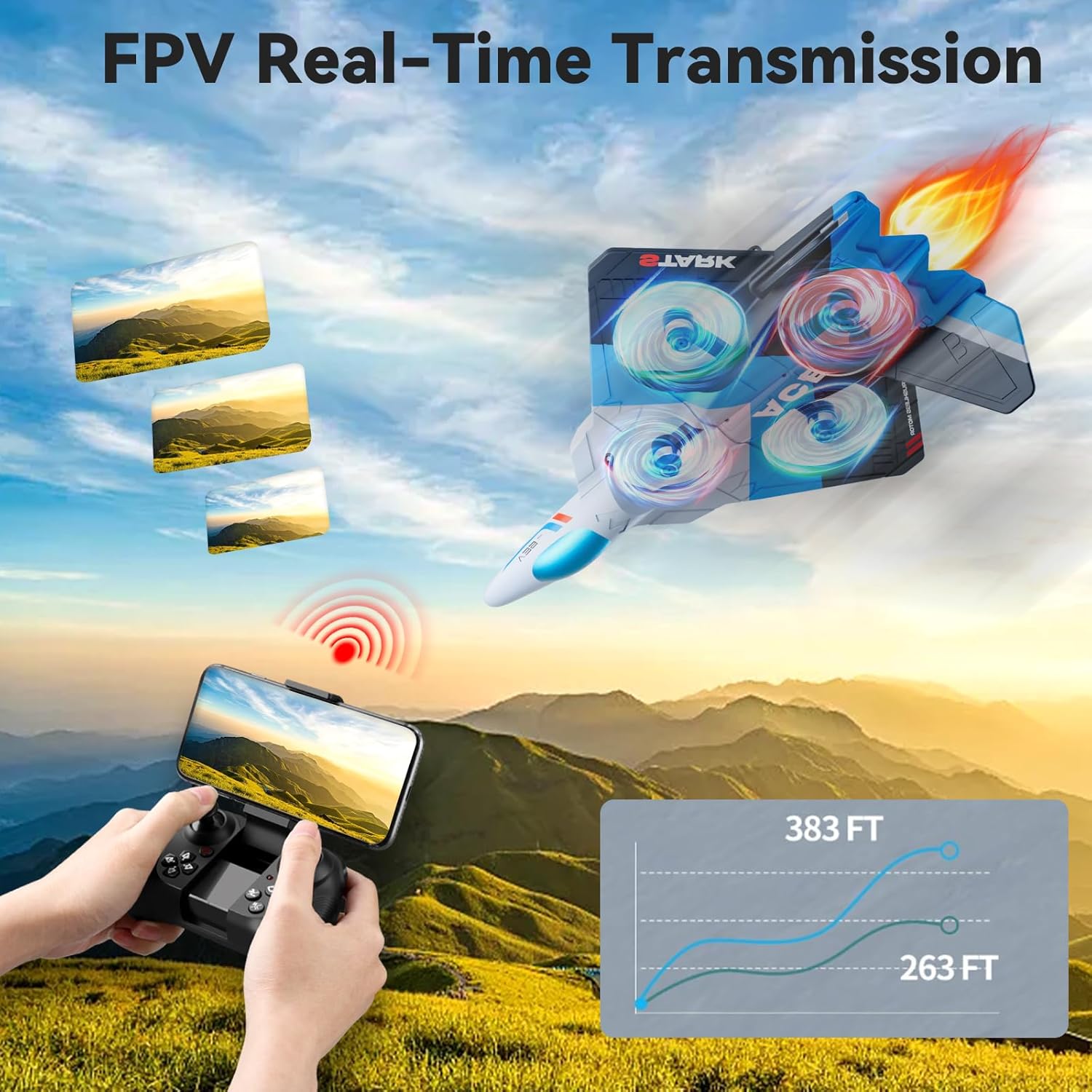
Image: The remote control with a smartphone mounted, demonstrating FPV real-time transmission capability.
Instellen
1. Batterij installeren en opladen
- Vliegtuigaccu: Insert the modular Lithium-Ion battery into the designated compartment on the aircraft. Ensure it clicks securely into place. Connect the battery to the aircraft's charging cable and plug the USB end into a compatible USB power source (e.g., computer, USB wall adapter). The charging indicator will show the charging status. Disconnect once fully charged.
- Batterijen voor afstandsbediening: Open the battery compartment on the back of the remote control. Insert 2 C batteries, ensuring correct polarity (+/-). Close the compartment securely.

Image: Illustration showing the two modular batteries for the aircraft and a diagram for headless mode.
2. Inschakelen en koppelen
- Plaats het vliegtuig op een vlakke, horizontale ondergrond.
- Zet de stroomschakelaar van het vliegtuig aan. De ledlampjes beginnen te knipperen.
- Zet de afstandsbediening aan.
- Push the left joystick (throttle) all the way up, then all the way down. The remote control will beep, and the aircraft's lights will become solid, indicating successful pairing.
Gebruiksaanwijzing
Basis vluchtbedieningen
- Opstijgen/landen met één druk op de knop: Press the dedicated one-key take-off button to automatically launch the aircraft to a stable hovering altitude. Press it again to initiate an automatic landing.
- Gashendel (linker joystick omhoog/omlaag): Hiermee regel je de hoogte van het vliegtuig. Omhoog duwen om te stijgen, omlaag trekken om te dalen.
- Richtingsbesturing (rechter joystick): Bestuurt de bewegingen vooruit, achteruit, naar links en naar rechts.
- Gierbeweging (linker joystick links/rechts): Hiermee kan het vliegtuig naar links of rechts draaien om zijn verticale as.
- Trimaanpassing: Use the trim buttons to fine-tune the aircraft's stability if it drifts in any direction during hover.
- 3 Snelheidsregeling: Press the speed button to cycle through low, medium, and high-speed modes, suitable for different skill levels and environments.

Image: Visual guide to various flight modes including headless mode, one-key take off/landing, one-key quick stop, and one-key return.
Geavanceerde functies
- 1080P FPV Camera: The integrated HD camera allows for real-time video transmission to a connected smartphone via the dedicated app. Capture aerial photos and videos from a bird's-eye perspective.
- Zwaartekrachtcontrole: Utilize your smartphone's gravity sensor to control the aircraft's movement by tilting your phone.
- Auto-Follow: When activated, the aircraft can automatically follow a designated subject (requires specific app functionality and clear line of sight).
- Traject vlucht: Draw a flight path on your smartphone screen, and the aircraft will automatically follow the specified route.
- Hoofdloze modus: In headless mode, the aircraft's orientation is relative to the pilot, eliminating the need to adjust its position before flight. This simplifies control for beginners.
- Hoogte behouden: The aircraft maintains a stable altitude automatically, allowing for easier control and clearer aerial photography.
- 360° Circle Flight Stunt: Press the designated button to perform an automatic 360-degree circling maneuver.
- Terugkeer met één sleutel: Activates an automatic return to the take-off point. Ensure a clear path for safe return.
- Cool LED Light Show: The aircraft features vibrant LED lights, enhancing visibility and providing an engaging visual experience, especially during night flights.
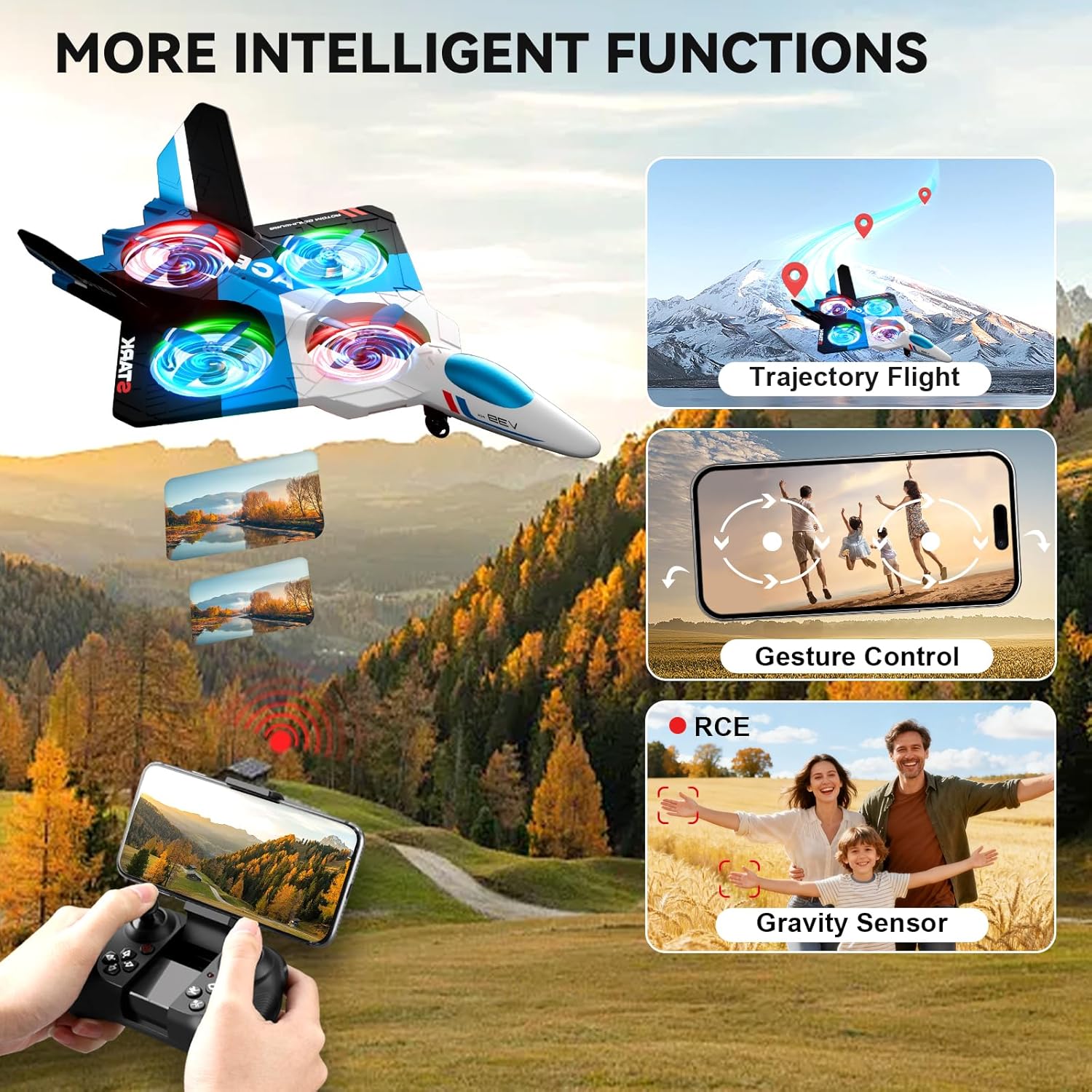
Image: The 4DRC V39 RC Airplane illustrating intelligent functions such as trajectory flight, gesture control, and gravity sensor capabilities.

Image: The remote control being used to execute a 360-degree circle flight stunt with the aircraft.
Onderhoud
- Schoonmaak: Use a soft, dry cloth to clean the aircraft and remote control. Avoid using water or chemical cleaners.
- Propellerinspectie: Controleer de propellers regelmatig op beschadigingen. Vervang verbogen of gebroken propellers onmiddellijk om een stabiele vlucht te garanderen.
- batterij zorg:
- Do not overcharge or over-discharge the Lithium-Ion batteries.
- Bewaar batterijen op een koele, droge plaats, uit de buurt van direct zonlicht en warmte.
- Als u de batterijen voor langere tijd opbergt, laadt u ze op tot ongeveer 50% van hun capaciteit.
- Opslag: Store the aircraft and remote control in a safe place, away from extreme temperatures and moisture.
Probleemoplossing
| Probleem | Oplossing |
|---|---|
| Het vliegtuig reageert niet op de afstandsbediening. | Ensure both aircraft and remote are powered on. Re-pair the aircraft and remote control by following the "Power On and Pairing" steps. Check remote control battery levels. |
| Vliegtuigen drijven af tijdens de vlucht. | Use the trim buttons on the remote control to adjust for stable flight. Ensure the aircraft was placed on a flat surface during power-on. Avoid flying in windy conditions. |
| Korte vliegtijd. | Ensure aircraft batteries are fully charged before each flight. Battery performance can decrease over time; consider replacing old batteries. |
| Camera not working or FPV feed is unstable. | Ensure your smartphone is correctly connected to the aircraft's Wi-Fi network. Check the app for any connection issues. Ensure sufficient light for camera operation. |
| Aircraft is unstable or crashes easily in mild wind. | This aircraft is lightweight and designed for indoor or calm outdoor conditions. Avoid flying in any significant wind to prevent loss of control or damage. |
Specificaties
| Functie | Detail |
|---|---|
| Modelnaam | V39 |
| Merk | 4DRC |
| Materiaalsoort | Foam (EPP) |
| Kleur | Blauw |
| Artikelafmetingen | 16 x 11 x 3 inch |
| Camera | 1080P FPV |
| Vluchttijd | Up to 26 minutes (with 2 modular batteries) |
| Aircraft Battery Type | Lithium-ion |
| Batterijen voor afstandsbediening | 2 C batteries (included) |
| Bedieningsfuncties | Gravity Control, Auto-Follow, Trajectory Flight, One Key Take Off/Land, Headless Mode, 3 Speed Adjustment, Altitude Hold, 360° Circle Flight Stunt, One-Key Return, One-Key Quick Stop |
| Aanbevolen leeftijd | 8 jaar en ouder (Minimumleeftijd volgens fabrikant: 96 maanden) |
Garantie en ondersteuning
For warranty information or technical support, please refer to the contact details provided with your purchase documentation or visit the official 4DRC webwebsite. Bewaar uw aankoopbewijs als bewijs van aankoop.
Raadpleeg voor veelvoorkomende problemen het gedeelte 'Probleemoplossing' in deze handleiding.