
sofirn HS42
Sofirn HS42 Oplaadbare Koptelefoonamp Gebruiksaanwijzing
Model: HS42
Invoering
Thank you for choosing the Sofirn HS42 Rechargeable HeadlampDeze handleiding bevat essentiële informatie voor het veilige en effectieve gebruik van uw nieuwe koplamp.ampLees dit document aandachtig door voordat u het in gebruik neemt en bewaar het voor toekomstig gebruik.

Image: The Sofirn HS42 headlamp attached to its adjustable black headband, ready for use. The headlamp itself is black with a textured body for grip, featuring a clear lens over the main LED and smaller auxiliary LEDs.
Inhoud van het pakket
Controleer bij het openen van de verpakking of alle onderdelen aanwezig zijn en in goede staat verkeren:
- Sofirn HS42 Hoofdlamp Eenheid
- Verstelbare hoofdband
- USB Type-C oplaadkabel
- Zakclip
- Reserve O-ringen (2)
- Gebruiksaanwijzing
Video: An unboxing and detailed display of the SOFIRN HS42 product, showing all included components and their initial presentation.
Instellen
1. Battery Preparation
The Sofirn HS42 headlamp uses a rechargeable 18650 Lithium-Ion battery. Before first use, ensure the battery's insulating paper disc is removed. Unscrew the tail cap, remove the disc, and re-tighten the tail cap securely.
2. Het opladen van de koplampamp
het hoofdamp features a convenient Type-C charging port. Connect the provided USB Type-C cable to the headlamp and a compatible USB power source (e.g., wall adapter, power bank, computer USB port).
- Het indicatielampje zal aangeven rood tijdens het opladen.
- Het indicatielampje gaat branden groente wanneer het opladen is voltooid.

Afbeelding: Detailopname van het hoofdamp showing the USB Type-C charging port and the indicator light, illustrating its red (charging) and green (fully charged) states.
3. Attaching the Headband and Clip
The HS42 can be used as a headlamp or a handheld flashlight with a pocket clip. To use as a headlamp, slide the unit into the silicone mount on the adjustable headband. To use as a handheld flashlight, attach the included two-way pocket clip to the body of the headlamp. The magnetic tailcap allows for attachment to metal surfaces for hands-free work.
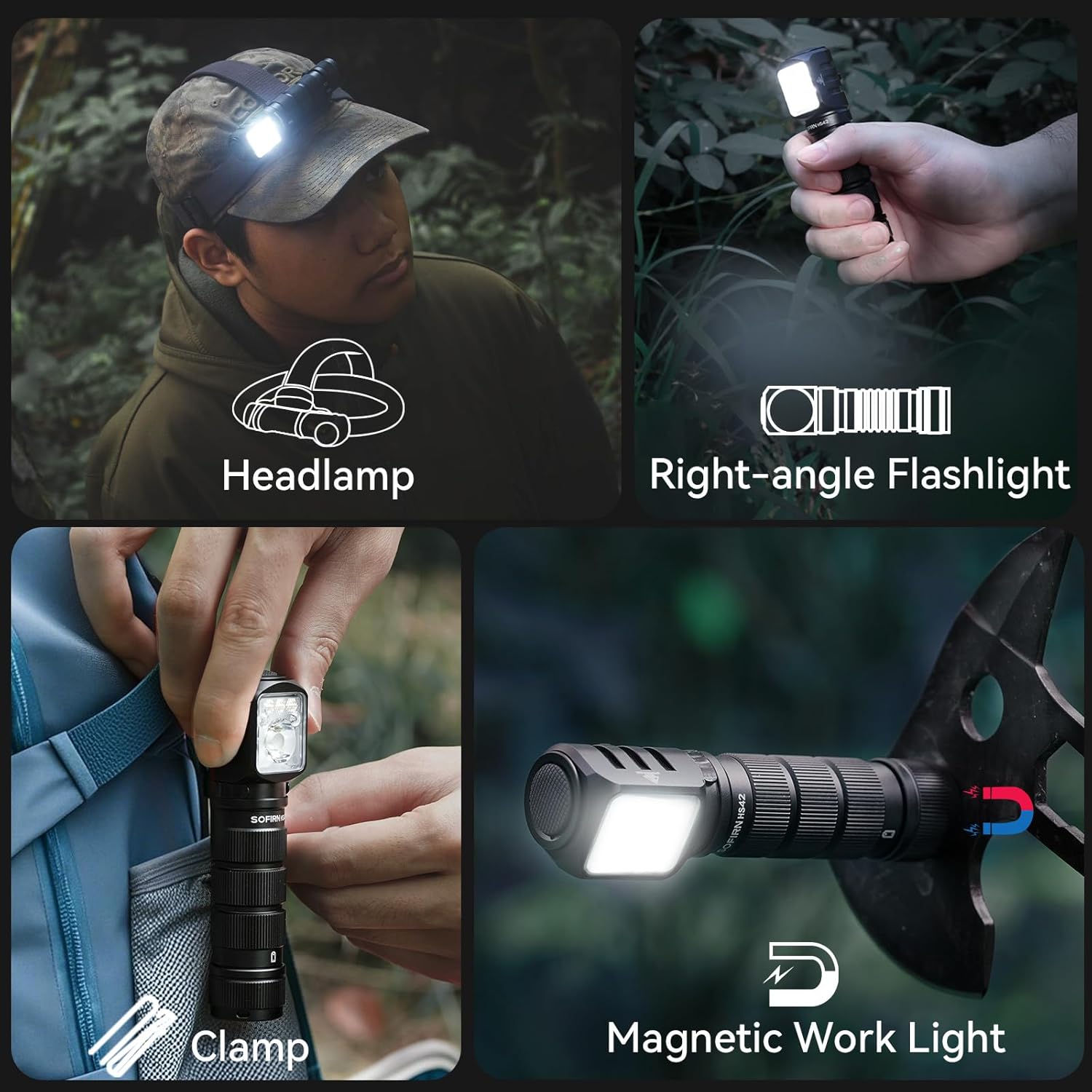
Image: A collage demonstrating the versatile uses of the headlamp: worn as a headlamp, held as a right-angle flashlight, clipped to clothing, and attached to a metal surface via its magnetic base for use as a work light.
Gebruiksaanwijzing
The Sofirn HS42 features a single button for all operations. Familiarize yourself with the following commands:
Algemene werking:
- Aan/uitzetten: Single click the button to turn the light on or off.
- Helderheid wijzigen (wit licht): When the light is on, press and hold the button to cycle through Moon, Low, Medium, and High modes. Release the button to select the desired brightness.
- Turbo-modus: From any mode (except lock-out), double-click the button to activate Turbo mode. Double-click again to return to the previous mode.
- Stroboscoop/SOS/Baak: From any mode (except lock-out), triple-click the button to activate Strobe mode. Double-click to cycle through Strobe, SOS, and Beacon modes. Single click to turn off.
- Roodlichtmodus: From off, triple-click the button to activate Red Light mode. Press and hold to cycle through red light brightness levels.
- Lock-outfunctie: From off, quadruple-click the button to activate lock-out. The light will flash once to indicate it's locked. To unlock, quadruple-click again.

Image: Visual representation of the various white light modes (Moon, Eco, Low, Medium, High, Turbo, Strobe, SOS, Beacon) and red light modes (Low, Medium, High, Strobe, SOS) available on the Sofirn HS42 headlamp.
Intelligente temperatuurregeling:
The HS42 is equipped with an intelligent temperature control system. When operating in extremely bright or high brightness modes, the headlamp will automatically reduce the output current if the internal temperature exceeds 55 degrees Celsius. This feature maintains an appropriate shell temperature, preventing overheating and ensuring a longer lifespan for the device and a safer user experience.
Onderhoud
Proper maintenance ensures the longevity and optimal performance of your Sofirn HS42 headlamp.
- Schoonmaak: Veeg de kop afamp with a clean, soft cloth. For stubborn dirt, use a slightly damp doek. Gebruik geen schurende reinigingsmiddelen of oplosmiddelen.
- batterij zorg: For best results, charge the battery regularly, even if the headlamp is not in frequent use. If storing for extended periods, charge the battery to approximately 50% and recharge every 3-6 months.
- O-ringen: Periodically inspect the O-rings for wear and tear. Replace them if damaged to maintain the IP66 waterproof rating. A light application of silicone grease can help maintain their integrity.
- Waterbestendigheid: het hoofdamp is IP66 waterproof, meaning it is protected against powerful water jets. While it can withstand rain and splashes, it is not designed for prolonged submersion. Ensure the Type-C port cover is securely closed when not charging to maintain water resistance.
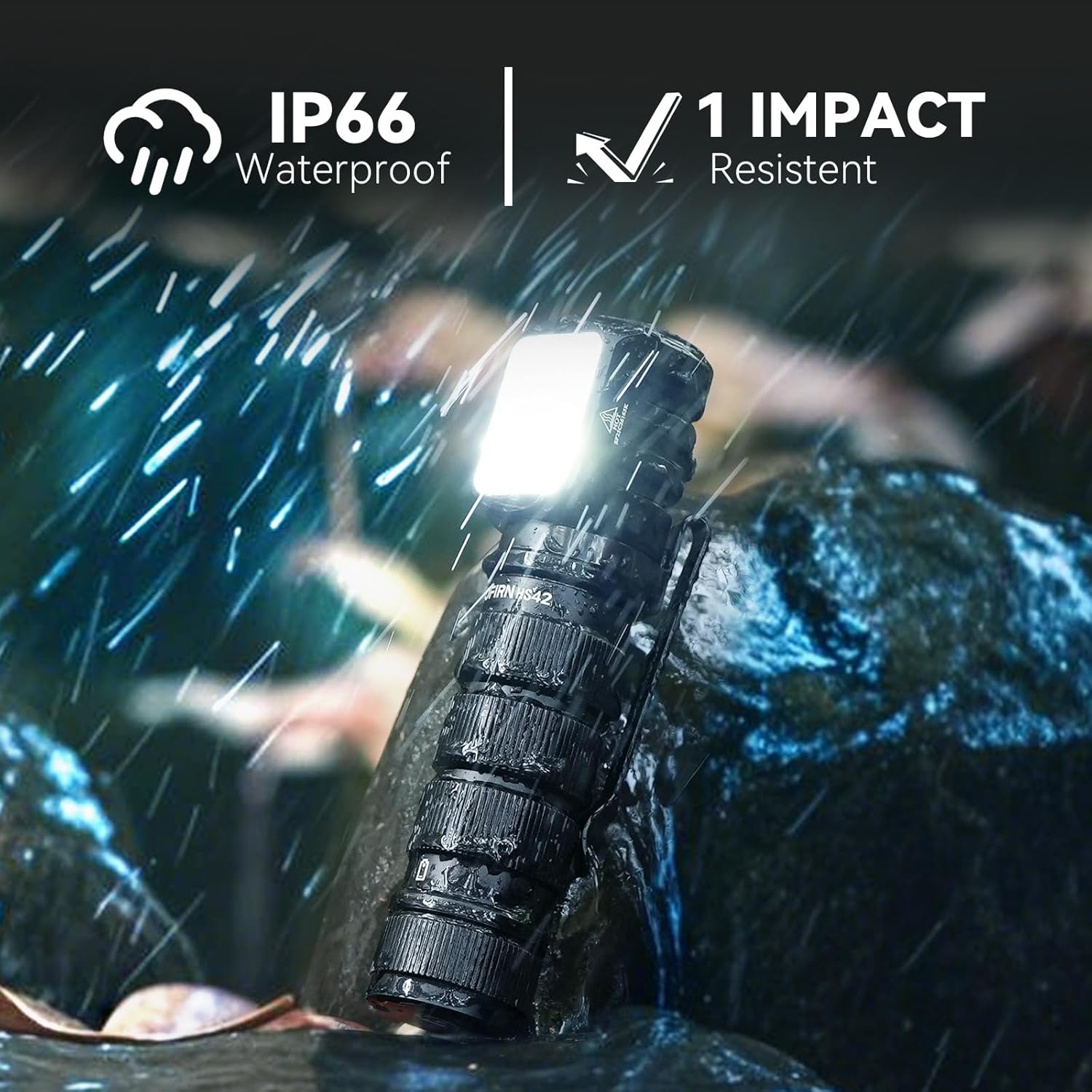
Image: The Sofirn HS42 headlamp shown in a rainy environment, highlighting its IP66 waterproof rating and 1-meter impact resistance, indicating its durability in harsh conditions.
Probleemoplossing
If you encounter issues with your Sofirn HS42 headlampRaadpleeg de volgende veelvoorkomende problemen en oplossingen:
| Probleem | Mogelijke oorzaak | Oplossing |
|---|---|---|
| Licht gaat niet aan. |
|
|
| Het licht flikkert of dimt onverwachts. |
|
|
| hoofdlamp laadt niet op. |
|
|
If the problem persists after attempting these solutions, please contact Sofirn customer support for further assistance.
Specificaties
| Model | HS42 |
| Lichtbron | LED |
| Helderheid | Tot 2100 lumen (wit licht) |
| Straalafstand | Tot 215 meter (465 voet) |
| Energiebron | Rechargeable Lithium Polymer Battery (18650 type) |
| Oplaadpoort | USB Type-C |
| Looptijd | Tot 32 uur (afhankelijk van de modus) |
| Materiaal | Aluminiumlegering |
| Waterbestendigheid | IP66 (Protected against powerful water jets) |
| Slagvastheid | 1 Meter |
| Afmetingen | 3.15"D x 1.22"B x 1.22"H |
| Gewicht | 10.5 ons |
| Speciale kenmerken | Red Light Mode, Intelligent Temperature Control, Magnetic Tailcap, 2-Way Clip |

Image: A visual comparison demonstrating the powerful 2100 lumen white light output and the 215-meter beam distance of the Sofirn HS42 headlamp in a dark outdoor setting.
Garantie
The Sofirn HS42 Rechargeable Headlamp wordt geleverd met een 2 jaar garantie from the date of purchase. This warranty covers manufacturing defects and issues arising from normal use. It does not cover damage caused by misuse, unauthorized modification, accident, or neglect.
Bewaar uw aankoopbewijs voor garantieclaims.
Steun
For any questions, technical assistance, or warranty inquiries, please contact Sofirn customer support through the following channels:
- Online Store: Bezoek de officiële Sofirn Store op Amazon.
- E-mailadres: Refer to the contact information provided in your product packaging or on the official Sofirn webplaats.
Our support team is dedicated to providing prompt and helpful solutions.
Ask a question about this manual
Ask about setup, troubleshooting, compatibility, parts, safety, or missing instructions. Manuals+ will review the question and use this page’s manual context to help answer it.