
Product voorbijview

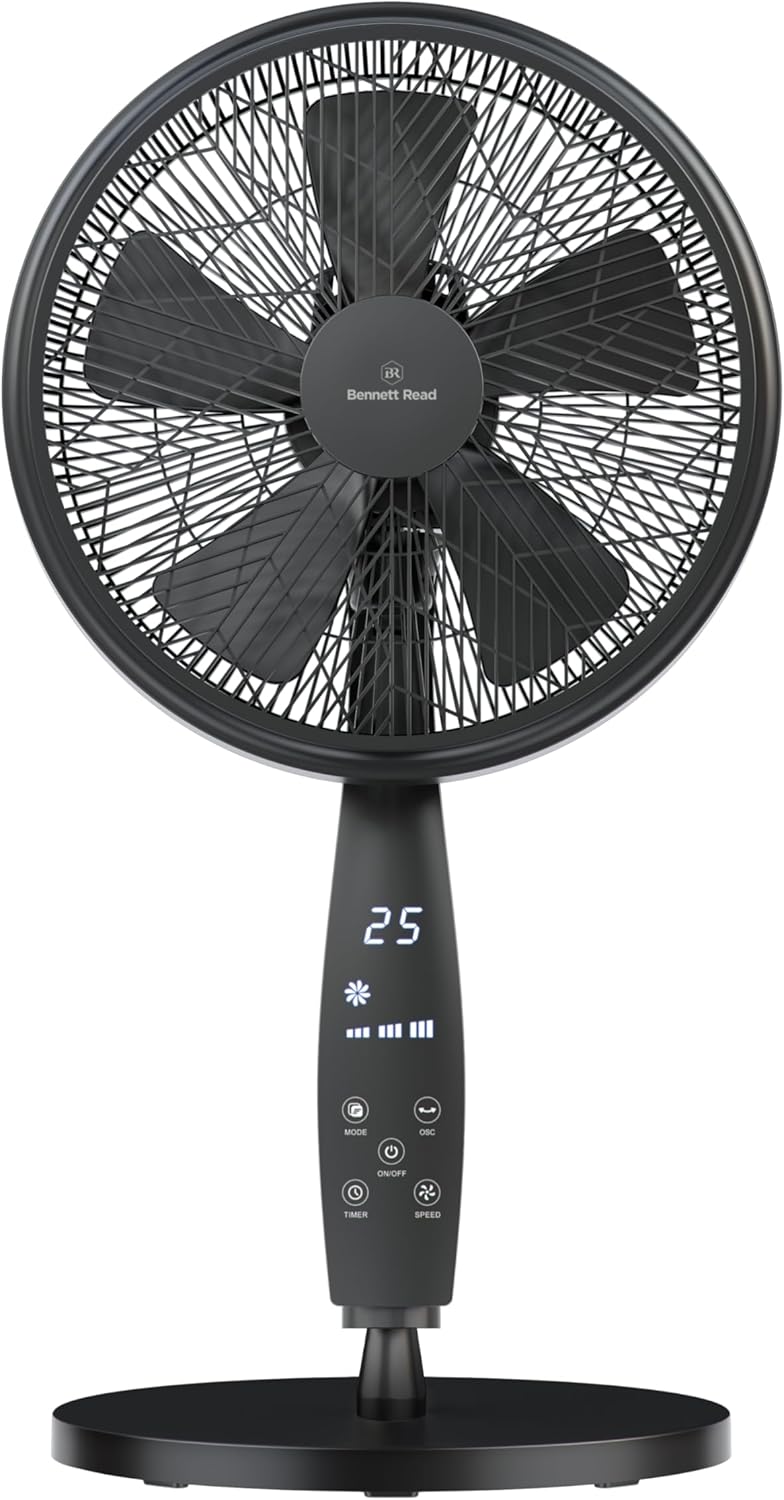
Image: The Bennett Read Digital Pedestal Fan, showcasing its sleek design and integrated digital control panel.
This manual provides instructions for the safe operation, assembly, and maintenance of your Bennett Read Digital Pedestal Fan (Model HFN135). This fan is designed to deliver efficient cooling with features such as adjustable height, oscillation, multiple speed settings, and a convenient remote control. Please read this manual thoroughly before initial use and retain it for future reference.
Belangrijke veiligheidsinstructies
Om het risico op brand, elektrische schokken of letsel te verminderen, dient u altijd de volgende basisveiligheidsmaatregelen te volgen:
- Lees alle instructies voordat u dit apparaat gebruikt.
- Gebruik geen ventilator met een beschadigd snoer of stekker. Gooi de ventilator weg of breng hem terug naar een geautoriseerde servicefaciliteit voor onderzoek en/of reparatie.
- Leg het netsnoer niet onder vloerbedekking. Bedek het snoer niet met vloerkleden, lopers of soortgelijke afdekkingen. Leg het snoer zo neer dat het niet in de weg loopt en er niet over gestruikeld kan worden.
- Always unplug the fan from the power outlet before moving, cleaning, or performing any maintenance.
- Do not insert fingers or any objects through the grill when the fan is operating.
- Zorg ervoor dat de ventilator op een stabiele, vlakke ondergrond staat om kantelen te voorkomen.
- Dit apparaat is alleen voor huishoudelijk gebruik. Niet buitenshuis gebruiken.
- Houd kinderen en huisdieren uit de buurt van de ventilator als deze in werking is.
- Do not use this fan near water, such as in a bathroom, laundry area, or swimming pool.
- Blokkeer de luchtopeningen niet.
- Gebruik de ventilator niet in ruimtes waar brandbare vloeistoffen of gassen worden opgeslagen.
Inhoud van het pakket
Controleer of alle componenten in de verpakking aanwezig zijn:
- Ventilatormotorunit met bedieningspaneel
- Front and Rear Grills
- Ventilatorbladen
- Verstelbare voetpaal
- Baseren
- Afstandsbediening
- Fasteners for Assembly
- Gebruiksaanwijzing
Opstelling en montage
Follow these steps to assemble your pedestal fan:
- Monteer de basis: Attach the pedestal pole to the base using the provided fasteners. Ensure all connections are securely tightened.
- Attach the Rear Grill: Place the rear grill onto the motor unit, aligning the notches. Secure it firmly with the provided locking nut.
- Installeer de ventilatorbladen: Carefully slide the fan blades onto the motor shaft. Ensure they are correctly oriented and secured with the blade cap.
- Attach the Front Grill: Position the front grill over the rear grill, aligning the clips. Secure the two grills together using the clips or screws provided around the rim.
- Hoogte aanpassen: Loosen the height adjustment knob on the pedestal pole, extend or retract the pole to your desired height (up to 1.33 meters), and then tighten the knob securely.
Refer to the diagram below for visual guidance during assembly, particularly for height adjustment.

Image: The Bennett Read Digital Pedestal Fan demonstrating its adjustable height feature, showing both extended and compact configurations.
Gebruiksaanwijzing
Your Bennett Read Digital Pedestal Fan can be operated using the digital control panel on the fan unit or the included remote control.
Configuratiescherm voorbijview
Afbeelding: Gedetailleerd view of the fan's digital control panel, highlighting the various function buttons and the LED display.
| Knop/indicator | Functie |
|---|---|
| AAN/UIT | Schakelt de ventilator in of uit. |
| SNELHEID | Adjusts fan speed (Low, Medium, High). Press repeatedly to cycle through speeds. |
| MODUS | Selects operating mode (e.g., Normal, Natural, Sleep). |
| OSC (oscillatie) | Activates or deactivates the automatic side-to-side oscillation feature. |
| TIJDKLOK | Sets the automatic shut-off timer (e.g., 1-12 hours). Press repeatedly to set desired duration. |
| Digitaal display | Shows current settings such as speed, mode, timer, and room temperature. |
Afstandsbediening
The remote control provides convenient access to all fan functions from a distance. Ensure batteries are correctly installed (not included).

Image: The fan with an illustration of its remote control, indicating ease of use for remote operation.
Kantel aanpassen
To adjust the vertical angle of the fan head, gently push the fan head up or down to the desired position. The fan head can be tilted to direct airflow precisely.
Onderhoud en reiniging
Regular cleaning helps maintain the fan's performance and extends its lifespan. Always ensure the fan is unplugged before cleaning.
- Haal altijd de stekker van de ventilator uit het stopcontact Haal de stekker uit het stopcontact voordat u gaat schoonmaken.
- Buitenreiniging: Veeg de buitenkant van de ventilator schoon met een zachte, vochtige doek.amp doek. Gebruik geen schuurmiddelen, oplosmiddelen of agressieve chemicaliën.
- Grill and Blades Cleaning: The front grill can be carefully removed for cleaning the blades. Use a soft cloth or a vacuum cleaner with a brush attachment to remove accumulated dust from the blades and grills. Ensure all parts are completely dry before reassembling and operating the fan.
- Do not immerse the fan motor unit in water or any other liquid.
- Bewaar de ventilator op een koele, droge plaats wanneer u deze gedurende langere tijd niet gebruikt.
Probleemoplossing
If you encounter any issues with your fan, refer to the table below for common problems and their solutions.
| Probleem | Mogelijke oorzaak | Oplossing |
|---|---|---|
| De ventilator gaat niet aan. | Geen stroomvoorziening. Aan/uit-knop niet ingedrukt. | Zorg ervoor dat de ventilator is aangesloten op een werkend stopcontact. Press the ON/OFF button on the control panel or remote. |
| Zwakke luchtstroom. | Ventilatorsnelheid te laag ingesteld. Grills or blades are dirty. | Increase the fan speed using the SPEED button. Clean the fan blades and grills as per the Maintenance section. |
| De ventilator maakt lawaai. | Losse onderdelen. Ventilator staat niet op een vlakke ondergrond. | Check that all assembly screws and nuts are tightened. Plaats de ventilator op een stabiel, vlak oppervlak. |
| Afstandsbediening werkt niet. | Batterijen zijn leeg of verkeerd geplaatst. Obstructie tussen afstandsbediening en ventilator. | Vervang de batterijen door nieuwe en let daarbij op de juiste polariteit. Verwijder alle objecten die het signaalpad blokkeren. |
Specificaties
Detailed technical specifications for the Bennett Read Digital Pedestal Fan (Model HFN135):
| Functie | Detail |
|---|---|
| Merk | Bennet gelezen |
| Modelnummer | HFN135 |
| Kleur | Zwart |
| Bladdiameter | 36cm |
| Motorvermogen | 50W |
| Energiebron | Elektrische kabel |
| Ventilatorsnelheden | 3 (laag, gemiddeld, hoog) |
| Maximale hoogteverstelling | Tot 1.33 meter |
| Speciale kenmerken | Digital Control Panel, Remote Control, Oscillation, Tilt Control, Timer, Air-Boost Grill Design, 5-Blade System, Weighted Base |
| Artikelgewicht | 6.2 kg |
| Productafmetingen | 50D x 16W x 59H centimetres (Note: This refers to the base/motor unit dimensions, not overall adjustable height) |
Garantie en ondersteuning
For warranty information, technical support, or inquiries regarding spare parts, please contact Bennett Read customer service. Refer to the product packaging or the official Bennett Read website voor de meest actuele contactgegevens en garantievoorwaarden.