
1. Inleiding
Thank you for choosing the Kratos PB03 10000mAH Magsafe Power Bank. This manual provides essential information for the safe and efficient use of your device. Please read it thoroughly before operation and retain it for future reference.
2. Product voorbijview
The Kratos PB03 is a versatile 10000mAH power bank designed for both wired and wireless charging. It features Magsafe compatibility for iPhones and other Qi-enabled devices, along with Type-C and dual Type-A ports for wired connections.
Belangrijkste kenmerken:
- 10000mAH Capacity: Biedt ampde kracht voor meerdere ladingen.
- Magsafe Compatibility: Secure magnetic attachment for wireless charging with compatible devices.
- 22.5W Wired Charging: Fast charging via Type-C and Type-A ports.
- 18 W draadloos opladen: Efficient wireless power delivery.
- Meerdere poorten: Includes 1x Type-C (input/output) and 2x Type-A (output) ports.
- LED-indicator: Displays battery status and charging activity.
- Veiligheidsvoorzieningen: Auto Shut-Off, Over Charging Protection, Short Circuit Protection.
Inhoud van het pakket:
- Kratos PB03 10000mAH Magsafe Power Bank
- Oplaadkabel (USB-A naar Type-C)
- Gebruiksaanwijzing
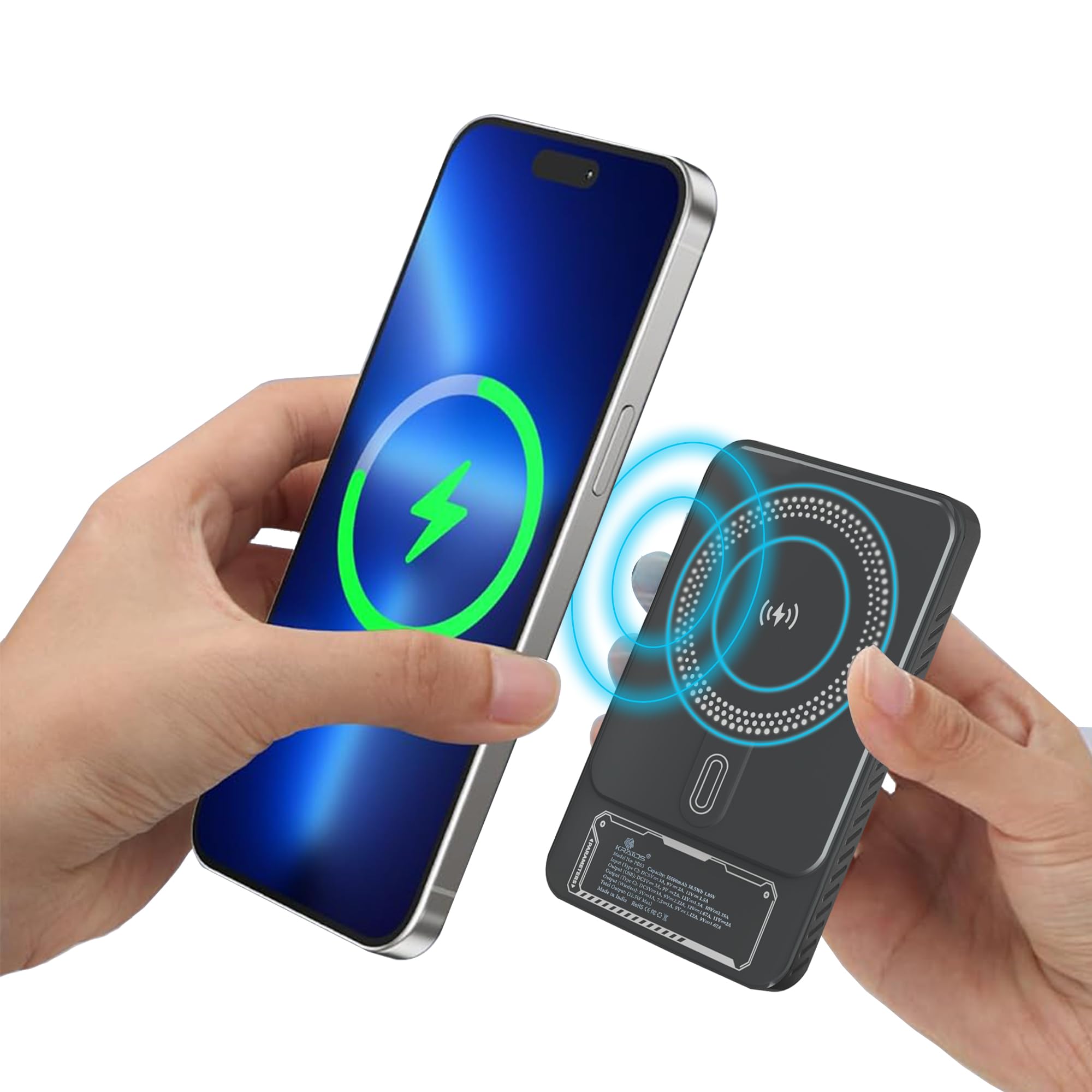
Figure 1: Kratos PB03 10000mAH Magsafe Power Bank, front view.

Figuur 2: Overview of the Kratos PB03's stylish mechanical design and power features, highlighting Magsafe, Type-C, and USB ports.
3. Instellen
3.1 De powerbank opladen
- Connect the provided USB-A to Type-C cable to the power bank's Type-C port.
- Steek het andere uiteinde van de kabel in een compatibele USB-wandadapter (niet meegeleverd).
- The LED indicator lights will illuminate to show the charging status. When all lights are solid, the power bank is fully charged.
Het is raadzaam om de powerbank volledig op te laden voordat u deze voor het eerst gebruikt.
3.2 In-/uitschakelen
Press the power button once to check the battery level or to activate wireless charging. The power bank will automatically turn off when not in use for a period to conserve energy.

Figure 3: The compact, pocket-sized design of the Kratos PB03 power bank.
4. Gebruiksaanwijzing
4.1 Opladen via kabel
- Connect your device to one of the power bank's output ports (Type-C or Type-A) using an appropriate charging cable.
- De powerbank begint automatisch met het opladen van uw apparaat.
- The LED indicator will show charging activity.
4.2 Wireless Charging (Magsafe Compatible)
- Ensure your device is Qi-enabled and Magsafe compatible (for magnetic attachment).
- Press the power button on the power bank to activate wireless charging.
- Align your device with the wireless charging pad on the power bank. For Magsafe compatible devices, the magnetic connection will secure it in place.
- Charging will begin automatically. The LED indicator will confirm wireless charging is active.

Figure 4: The Kratos PB03 supports multi-compatibility, charging a phone via Type-C, a game controller via USB-A, and earbuds wirelessly.

Figure 5: Magnetic resonance charging in action, with the power bank securely attached to a smartphone, providing 10000 mAh of pure energy.

Figure 6: Demonstrating the ease of snapping the power bank onto a compatible device for instant charging.
5. Veiligheidsinformatie
- Stel de powerbank niet bloot aan extreme temperaturen (boven 45°C of onder 0°C), direct zonlicht of hoge luchtvochtigheid.
- Zorg ervoor dat u het apparaat niet laat vallen, demonteert of wijzigt.
- Verwijderd houden van water en andere vloeistoffen.
- Niet gebruiken indien de powerbank beschadigd of opgezwollen is.
- Buiten bereik van kinderen houden.
- Gooi de powerbank weg volgens de plaatselijke voorschriften.
6. Onderhoud
- Maak de powerbank schoon met een zachte, droge doek. Gebruik geen agressieve chemicaliën of schurende materialen.
- Bewaar de powerbank op een koele, droge plaats wanneer deze niet in gebruik is.
- For optimal battery life, charge the power bank at least once every three months if stored for extended periods.
7. Probleemoplossing
| Probleem | Mogelijke oorzaak | Oplossing |
|---|---|---|
| Powerbank laadt niet op | De oplaadkabel of adapter is defect; de powerbank is volledig opgeladen; er is sprake van een losse verbinding. | Check cable and adapter; ensure secure connection; try a different cable/adapter. |
| Apparaat laadt niet op via powerbank | Power bank battery low; device cable faulty; incorrect port used; wireless charging not activated. | Recharge power bank; check device cable; ensure correct port for wired charging; press power button for wireless charging. |
| Langzaam opladen | Kabel ondersteunt geen snelladen; apparaat ondersteunt geen snelladen; meerdere apparaten worden tegelijkertijd opgeladen. | Gebruik een kabel die geschikt is voor snelladen. Controleer of het apparaat snelladen ondersteunt. Laad slechts één apparaat tegelijk op voor maximale snelheid. |
| Draadloos opladen werkt niet | Device not Qi-enabled or misaligned; power bank not activated; phone case too thick. | Ensure device compatibility and proper alignment; press power button to activate; remove thick phone cases. |
8. Specificaties
| Functie | Detail |
|---|---|
| Modelnaam | PB03 |
| Batterijcapaciteit | 10000mAh |
| Samenstelling van batterijcellen | Lithium-polymeer |
| Bedrade uitgang | Up to 22.5W (Type-C, Type-A) |
| Draadloze uitgang | Up to 18W (Magsafe compatible) |
| Invoerpoort | Type-C |
| Uitvoerpoorten | 1x Type-C, 2x Type-A |
| Dimensions (L x W x Thickness) | 16L x 10W x 4Th Centimeters |
| Gewicht | 250 gram |
| Speciale kenmerken | Auto Shut-Off, Fast Charging, LED Indicator Lights, Over Charging Protection, Short Circuit Protection, Wireless Charging |
9. Garantie en ondersteuning
9.1 Garantie-informatie
The Kratos PB03 Power Bank comes with a 1 jaar garantie Deze garantie geldt vanaf de aankoopdatum. De garantie dekt fabricagefouten. Schade veroorzaakt door verkeerd gebruik, ongelukken, ongeautoriseerde aanpassingen of normale slijtage valt niet onder de garantie.
9.2 Klantenservice
For any questions, technical support, or warranty claims, please contact Kratos customer service:
- Telefoon: 81482 73270
- E-mailadres: help@gokratos.com