
Invoering
Thank you for choosing the SWOFY D26 MP3 Player. This device combines advanced audio and video playback capabilities with the versatility of the Android 13 operating system, offering a comprehensive portable entertainment experience. This manual provides essential information for setting up, operating, and maintaining your device.
Product voorbijview
Belangrijkste kenmerken
- Android 13 besturingssysteem: Powered by an MTK 8-core chip for fast and smooth operation.
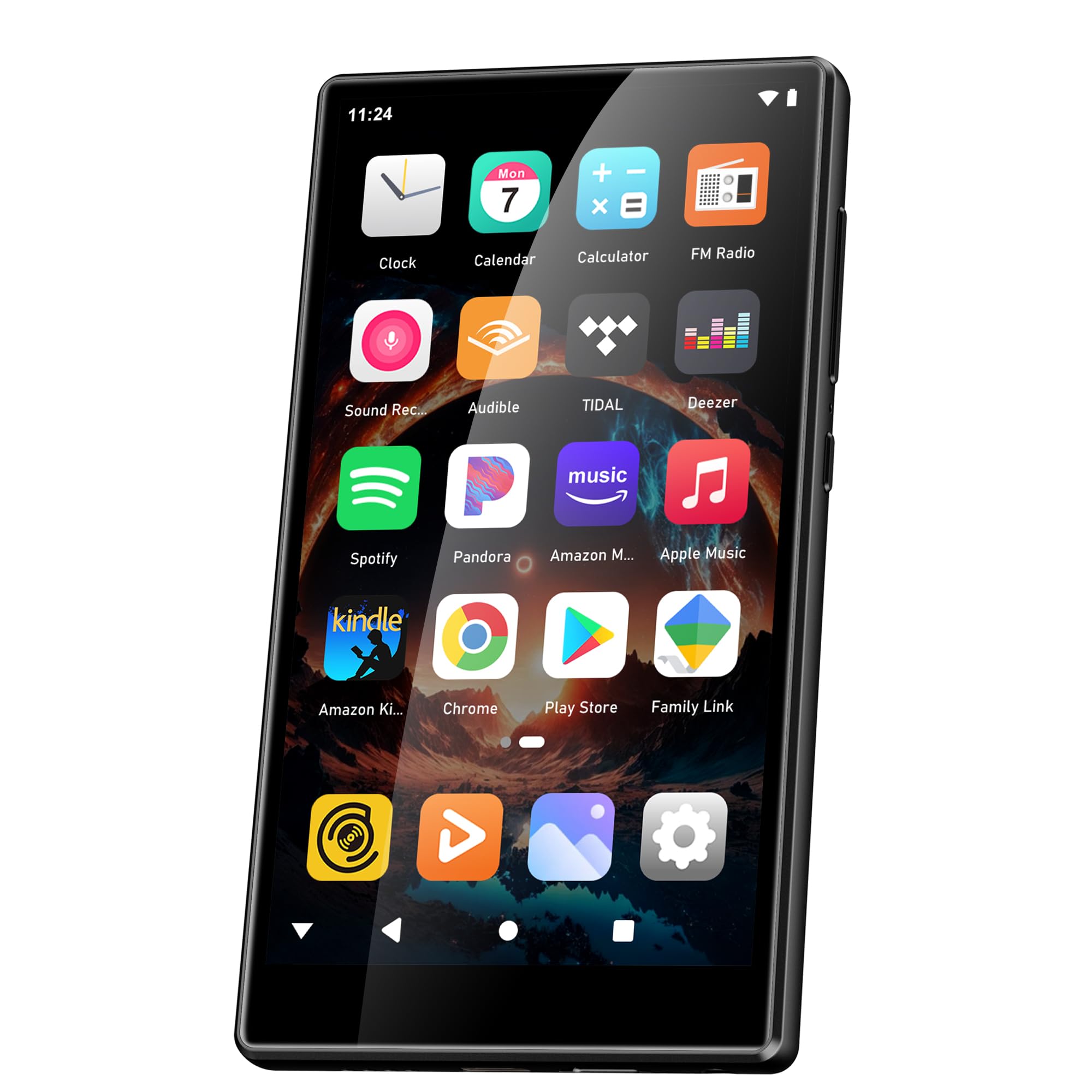
- Vooraf geïnstalleerde apps: Includes Spotify, Deezer, Amazon Music, and access to the Play Store.
- High-Fidelity-audio: Powerful audio decoding chip for original sound quality, supporting MP3, WAV, FLAC, APE, OGG, M4A, AAC, WMA, and more.
- 4.7-inch HD-touchscreen: Full touch display with HiFi sound module for clear visuals, supporting RM, RMVB, FLV, MP4, DAT, MKV, MPG, MOV, TS video formats without conversion.
- Bluetooth 5.0 en Wi-Fi: Stable and fast two-way Bluetooth connection for headphones/speakers, and Wi-Fi for online streaming and app downloads.
- Grote opslag: 160GB (32GB ROM + 128GB TF card) internal storage, expandable up to 1TB via external storage.
- Lange batterijduur: 2500 mAh battery providing up to 50 hours of music playback or 8 hours of video playback.
Inhoud van het pakket
The SWOFY D26 MP3 Player package typically includes the following items:
- SWOFY D26 MP3 Player (160GB)
- USB-oplaadkabel
- Bedrade Oordopjes
- Beschermhoes
- Schermbeschermer
- Gebruikershandleiding (dit document)

Image: Contents of the SWOFY D26 MP3 Player package.
Instellen
1. Het apparaat opladen
Before first use, fully charge your SWOFY D26 MP3 Player. Connect the provided USB cable to the device's charging port and the other end to a USB power adapter (not included) or a computer's USB port. The battery indicator on the screen will show charging status. A full charge provides approximately 50 hours of music playback or 8 hours of video playback.
Afbeelding: Batterijcapaciteit en geschatte gebruiksduur.
2. Aan/uit
- Inschakelen: Houd de aan/uit-knop (meestal aan de zijkant) ingedrukt totdat het scherm oplicht.
- Uitschakelen: Press and hold the Power button, then select "Power Off" from the options that appear on the screen.
- Herstarten: Houd de aan/uit-knop ingedrukt en selecteer vervolgens 'Opnieuw opstarten' uit de opties.
3. Initiële configuratie
Volg na het eerste inschakelen de aanwijzingen op het scherm om uw apparaat in te stellen:
- Taalselectie: Kies uw voorkeurstaal.
- Wi-Fi-verbinding: Connect to a Wi-Fi network to enable internet access for app downloads and streaming.
- Google account: Sign in with your Google account to access the Google Play Store and synchronize data.
4. Geheugenuitbreiding
The device comes with 160GB of storage (32GB ROM + 128GB TF card). You can expand the storage further by inserting a microSD card (up to 1TB) into the designated slot.

Image: Device screen showing app icons and storage capacity details.
Gebruiksaanwijzing
1. Navigeren op het touchscreen
The SWOFY D26 features a responsive 4.7-inch HD touchscreen.
- Kraan: To open an app, select an item, or confirm an action.
- Veeg: Om door lijsten te scrollen, tussen startschermen te wisselen of binnen apps te navigeren.
- Snuifje: Om in of uit te zoomen op afbeeldingen of web pagina's.

Image: The 4.7-inch HD touchscreen in operation.
2. Muziek afspelen
The device supports various music formats including MP3, WAV, FLAC, APE, OGG, M4A, AAC, WMA.
- Lokale muziek: Muziek overzetten files to the device's internal storage or microSD card via USB. Use the pre-installed music player app to browse and play your library.
- Streamingdiensten: Open pre-installed apps like Spotify, Deezer, or Amazon Music. Log in to your accounts to stream music.
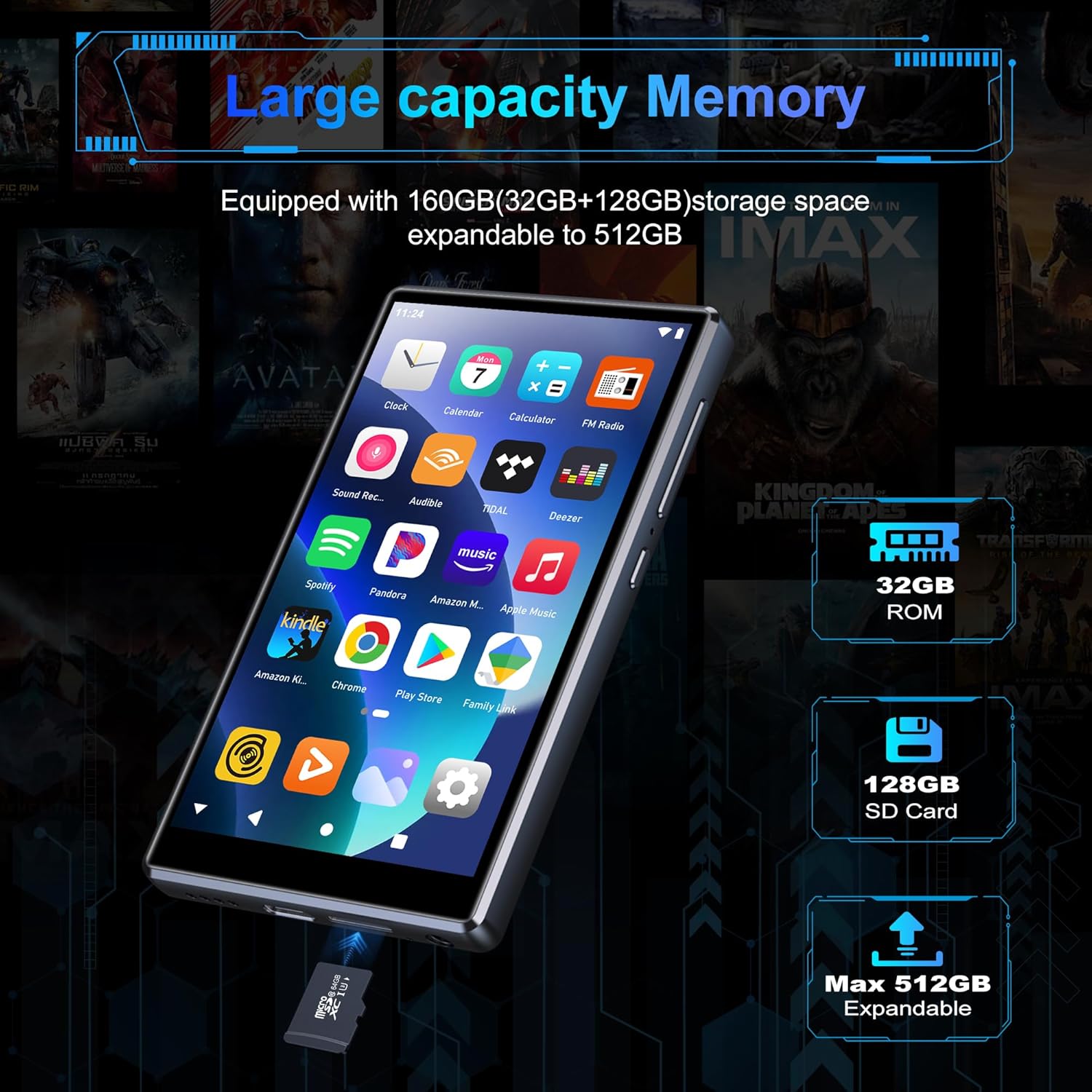
Image: Pre-installed popular applications on the device.
3. Video afspelen
The SWOFY D26 supports video formats such as RM, RMVB, FLV, MP4, DAT, MKV, MPG, MOV, TS directly, without requiring conversion. Use the default video player app to watch your videos.
4. Bluetooth-verbinding
Connect your device to Bluetooth headphones, speakers, or other compatible devices using Bluetooth 5.0.
- Ga naar Instellingen > Verbonden apparaten > Bluetooth.
- Bluetooth in-/uitschakelen On.
- Zorg ervoor dat uw Bluetooth-accessoire in de koppelingsmodus staat.
- Select your accessory from the list of available devices to pair.
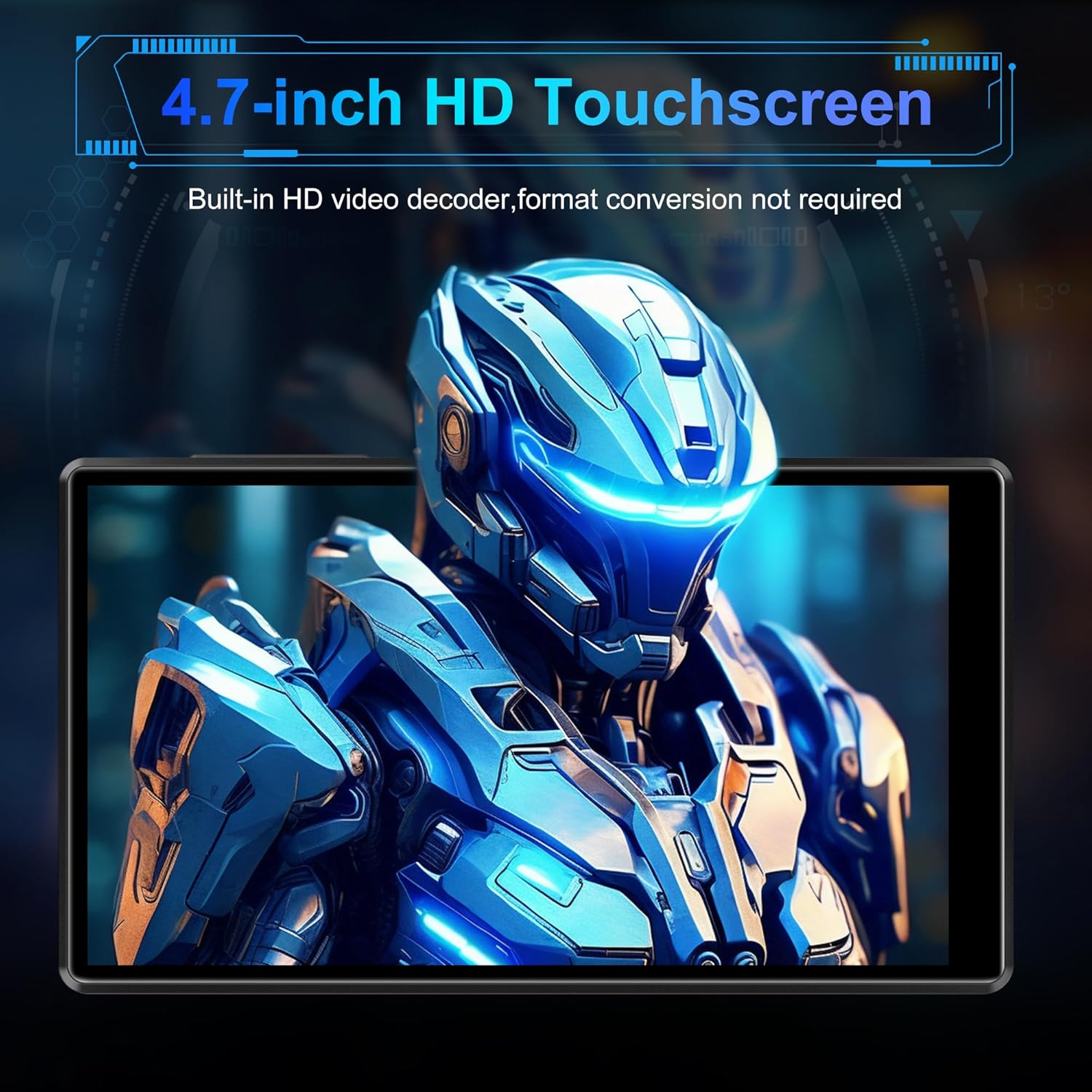
Image: Bluetooth connectivity with wireless earbuds.
5. Wifi verbinding
Connect to a Wi-Fi network to access the internet for streaming, app downloads, and web browsen.
- Ga naar Instellingen > Netwerk & internet > Wi-Fi.
- Wifi in-/uitschakelen On.
- Selecteer het gewenste wifi-netwerk uit de lijst en voer het wachtwoord in als daarom wordt gevraagd.
6. App-installatie
Utilize the Google Play Store to download and install additional applications.
- Ensure you are connected to Wi-Fi and logged into your Google account.
- Open de Speelwinkel toepassing
- Zoeken naar the desired app and follow the on-screen instructions to install it.
7. File Overdracht
Connect the SWOFY D26 to a computer using the provided USB cable to transfer music, videos, and other files.
- Sluit het apparaat aan op uw computer.
- Veeg op het apparaat vanaf de bovenkant van het scherm naar beneden om het meldingenpaneel te openen.
- Tap the "USB charging this device" notification, then select "File transfer" or "MTP".
- Your device will appear as a removable drive on your computer, allowing you to drag and drop files.
Onderhoud
Schoonmaak
Gebruik een zachte, pluisvrije doek om het scherm en de behuizing van het apparaat schoon te maken. Vermijd het gebruik van agressieve chemicaliën of schurende materialen.
Software-updates
Controleer regelmatig op software-updates om optimale prestaties en toegang tot de nieuwste functies te garanderen.
- Zorg ervoor dat het apparaat is verbonden met wifi.
- Ga naar Instellingen > Systeem > Systeem update.
- Volg de instructies op het scherm om beschikbare updates te downloaden en te installeren.
Batterijverzorging
Om de levensduur van de batterij te verlengen:
- Vermijd extreme temperaturen.
- Zorg ervoor dat de batterij niet te vaak helemaal leeg raakt.
- Haal de stekker van de oplader uit het stopcontact zodra het apparaat volledig is opgeladen.
Probleemoplossing
Apparaat gaat niet aan
- Zorg ervoor dat de batterij is opgeladen. Sluit het apparaat minimaal 30 minuten aan op een oplader.
- Houd de aan/uit-knop 10 tot 15 seconden ingedrukt om een herstart te forceren.
Kan geen verbinding maken met wifi/bluetooth
- Ensure Wi-Fi/Bluetooth is enabled in Settings.
- Start het apparaat opnieuw op en probeer opnieuw verbinding te maken.
- For Wi-Fi, verify the password and ensure the router is working correctly.
- Zorg er bij gebruik van Bluetooth voor dat het accessoire in de koppelingsmodus staat en zich binnen bereik bevindt.
Apps crashen of bevriezen
- Sluit de app en open deze opnieuw.
- Wis de cache van de app: Ga naar Instellingen > Toepassingen > [App-naam] > Opslag en cache > Cache wissen.
- Start het apparaat opnieuw op.
- Als het probleem zich blijft voordoen, kunt u overwegen de app te verwijderen en opnieuw te installeren.
Slechte audiokwaliteit
- Check the volume settings on the device and any connected audio accessories.
- Zorg ervoor dat de audio files zijn niet beschadigd.
- Try different headphones or speakers.
Specificaties
| Modelnaam | D26 |
| Besturingssysteem | Androïde 13 |
| Verwerker | MTK 8-core |
| Weergave | 4.7-inch HD Touchscreen (LCD) |
| Interne opslag | 160GB (32GB ROM + 128GB TF Card) |
| Uitbreidbare opslag | Tot 1 TB (Micro SD) |
| RAM | 4GB |
| Batterijcapaciteit | 2500mAh |
| Muziek afspeeltijd | Tot 50 uur |
| Video-afspeeltijd | Tot 8 uur |
| Connectiviteit | Bluetooth 5.0, Wi-Fi, USB |
| Ondersteunde audioformaten | MP3, WAV, FLAC, APE, OGG, M4A, AAC, WMA |
| Ondersteunde videoformaten | RM, RMVB, FLV, MP4, DAT, MKV, MPG, MOV, TS |
| Speciale kenmerken | Built-in speaker, Equalizer, FM Radio, Voice Recorder |
| Compatibele apparaten | Bluetooth headphones, Personal computer, Bluetooth speakers |
Garantie-informatie
Specific warranty details for the SWOFY D26 MP3 Player may vary by region and retailer. Please refer to the warranty card included with your purchase or visit the official SWOFY website for comprehensive warranty terms and conditions. Information regarding spare parts availability and software update guarantees is not provided in the product specifications.
Steun
For further assistance, technical support, or inquiries regarding your SWOFY D26 MP3 Player, please visit the official SWOFY website of neem contact op met de klantenservice.
Fabrikant: SWOFY