
1. Inleiding
The CrossBeats Hawk Gaming TWS in-Ear Buds are designed to provide an immersive audio experience for gaming and music. Featuring ultra-low latency, dynamic RGB lighting, and environmental noise cancellation, these earbuds offer high-performance audio and clear communication. This manual provides detailed instructions for setup, operation, and maintenance to ensure optimal use of your device.
2. Wat zit er in de doos?
- CrossBeats Hawk Gaming TWS Earbuds
- Charging Case with Type-C Dongle
- USB-oplaadkabel
- Gebruiksaanwijzing
- Oorkussens (verschillende maten)
- Garantiekaart
3. Product voorbijview
Familiarize yourself with the components and features of your CrossBeats Hawk earbuds.
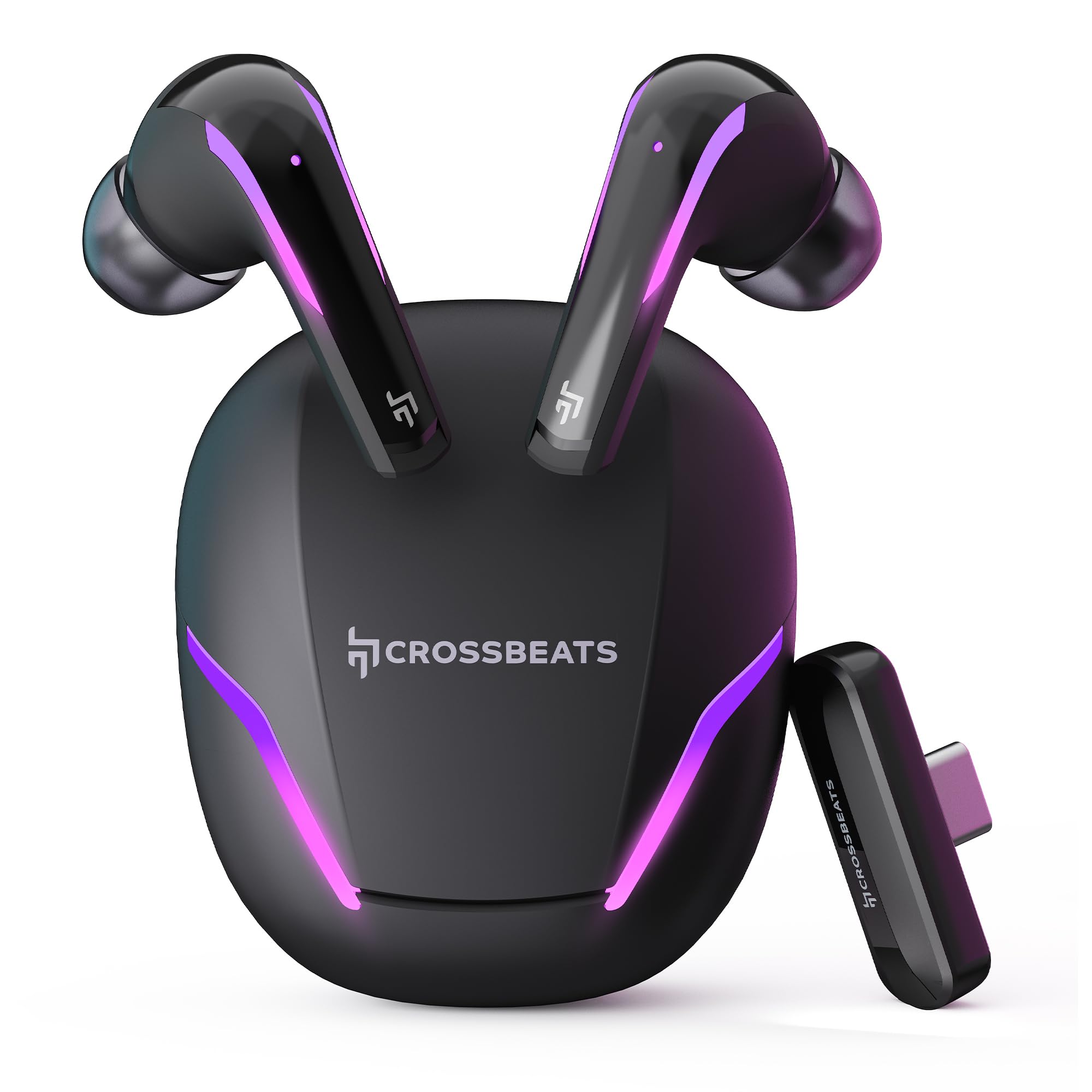
Figure 1: CrossBeats Hawk Gaming TWS Earbuds and Charging Case with highlighted features.
3.1 Charging Case and Dongle

Figure 2: The 2.4G Type C Dongle for direct connection to compatible devices.
3.2 Earbud Design and Features

Afbeelding 3: Intern view of an earbud showcasing the 14mm Titanium Driver.

Figure 4: Earbud with Dedicated Gaming DSP for optimized audio processing.

Figure 5: Earbud with AI Environmental Noise Cancellation (ENC) for clear calls.

Figure 6: Illustration of Music Mode and Gaming Mode.
4. Instellen
4.1 Eerste Bluetooth-koppeling
- Zorg ervoor dat de oordopjes zijn opgeladen.
- Open the charging case. The earbuds will automatically enter pairing mode, indicated by flashing RGB lights.
- Ga op je apparaat (smartphone, tablet, laptop) naar de Bluetooth-instellingen en schakel Bluetooth in.
- Zoeken naar available devices and select "CrossBeats Hawk" from the list.
- Zodra de verbinding tot stand is gebracht, geven de oordopjes aan dat de koppeling succesvol is verlopen.
4.2 Connecting via Type-C Dongle (2.4GHz Wireless)
For ultra-low latency gaming, use the included Type-C dongle.
- Remove the Type-C dongle from its slot in the charging case.
- Plug the dongle into the Type-C port of your compatible gaming device (smartphone, tablet, PC, console).
- The earbuds will automatically connect to the dongle, entering dedicated Game Mode.
- Ensure your device's audio output is set to the dongle if necessary.
Video 1: Demonstration of connecting the Type-C dongle to a smartphone and launching a mobile game, showcasing the seamless integration for gaming.
5. Gebruiksaanwijzing
5.1 In-/uitschakelen
- Inschakelen: Open het oplaadhoesje of haal de oordopjes eruit. Ze schakelen dan automatisch in.
- Uitschakelen: Plaats de oordopjes terug in de oplaadcase en sluit het deksel. Ze worden automatisch uitgeschakeld.
Video 2: Visual guide on opening the CrossBeats Hawk charging case, removing the earbuds, and observing the dynamic RGB lighting effects.
5.2 Aanraakbediening
The CrossBeats Hawk earbuds feature touch controls for various functions:
- Afspelen/Pauzeren: Tik één keer op een van de oordopjes.
- Volgende nummer: Dubbeltik op het rechteroordopje.
- Vorig nummer: Dubbeltik op het linkeroordopje.
- Oproep beantwoorden/beëindigen: Tik één keer op een van de oordopjes.
- Oproep afwijzen: Houd een van beide oordopjes 2 seconden ingedrukt.
- Activeer Voice Assistant: Tik drie keer op een van de oordopjes.
- Switch EQ Mode (Music/Gaming): Houd het rechteroordopje 2 seconden ingedrukt.
5.3 Switching EQ Modes
The earbuds support two Equalizer (EQ) modes: E-Sports (Gaming) and Music. To switch between modes, press and hold the right earbud for 2 seconds. A voice prompt will confirm the mode change.
6. Gaming Mode with Dongle
The dedicated Game Mode, activated via the Type-C dongle, provides ultra-low latency (under 10ms) for a synchronized audio and video experience, crucial for competitive gaming.

Figure 7: Ultra-low latency for instant action in gaming.

Figure 8: Sonic-Link Technology for high-speed wireless connection.
When the dongle is connected, the earbuds prioritize the 2.4GHz wireless connection for minimal audio delay. This mode is ideal for fast-paced games where audio cues are critical.
7. Opladen
To charge the CrossBeats Hawk earbuds and charging case:
- Plaats beide oordopjes in de oplaadcase. Zorg ervoor dat ze goed vastzitten.
- Sluit de meegeleverde USB Type-C-oplaadkabel aan op de oplaadpoort van de behuizing en op een stroombron.
- The RGB lights on the case will indicate charging status. A full charge takes approximately 2 hours.
- The earbuds offer up to 10 hours of listening time on a single charge, with the charging case extending total playtime to 100 hours.

Figure 9: Charging case and earbuds illustrating extended battery life.
8. Onderhoud
To ensure the longevity and performance of your earbuds:
- Schoonmaak: Maak de oordopjes en de oplaadcase regelmatig schoon met een zachte, droge, pluisvrije doek. Gebruik geen agressieve chemicaliën of schurende materialen.
- Oortips: Verwijder en reinig de oordopjes regelmatig. Zorg ervoor dat ze volledig droog zijn voordat u ze weer bevestigt.
- Oplaadcontacten: Houd de oplaadcontacten van zowel de oordopjes als de oplaadcase schoon en vrij van vuil.
- Opslag: Wanneer u de oordopjes niet gebruikt, kunt u ze in de oplaadcase bewaren om ze te beschermen en ervoor te zorgen dat ze opgeladen blijven.
- Waterbestendigheid: De oordopjes zijn waterbestendig, maar niet waterdicht. Dompel ze niet onder in water en stel ze niet bloot aan hevige regen. Droog ze grondig af als ze nat worden.
9. Probleemoplossing
If you encounter issues with your CrossBeats Hawk earbuds, refer to the following common solutions:
- Geen geluid/verbinding:
- Zorg ervoor dat de oordopjes zijn opgeladen en ingeschakeld.
- Check Bluetooth settings on your device and ensure "CrossBeats Hawk" is connected.
- If using the dongle, ensure it is securely plugged in and your device's audio output is directed to the dongle.
- Try resetting the earbuds by placing them in the case, closing the lid for 10 seconds, then reopening.
- Oordopjes worden niet opgeladen:
- Zorg ervoor dat de oplaadkabel goed is aangesloten op zowel de behuizing als de stroombron.
- Verify the charging contacts on the earbuds and case are clean.
- Probeer een andere oplaadkabel of stroomadapter.
- Low Latency Issues:
- Ensure you are using the Type-C dongle for Game Mode. Bluetooth connection will have higher latency.
- Minimize interference by staying close to your device.
- Problemen met de microfoon:
- Zorg ervoor dat de microfoons niet geblokkeerd worden.
- Check your device's audio input settings to confirm the earbuds are selected.
10. Specificaties
| Functie | Specificatie |
|---|---|
| Modelnaam | Hawk (CB-Hawk) |
| Connectiviteitstechnologie | Wireless (Bluetooth 5.4, 2.4GHz Dongle) |
| Bluetooth-versie | 5.4 |
| Bluetooth-bereik | 10 Meter |
| Audiostuurprogrammatype | 14 mm titanium dynamische driver |
| Latentie | Ultra Low <10ms (with Dongle) |
| Microfoons | 6 (4 with AI ENC) |
| Levensduur van de batterij | Tot 100 uur (met oplaadcase) |
| Oplaadtijd | 2 uur |
| Geluidsbeheersing | Sound Isolation, AI ENC |
| Controletype | Aanraakbediening |
| Waterbestendigheidsniveau | Waterbestendig |
| Artikelgewicht | 48 gram |
| Materiaal | Plastic |
| Speciale kenmerken | RGB Lights, AI ENC, Ultra-Low Latency Gaming Mode, Water Resistance |
11. Garantie en ondersteuning
Your CrossBeats Hawk Gaming TWS in-Ear Buds come with a manufacturer's warranty. Please refer to the included Warranty Card for detailed terms and conditions. For technical support, product inquiries, or warranty claims, please contact CrossBeats customer service through their official webde website of de contactgegevens op de garantiekaart.