
Invoering
This manual provides detailed instructions for the setup, operation, and maintenance of your Transformers TF-T31 Bluetooth TWS Wireless Earbuds. Please read this manual thoroughly before using the product to ensure proper function and longevity.
Product voorbijview
Inhoud van het pakket
- Transformers TF-T31 Wireless Earbuds (Left and Right)
- Oplaadcase
- USB Type-C oplaadkabel
- Gebruikershandleiding (Dit document)
Belangrijkste kenmerken
- Bluetooth 5.4: Provides a stable, fast, and low-power connection.
- Dual Mode-functionaliteit: Switch between Gaming Mode for low latency audio and Music Mode for HiFi sound.
- High-Fidelity-audio: Features 13mm magnetically levitated drivers for rich, detailed sound with deep bass.
- Annulering van omgevingsgeluiden (ENC): Verbetert de gesprekskwaliteit door omgevingsgeluid te verminderen.
- Intuïtieve aanraakbediening: Manage music playback, calls, and mode switching directly from the earbuds.
- Verlengde batterijduur: Up to 5 hours of playback per charge, with the charging case providing up to 50 hours total.
- Ergonomisch ontwerp: Lightweight and comfortable for prolonged wear.
- Mechanical Shell Design: Unique aesthetic inspired by Transformers.

Image: The Transformers TF-T31 wireless earbuds and their distinctive mechanical shell charging case, shown in yellow.

Image: Close-up of the Transformers TF-T31 charging case, highlighting its unique mechanical shell design and the Transformers logo.
Instellen
1. De oordopjes en het doosje opladen
Laad de oordopjes en de oplaadcase volledig op voordat u ze voor het eerst gebruikt.
- Plaats beide oordopjes in het oplaadhoesje. Zorg ervoor dat ze goed vastzitten.
- Connect the provided USB Type-C cable to the charging port on the case and plug the other end into a USB power source (e.g., wall adapter, computer).
- The LED digital display on the charging case will indicate the battery status during charging.
- Het opladen duurt doorgaans ongeveer 1.5 uur voor een volledige lading.
Opmerking: The charging case has a 3.7V/300mAh battery, and each earbud has a 3.7V/30mAh built-in battery.
2. Bluetooth-koppeling
Volg deze stappen om je oordopjes te koppelen met een apparaat dat Bluetooth ondersteunt:
- Inschakelen: Open de oplaadcase. De oordopjes worden automatisch ingeschakeld en gaan in de koppelingsmodus. Mogelijk hoort u een hoorbare melding.
- Activeer Bluetooth: On your device (smartphone, tablet, computer), go to the Bluetooth settings and ensure Bluetooth is enabled.
- Selecteer apparaat: Look for "TF-T31" in the list of available Bluetooth devices and select it to connect.
- Bevestiging: Once connected, you will hear a confirmation sound from the earbuds, and your device will show "TF-T31" as connected.
Opmerking: Zodra u de oordopjes uit het doosje haalt, maken ze automatisch opnieuw verbinding met het laatst gekoppelde apparaat, mits Bluetooth op het apparaat is ingeschakeld.

Image: Diagram illustrating the advanced Bluetooth 5.4 technology, emphasizing stable and fast connection.
Gebruiksaanwijzing
Aan/uit
- Inschakelen: Open het oplaadhoesje of houd het aanraakgevoelige gedeelte op beide oordopjes 3 seconden ingedrukt.
- Uitschakelen: Plaats de oordopjes terug in het oplaadhoesje en sluit het deksel, of houd het aanraakgevoelige gedeelte op beide oordopjes 5 seconden ingedrukt.
Aanraakbediening
The TF-T31 earbuds feature intuitive touch controls on the outer surface of each earbud. The functions are as follows:
| Actie | Functie |
|---|---|
| Eén keer tikken (links/rechts) | Muziek afspelen/pauzeren, oproep beantwoorden/beëindigen |
| Dubbeltik (rechter oordopje) | Volgende nummer |
| Dubbeltik (linker oordopje) | Vorig nummer |
| Driemaal tikken (links/rechts) | Schakel tussen de gamemodus en de muziekmodus. |
| Long Press (Left/Right, 2 seconds) | Reject incoming call, Activate Voice Assistant |
Switching Modes (Gaming/Music)
The TF-T31 earbuds offer two distinct audio modes:
- Spelmodus: Provides ultra-low latency audio synchronization, ideal for gaming and video playback to minimize delay between audio and visuals.
- Muziekmodus: Delivers rich HiFi sound with enhanced bass and clear highs, optimized for an immersive music listening experience.
To switch between modes, driedubbele tik the touch area on either earbud. You will hear an audible prompt indicating the current mode.
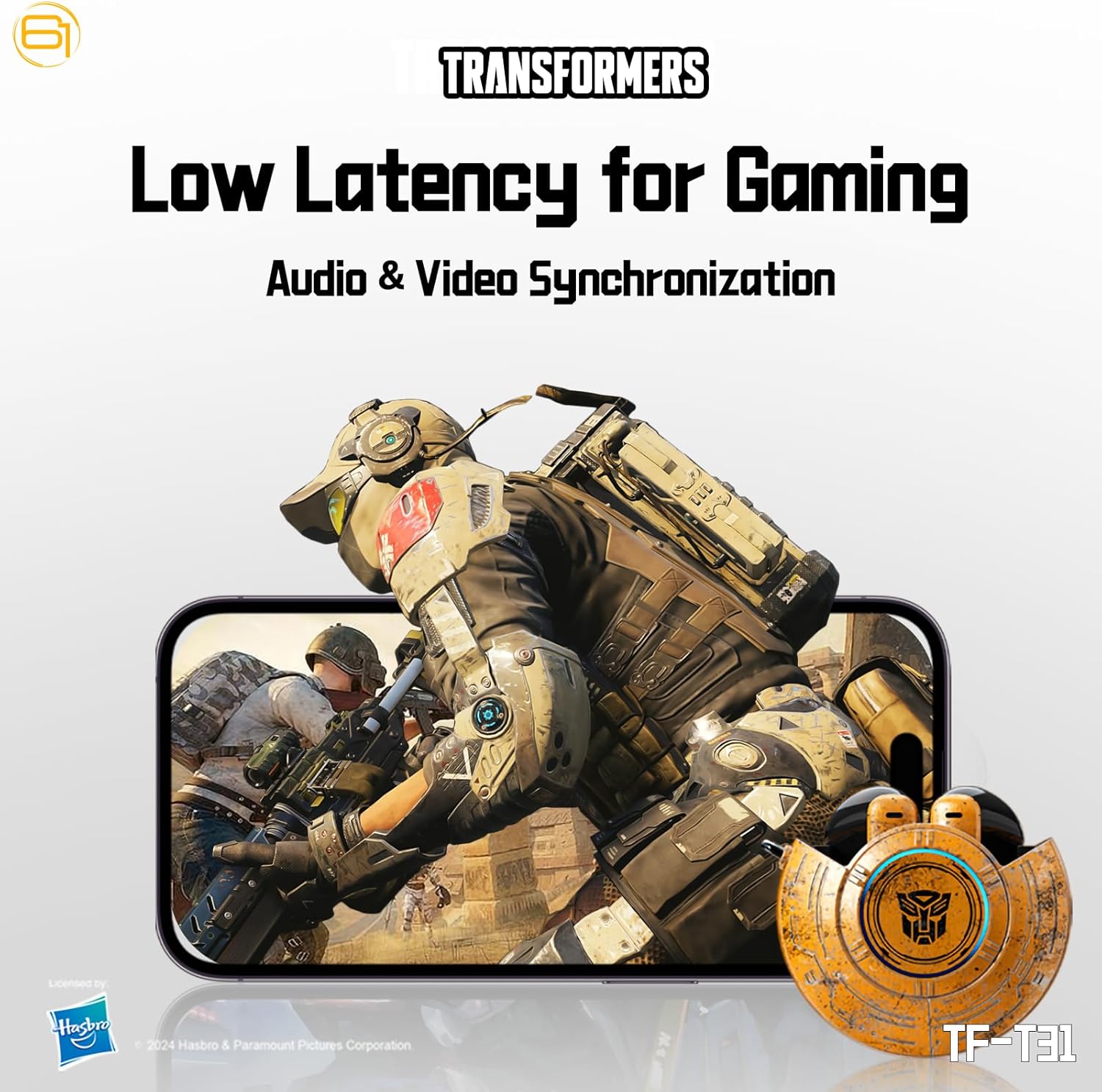
Image: Illustration of the earbuds providing low latency audio for gaming, showing a mobile gaming scenario.
Onderhoud
Schoonmaak
- Maak de oordopjes en de oplaadcase regelmatig schoon met een zachte, droge, pluisvrije doek.
- Gebruik geen schuurmiddelen, alcohol of chemische oplosmiddelen.
- Verwijder voorzichtig oorsmeer of vuil uit het gaasje van de oordopjes met een klein, zacht borsteltje of wattenstaafje.
- Zorg ervoor dat de oplaadcontacten op zowel de oordopjes als de oplaadcase schoon en droog zijn om een goede oplaadwerking te garanderen.
Opslag
- Wanneer u de oordopjes niet gebruikt, kunt u ze in de oplaadcase bewaren om ze te beschermen en ervoor te zorgen dat ze opgeladen blijven.
- Bewaar het product op een koele, droge plaats, uit de buurt van extreme temperaturen en direct zonlicht.
- Avoid exposing the earbuds or case to water or excessive moisture. While the product is water-resistant, it is not waterproof.
Probleemoplossing
If you encounter issues with your TF-T31 earbuds, please refer to the following common problems and solutions:
De oordopjes koppelen of verbinden niet.
- Zorg ervoor dat beide oordopjes zijn opgeladen.
- Zorg ervoor dat Bluetooth op uw apparaat is ingeschakeld.
- Plaats de oordopjes terug in de oplaadcase, sluit het deksel, wacht een paar seconden en open het deksel vervolgens weer om de koppelingsmodus opnieuw te openen.
- On your device, forget or delete "TF-T31" from your Bluetooth device list, then attempt to pair again.
- Probeer het te koppelen met een ander apparaat om apparaatspecifieke problemen uit te sluiten.
Geen geluid of laag volume
- Controleer het volumeniveau op zowel het aangesloten apparaat als de oordopjes.
- Zorg ervoor dat de oordopjes goed in uw oren zitten.
- Clean any debris from the earbud mesh that might be obstructing sound.
- Sluit de oordopjes opnieuw aan op uw apparaat.
Problemen met opladen
- Controleer of de oplaadkabel goed is aangesloten op zowel de behuizing als de stroombron.
- Zorg ervoor dat de oplaadcontacten op de oordopjes en in het oplaadhoesje schoon en vrij van obstructies zijn.
- Probeer een andere USB Type-C-kabel of stroomadapter.
- Confirm the power source is active.
De oordopjes maken regelmatig de verbinding los.
- Ensure your device is within the Bluetooth transmission distance (26-32 feet or 8-10 meters) without significant obstacles.
- Vermijd omgevingen met sterke elektromagnetische interferentie.
- Fully charge both the earbuds and the charging case.
Specificaties
| Functie | Detail |
|---|---|
| Modelnaam | TF-T31 |
| Bluetooth-versie | Bluetooth 5.4 |
| Bluetooth-transmissieafstand | 26-32 voet (8-10 meter) |
| Batterijcapaciteit hoofdtelefoon | 3.7V/30mAh (each earbud) |
| Capaciteit van de batterij van de oplaadcassette | 3.7 V/300 mAh |
| Oplaadpoort | Type-C |
| Oplaadtijd | Ongeveer 1.5 uur |
| Battery Talk/Music Time | Tot 5 uur (oordopjes), tot 50 uur (met oplaadetui) |
| Frequentiebereik | 20Hz-20KHz |
| Luidsprekerimpedantie | 32Ω |
| Gevoeligheid | 109dB±3dB |
| Controletype | Aanraakbediening |
| Waterbestendigheidsniveau | Waterbestendig |
| Productafmetingen | 3.15 x 3.15 x 4.72 inch |
| Artikelgewicht | 5.3 ons (0.15 kilogram) |
Veiligheidsinformatie
- Gehoorbescherming: Vermijd langdurig luisteren op een hoog volumeniveau om gehoorbeschadiging te voorkomen.
- Veilig rijden: Do not use earbuds while driving or operating machinery where the inability to hear ambient sounds could pose a danger.
- Blootstelling aan water: The earbuds are water-resistant, not waterproof. Do not submerge them in water or expose them to heavy rain. Dry them thoroughly if they get wet.
- Kinderen: Houd oordopjes en kleine onderdelen buiten het bereik van kinderen om verstikkingsgevaar te voorkomen.
- Batterijveiligheid: Do not attempt to replace the built-in batteries. Do not expose batteries to excessive heat or direct sunlight. Dispose of batteries according to local regulations.
- Schoonmaak: Use only recommended cleaning methods. Avoid harsh chemicals.
Garantie en ondersteuning
Voor garantie-informatie of technische ondersteuning kunt u de documentatie raadplegen die u bij de aankoop hebt ontvangen of rechtstreeks contact opnemen met de winkelier/fabrikant. Bewaar uw aankoopbewijs voor garantieclaims.
You can visit the official Transformers store on Amazon for more product information: Transformers Store