
1. Inleiding
This manual provides comprehensive instructions for the installation, operation, and maintenance of your AceGamer Vertical Stand. This stand is designed to securely hold your PlayStation 5 (PS5), PS5 Pro, or PS5 Slim console in a vertical position, optimizing space and improving heat dissipation. It also includes a convenient headset holder to keep your gaming area organized.
2. Inhoud van het pakket
Controleer of alle hieronder vermelde artikelen in uw pakket zijn opgenomen:
- 1 x Vertical Stand for PS5 Consoles
- 1 x Screw for console attachment
- 1 x headsethouder
- 1 x Gebruiksaanwijzing

Image: The complete package contents, showing the vertical stand, attachment screw, headset holder, and the product box.
3. Compatibiliteit
The AceGamer Vertical Stand is compatible with the following PlayStation 5 console models:
- PS5 (CFI-1000 model group)
- PS5-Pro
- PS5 Slim (CFI-2000 model group)
4. Belangrijkste kenmerken
- Verbeterde stabiliteit: Constructed from high-quality robust zinc alloy and ABS composite resin with non-slip pads to minimize the risk of accidental falls or rollovers.
- Verbeterde warmteafvoer: Elevates the console to promote better air circulation, preventing overheating during extended gaming sessions and potentially extending console life.
- Integrated Headset Holder: A white headset holder is included to keep your gaming accessories organized and easily accessible.
- Installatie zonder gereedschap: Designed for quick and easy setup without the need for additional tools.

Image: A PlayStation 5 console standing vertically on the AceGamer stand, with a headset attached to the side holder. Icons highlight features like non-slip base, easy installation, and improved heat dissipation.

Afbeelding: Gedetailleerd views of the stand's components, emphasizing the robust zinc alloy ring, sturdy ABS plastic base, and integrated non-slip pads for enhanced stability.
5. Installatie en installatie
Follow these steps to install your AceGamer Vertical Stand:
- Place your PS5 console upside down on a flat, stable surface.
- Align the screw hole on the vertical stand with the corresponding hole on the bottom of your console. Ensure the 'Front' indicator on the stand aligns with the front of your console.
- Insert the provided screw into the aligned holes and tighten it securely by hand until the stand is firmly attached to the console. No additional tools are required.
- Carefully place your console with the attached stand in your desired vertical position.
- Attach the headset holder to the side of the console if desired.

Image: A visual guide demonstrating the easy installation process, including turning the console upside down and aligning the stand's screw with the console's base.
Installatie videogids
Video: A detailed video demonstrating the installation process of the vertical stand for PS5, PS5 Pro, and PS5 Slim consoles, highlighting its compatibility and ease of assembly.
6. Gebruiksaanwijzing
Once installed, the AceGamer Vertical Stand requires no further operation. It provides a stable base for your console and a convenient storage point for your headset.
- Ensure the console is placed on a flat, level surface to maintain stability.
- Hang your gaming headset on the integrated holder when not in use to keep your setup tidy.
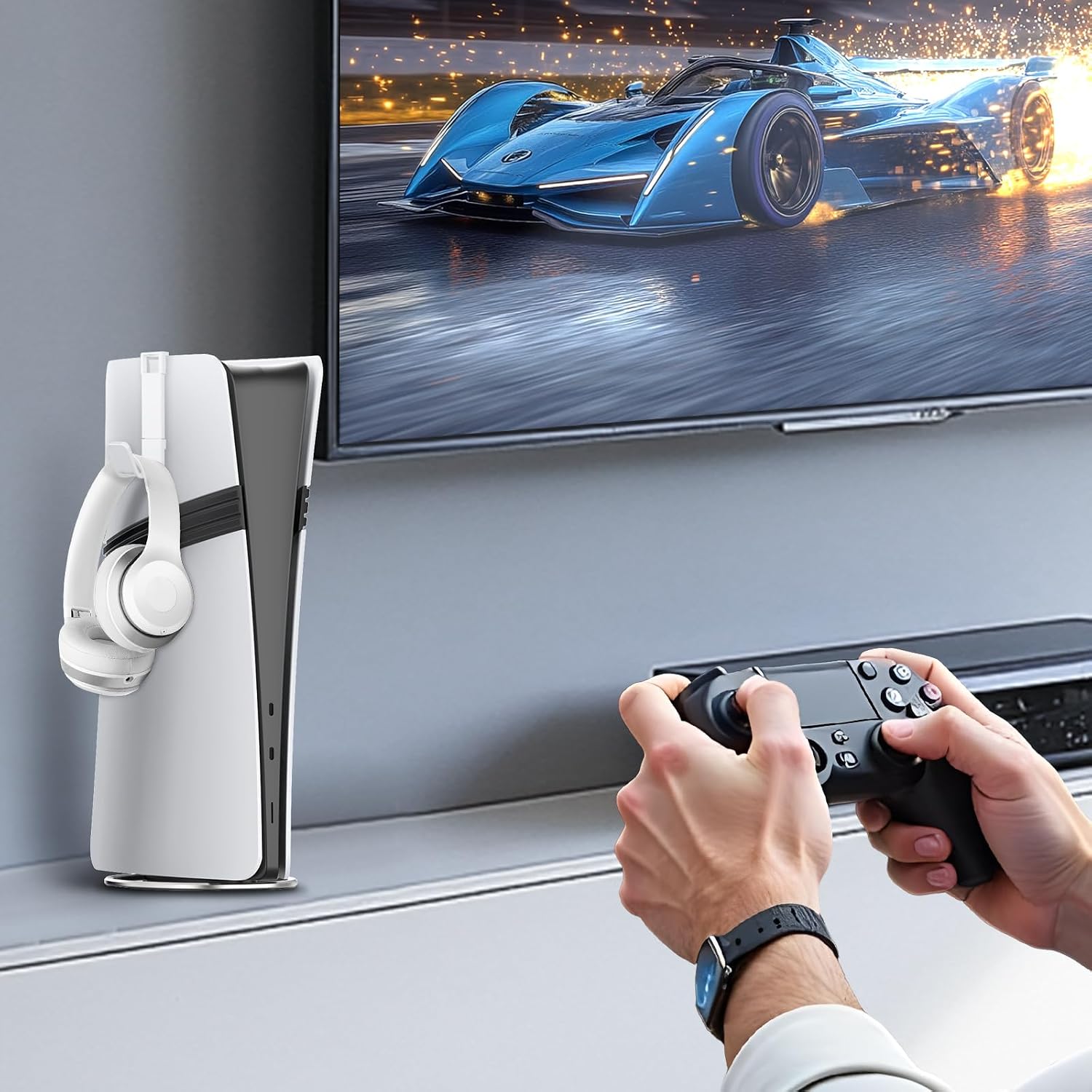
Image: A gaming setup showing the PS5 console securely positioned on the vertical stand with a headset hanging from its holder, demonstrating practical use.
7. Onderhoud
To ensure the longevity and appearance of your vertical stand:
- Wipe the stand regularly with a soft, dry cloth to remove dust and fingerprints.
- Avoid using abrasive cleaners or solvents, as these may damage the finish.
- Ensure the non-slip pads are clean and free of debris to maintain optimal grip.
8. Probleemoplossing
If you encounter any issues with your vertical stand, please refer to the following:
- Console feels wobbly: Ensure the attachment screw is fully tightened. Verify that the console and stand are placed on a completely flat and stable surface.
- Stand does not fit: Confirm your console model is one of the compatible PS5, PS5 Pro, or PS5 Slim versions. Ensure the stand is oriented correctly with the 'Front' indicator.
- Headset holder is loose: Re-attach the headset holder firmly to the console's side.
9. Specificaties
| Merk | AceGamer |
| Model | Verticale standaard |
| Compatibele apparaten | PS5 (CFI-1000 model group), PS5 Pro, PS5 Slim (CFI-2000 model group) |
| Materiaal | Zinc Alloy, ABS Composite Resin |
| Kleur | Zwart |
| Artikelgewicht | 6.7 ons |
| Pakket afmetingen | 7.09 x 6.22 x 1.06 inch |

Image: A technical drawing illustrating the precise dimensions of the vertical stand and the headset holder, provided in both millimeters and inches.
10. Garantie en ondersteuning
AceGamer provides warranty service for this product. If you have any questions, problems, or require assistance with your AceGamer Vertical Stand, please contact our customer support for an immediate solution. Refer to the contact information provided on the product packaging or the official AceGamer webplaats.