
Invoering
Welcome to your new RadioShack BT Headphones. This manual provides essential information for the proper setup, operation, and maintenance of your headphones. Please read these instructions carefully before use to ensure optimal performance and longevity of your device.
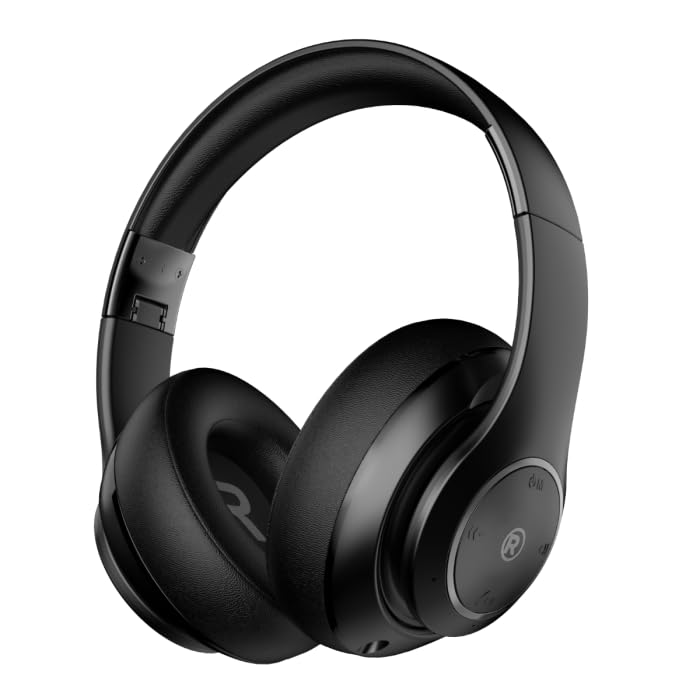
Een frontale hoek view of the black RadioShack BT Headphones, showcasing their over-ear design and cushioned earcups.
Wat zit er in de doos?
Controleer of alle artikelen in uw pakket aanwezig zijn:
- RadioShack BT Headphones
- Oplaadkabel
- Hulp-audiokabel
- Gebruiksaanwijzing
This video demonstrates the unboxing process of the RadioShack BT Headphones, showing the contents included in the package.
Producteigenschappen
The RadioShack BT Headphones are designed for an enhanced audio experience with convenience and durability.
- Verlengde speelduur: Enjoy up to 30 hours of uninterrupted music.
- Ingebouwde microfoon: Features a built-in microphone for clear and convenient calling functions.
- Geavanceerde Bluetooth 5.4: Equipped with Bluetooth version 5.4 for seamless and stable wireless connectivity.
- Hoogwaardig geluid: 40mm drivers deliver rich, immersive sound with excellent sensitivity and impedance.
- Opvouwbaar ontwerp: Compact and foldable design for easy portability and storage.

An informational graphic highlighting the built-in microphone, 400mAh battery capacity, and Bluetooth 5.4 compatibility of the headphones.
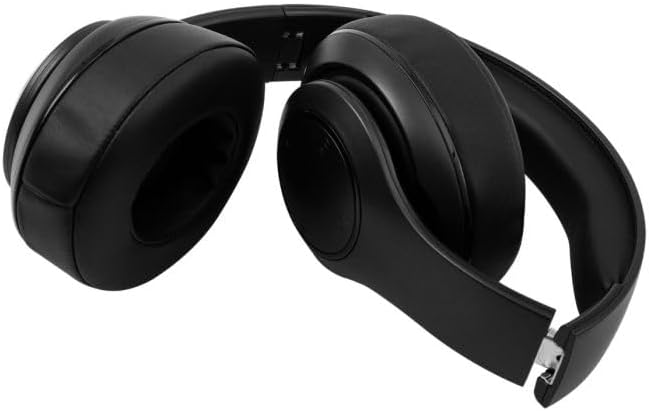
The RadioShack BT Headphones folded for compact storage and portability.
Deze video geeft een kort overzichtview of the RadioShack Over-the-Head Earphones, showcasing their design and use.
Instellen
De koptelefoon opladen
- Sluit de meegeleverde USB-oplaadkabel aan op de oplaadpoort van de hoofdtelefoon.
- Sluit het andere uiteinde van de USB-kabel aan op een compatibele USB-voedingsbron (bijvoorbeeld een computer of een wandadapter).
- De led-indicator licht op tijdens het opladen en gaat uit of verandert van kleur wanneer de batterij volledig is opgeladen.
- Met een volledige lading kunt u tot 30 uur lang luisteren.
Koppelen via Bluetooth
- Zorg ervoor dat de hoofdtelefoon volledig is opgeladen.
- Houd de aan/uit-knop op de hoofdtelefoon ingedrukt totdat het ledlampje blauw en rood knippert. Dit geeft aan dat de koppelingsmodus actief is.
- Schakel Bluetooth in op uw apparaat (smartphone, tablet, computer) en zoek naar beschikbare apparaten.
- Select "RadioShack BT Headphones" from the list of found devices.
- Na aansluiting zal de LED-indicator continu blauw branden of langzaam blauw knipperen.
Gebruiksaanwijzing
Aan/uit
- Inschakelen: Houd de aan/uit-knop ongeveer 3 seconden ingedrukt totdat het led-lampje gaat branden.
- Uitschakelen: Houd de aan/uit-knop ongeveer 3 seconden ingedrukt totdat het led-lampje uitgaat.
Muziek afspelen
- Afspelen/Pauzeren: Druk eenmaal op de multifunctionele knop.
- Volgende nummer: Houd de knop Volume omhoog ingedrukt.
- Vorig nummer: Houd de knop Volume omlaag ingedrukt.
Call Management
- Oproep beantwoorden/beëindigen: Druk eenmaal op de multifunctionele knop.
- Oproep afwijzen: Houd de multifunctionele knop 2 seconden ingedrukt.
- Laatste nummer opnieuw kiezen: Dubbelklik op de multifunctionele knop.
Volumeregeling
- Volume omhoog: Druk op de knop Volume omhoog.
- Volume verminderen: Druk op de knop Volume omlaag.
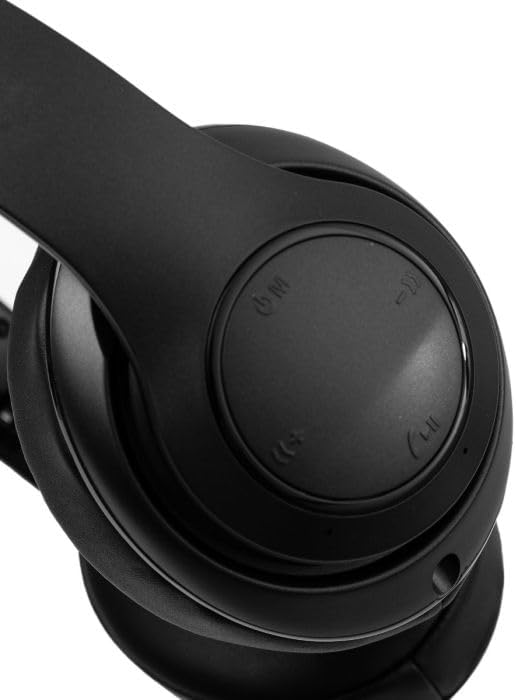
Een close-up view of the right earcup, showing the integrated control buttons for power, volume, and playback.
Onderhoud
Schoonmaak
- Veeg de hoofdtelefoon af met een zachte, droge doek.
- Gebruik geen schurende reinigingsmiddelen of oplosmiddelen.
- Houd de oplaadpoort vrij van stof en vuil.
Opslag
- Bewaar de hoofdtelefoon op een koele, droge plaats, uit de buurt van direct zonlicht en extreme temperaturen.
- Als u de hoofdtelefoon gedurende langere tijd niet gebruikt, laad hem dan minstens eens in de drie maanden op om de levensduur van de batterij te verlengen.
Probleemoplossing
| Probleem | Mogelijke oplossing |
|---|---|
| Koptelefoon gaat niet aan | Zorg ervoor dat de hoofdtelefoon is opgeladen. Sluit hem aan op een stroombron en probeer het opnieuw. |
| Kan niet koppelen met apparaat | Zorg ervoor dat de hoofdtelefoon in de koppelingsmodus staat (knipperende blauw/rode led). Schakel Bluetooth op je apparaat uit en weer in. Ga dichter bij het apparaat staan. |
| Geen geluid of laag volume | Check volume levels on both headphones and connected device. Ensure headphones are properly paired. Try reconnecting. |
| Intermitterende verbinding | Reduce distance between headphones and device. Avoid obstacles. Ensure no other devices are interfering with the Bluetooth signal. |
Specificaties
| Functie | Detail |
|---|---|
| Merk | RadioShack |
| Modelnummer | 3304403-PRNT |
| Kleur | Zwart |
| Plaatsing van de oren | Op het oor |
| Vormfactor | Over het oor |
| Geluidsbeheersing | Actieve ruisonderdrukking |
| Bluetooth-versie | 5.4 |
| Gemiddelde levensduur van de batterij | 30 uur |
| Frequentiebereik | 20Hz - 20,000Hz |
| Audiostuurprogrammatype | Dynamic Driver |
| Ingebouwde media | Kabel |
| Behuizingsmateriaal | Plastic |
| Artikelgewicht | 0.34 kilogram |
| Waterbestendigheidsniveau | Waterdicht |
| Compatibele apparaten | Smartphones, Laptops, Desktops, Tablets, Televisions, Smart Speakers |
Garantie en ondersteuning
Garantie-informatie
These RadioShack BT Headphones come with a 6 maanden garantie Deze garantie geldt vanaf de aankoopdatum. De garantie dekt fabricagefouten bij normaal gebruik. Schade veroorzaakt door verkeerd gebruik, ongelukken, ongeautoriseerde aanpassingen of normale slijtage valt niet onder de garantie.
Klantenservice
For technical assistance, warranty claims, or further inquiries, please contact RadioShack customer support through their official website or the retailer where the product was purchased. Please have your model number (3304403-PRNT) and proof of purchase ready.
You can visit the official RadioShack store for more information: RadioShack Store op Amazon


