
Ergear EGESD7W-CA
Gebruikershandleiding voor het ErGear elektrische staande bureau
Model: EGESD7W-CA | Brand: ErGear
Invoering
Thank you for choosing the ErGear Electric Standing Desk. This manual provides detailed instructions for assembly, operation, maintenance, and troubleshooting to ensure optimal performance and longevity of your desk. Please read this manual thoroughly before installation and use, and retain it for future reference.
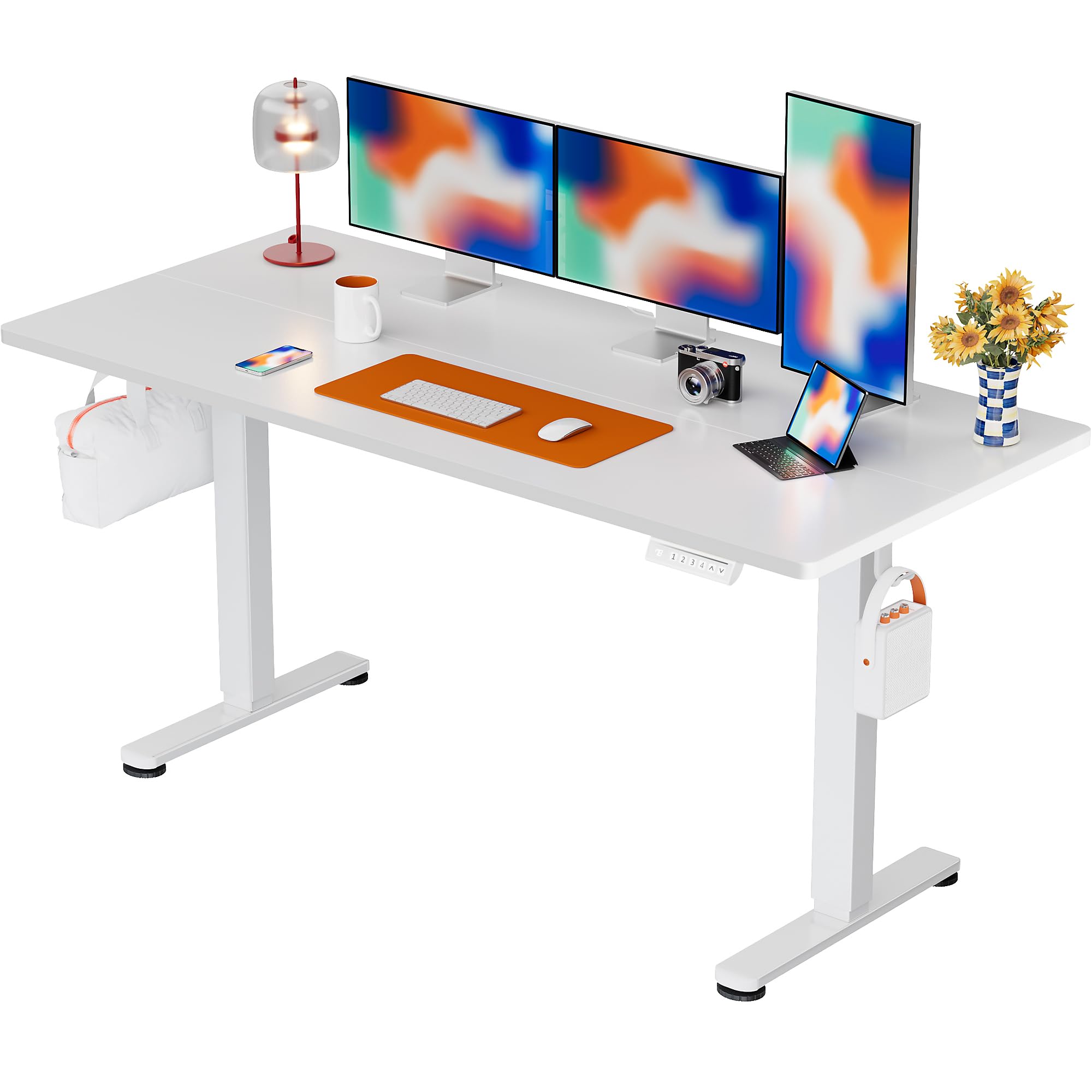
The ErGear Electric Standing Desk, 63x28 inch, in a white finish, featuring a spacious desktop and electric height adjustment capabilities.
Veiligheidsinformatie
- Controleer vóór de montage of alle onderdelen aanwezig en onbeschadigd zijn. Gebruik het product niet als er onderdelen ontbreken of defect zijn.
- Houd kinderen en huisdieren uit de buurt van het bureau tijdens het gebruik om letsel te voorkomen.
- Overbelast het bureau niet. Het aanbevolen maximale gewicht is 80 kg (176 pond).
- Ensure the power cord is not pinched or damaged. Connect to a grounded outlet.
- Plaats geen vloeistoffen rechtstreeks op het bedieningspaneel of in de buurt van elektrische componenten.
- Controleer regelmatig alle schroeven en verbindingen om er zeker van te zijn dat ze goed vastzitten.
- Dit bureau is uitsluitend bedoeld voor gebruik binnenshuis.
Inhoud van het pakket
Controleer voordat u met de montage begint of alle onderstaande onderdelen in uw pakket aanwezig zijn:
- Desktop Boards ×2
- Leg with Motor ×1
- Been ×1
- Leg Bases ×2
- Crossbar & Transmission Rod
- Controller & Power Cable
- Alle benodigde montagegereedschappen en hardware
Montage-instructies
Follow these steps carefully to assemble your ErGear Electric Standing Desk. An assembly video is also provided for visual guidance.
Official ErGear Electric Standing Desk Assembly Video. This video demonstrates the step-by-step process for setting up your desk.
Step 1: Assemble the Desk Legs
Attach the leg bases to the desk legs using the provided screws. Ensure they are securely fastened.

The stable T-shaped desk legs provide a sturdy foundation for the electric standing desk.
Step 2: Attach Side Plates and Transmission Rod
Connect the side plates to the desk legs. Insert the transmission rod fully into the left leg and secure it. If the two desk legs are not at the same height, insert the rod into the left leg and turn to adjust.
Step 3: Assemble and Attach the Desktop
Place the two desktop boards together, aligning the dowels. Secure the desktop to the assembled frame using the provided screws and brackets. Ensure all connections are tight.
Stap 4: Sluit de kabels aan
Connect the motor and control panel cables to the main control box. Ensure all connections are firm and correctly oriented.
Step 5: Install Cable Hole Covers
Place the cable hole covers into the designated openings on the desktop to manage wires neatly.

Ergonomic guidelines for using the standing desk, showing optimal monitor and arm positions for both sitting and standing.
Gebruiksaanwijzing
Configuratiescherm voorbijview
The desk features an intuitive control panel with height adjustment buttons and memory presets.
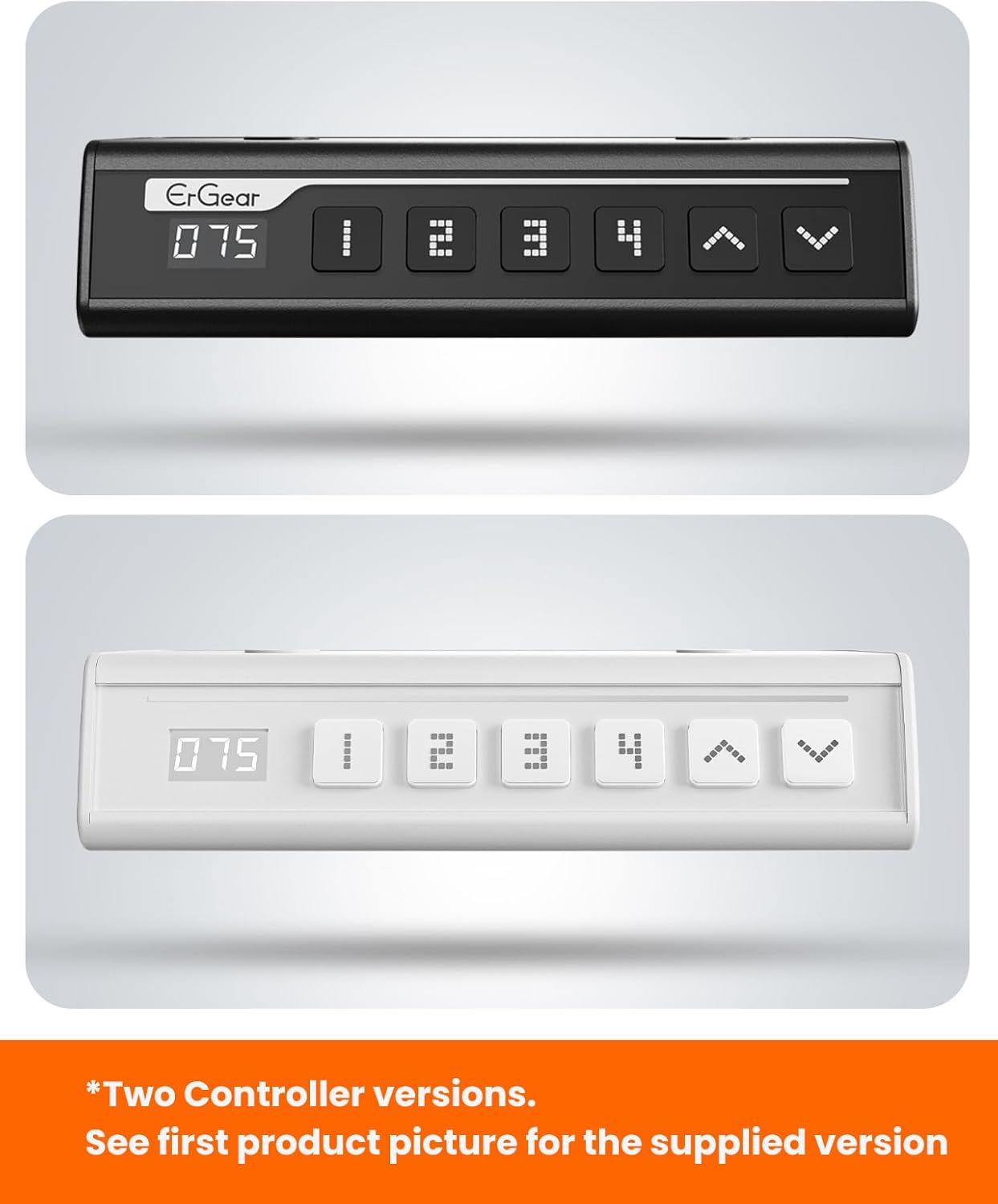
The ErGear control panel, available in two versions, features a digital height display and four programmable memory settings.
Hoogteverstelling
- Gebruik de Omhoog (^) En Omlaag (v) arrows to smoothly adjust the desk height between 28.35 inches and 46.46 inches.
- Laat de knop los op de gewenste hoogte.
Geheugenvoorkeuren
Met dit bureau kunt u tot 4 voorkeurshoogte-instellingen opslaan.
- Pas de hoogte van het bureau aan met behulp van de pijlen omhoog/omlaag.
- Druk op de M button (or equivalent memory set button). The display will flash.
- Druk op een van de genummerde voorkeuzeknoppen (1, 2, 3 of 4) binnen 3 seconden om de huidige hoogte op te slaan in die preset.
- Om een opgeslagen hoogte op te roepen, drukt u eenvoudigweg op de bijbehorende genummerde voorinstelknop. Het bureau beweegt dan automatisch naar de opgeslagen positie.
This video demonstrates the smooth and quiet operation of the ErGear Electric Standing Desk, showcasing its height adjustment and memory preset features.
Onderhoud
- Schoonmaak: Veeg het bureaublad en het frame schoon met een zachte, damp doek. Vermijd agressieve chemicaliën of schurende reinigingsmiddelen.
- Inspectie: Controleer regelmatig of alle schroeven en verbindingen goed vastzitten. Draai ze indien nodig opnieuw aan.
- Kabelbeheer: Ensure cables are neatly organized and not tangled or pinched to prevent damage.
Probleemoplossing
Als u problemen ondervindt met uw ErGear elektrische staande bureau, raadpleeg dan de volgende veelvoorkomende problemen en oplossingen:
| Probleem | Mogelijke oorzaak | Oplossing |
|---|---|---|
| Bureau beweegt niet | Power cable disconnected, motor error, overloaded desk. | Check power connections. Unplug for 30 seconds and plug back in. Reduce weight on the desk. |
| Ongelijke hoogte | Transmission rod not fully inserted or adjusted. | Refer to Step 2 of assembly to ensure the transmission rod is correctly installed and adjusted. |
| Geluid tijdens bedrijf | Normal operation sound, loose screws. | A slight motor sound is normal. Check and tighten any loose screws on the frame. |
| Geheugenvoorinstellingen werken niet | Onjuiste opslagprocedure. | Follow the memory preset instructions carefully (press M, then the number within 3 seconds). |
Specificaties
| Functie | Detail |
|---|---|
| Merk | ErGear |
| Modelnummer | EGESD7W-CA |
| Bureau ontwerp | Staand bureau |
| Vorm | Rechthoekig |
| Productafmetingen (D x B x H) | 71.1D x 160B x 118H centimeter |
| Maat | 63*28 inch |
| Kleur | Wit |
| Minimale hoogte | 28.35 inch |
| Maximale hoogte | 46.46 inch |
| Tafelblad dikte | 1.5 centimeter |
| Basismateriaal | Gelegeerd staal |
| Topmateriaaltype | Engineered Wood (Walnut Wood finish) |
| Speciale kenmerken | Adjustable Height, Electric, Ergonomic |
| Maximaal gewichtsadvies | 176 pond (80 kg) |
| Montage vereist | Ja (inclusief alle montagematerialen) |
Garantie en ondersteuning
ErGear is committed to providing high-quality products and customer satisfaction. This product comes with:
- 5 jaar bescherming on the desktop and desk frame.
- 2 jaar bescherming on motors and electrical components.
For any questions, concerns, or warranty claims, please contact ErGear customer support. You can typically find contact information on the product packaging or the official ErGear website. Please have your model number (EGESD7W-CA) and purchase details ready when contacting support.

The ErGear Electric Standing Desk seamlessly integrates into various home office environments.
Ask a question about this manual
Ask about setup, troubleshooting, compatibility, parts, safety, or missing instructions. Manuals+ will review the question and use this page’s manual context to help answer it.