
1. Inleiding
The Acbaeta AK480+ is a versatile detection device designed to help protect your privacy by identifying various hidden surveillance equipment. Utilizing passive and infrared scanning technologies, it can accurately detect wireless signal sources, hidden cameras, GPS trackers, and eavesdropping devices. This manual provides detailed instructions for the proper use and maintenance of your AK480+ detector.

Figure 1: Acbaeta AK480+ Detector. This image shows the sleek, pen-shaped design of the AK480+ detector, highlighting its compact and portable nature.
2. Product voorbijview
2.1 Belangrijkste kenmerken
- Nauwkeurige detectie: Identifies eavesdropping devices, GPS location trackers, hidden cameras, and electrical radiation sources.
- Meerdere detectiemodi: Includes RF wireless signal detection, GPS magnetic field signal detection, IR radiation detection, and a flashlight auxiliary lighting mode.
- Breed frequentiebereik: Detects radio waves, 2G, 3G, 4G mobile signals, and SIM card bugs within a 1MHz to 6.5GHz frequency range.
- Instelbare gevoeligheid: 5-level sensitivity adjustment for precise detection over a 15 square meter range.
- Draagbaar ontwerp: Lightweight, small, and rechargeable with a long battery life (up to 25 hours working time, 30 days standby).
2.2 Componenten
The AK480+ detector features a compact design with intuitive controls. Key components include:
- Aan/uit-/modusknop
- Sensitivity Adjustment Buttons
- LED Indicator Lights (for signal strength and mode)
- IR Detection Window
- Zaklamp
- Oplaadpoort (USB-C)

Afbeelding 2: Intern view and battery details. This image illustrates the internal circuitry and highlights the 300mAh battery capacity, 25 hours running time, 1 hour fast charging, and 30 days standby time.

Figure 3: Compact design and detection capabilities. This image emphasizes the device's portability and lists its functions: Hidden Camera Detectors, Anti-Spy Camera Detector, Car GPS Tracker Detector, Listening Device Detector, RF Signal Detector, and Anti-Monitoring Scan Tracker Detector.
3. Instellen
3.1 Eerste keer opladen
Before first use, fully charge the AK480+ detector.
- Sluit de meegeleverde USB-C-oplaadkabel aan op de oplaadpoort van het apparaat.
- Sluit het andere uiteinde van de kabel aan op een standaard USB-voedingsadapter (niet meegeleverd) of een USB-poort van een computer.
- The indicator lights will show charging status. A full charge typically takes approximately 1 hour.
- Zodra het apparaat volledig is opgeladen, koppelt u het los van de oplaadkabel.

Figure 4: Battery life. This image visually represents the device's 25-hour operating time on a full charge.
4. Gebruiksaanwijzing
The AK480+ features multiple detection modes to address various surveillance threats.
4.1 In-/uitschakelen en modusselectie
- Inschakelen: Press and hold the Power/Mode button for a few seconds until the indicator lights illuminate.
- Modusselectie: Short press the Power/Mode button to cycle through the available detection modes.
- Uitschakelen: Press and hold the Power/Mode button again for a few seconds until the lights turn off.
4.2 RF Wireless Signal Detection Mode
This mode is used to detect wireless signals from hidden cameras, eavesdropping devices, and other RF transmitters.
- Select the RF Wireless Signal Detection mode.
- Slowly scan the area. The indicator lights will illuminate and an audible alert may sound (depending on settings) as the device approaches a wireless signal source.
- Adjust sensitivity (see Section 4.5) to pinpoint the source.

Figure 5: RF signal detection. This graphic illustrates the device's ability to scan and detect radio frequency signals in an area.
4.3 GPS Magnetic Field Signal Detection Mode
This mode is specifically designed to detect magnetic GPS trackers, often found attached to vehicles.
- Select the GPS Magnetic Field Signal Detection mode.
- Move the detector close to surfaces where a magnetic tracker might be hidden, such as under a car, inside wheel wells, or under seats.
- The device will alert you upon detecting a magnetic field.
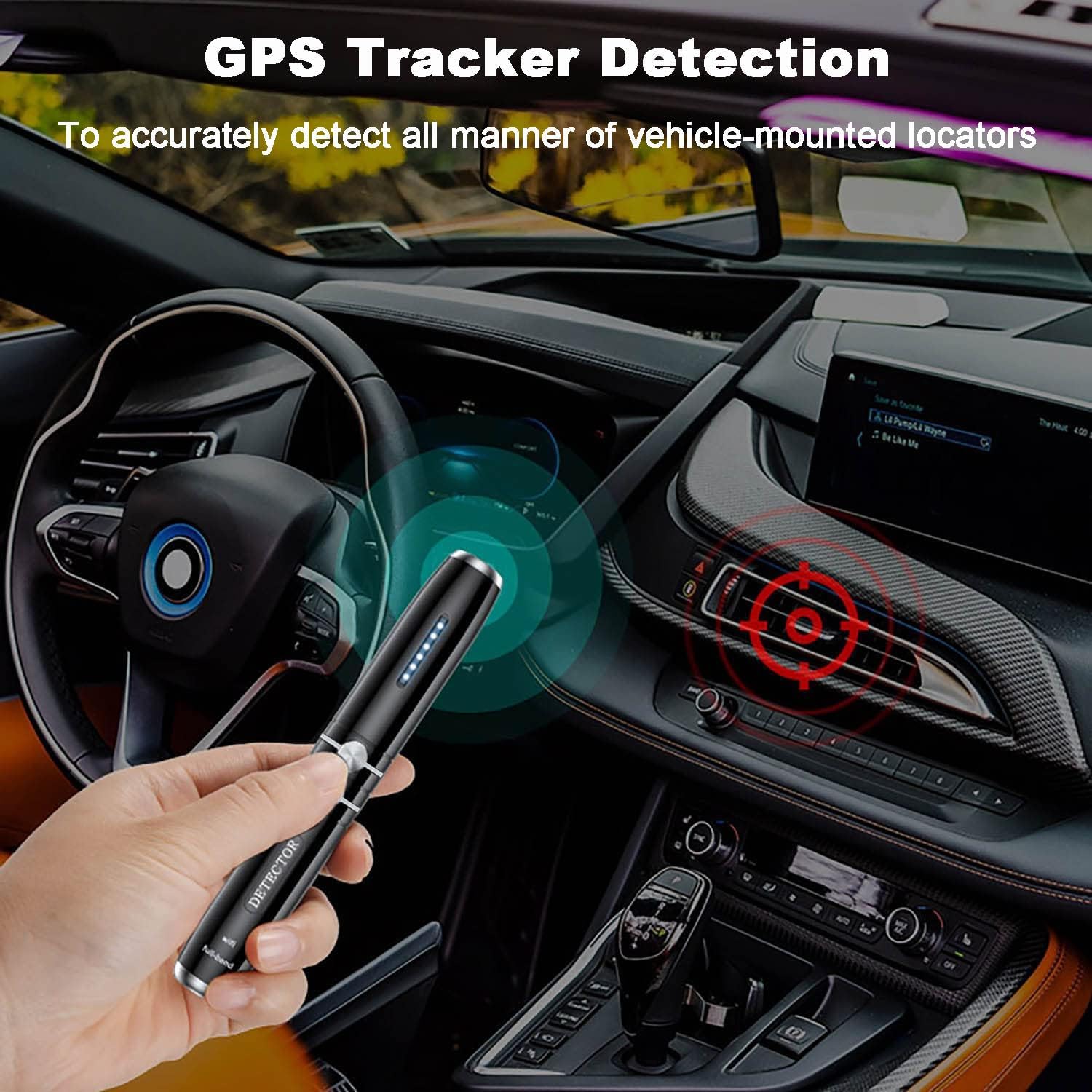
Figure 6: GPS tracker detection. The image shows the AK480+ being used to scan for a GPS tracker within a car's interior, indicating its application for vehicle surveillance detection.
4.4 IR Radiation Detection Mode (Hidden Camera Finder)
This mode helps locate hidden cameras by detecting their lenses, which reflect infrared light.
- Select the IR Radiation Detection mode.
- Look through the IR detection window on the device while scanning the room.
- Hidden camera lenses will appear as bright red dots when illuminated by the device's IR light.
4.5 Flashlight Auxiliary Lighting Mode
The built-in flashlight can be used to illuminate dark areas during inspection, aiding in visual searches for hidden devices.
- Activate the flashlight mode by cycling through the modes or a dedicated button press (refer to device markings).
4.6 Gevoeligheidsaanpassing
The AK480+ features 5 levels of adjustable sensitivity to refine detection.
- Use the Sensitivity Adjustment buttons (usually '+' and '-' or up/down arrows) to increase or decrease sensitivity.
- Increase Sensitivity: Expands the detection range, useful for initial scans of larger areas.
- Decrease Sensitivity: Narrows the detection range, helpful for pinpointing the exact location of a detected signal.

Figure 7: Sensitivity adjustment. This image highlights the LED indicator lights that show the current sensitivity level of the detector.
5. Onderhoud
- Houd het apparaat schoon en droog. Gebruik een zachte, droge doek om de buitenkant af te vegen.
- Stel het apparaat niet bloot aan extreme temperaturen, vochtigheid of direct zonlicht.
- Probeer het apparaat niet zelf te demonteren of te repareren. Hierdoor vervalt de garantie.
- Berg het apparaat op een veilige plaats op wanneer het niet in gebruik is.
6. Probleemoplossing
| Probleem | Mogelijke oorzaak | Oplossing |
|---|---|---|
| Apparaat gaat niet aan. | Batterij is leeg. | Laad het apparaat volledig op met de meegeleverde USB-C-kabel. |
| Weak or no signal detection. | Sensitivity is too low, or device is too far from source. | Increase sensitivity. Move closer to the suspected area. Ensure the correct mode is selected. |
| False alarms or constant detection. | Sensitivity is too high, or strong ambient RF signals. | Decrease sensitivity. Move away from known signal sources (e.g., Wi-Fi routers, mobile phones). |
| IR detection not working. | IR mode not selected, or lens is obstructed. | Ensure IR mode is active. Clean the IR detection window. |
7. Specificaties
| Model | AK480+ |
| Merk | Acbaeta |
| Detectiemodi | RF Wireless, GPS Magnetic Field, IR Radiation, Flashlight |
| Frequentiebereik | 1 MHz - 6.5 GHz |
| Gevoeligheid | 5 niveaus instelbaar |
| Detectiebereik | Up to 15 square meters (adjustable) |
| Batterijcapaciteit | 300 mAh lithium-ion |
| Werktijd | Tot 25 uur |
| Standby-tijd | Tot 30 dagen |
| Oplaadtijd | Ongeveer 1 uur |
| Energiebron | Werkt op batterijen (opladen via USB-C) |
| Artikelgewicht | 3.2 ons |
| Pakket afmetingen | 5 x 1 x 1 inch |
| UPC | 716709240127 |
8. Garantie en ondersteuning
The Acbaeta AK480+ detector comes with a 1-year warranty against manufacturing defects. Additionally, a 30-day no-questions-asked refund policy is offered.
For any questions, technical assistance, or warranty claims, please contact Acbaeta customer support. Refer to the product packaging or the retailer's webwebsite voor contactgegevens.