
1. Inleiding
The INKBIRD ITH-11-B is a smart Bluetooth thermometer and hygrometer designed for accurate monitoring of temperature and humidity. Featuring IP65 waterproof protection, Bluetooth 5.0 connectivity, and data logging capabilities, this device is suitable for various indoor and outdoor environments such as homes, greenhouses, refrigerators, and reptile terrariums. This manual provides essential information for setting up, operating, and maintaining your device.
2. Product voorbijview
The ITH-11-B utilizes an advanced Swiss Sensirion sensor for high accuracy. It connects to your smartphone via Bluetooth, allowing you to view real-time data, historical graphs, and set alarms. The device is compact, lightweight, and designed for long-term use with extended battery life.
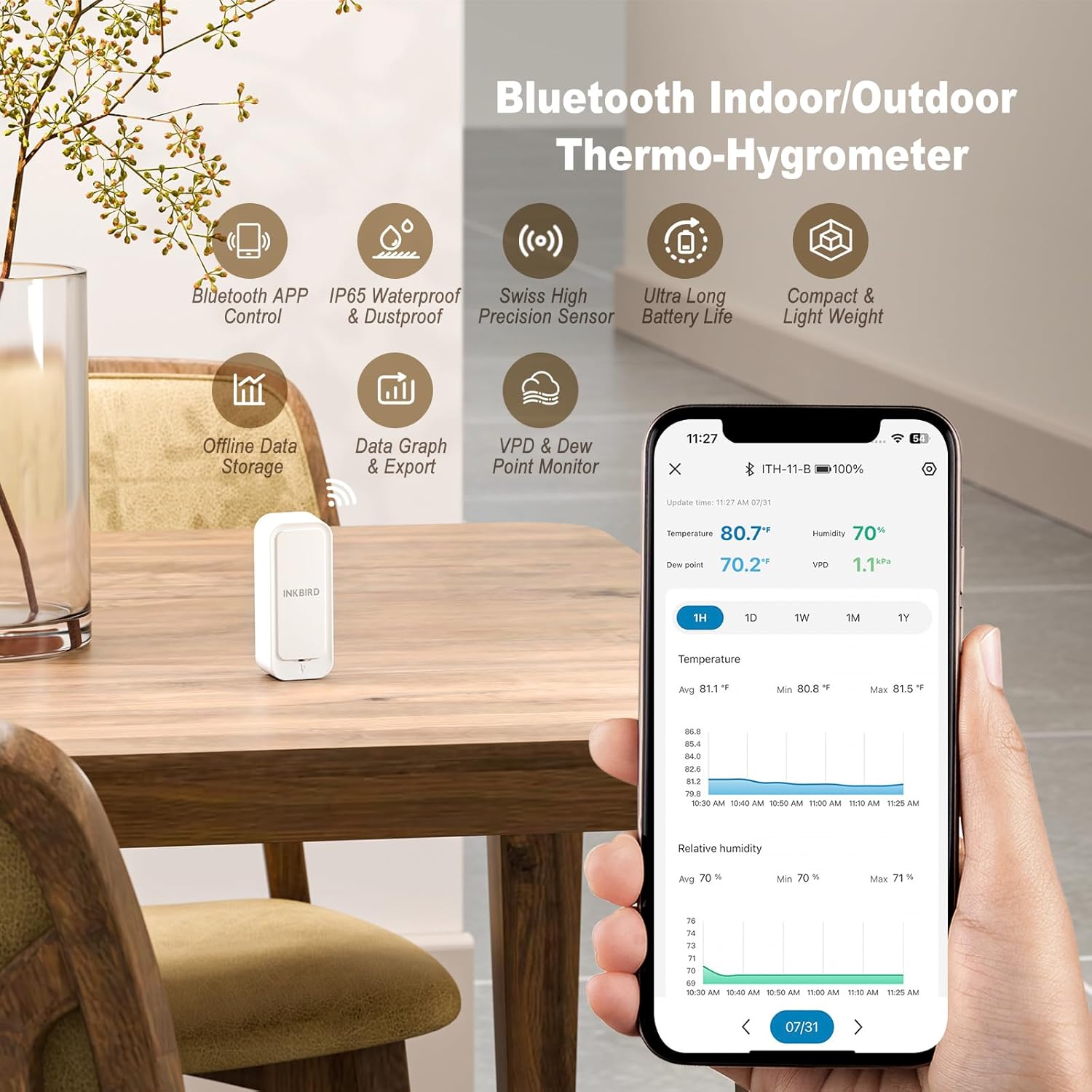
Image: The INKBIRD ITH-11-B device shown alongside a smartphone displaying its application interface with temperature and humidity readings.
3. Inhoud van het pakket
- 1 x INKBIRD ITH-11-B Bluetooth Thermometer Hygrometer
- 2 x AAA-batterijen
- 1 x Gebruikershandleiding (dit document)
4. Specificaties
| Modelnaam | ITH-11-B |
| Temperatuurbereik | -40°C tot 60°C (-40°F tot 140°F) |
| Temperatuurnauwkeurigheid | ±0.2°C (±0.36°F) |
| luchtvochtigheid | 0% RV tot 99% RV |
| Nauwkeurigheid vochtigheid | ±2% RV |
| Connectiviteit | Bluetooth 5.0 |
| Bluetooth-bereik | Tot 80 meter (260 voet) onbelemmerd zicht |
| Waterdichtheidsclassificatie | IP65 |
| Gegevensopslag | Up to 300 days offline, 2 years historical data export |
| Levensduur van de batterij | Approximately 9 months (with 2 x AAA batteries) |
| Afmetingen | 7 x 5.7 x 2.9 cm (2.76 x 2.24 x 1.14 inch) |
| Gewicht | 60 gram (2.12 oz) |
| Materiaal | Acrylonitril-butadieen-styreen (ABS) |

Afbeelding: Intern view of the ITH-11-B, illustrating the Swiss high precision sensor and battery placement.
5. Instellen
5.1 Batterij installatie
- Open voorzichtig de achterkant van het apparaat.
- Plaats de twee AAA-batterijen en let daarbij op de juiste polariteit (+/-).
- Sluit de achterklep goed.
5.2 App downloaden en koppelen
- Download the "Inkbird" app from your smartphone's app store (iOS or Android).
- Schakel Bluetooth in op uw smartphone.
- Open the Inkbird app and follow the on-screen instructions to add a new device. The app will automatically detect the ITH-11-B.
- Confirm pairing within the app.
5.3 Apparaatplaatsing
Place the ITH-11-B in the desired location for monitoring. Ensure it is not directly exposed to extreme heat sources, direct sunlight, or strong drafts, which could affect accuracy. For outdoor use, place it under a protective cover to minimize direct exposure to heavy rain, despite its IP65 rating.

Image: The ITH-11-B in an outdoor setting, illustrating its Bluetooth 5.0 connectivity range with the companion app.
6. Gebruiksaanwijzing
6.1 Realtime bewaking
Once connected, open the Inkbird app to view current temperature and humidity readings. The device samples data every 3 seconds for up-to-date information.
6.2 Gegevensregistratie en export
- The device stores up to 300 days of offline data.
- Connect to the app to sync historical data.
- Je kan view data charts within the app, showing trends for temperature, humidity, VPD (Vapor Pressure Deficit), and dew point.
- The app supports exporting up to 2 years of historical data to your email for further analysis.

Image: The Inkbird app interface demonstrating data export functionality and historical data viewind.
6.3 Alarminstellingen
Set custom high/low temperature and humidity alarms within the Inkbird app. You will receive notifications on your smartphone if readings exceed or fall below your set thresholds. A low battery alarm is also available.

Image: The Inkbird app showing an active high humidity alarm, indicating the device's alert capabilities.
6.4 VPD and Dew Point Readings
The app provides calculated VPD and dew point readings, which are particularly useful for specific applications like greenhouse management to optimize plant growth conditions.
7. Onderhoud
7.1 Batterij vervangen
When the battery level is low (indicated by an app notification), replace the two AAA batteries following the instructions in Section 5.1. Expected battery life is approximately 9 months.

Image: The ITH-11-B with its battery compartment open, showing the two AAA batteries.
7.2 Reinigen
Veeg het apparaat af met een zachte, droge doek. Gebruik geen schurende reinigingsmiddelen en dompel het apparaat, ondanks de IP65-classificatie, niet onder in water om schade aan interne componenten te voorkomen.
Waterdichtheidsclassificatie 7.3
The ITH-11-B has an IP65 waterproof rating, meaning it is protected against dust ingress and low-pressure water jets from any direction. This makes it suitable for use in environments where it might encounter splashes or light rain. However, it is not designed for submersion in water.

Image: The ITH-11-B with water droplets, demonstrating its IP65 waterproof and dustproof design.
8. Probleemoplossing
- Apparaat maakt geen verbinding met de app:
Ensure Bluetooth is enabled on your smartphone. Check if the device batteries are installed correctly and have sufficient charge. Try restarting the app and your phone's Bluetooth. Ensure you are within the Bluetooth range (up to 80 meters unobstructed). - Onjuiste metingen:
Allow the device sufficient time (e.g., 30 minutes) to stabilize in a new environment. Ensure the device is not placed near heat sources, direct sunlight, or in areas with extreme airflow. Compare readings with another calibrated device if available. - Data not updating:
Ensure the device is within Bluetooth range of your smartphone for data synchronization. Offline data is stored on the device and will sync when a connection is re-established. - Korte batterijduur:
Ensure you are using fresh, high-quality AAA batteries. Battery life can vary based on usage and environmental conditions.
9. Garantie en ondersteuning
Inkbird products typically come with a standard warranty. For specific warranty details, please refer to the warranty card included with your product or visit the official Inkbird website. For technical support, troubleshooting assistance, or any inquiries regarding your INKBIRD ITH-11-B, please contact Inkbird customer service:
- Fabrikant: Inktvogel
- Contactgegevens: SHENZHENSHI LERWAY TECHNOLOGY CO., LTD China, Guangdong, Shenzhen, Luohu District, Peng Ji Industrial Zone, Building 713, 2nd West Floor. Phone: +860755-22743212
- Officieel Webwebsite: www.inkbird.com