
1. Inleiding
Thank you for choosing the Intenso Buds Plus TWS T313AE Wireless Earbuds. These earbuds are designed to provide a superior audio experience with advanced features such as Active Noise Cancellation (ANC), Environmental Noise Cancellation (ENC), and Bluetooth 5.4 connectivity. This manual provides essential information for setting up, operating, and maintaining your earbuds.
2. Inhoud van het pakket
Controleer het pakket op de volgende items:
- Intenso Buds Plus TWS Earbuds (Left and Right)
- Oplaadcase
- USB-oplaadkabel
- Verschillende maten oordopjes
- Gebruiksaanwijzing
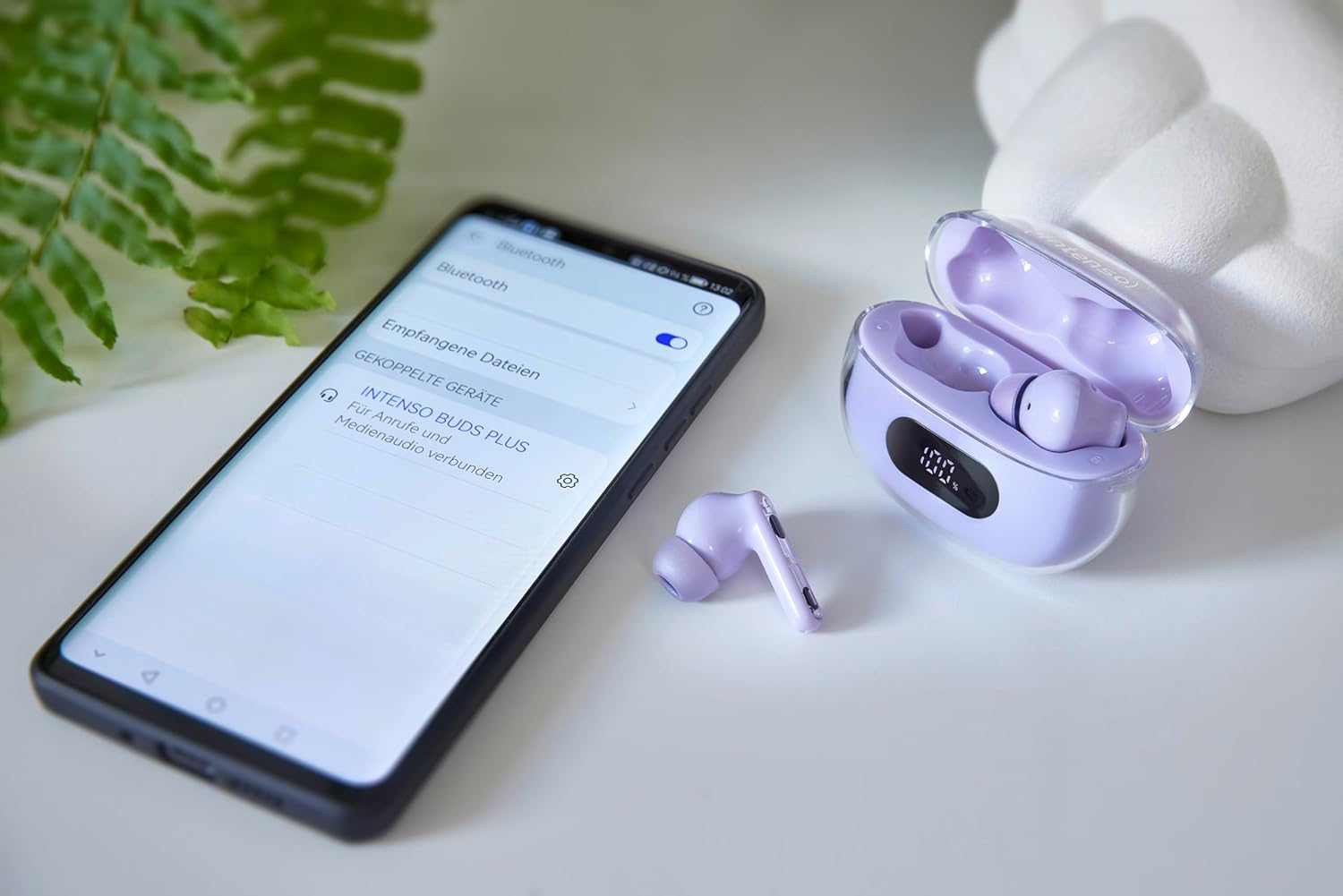
Image: Intenso Buds Plus TWS earbuds, charging case, and a smartphone displaying Bluetooth pairing settings.
3. Product voorbijview
The Intenso Buds Plus TWS earbuds feature a compact design with a transparent charging case. The earbuds are equipped with touch controls and integrated microphones for clear communication.

Image: Earbuds in open charging case with digital display.

Image: Features highlighted: ANC, ENC, and LED display.

Image: Charging case with 100% battery display.

Image: Close-up of individual earbuds.
4. Instellen
4.1 De oordopjes en het doosje opladen
Before first use, fully charge the earbuds and the charging case. The charging case features an LED display to indicate the battery level.
- Plaats de oordopjes in de oplaadcase.
- Sluit de oplaadcase aan op een USB-voedingsbron met behulp van de meegeleverde USB-kabel.
- Het led-display op de behuizing geeft de laadstatus weer.
- A full charge typically takes approximately 1.5 to 2 hours for the case and earbuds.

Image: LED status display on the charging case.
4.2 Bluetooth-koppeling
The Intenso Buds Plus earbuds utilize Bluetooth 5.4 for a stable and fast connection.
- Zorg ervoor dat de oordopjes zijn opgeladen en in de oplaadcase zitten.
- Open de oplaadcase. De oordopjes gaan automatisch in de koppelingsmodus.
- Ga op uw apparaat (smartphone, tablet, laptop) naar de Bluetooth-instellingen.
- Zoeken naar available devices and select "Intenso Buds Plus" from the list.
- Zodra de verbinding tot stand is gebracht, hoort u een bevestigingstoon. De oordopjes zijn dan klaar voor gebruik.

Image: Earbuds and case next to a smartphone.
5. Gebruiksaanwijzing
5.1 Aanraakbediening
The earbuds feature intuitive touch controls for managing audio playback, calls, and noise cancellation modes.
- Afspelen/Pauzeren: Tik één keer op een van de oordopjes.
- Volgende nummer: Dubbeltik op het rechteroordopje.
- Vorig nummer: Dubbeltik op het linkeroordopje.
- Oproep beantwoorden/beëindigen: Tik één keer op een van de oordopjes.
- Oproep afwijzen: Houd een van beide oordopjes 2 seconden ingedrukt.
- Volume omhoog: Tik drie keer op het rechteroordopje.
- Volume verminderen: Tik drie keer op het linkeroordopje.
- Activeer Voice Assistant: Houd een van de oordopjes 3 seconden ingedrukt (wanneer u niet aan het bellen bent).
5.2 Noise Cancellation Modes (ANC, ENC, Transparency)
The earbuds offer various modes to control your listening environment:
- Actieve ruisonderdrukking (ANC): Vermindert omgevingsgeluid, zodat u zich kunt concentreren op uw audio.
- Annulering van omgevingsgeluiden (ENC): Enhances voice clarity during calls by filtering out background noise.
- Transparantiemodus: Hiermee kunt u uw omgeving horen terwijl u toch van uw audio geniet, handig om alert te blijven in drukke omgevingen.
To switch between ANC, Transparency, and Normal modes, press and hold the touch area on the left earbud for 2 seconds. ENC is automatically active during calls.
5.3 Levensduur van de batterij
The earbuds provide up to 7 hours of playback on a single charge. The charging case extends the total playtime to approximately 25 hours, allowing for multiple recharges on the go.

Image: Illustration of battery life with and without charging case.
6. Onderhoud
To ensure the longevity and optimal performance of your Intenso Buds Plus earbuds, follow these maintenance guidelines:
- Schoonmaak: Maak de oordopjes en de oplaadcase regelmatig schoon met een zachte, droge, pluisvrije doek. Gebruik geen schuurmiddelen of oplosmiddelen.
- Oortips: Verwijder de oordopjes regelmatig en maak ze schoon met water en milde zeep. Zorg ervoor dat ze volledig droog zijn voordat u ze weer bevestigt.
- Oplaadcontacten: Keep the charging contacts on both the earbuds and inside the case clean and free of debris to ensure proper charging.
- Opslag: Wanneer u de oordopjes niet gebruikt, kunt u ze in de oplaadcase opbergen om ze te beschermen tegen stof en beschadigingen.
- Waterbestendigheid: De oordopjes zijn waterbestendig. Dompel ze niet onder in water en stel ze niet bloot aan overmatige vochtigheid. Droog ze grondig af als ze nat worden.
7. Probleemoplossing
Als je problemen ondervindt met je oordopjes, raadpleeg dan de volgende veelvoorkomende oplossingen:
| Probleem | Mogelijke oorzaak | Oplossing |
|---|---|---|
| Oordopjes koppelen niet | Low battery; Bluetooth off; Earbuds not in pairing mode; Device already connected to another Bluetooth device. | Charge earbuds and case; Ensure Bluetooth is enabled on your device; Place earbuds in case, close, then open to re-enter pairing mode; Disconnect from other devices. |
| Geen geluid | Volume too low; Earbuds not connected; Audio source paused. | Increase volume on earbuds and device; Reconnect earbuds; Check audio playback on your device. |
| Slechte geluidskwaliteit | Ear tips not properly sealed; Earbuds dirty; Interference. | Try different size ear tips for a better fit; Clean earbuds and ear tips; Move closer to your device or away from sources of interference. |
| Oordopjes laden niet op | Charging cable faulty; Charging contacts dirty; Power source issue. | Try a different USB cable; Clean charging contacts; Use a different USB port or power adapter. |
8. Specificaties
| Modelnaam | Knoppen Plus |
| Modelnummer | 3720313 |
| Merk | Intensief |
| Connectiviteitstechnologie | Draadloos (Bluetooth 5.4) |
| Plaatsing van de oren | In-ear |
| Vormfactor | In-oor |
| Ruisonderdrukking | Active Noise Cancellation (ANC), Environmental Noise Cancellation (ENC) |
| Controletype | Aanraakbediening |
| Speciale kenmerken | Noise Cancellation, Volume Control, Touch Control, Noise Isolation, Lightweight |
| Batterij Samenstelling | Lithium-polymeer |
| Oplaadbare batterij | Ja |
| Speeltijd (oordopjes) | Tot 7 uur |
| Totale speeltijd (met koffer) | Tot 25 uur |
| Waterbestendigheidsniveau | Waterbestendig |
| Materiaal | Plastic |
| Compatibele apparaten | Mobile phone, Tablet, Laptop, Game console, Car audio system |
9. Garantie en ondersteuning
Intenso products are designed for reliability and performance. For warranty information, technical support, or customer service inquiries, please refer to the contact details provided on the Intenso official webwebsite of uw aankoopdocumentatie.
Bewaar uw aankoopbewijs voor eventuele garantieclaims.