
1. Inleiding
This manual provides detailed instructions for the T-Wolf TF800 Gaming Combo, a 4-in-1 package designed for an enhanced gaming experience. The combo includes a backlit keyboard, a gaming mouse, a stereo headset with microphone, and a mouse pad. Please read this manual carefully before using the product to ensure proper setup and operation.

Image: T-Wolf TF800 Gaming Combo retail box. The box displays the included keyboard, mouse, headset, and mouse pad, highlighting features like floating keycaps, highlight light, multimedia keys, and ergonomic design.
2. Inhoud van het pakket
Zorg ervoor dat de volgende items in uw pakket aanwezig zijn:
- 1 x T-Wolf Gaming Keyboard
- 1 x T-Wolf Gaming Mouse
- 1 x T-Wolf Gaming Headset
- 1 x T-Wolf Gaming Mouse Pad
3. Installatie-instructies
Follow these steps to set up your T-Wolf TF800 Gaming Combo:
3.1 Keyboard Setup
- Zoek een beschikbare USB 2.0-poort op uw computer.
- Sluit de USB-connector van het toetsenbord aan op de USB-poort.
- Het besturingssysteem detecteert en installeert automatisch de benodigde drivers.
- The keyboard backlight will illuminate upon successful connection.
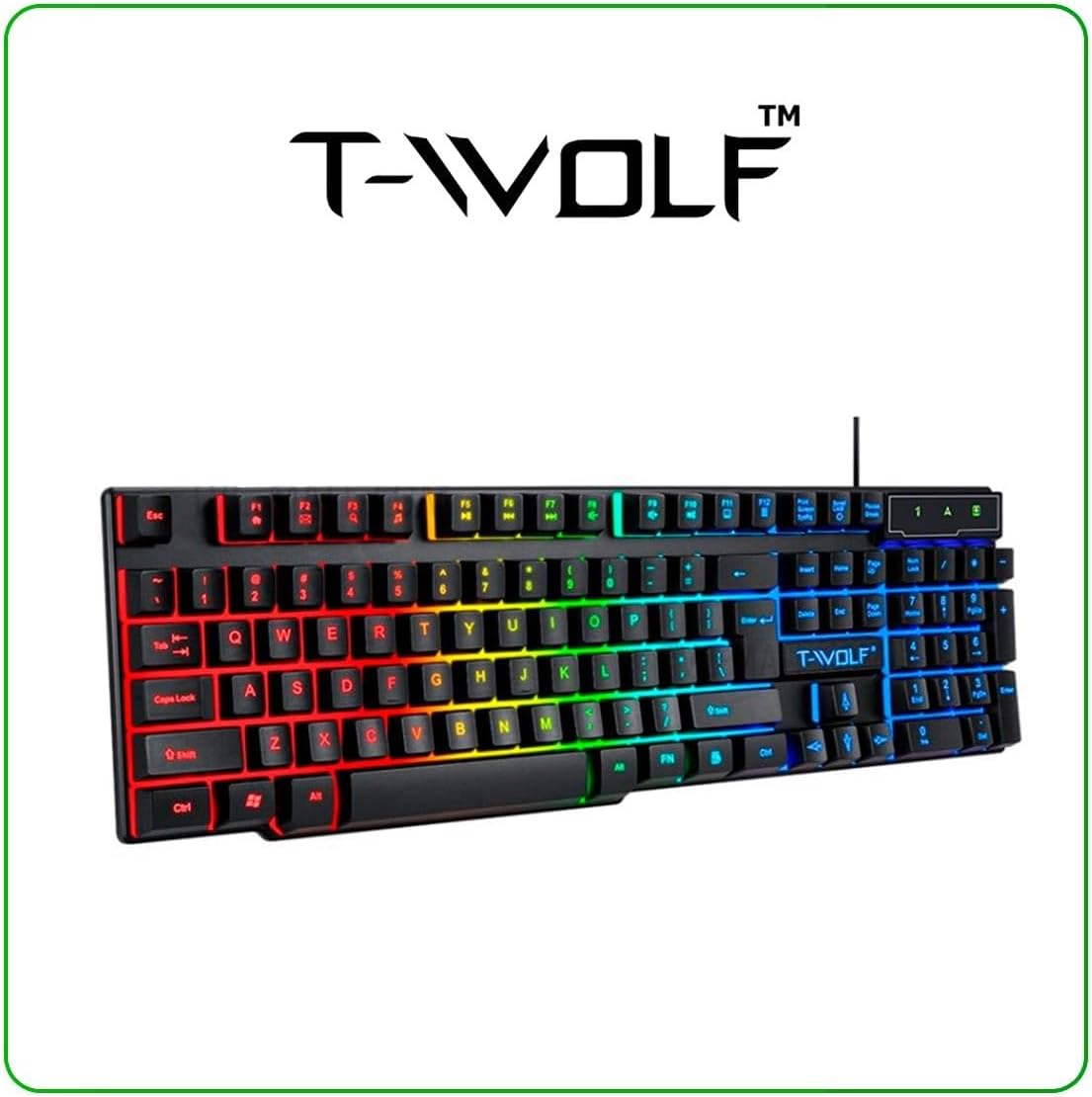
Image: T-Wolf Gaming Keyboard. This image shows the full 104-key layout with vibrant RGB backlighting, including the 'Ñ' key.
3.2 Mouse Setup
- Locate another available USB 2.0 port on your computer.
- Steek de USB-connector van de muis in de USB-poort.
- Het besturingssysteem detecteert en installeert automatisch de benodigde drivers.
- The mouse LED lighting will activate upon successful connection.

Image: T-Wolf Gaming Mouse. This image displays the ergonomic design of the mouse with multi-color RGB lighting accents.
3.3 Headset Setup
- Locate the 3.5mm audio jack on your computer (usually marked with a headphone icon).
- Plug the 3.5mm connector of the headset into the audio jack.
- If your computer has separate microphone and headphone jacks, you may need a Y-splitter (not included) or connect to a combined audio jack.
- Adjust the volume using the in-line control on the headset cable.
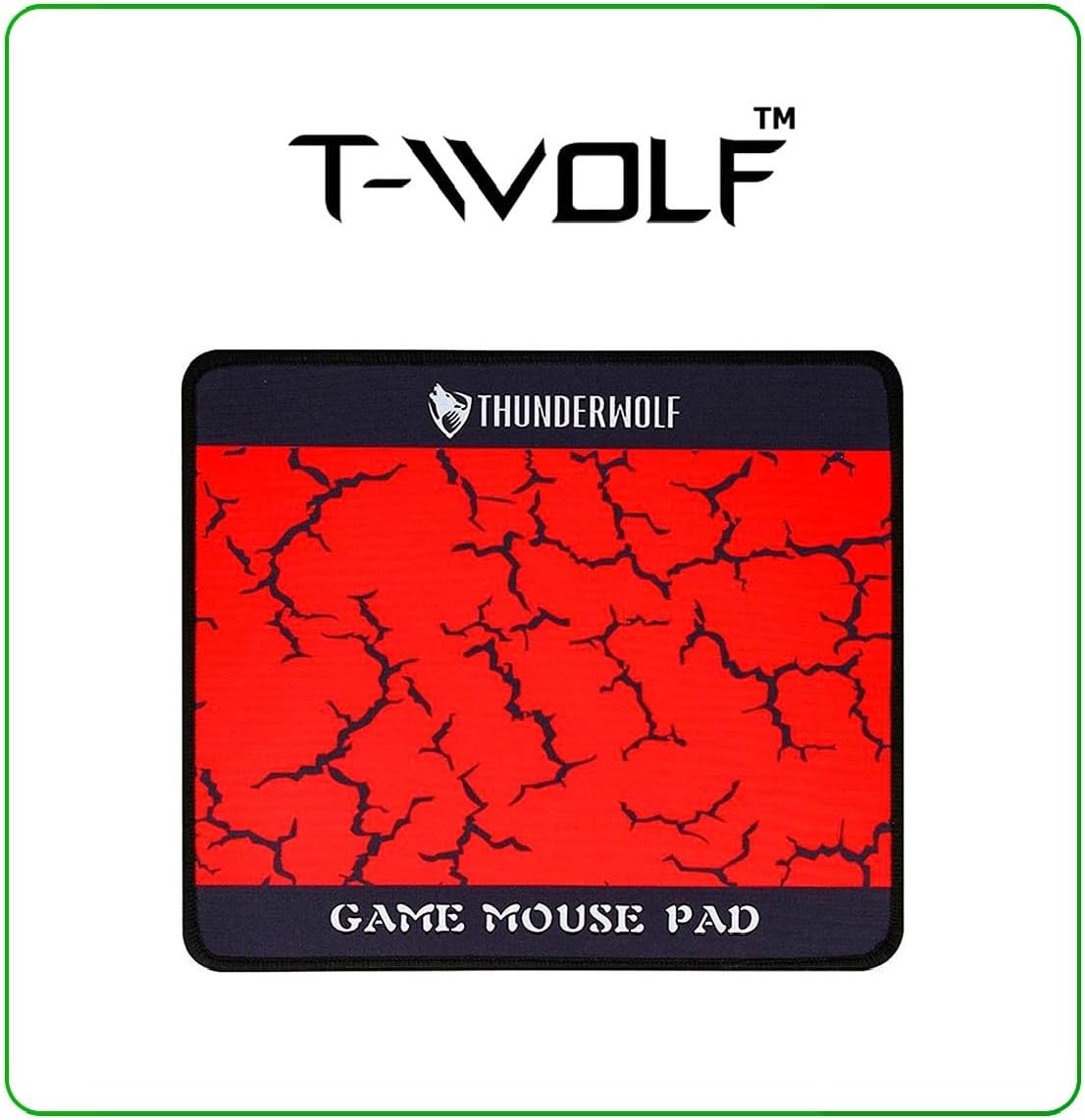
Image: T-Wolf Gaming Headset. This image shows the over-ear headset with a flexible microphone and red accents.
3.4 Mouse Pad Placement
- Leg de muismat op een vlak en schoon oppervlak.
- Ensure the non-slip rubber base is in full contact with the desk to prevent movement during use.
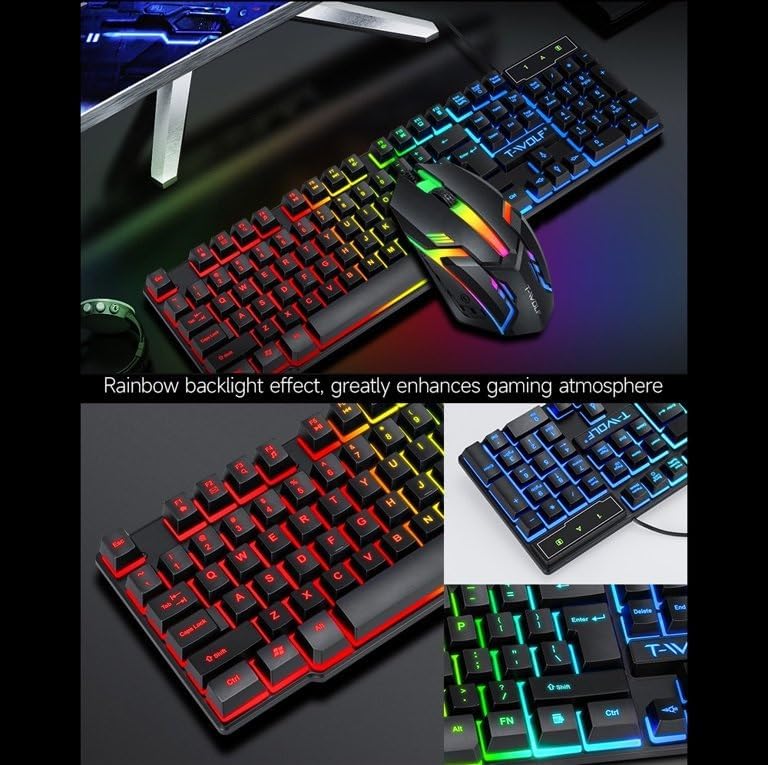
Image: T-Wolf Gaming Mouse Pad. This image features the mouse pad with a red cracked pattern and a black border, designed for optimal mouse precision.
4. Gebruiksaanwijzing
4.1 Toetsenbordbediening
- Achtergrondverlichting Controle: The keyboard features a 3-color LED backlight (Red, Blue, Green). Press the Scrollvergrendeling key to toggle the backlight ON/OFF.
- Multimedia toetsen: Utilize the dedicated multimedia keys (usually F-keys combined with Fn) for quick access to volume control, media playback, and other functions. Refer to the keyboard layout for specific key assignments.
- Ergonomisch ontwerp: The keyboard is designed for comfortable typing during extended use.

Image: T-Wolf Keyboard and Mouse. This image illustrates the rainbow backlight effect on both the keyboard and mouse, enhancing the gaming atmosphere.
4.2 Muisbediening
- DPI-aanpassing: The mouse supports adjustable DPI settings (up to 1200 DPI). Use the DPI button (typically located near the scroll wheel) to cycle through different sensitivity levels.
- LED-verlichting: The mouse features 4-color circular breathing LED lighting, which activates automatically when connected.
- Knoppen: The mouse has 3 buttons for standard operation.
4.3 Headset Operation
- Volumeregeling: Adjust the audio volume using the in-line control wheel located on the headset cable.
- Microfoongebruik: The microphone is foldable. Position it appropriately for clear voice communication. Ensure your computer's audio settings recognize the headset microphone as the input device.
- Stereogeluid: The headset provides stereo sound for deep bass and crisp treble.

Image: T-Wolf Gaming Headset in use and with dimensions. This image shows a user wearing the headset and provides detailed dimensions (200x130x100mm) for the headset.
5. Onderhoud
Goed onderhoud zorgt voor een lange levensduur en optimale prestaties van je gaming-setup.
- Schoonmaak:
- Use a soft, dry cloth to wipe down the keyboard, mouse, and headset.
- Voor hardnekkig vuil, lichtjes dampReinig de doek met water of een milde reinigingsoplossing. Vermijd agressieve chemicaliën.
- Do not immerse any component in water.
- The mouse pad can be gently hand-washed with mild soap and water, then air-dried.
- Opslag:
- Bewaar de combinatie op een koele, droge plaats, uit de buurt van direct zonlicht en extreme temperaturen.
- Avoid placing heavy objects on the keyboard or headset to prevent damage.
- Kabelbeheer: Avoid sharp bends or kinks in the cables to prevent internal wire damage.
6. Probleemoplossing
If you encounter any issues with your T-Wolf TF800 Gaming Combo, refer to the following common problems and solutions:
- Toetsenbord/muis reageert niet:
- Ensure the USB connectors are securely plugged into the computer's USB ports.
- Probeer de apparaten eens op verschillende USB-poorten aan te sluiten.
- Start uw computer opnieuw op.
- Check if the Scroll Lock key is pressed (for keyboard backlight).
- Headset No Sound/Microphone Not Working:
- Ensure the 3.5mm audio jack is fully inserted into the correct port.
- Check the in-line volume control on the headset cable and ensure it is not muted or set to minimum.
- Verify your computer's audio settings:
- For output, ensure the headset is selected as the default playback device.
- For input, ensure the headset microphone is selected as the default recording device.
- Test the headset on another device if possible to rule out a device-specific issue.
- LED-lampjes werken niet:
- For the keyboard, press the Scroll Lock key to toggle the backlight.
- Ensure the devices are properly connected via USB.
- Some systems may require specific drivers or software for advanced lighting control, though basic functionality should be plug-and-play.
7. Specificaties
Detailed specifications for each component of the T-Wolf TF800 Gaming Combo:
7.1 Specificaties van het toetsenbord
| Achtergrondverlichtingssysteem | 3-color LED (Red, Blue, Green) |
| Toetsindeling | 104 keys, includes 'Ñ' |
| Verbindingsinterface | USB 2.0 |
| Kabellengte | 1.45 meter (4.8 voet) |
| Levensduur van toetsaanslagen | 1 miljoen keer |
| Afmetingen | 430x130x30mm |
| Gewicht | 650 gram |
7.2 Specificaties van de muis
| DPI | 1200 |
| Knoppen | 3 |
| Achtergrondverlichting | 4-color circular breathing LED |
| Verbindingsinterface | USB 2.0 |
| Kabellengte | 1.35 meter (4.4 voet) |
| Leven na een beroerte | 2 miljoen keer |
| Gewicht | 95 gram |
7.3 Headset Specifications
| Luidsprekerdiameter | 50 mm |
| Impedantie | 32 Ω ± 15% |
| Frequentierespons | 20Hz-20kHz |
| Kabellengte | 1.8 meter |
| Nominaal vermogen | 25mW |
| Maximaal ingangsvermogen | 100mW |
| Stekkertype | 3.5 mm |
| Gevoeligheid van de microfoon | -58dB ± 3dB |
| Afmetingen | 200x130x100mm |
| Gewicht | Not specified in detail, but generally lightweight |
7.4 Mouse Pad Specifications
| Maat | 300x250x2mm |
| Materiaal | Cloth surface, Rubber base |
| Functies | Ultra-smooth weave surface, Anti-slip bottom |
| Gewicht | 122 gram |
8. Garantie-informatie
This T-Wolf TF800 Gaming Combo comes with a standard manufacturer's warranty against defects in materials and workmanship. The specific duration and terms of the warranty may vary by region and retailer. Please retain your proof of purchase for warranty claims. For detailed warranty information, refer to the documentation provided at the point of purchase or contact your retailer.
9. Klantenservice
If you require further assistance or have questions not covered in this manual, please contact your retailer or the product manufacturer's customer support.
- Ondersteuning voor winkeliers: Refer to the contact information provided by your purchase retailer.
- Ondersteuning van de fabrikant: For general inquiries, please visit the official T-Wolf website (if available) or search for T-Wolf customer service online.