
1. Inleiding
Thank you for choosing the BOOSANT 60-inch Smart Ceiling Fan with Light. This manual provides detailed instructions for the safe installation, operation, and maintenance of your new ceiling fan. This fan features a 6-speed DC motor, integrated dimmable LED lighting with three color temperatures, and multiple control options including remote, smartphone app, and voice commands via Alexa or Google Assistant. Its damp-proof blades make it suitable for both indoor and covered outdoor environments.
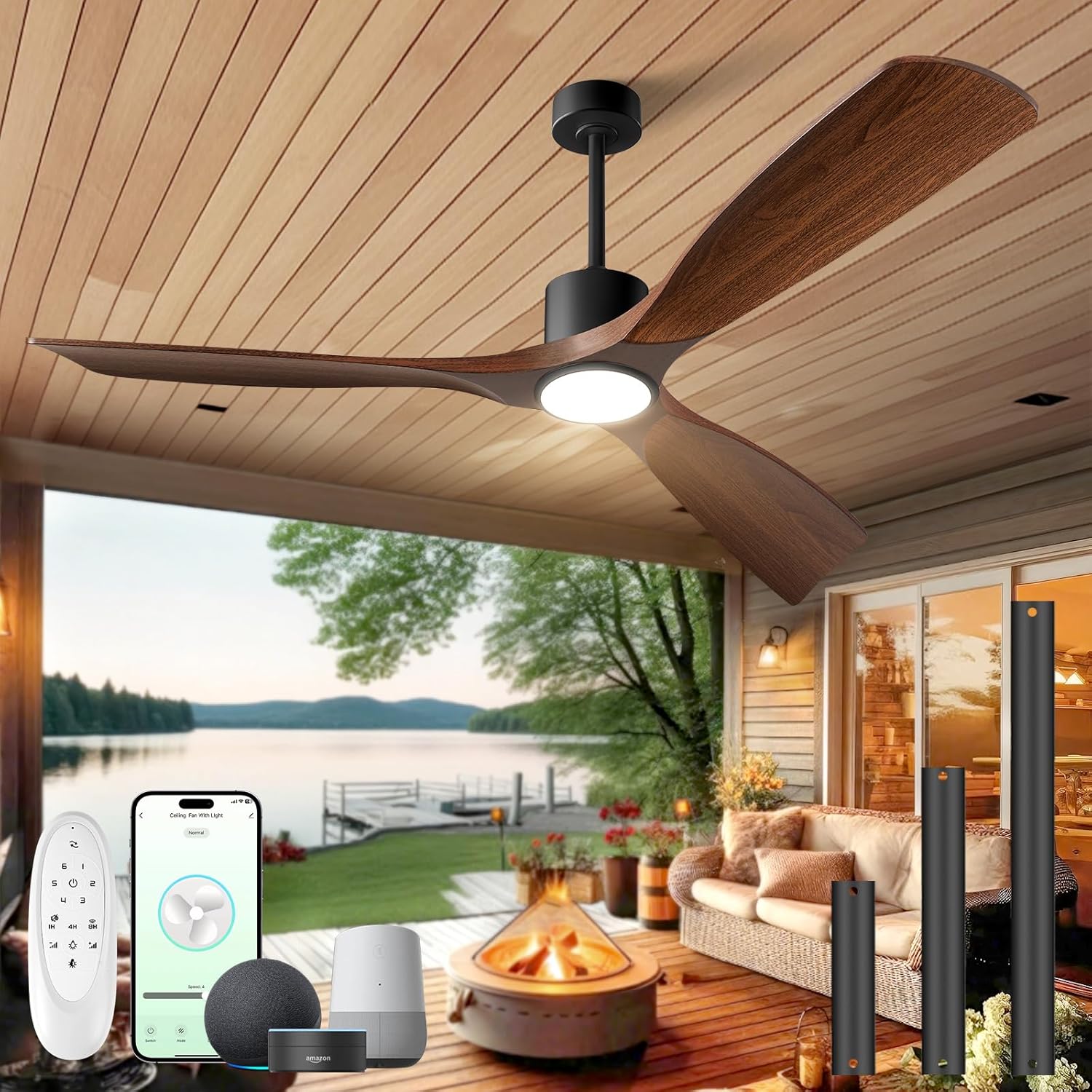
This image displays the BOOSANT 60-inch smart ceiling fan with its dark walnut blades and integrated light, installed on a covered outdoor patio overlooking a lake. The image also shows the remote control, a smartphone displaying the control app, and smart home devices (Alexa, Google Assistant) for voice control, along with various downrod lengths.
2. Veiligheidsinformatie
Lees alle instructies aandachtig door voordat u met de installatie begint. Het niet opvolgen van deze instructies kan leiden tot een elektrische schok, brand of letsel.
- Zorg ervoor dat de stroom is uitgeschakeld bij de stroomonderbreker voordat u met de installatie of het onderhoud begint.
- Alle bedrading moet voldoen aan de nationale en lokale elektrische voorschriften. Raadpleeg een gekwalificeerde elektricien als u niet bekend bent met bedrading.
- De montageconstructie moet het gewicht van de ventilator (ongeveer 16.17 kg) kunnen dragen.
- Do not connect the fan to a dimmer switch or variable speed controller other than the provided remote or app.
- Houd een minimale afstand van 2,1 meter (7 voet) tussen de vloer en de ventilatorbladen aan.
- Plaats geen voorwerpen in de weg van de messen.
- Deze ventilator is geschikt voor damp locations but not for direct water contact.
3. Inhoud van het pakket
Controleer of alle componenten aanwezig zijn vóór de installatie:
- Ventilatormotorconstructie
- Ventilatorbladen (3)
- Lichtset
- Afstandsbediening
- Verlengstangen (5 inch, 10 inch, 15 inch)
- Montagebeugel
- Hardwarepakket (schroeven, ringen, draadmoeren)
- Gebruiksaanwijzing
4. Specificaties
| Functie | Specificatie |
|---|---|
| Merk | BOOSANT |
| Modelnaam | 102L-60 |
| Maat | 60 INCH |
| Kleur | Donkere walnoot |
| Energiebron | DC |
| Motortype | DC brushless |
| Aantal bladen | 3 |
| Luchtstroomcapaciteit | 4500 CFM (up to 7000+ CFM with turbo airflow) |
| Geluidsniveau | Minder dan 30 dB |
| Wattage | 50 watt |
| Deeltage | 120 Volt |
| Lichtkleurtemperaturen | 3000K (Warm White), 4000K (Neutral White), 6000K (Daylight) |
| Dimbaar licht | 10% tot 100% |
| Controlemethoden | App, Remote, Voice (Alexa, Google Assistant) |
| Binnen-/buitengebruik | Binnen, overdekt buiten |
| Installatietype | Downrod Mount with Slope Support (up to 15°) |
| Artikelgewicht | 16.17 pond |
5. Installatie en installatie
Installation typically takes around 30 minutes. Ensure you have the necessary tools (screwdriver, wire strippers, ladder) and follow these general steps:
- Schakel de stroom uit: Locate the circuit breaker for the fan's location and turn off the power.
- Montagebeugel: Secure the mounting bracket to the ceiling junction box. Ensure the junction box is rated for ceiling fan support.
- Monteer de verlengstang: Choose the appropriate downrod length (5", 10", or 15") for your ceiling height. Attach the downrod to the fan motor assembly.
- Hangventilator: Til de ventilatorunit voorzichtig op en hang hem aan de montagebeugel.
- Bedrading: Connect the electrical wires according to the wiring diagram provided in the separate installation guide. Ensure all connections are secure.
- Messen bevestigen: Bevestig de drie ventilatorbladen stevig aan de motorbehuizing.
- Installatie verlichtingsset: Connect and install the integrated LED light kit.
- Testventilator: Restore power at the circuit breaker and test the fan's functions using the remote control.
The fan supports both flat ceilings and sloped ceilings up to 15 degrees. A minimum ceiling height of 8 feet is recommended for optimal performance.

This image provides key dimensions for the 60-inch ceiling fan, including its width and height with different downrod options (5, 10, 15 inches). It also illustrates how the fan can be mounted on both flat ceilings and sloped ceilings (up to 15 degrees), with a minimum recommended height of 8 feet.
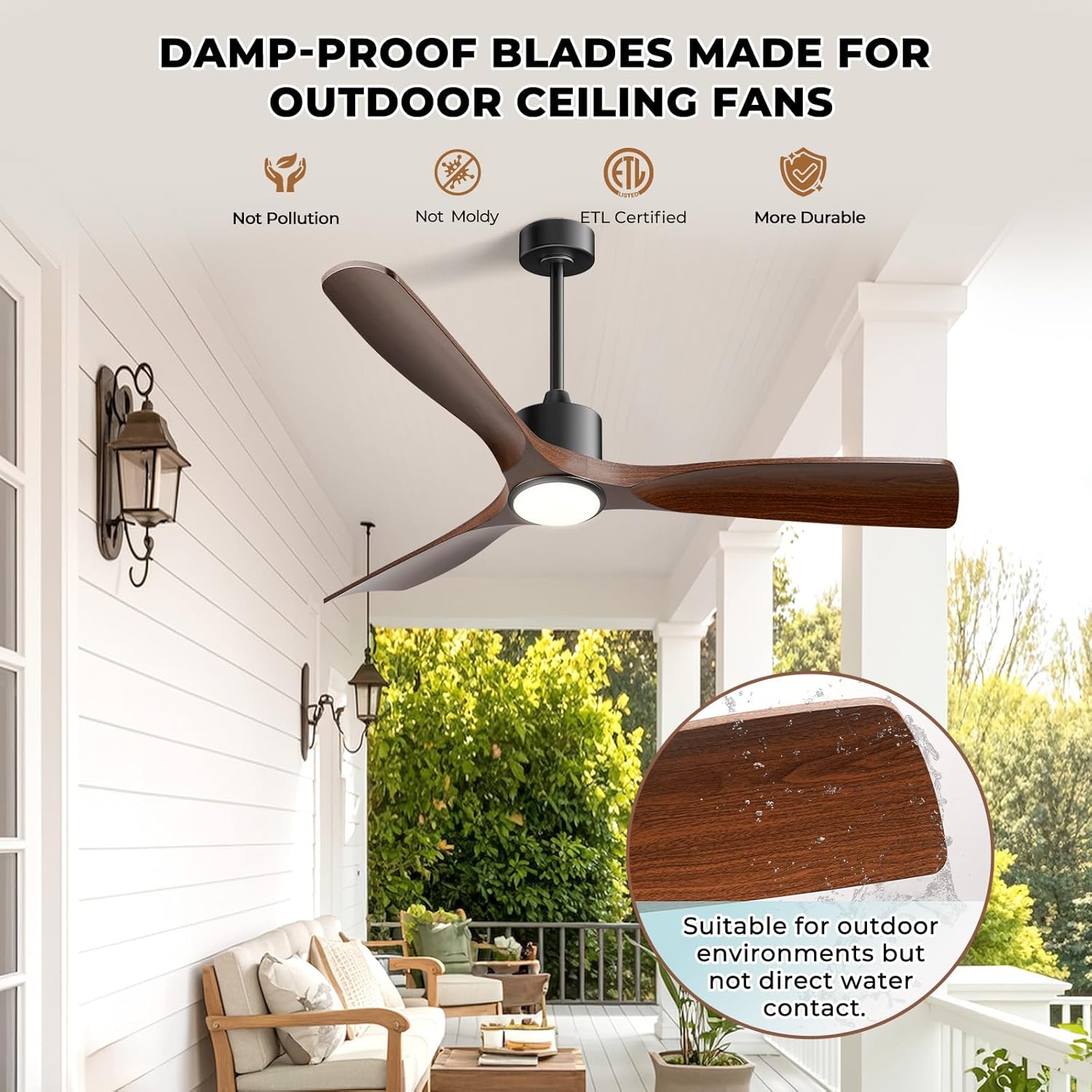
This image emphasizes the durability of the fan's damp-proof blades, suitable for covered outdoor areas. The fan is shown installed on a patio, and an inset image displays water droplets on a blade, indicating its moisture resistance. Text confirms suitability for outdoor environments but not direct water contact.
6. Gebruiksaanwijzing
6.1 afstandsbediening
The included remote control allows for full functionality of the fan and light. Ensure batteries are correctly inserted.
- Ventilator AAN/UIT: Druk hierop om de ventilator aan of uit te zetten.
- Snelheidsregeling (1-6): Adjust fan speed from gentle breeze (1) to powerful airflow (6).
- Licht AAN/UIT: Druk op om het licht aan of uit te zetten.
- Helderheid +/-: Stel de lichthelderheid in van 10% tot 100%.
- Kleurtemperatuur: Cycle through 3000K (Warm White), 4000K (Neutral White), and 6000K (Daylight).
- Tijdklok: Stel de ventilator zo in dat deze na 1, 4 of 8 uur uitschakelt.
- Omkeerbare motor: Schakel tussen de zomerstand (neerwaartse luchtstroom) en de winterstand (opwaartse luchtstroom).
- Wi-Fi-koppeling: Press and hold the designated button for 3 seconds to initiate Wi-Fi pairing.
6.2 App-besturing
Download the dedicated smartphone app (refer to the separate app guide for details) to control your fan from anywhere. The app provides all remote control functions and additional smart features.
6.3 Spraakbesturing
The fan is compatible with Amazon Alexa and Google Assistant. Link your fan to your smart home system through the app. Use simple voice commands such as:
- "Alexa, turn on the [Fan Name] fan."
- "Hey Google, set [Fan Name] speed to 3."
- "Alexa, turn off the [Fan Name] light."

This image illustrates the smart voice control capabilities of the BOOSANT ceiling fan. A family is shown in a kitchen setting, with speech bubbles indicating voice commands like 'Alexa, turn on the bedroom fan' and 'OK'. The fan is visible overhead, and logos for Amazon Alexa and Google Assistant are displayed.
6.4 Lichtfuncties
The integrated LED light offers personalized illumination:
- 3 Ambient Light Colors: Choose between 3000K Warm White, 4000K Neutral White, and 6000K Daylight to suit your mood or activity.
- Dimbaar: Adjust brightness from 10% to 100% for perfect ambiance.
- Geheugenfunctie: The light remembers your last setting when turned off and on.

This image highlights the adjustable lighting features of the ceiling fan. It shows the fan's integrated light emitting three distinct color temperatures: 6000K Cool White, 4500K Natural White, and 3000K Warm White. A horizontal bar indicates dimming capability from 12% to 100% brightness.
6.5 Fan Speeds and Airflow
The 6-speed DC motor provides powerful yet quiet airflow, up to 4500 CFM, with a turbo airflow capacity exceeding 7000 CFM.
- Snelheden 1-2: Gentle breeze, ideal for sleeping or minimal air circulation.
- Snelheden 3-4: Medium airflow for comfortable enjoyment in most settings.
- Snelheden 5-6: High airflow for rapid cooling, suitable for warmer conditions.

This image details the fan's 6-speed operation and powerful airflow. It shows the fan installed in a bedroom, with graphics illustrating different wind speeds (Speed 1-2 for Low Wind/sleep, Speed 3-4 for Medium/family enjoyment, Speed 5-6 for High Winds/summer cooling) and their corresponding CFM values.
6.6 Zomer- en wintermodi
De omkeerbare motor zorgt het hele jaar door voor comfort:
- Zomermodus: De bladen draaien tegen de klok in en duwen koele lucht naar beneden, waardoor een verfrissend briesje ontstaat.
- Wintermodus: De lamellen draaien met de klok mee, waardoor koele lucht omhoog wordt gezogen en warme lucht van het plafond naar beneden wordt geduwd, wat helpt om de warmte gelijkmatiger te verdelen.

This image illustrates the dual-use functionality of the fan's reversible motor. It shows two scenarios: one for summer with downward airflow for cooling, and another for winter with upward airflow to circulate warm air, helping to maintain comfort year-round.

This image highlights the fan's quiet operation, showing a child sleeping undisturbed in a bedroom with the fan running. Text indicates 'Night-Friendly Design' and 'Low Noise <30dB', along with features like 'Natural Wind' and 'Timer Setting (2H/4H/8H)' for enhanced sleep comfort.
7. Onderhoud
Regelmatig onderhoud zorgt ervoor dat uw plafondventilator optimaal presteert en lang meegaat.
- Schoonmaak: Veeg de ventilatorbladen en de motorbehuizing regelmatig af met een zachte, droge doek.amp doek. Gebruik geen schurende reinigingsmiddelen of oplosmiddelen.
- Bladbalans: If the fan wobbles, check that all blade screws are tight and that the blades are properly balanced. Balancing kits are available if needed.
- Verlichtingsset: De LED-lichtbron is geïntegreerd en hoeft doorgaans niet te worden vervangen. Neem bij problemen contact op met de klantenservice.
- Bevestigingsmiddelen vastdraaien: Annually check all screws and fasteners for tightness.
8. Probleemoplossing
Als u problemen ondervindt met uw ventilator, raadpleeg dan de volgende veelvoorkomende problemen en oplossingen:
| Probleem | Mogelijke oorzaak | Oplossing |
|---|---|---|
| Ventilator start niet | No power, loose wiring, remote battery dead | Check circuit breaker, ensure wiring is secure, replace remote batteries. |
| Ventilator wiebelt | Loose blades, unbalanced blades, loose mounting bracket | Tighten blade screws, use a blade balancing kit, ensure mounting bracket is secure. |
| Het licht werkt niet | Loose wiring, light kit connection issue | Check light kit wiring connections. |
| Afstandsbediening werkt niet | Dead batteries, remote not paired | Replace remote batteries, re-pair the remote with the fan (refer to pairing instructions). |
| App-/spraakbesturing werkt niet | Wi-Fi connectivity issue, incorrect app setup | Check Wi-Fi connection, ensure fan is properly linked in the app and smart home system. |
If problems persist, please contact BOOSANT customer support.
9. Garantie en ondersteuning
BOOSANT is committed to providing quality products and customer satisfaction. This product comes with lifetime customer support.
For technical assistance, troubleshooting, or warranty inquiries, please contact BOOSANT customer service. Refer to the contact information provided with your purchase or on the official BOOSANT webplaats.