
T-Wolf GG-G530
Gebruikershandleiding voor de T-Wolf RoboCop Competitive Gaming Mouse GG-G530
Model: GG-G530
Invoering
This manual provides essential information for the setup, operation, and maintenance of your T-Wolf RoboCop Competitive Gaming Mouse GG-G530. Please read this manual thoroughly before using the product to ensure optimal performance and longevity.
Inhoud van het pakket
- 1 x T-Wolf RoboCop Competitive Gaming Mouse GG-G530
- 1 x Gebruikershandleiding (dit document)
Producteigenschappen
The T-Wolf RoboCop Competitive Gaming Mouse GG-G530 is designed for precision and comfort, suitable for both gaming and office use. Key features include:
- Optical Engine Design: Ensures stable operation and high sensitivity.
- Mechanical Armored Modeling: Distinctive and robust design.
- Symmetrical DIY Counterweight: Allows for adaptable weight adjustment.
- 7 Knoppen: Includes left click, right click, scroll wheel, DPI switcher, and additional programmable buttons.
- Intelligente connectiviteit: Plug-and-play functionality with automatic driver installation.
- Instelbare DPI: Four levels of sensitivity (1200/2400/3200/6400 DPI) for precise control.
- Ergonomisch ontwerp: Provides comfortable use for extended periods without fatigue.
- Four-Color Light Effect: Dynamic lighting for visual appeal.
- Bekabelde verbinding: Reliable USB interface with a 150cm cable.
- Systeemcompatibiliteit: Ondersteunt Windows- en Mac-besturingssystemen.
Instellen
- Sluit de muis aan: Insert the USB connector of the T-Wolf RoboCop Gaming Mouse into an available USB port on your computer.
- Automatische driverinstallatie: The operating system will automatically detect the mouse and install the necessary drivers. This process typically takes a few moments. No manual driver installation is required.
- Klaar om te gebruiken: Zodra de stuurprogramma's zijn geïnstalleerd, is de muis direct klaar voor gebruik.
Gebruiksaanwijzing
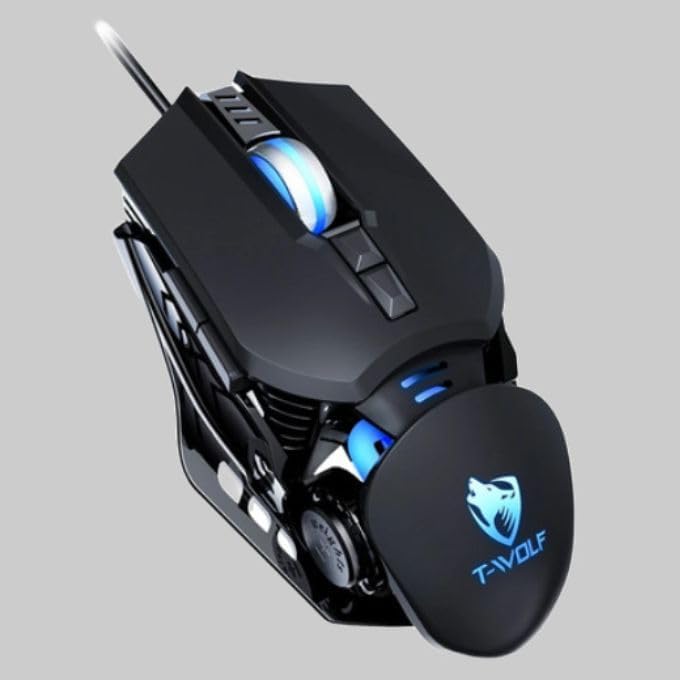
The T-Wolf RoboCop Gaming Mouse features 7 buttons for various functions. Familiarize yourself with their basic operations:
- Linkermuisknop: Primaire selectie en interactie.
- Rechtermuisknop: Accesses contextual menus and secondary functions.
- Muis wieltje: Bladert door documenten en web pagina's. Kan ook functioneren als een middelste muisklikknop.
- DPI Switcher Button: Past de muisgevoeligheid aan (DPI).
- Extra Knoppen: The remaining buttons can be assigned specific functions through your operating system's mouse settings or compatible third-party software (note: no macro programming is natively supported by the mouse hardware).

DPI-aanpassing
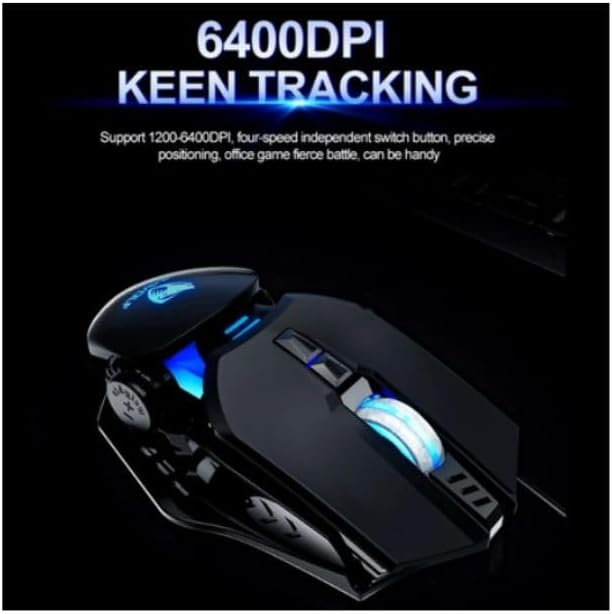
The mouse features an adjustable DPI (Dots Per Inch) setting, allowing you to change the cursor sensitivity on the fly. This is particularly useful for different tasks, such as precise aiming in games or fast navigation in general use.
- Zoek de DPI Switcher Button, typically positioned behind the scroll wheel.
- Press the DPI Switcher Button to cycle through the available DPI settings: 1200 DPI, 2400 DPI, 3200 DPI, and 6400 DPI.
- Each press will change the sensitivity, allowing you to find the setting that best suits your current activity.
Onderhoud
To ensure the longevity and optimal performance of your T-Wolf RoboCop Gaming Mouse, follow these simple maintenance guidelines:
- Schoonmaak: Gebruik een zachte, droge doek om het oppervlak van de muis af te vegen. Voor hardnekkig vuil, lichtjesampReinig de doek met water of een milde reinigingsoplossing. Vermijd agressieve chemicaliën of schurende materialen.
- Optische sensor: Periodically clean the optical sensor on the underside of the mouse with a cotton swab to prevent dust buildup, which can affect tracking performance.
- Kabelonderhoud: Buig of trek niet hard aan de USB-kabel om interne schade te voorkomen.
- Opslag: Wanneer u de muis niet gebruikt, bewaart u deze op een schone, droge plaats, uit de buurt van extreme temperaturen.
Probleemoplossing
If you encounter issues with your T-Wolf RoboCop Gaming Mouse, refer to the following common solutions:
- Muis reageert niet:
- Zorg ervoor dat de USB-kabel goed is aangesloten op een werkende USB-poort op uw computer.
- Probeer de muis op een andere USB-poort aan te sluiten.
- Start uw computer opnieuw op.
- De cursor beweegt schokkerig of onregelmatig:
- Maak de optische sensor aan de onderkant van de muis schoon.
- Zorg ervoor dat u de muis gebruikt op een schoon, niet-reflecterend en egaal oppervlak. Muismatten worden aanbevolen.
- DPI-aanpassing werkt niet:
- Ensure you are pressing the correct DPI switcher button.
- The mouse cycles through fixed DPI settings; there is no visual indicator on the mouse itself for the current DPI level, only the change in cursor speed.
- Knoppen werken niet:
- Check your operating system's mouse settings to ensure buttons are enabled and configured correctly.
- Test the mouse on another computer to rule out a software or system issue.
Specificaties
| Model | GG-G530 |
| Materiaal | ABS + Electroplating |
| Volgsysteem | Optisch |
| Verbinding | Bedraad |
| Kabellengte | 150cm |
| Interfacetype | USB |
| DPI-instellingen | 1200 / 2400 / 3200 / 6400 (instelbaar) |
| Aantal knoppen | 7 |
| Levensduur | Approximately three years |
| Werk methode | foto-elektrisch |
| Lichteffect | Four-color cycling |
| Artikelgrootte | 130x80x35mm |
| Artikelgewicht | 160 gram |
| Ondersteunde systemen | Windows, Mac |
Garantie en ondersteuning
Your T-Wolf RoboCop Competitive Gaming Mouse GG-G530 comes with a 6 maanden fabrieksgarantie vanaf de aankoopdatum.
This warranty covers defects in materials and workmanship under normal use. It does not cover damage caused by accident, misuse, abuse, unauthorized modification, or external causes such as liquid damage.
For warranty claims or technical support, please contact your retailer or the point of purchase. Please retain your proof of purchase for warranty validation.
