
1. Product voorbijview
The 4DRC 4D-S6 Remote Control Shark Toy is designed for aquatic fun, featuring realistic movement, 2.4G remote control, and special functions like water spray and LED lights. This manual provides essential information for safe and optimal operation.

Figure 1: Product components including the shark toy, remote control, two modular batteries, and a USB charging cable.
2. Installatie-instructies
2.1 Uitpakken en eerste inspectie
- Carefully remove the remote control shark and all accessories from its packaging.
- Controleer alle onderdelen op beschadigingen. Neem contact op met de klantenservice als er onderdelen beschadigd of ontbreken.
2.2 Batterij installeren en opladen
The shark toy uses a modular lithium battery, and the remote control requires its own batteries (included). Ensure proper installation and charging for optimal performance.
- For the Shark Toy: Locate the battery compartment on the underside of the shark. Insert the modular lithium battery, ensuring it clicks securely into place. Close the compartment cover firmly to maintain its waterproof seal.
- Voor de afstandsbediening: Open the battery compartment on the back of the remote control. Insert the required batteries (typically 2 C batteries, included) according to the polarity markings. Close the compartment.
- Charging the Shark Battery: Connect the modular lithium battery to the provided USB charging cable. Connect the USB cable to a suitable power source (e.g., computer USB port, USB wall adapter). The charging time is approximately 50 minutes. The indicator light on the charger will change to indicate a full charge.

Figure 2: The modular battery design for the shark toy, emphasizing ease of installation and replacement.
2.3 De afstandsbediening koppelen
- Turn on the shark toy by pressing its power button.
- Schakel de afstandsbediening in. Het indicatielampje op de afstandsbediening zal knipperen.
- Place the shark in water. The remote control and shark will automatically pair using 2.4GHz wireless technology. The remote's indicator light will become solid once paired.
3. Gebruiksaanwijzing
The 4DRC 4D-S6 shark toy is designed to operate exclusively in water. Do not attempt to operate it on dry land.
3.1 Basisbedieningen
Use the remote control to navigate the shark. The 2.4GHz remote provides precise control over movement.
- Vooruit achteruit: Use the directional buttons to move the shark forward or backward.
- Links/Rechts: Use the directional buttons to steer the shark left or right.
- Variabele snelheid: The remote allows for variable speed control, enabling both slow cruising and faster movements.
Video 1: Demonstrates the 4DRC shark toy's remote control in action, showing its movement and water spray function in a pond with fish.
3.2 Speciale functies
- Waterspuit: Activate the water spray function via the remote control for added realism and fun.
- Flitsende lichten: The shark is equipped with flashing LED lights, enhancing visibility and enjoyment, especially in low-light conditions.
- Automatische modus: Engage auto mode for pre-programmed movement patterns.
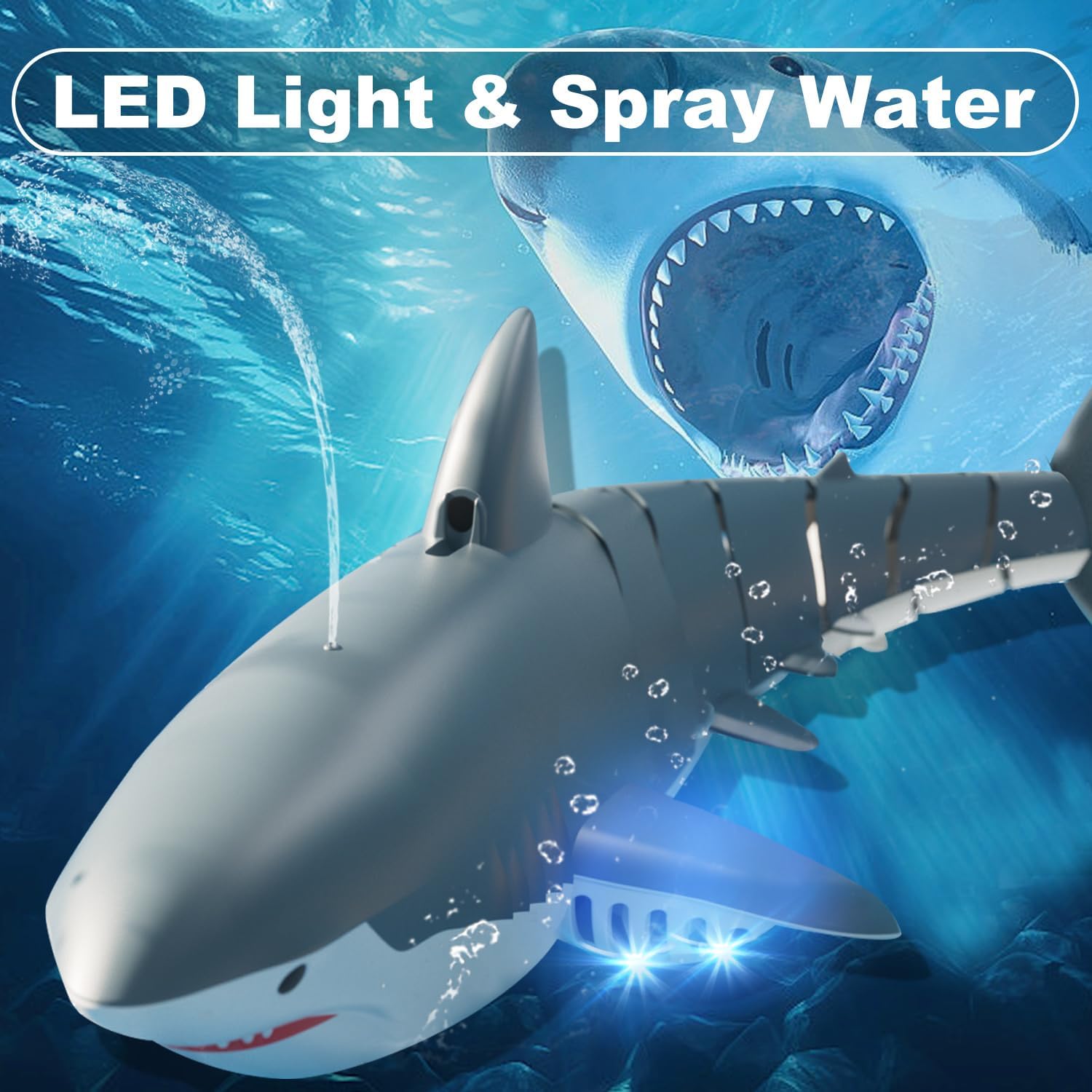
Figure 3: The shark toy demonstrating its LED light and water spray features while in motion.
3.3 Water Sensing Technology
The shark toy features an off-water sensing mechanism. It will automatically power off when removed from water to conserve battery and prevent accidental operation.
Video 2: Shows the remote control shark toy in a pool, demonstrating its movement, water spray, LED lights, and the off-water sensing feature.
3.4 Multiplayer Control
The 2.4GHz remote control system allows for multiple shark toys to be operated simultaneously without interference, making it ideal for competitive play or group activities.

Figure 4: Two shark toys in action, highlighting the multiplayer control feature without interference.
4. Onderhoud
4.1 Na gebruik
- Remove the shark toy from the water.
- Turn off both the shark toy and the remote control.
- Carefully remove the modular lithium battery from the shark toy.
- Wipe down the shark toy and remote control with a soft, dry cloth to remove any water or debris.
4.2 Reiniging en opslag
- Ensure the shark toy and remote control are completely dry before storing.
- Store the toy and its components in a cool, dry place, away from direct sunlight and extreme temperatures.
- Do not submerge the remote control in water. While the shark toy is waterproof, the remote is not designed for full submersion.
5. Probleemoplossing
If you encounter any issues with your 4DRC 4D-S6 Remote Control Shark Toy, please refer to the following common solutions:
- Toy not turning on: Ensure the modular battery is fully charged and correctly installed in the shark. Check that the remote control batteries are fresh and correctly inserted.
- Toy not responding to remote: Verify that both the shark and remote are powered on and successfully paired. Ensure the shark is placed in water, as it features an off-water sensing safety mechanism.
- Korte speelduur: The battery may not be fully charged, or it might be nearing the end of its lifespan. Ensure the battery is charged for the recommended 50 minutes.
- Water spray not working: Check for any blockages in the water spray nozzle. Ensure the shark is sufficiently submerged in water.
- Verlichting werkt niet: Check for proper battery connection and ensure the light function is activated on the remote.
If these steps do not resolve the issue, please contact 4DRC customer support for further assistance.
6. Specificaties
| Functie | Detail |
|---|---|
| Merknaam | 4DRC |
| Modelnaam | 4D-S6 |
| Leeftijdscategorie Beschrijving | 3-5, 5-7 years (Manufacturer Minimum Age: 96 months) |
| Materiaalsoort | Plastic |
| Energiebron | Op batterijen |
| Batterijtype | Lithium-Ion (Shark), 2 C batteries (Remote) |
| Oplaadtijd | 50 minuten |
| Afspeeltijd | 20 minuten |
| Frequentie afstandsbediening | 2.4 GHz |
| Draadloze afstand | 40m |
| Artikelgewicht | 0.56 kilogram |
| Artikelafmetingen | 7 x 8 x 2 inch |
| Binnen-/buitengebruik | Outdoor (Water environments only) |
7. Garantie en ondersteuning
For warranty information, product support, or to inquire about replacement parts, please contact 4DRC customer service. Refer to the product packaging or the official 4DRC webwebsite voor contactgegevens.
Online hulp: Visit the 4DRC Store on Amazon for FAQs and additional resources: 4DRC Winkel