
Invoering
This manual provides comprehensive instructions for the installation, operation, and maintenance of your DEWENWILS Pool Pump Timer and 300W Low Voltage Pool Light Transformer. This combined unit is designed to provide automated control for pool pumps and safe low-voltage power for pool and outdoor lighting applications. Please read this manual thoroughly before installation and use to ensure proper function and safety.
Belangrijke veiligheidsinformatie
WAARSCHUWING: Risico op elektrische schokken. Always disconnect power before servicing. More than one disconnect switch may be required to de-energize the device before servicing.
- This device is not intended for water immersion.
- Use copper conductors only for all wiring connections.
- Always ensure the enclosure door is securely closed after installation or servicing.
- Use listed wiring connectors for grounding terminals.
- For the transformer, connect only to a circuit protected by a Class A Ground Fault Circuit Interrupter (GFCI).
- Zorg ervoor dat alle bedrading wordt uitgevoerd door een gekwalificeerde elektricien en voldoet aan de plaatselijke elektrische voorschriften.
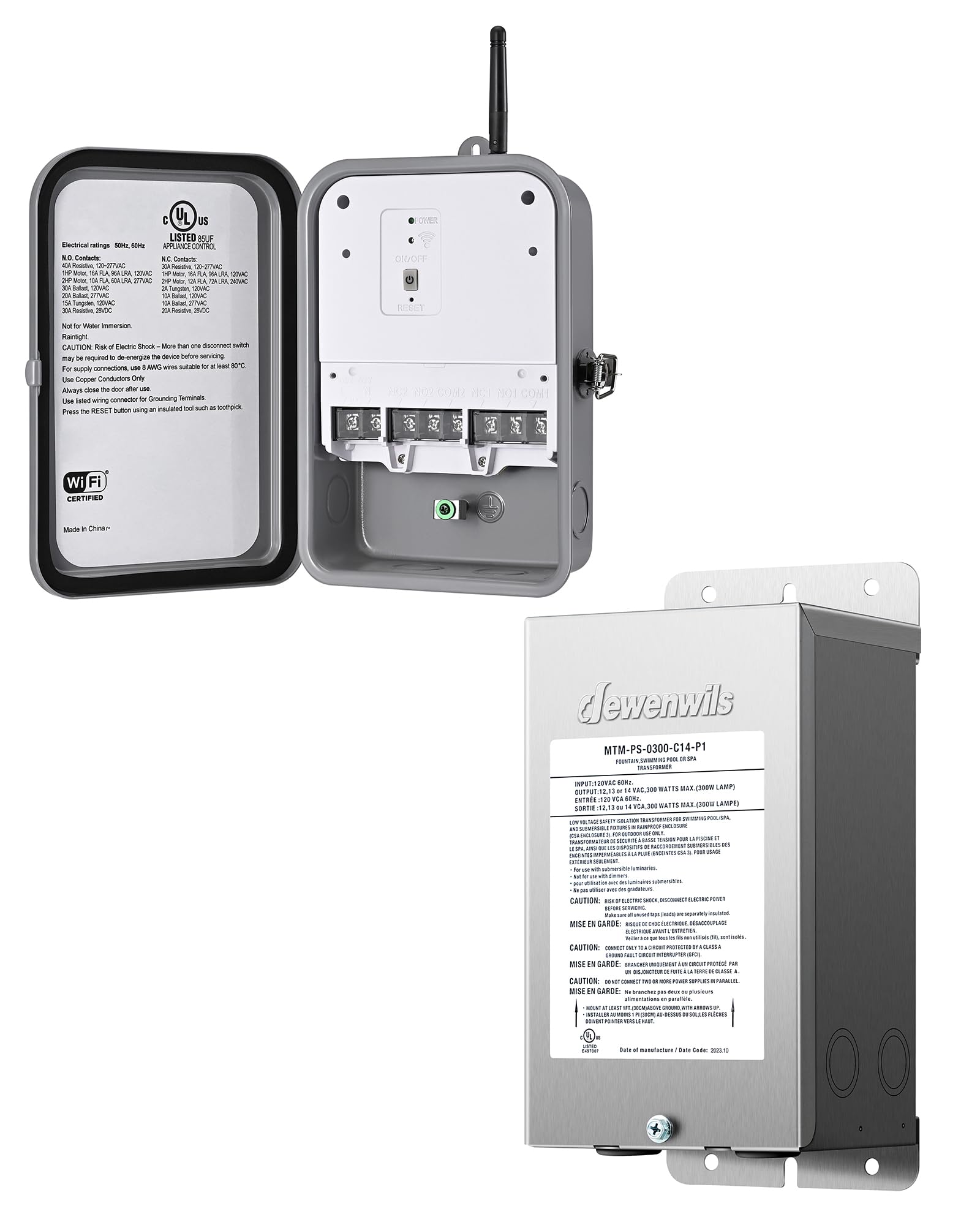
Image: The DEWENWILS Pool Pump Timer enclosure open, showing internal wiring terminals, control buttons, and safety labels. The labels indicate electrical ratings and important safety warnings regarding electric shock and wiring practices.
Product voorbijview
DEWENWILS Outdoor Wi-Fi Pool Pump Timer
This outdoor-rated Wi-Fi timer box allows for automated control of heavy-duty appliances such as pool pumps. It features programmable timer, random, and countdown modes, supporting up to 12 ON/OFF settings. The unit is designed for outdoor use with a durable, weatherproof metal case.

Image: A graphic illustrating the high power capabilities of the pool timer, including 40A Resistive, 120/240/277 VAC, 1HP at 120VAC, and 2HP at 240VAC.
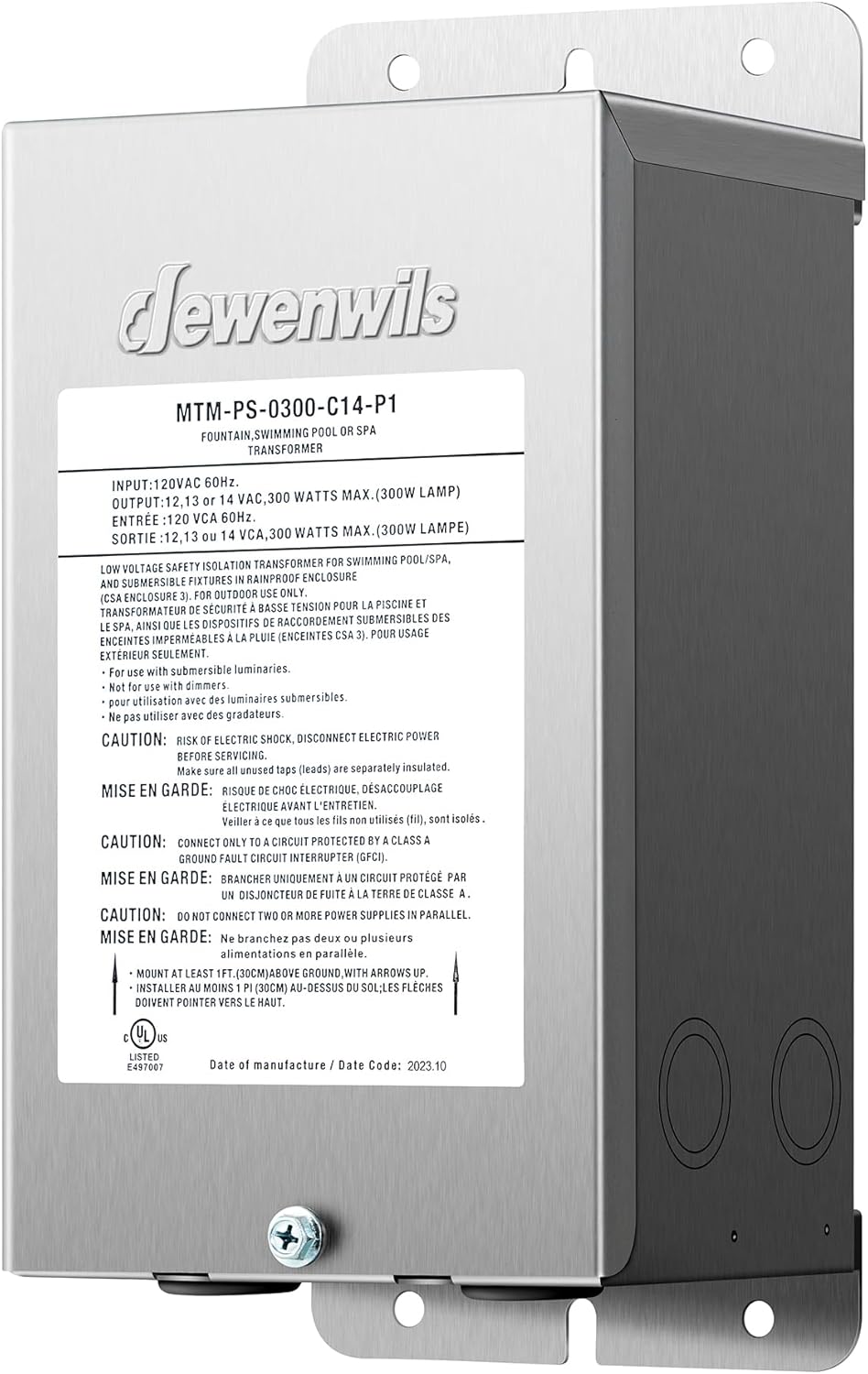
Image: An illustration demonstrating the weatherproof capabilities of the outdoor timer, indicating operation in temperatures ranging from -40°F to 140°F, and highlighting its UL Listed status and metal case construction.
DEWENWILS 300W Laag Volumetage Pool Light Transformer
This 300W transformer converts standard 120V AC household electricity to a safer 12V, 13V, or 14V AC output, suitable for pool, spa, and outdoor landscape lighting. It features a multi-tap design for flexible circuit connections and is housed in a durable metal enclosure with heat dissipation features.
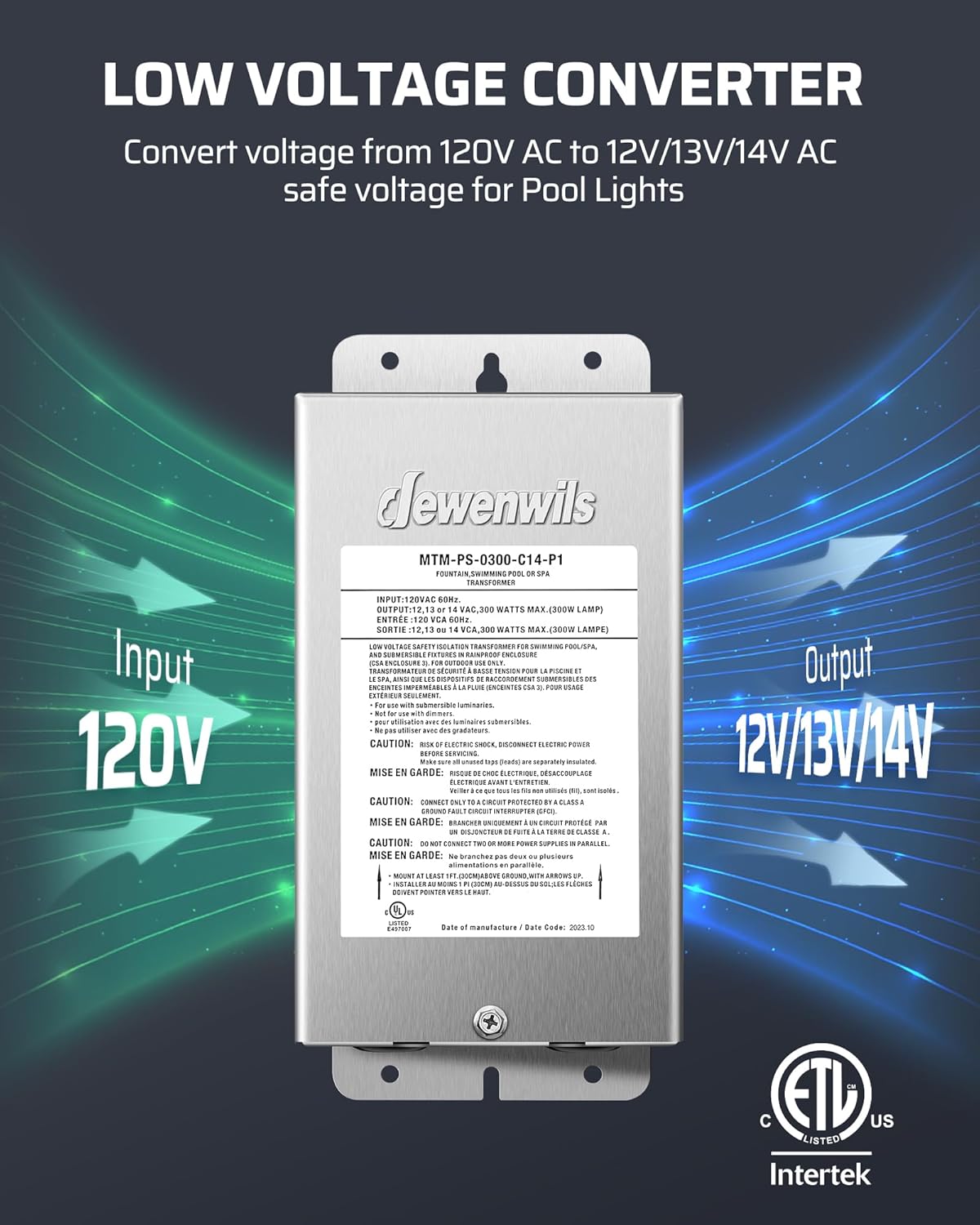
Image: A graphic showing the DEWENWILS low voltage converter, illustrating its function of converting 120V AC input to 12V/13V/14V AC output for pool lights.
Specificaties
Pool Pump Timer Electrical Ratings
| Contactpersoon | Beoordeling |
|---|---|
| N.O. (Normally Open) Contacts | 40A Resistive, 120-277VAC 1HP Motor, 16A FLA, 96A LRA, 120VAC 2HP Motor, 10A FLA, 60A LRA, 277VAC 20A Ballast, 120VAC 20A Ballast, 277VAC 10A Wolfraam, 120VAC 20A Resistive, 277VAC |
| N.C. (Normally Closed) Contacts | 3A Resistive, 120-277VAC 1HP Motor, 12 FLA, 72A LRA, 120VAC 2HP Motor, 12 FLA, 72A LRA, 240VAC 5A Ballast, 120VAC 10A Ballast, 127VAC 10A Ballast, 277VAC 20A Resistief, 90VDC |
Draadvereiste: For supply connections, use 8 AWG wires suitable for at least 80°C.
Laag volumetage Pool Light Transformer Specifications
| Parameter | Waarde |
|---|---|
| Ingangsvolumetage | 120VAC, 60Hz |
| Uitgangsvolumetage | 12V / 13V / 14V wisselstroom |
| Maximaal vermogen | 300 Watts (300W Lamp) |
| Type | Laag volumetage Safety Isolation Transformer for Swimming Pool/Spa |
| Certificeringen | UL Listed, ETL Listed |

Image: The product label for the DEWENWILS 300W Low Voltage Transformer, displaying input/output specifications, safety warnings, and certification marks.
Algemene productspecificaties
- Merk: DEWENWILS
- Materiaal: Metaal
- Kleur: Zwart
- Timer instellingen: Tot 12 AAN/UIT-instellingen
Instellen en installeren
Pool Pump Timer Installation
- Montage: The timer features a hanging mount point at the top for direct wall installation. Ensure it is mounted in a location that allows for proper ventilation and access for wiring.
- Bedrading: The timer is designed for easy wiring. Two updated jumper wires are included to facilitate the wiring process. Refer to the internal wiring diagram on the product label for correct connections. Ensure all connections are secure and comply with the specified wire gauge (8 AWG for supply connections, suitable for at least 80°C).
- Wi-Fi-integratie: The timer is Wi-Fi enabled. Once powered, follow the instructions in the accompanying app guide (not included in this manual) to integrate it with your existing router. No additional hardware setup is required for Wi-Fi connectivity.
Laag volumetage Pool Light Transformer Installation
- Montage: Mount the transformer at least 1 foot (30 cm) above ground level, ensuring the arrows on the unit point upwards for proper heat dissipation. The unit includes 2 holders to keep it slightly away from the wall, further aiding heat dissipation.
- Bedrading: The transformer features 10 knockouts (φ1.06’’) for threading wires. Separate high voltage en laag volumetage compartments are provided for convenient and safe wiring. Connect the 120V AC input to the high voltage side and your low voltage lights (12V/13V/14V AC) to the output terminals.
- Circuit bescherming: Always connect the transformer to a circuit protected by a Class A Ground Fault Circuit Interrupter (GFCI) to prevent electric shock.
- Multi-Tap Design: Utilize the multi-tap design to easily add or remove new circuits for connecting various pool and outdoor lights.
Gebruiksaanwijzing
Pool Pump Timer Operation
- Handmatig AAN/UIT: Use the physical ON/OFF button on the timer unit for immediate manual control.
- Programmeerbare timer: Utilize the Wi-Fi connectivity and the associated mobile application to set up to 12 ON/OFF schedules. This allows for automatic operation of your connected appliance at specific times.
- Willekeurige modus: For security or varied operation, activate the random mode via the mobile application. This will turn the connected appliance on and off at irregular intervals within a set period.
- Countdown-modus: Set a countdown timer for the appliance to turn off after a specified duration.
- Resetfunctie: If a reset is needed, press the RESET button located on the timer unit using an insulated tool, such as a toothpick.
Onderhoud
The DEWENWILS Pool Pump Timer and Low Voltage Transformer are constructed with durable metal and a sealed design for reliable outdoor performance. Regular maintenance is minimal:
- Controleer het apparaat regelmatig op tekenen van schade of slijtage.
- Ensure the enclosure door remains securely closed to maintain its weatherproof integrity.
- Keep the area around the transformer clear to allow for proper heat dissipation.
- Maak de buitenkant schoon met adamp Maak de doek naar behoefte schoon. Gebruik geen agressieve chemicaliën of schurende reinigingsmiddelen.
Probleemoplossing
If you encounter issues with your DEWENWILS Pool Pump Timer or Low Voltage Transformer, consider the following:
- Geen stroom: Check the circuit breaker and ensure all wiring connections are secure. Verify the power source is active.
- Timer Not Responding: Ensure the unit is powered. If using Wi-Fi, check your router and internet connection. Try pressing the RESET button with an insulated tool.
- Lights Not Working (Transformer): Verify the 120V AC input to the transformer. Check the low voltage wiring to the lights for any breaks or loose connections. Ensure the lights themselves are functional. Confirm the GFCI circuit is not tripped.
- Problemen met Wi-Fi-connectiviteit: Ensure the timer is within range of your Wi-Fi router. Restart your router and the timer. Re-attempt the Wi-Fi setup process via the mobile application.
For persistent issues not resolved by these steps, please contact DEWENWILS customer support.
Klantenservice
For technical assistance, warranty information, or to report any issues, please contact DEWENWILS customer support through the official website or your purchase platform. Please have your product model number (B0D25778FP) and purchase date available when contacting support.