
1. Inleiding
Bedankt voor uw aankoopasing the eKids Marvel Deadpool Wireless Earbuds. These earbuds are designed to provide a high-quality audio experience with the convenience of wireless connectivity. This manual will guide you through the setup, operation, and maintenance of your new earbuds.
Lees deze handleiding zorgvuldig door voordat u het product gebruikt en bewaar de handleiding voor toekomstig gebruik.
2. Product voorbijview
The eKids Marvel Deadpool Wireless Earbuds feature a distinctive Deadpool design and offer wireless stereo sound streaming with a built-in microphone for calls. They come with a portable charging case and multiple ear cushion sizes for comfort.
Belangrijkste kenmerken:
- Wireless stereo sound streaming
- Ingebouwde microfoon voor oproepen
- Three sizes of rubber ear cushions (small, medium, large) for personalized comfort
- USB-C-oplaadaansluiting
- Bluetooth-connectiviteit
- Up to 22 hours total music playtime with charging case
- Ergonomic shape for comfort
- Lichtgewicht constructie
- Compatible with iPhone, Android, smartphones, tablets, and computers
- Suitable for gaming, audiobooks, video calls, and various entertainment/educational content
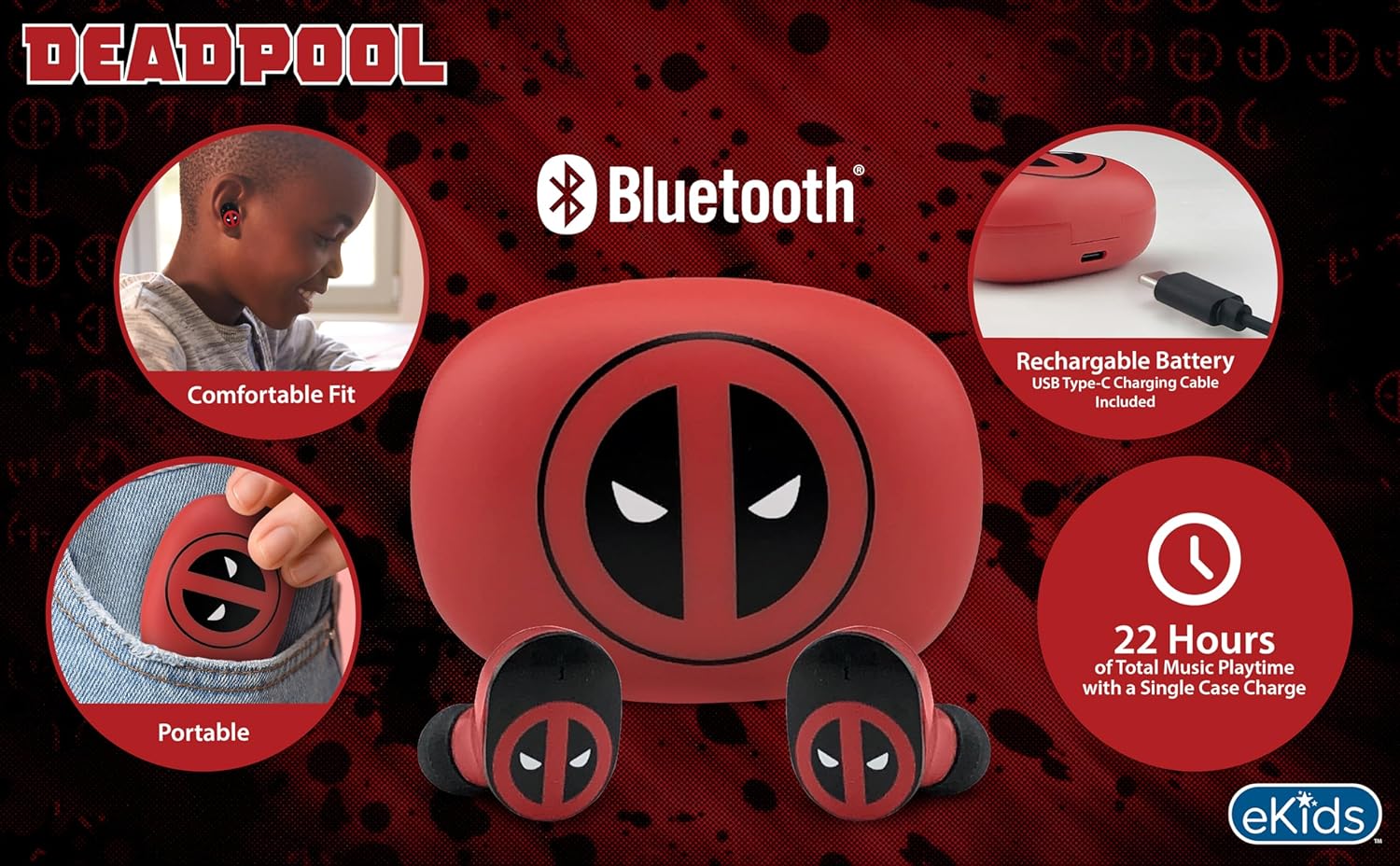
Image 2.1: The eKids Marvel Deadpool Wireless Earbuds and their charging case, showcasing the distinctive Deadpool logo.
3. Instellen
3.1 De oordopjes en het doosje opladen
- Open the charging case and place both earbuds inside, ensuring they are correctly seated.
- Sluit de meegeleverde USB-C-oplaadkabel aan op de oplaadpoort van de behuizing.
- Sluit het andere uiteinde van de USB-C-kabel aan op een compatibele USB-voedingsbron (bijvoorbeeld een computer of een wandadapter).
- Het indicatielampje op de oplaadcase gaat branden om de laadstatus aan te geven. Zodra de batterij volledig is opgeladen, kan het lampje van kleur veranderen of uitgaan.
A full charge provides up to 22 hours of total music playtime, with the case offering 2.5 times extra charge for the earbuds.

Image 3.1: The Deadpool-themed charging case with the USB-C charging cable connected, illustrating the charging process.
3.2 Koppelen met een Bluetooth-apparaat
- Zorg ervoor dat de oordopjes zijn opgeladen en in de oplaadcase zitten.
- Open the charging case. The earbuds will automatically power on and attempt to connect to the last paired device.
- Ga op uw apparaat (smartphone, tablet, computer) naar de Bluetooth-instellingen.
- Zoeken naar available devices and select "eKids Deadpool Earbuds" (or similar name).
- Once connected, the LED light on the earbuds will stop flashing or change to a solid color.
The earbuds are compatible with iPhone, Android, and other Bluetooth-enabled devices.
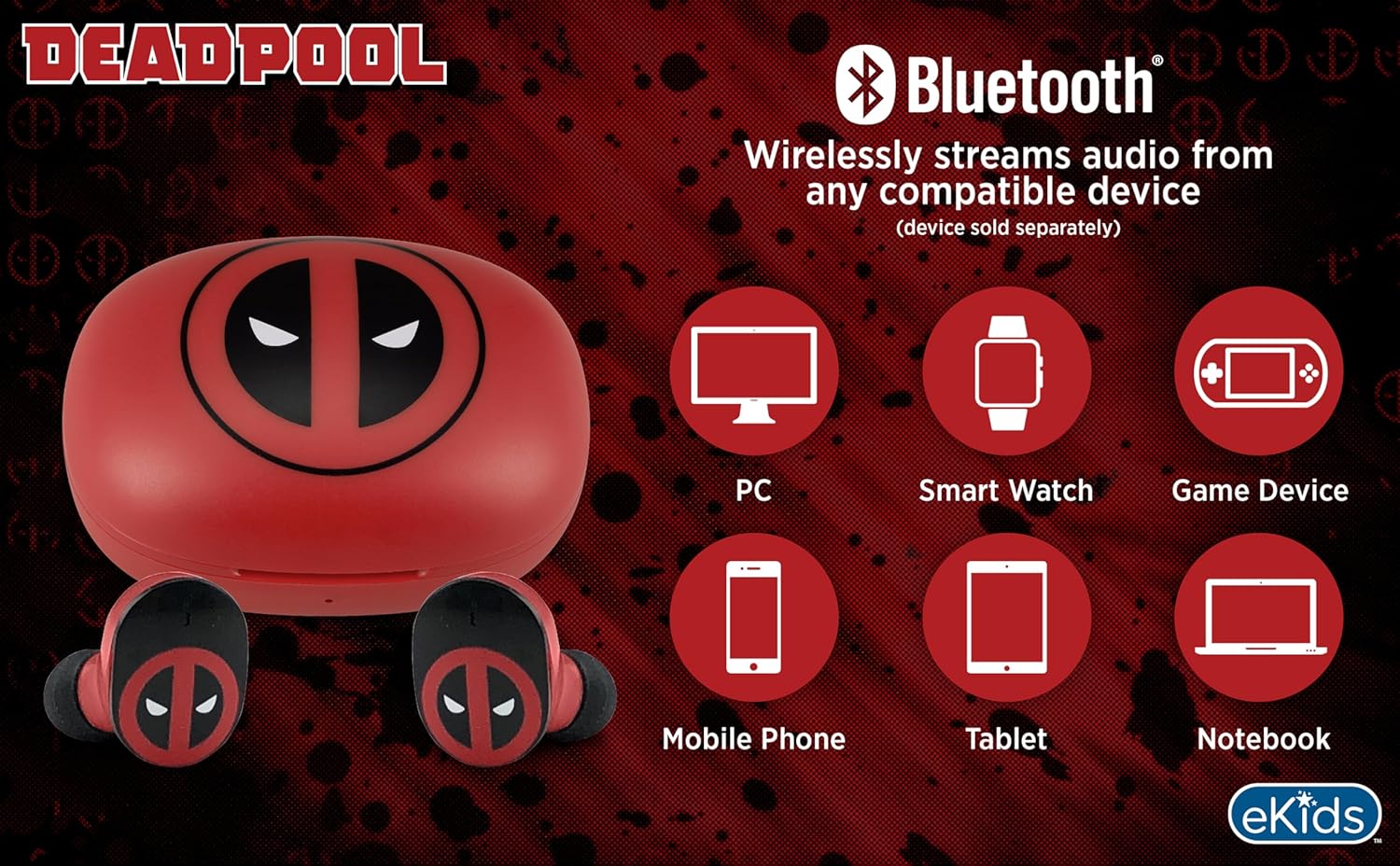
Image 3.2: An illustration showing the Bluetooth connectivity of the earbuds with various devices such as PCs, smartwatches, game devices, mobile phones, tablets, and notebooks.
3.3 Selecting Ear Cushions for Comfort
The earbuds come with three sizes of rubber ear cushions (small, medium, large) to ensure a comfortable and secure fit. Experiment with different sizes to find the best fit for your ears. A proper fit enhances sound quality and comfort.
- Gently remove the pre-installed ear cushions from the earbuds.
- Select a different size ear cushion.
- Carefully attach the new ear cushion to the earbud, ensuring it is securely fastened.

Image 3.3: The Deadpool earbuds shown with the three different sizes of ear cushions included for a customized fit.
4. De oordopjes bedienen
4.1 In-/uitschakelen
- Inschakelen: Open het oplaadhoesje en de oordopjes schakelen automatisch in en proberen verbinding te maken met het laatst gekoppelde apparaat.
- Uitschakelen: Plaats de oordopjes terug in de oplaadcase en sluit het deksel. Ze worden automatisch uitgeschakeld en beginnen met opladen.
4.2 Muziek afspelen
- Afspelen/Pauzeren: Tik één keer op een van beide oordopjes.
- Volgende nummer: Dubbeltik op het rechteroordopje.
- Vorig nummer: Dubbeltik op het linker oordopje.
- Volumeregeling: Pas het volume rechtstreeks aan via uw aangesloten apparaat.
4.3 Telefoongesprekken
Dankzij de ingebouwde microfoon kunt u handsfree bellen.
- Oproep beantwoorden/beëindigen: Tik één keer op een van beide oordopjes.
- Oproep afwijzen: Houd een van beide oordopjes 2 seconden ingedrukt.
5. Onderhoud
- Schoonmaak: Reinig de oordopjes en het oplaadhoesje met een zachte, droge doek. Gebruik geen schurende reinigingsmiddelen of oplosmiddelen.
- Opslag: Wanneer u de oordopjes niet gebruikt, kunt u ze in de oplaadcase bewaren om ze te beschermen en ervoor te zorgen dat ze opgeladen blijven.
- Vermijd water: These earbuds are not waterproof. Avoid exposure to water or excessive moisture.
- Temperatuur: Do not expose the earbuds or case to extreme temperatures.
6. Probleemoplossing
| Probleem | Oplossing |
|---|---|
| Oordopjes koppelen niet. | Ensure earbuds are charged. Turn off Bluetooth on your device and turn it back on. Forget the device in your Bluetooth settings and re-pair. |
| Geen geluid uit één oordopje. | Place both earbuds back in the charging case, close the lid, then open it again. Check device audio balance settings. |
| Oplaadcase laadt niet op. | Controleer de USB-C-kabel en de stroomadapter. Zorg ervoor dat de kabel goed is aangesloten op zowel de behuizing als de stroombron. |
| Slechte geluidskwaliteit. | Ensure earbuds are properly seated in your ears with the correct size ear cushions. Move closer to your connected device to avoid interference. |
7. Specificaties
- Merk: eKids
- Model: B0D1CS61NB
- Kleur: Deadpool (Red/Black)
- Oor plaatsing: In het oor
- Vormfactor: In het oor
- Impedantie: 32 Ohm
- Bluetooth-afstand: ≥ 10M / 32ft
- Gevoeligheid: 100dB ± 3dB at 1kHz spl
- Levensduur batterij: Up to 22 hours total playtime with charging case
- Oplaadpoort: USB-C
- Afmetingen (koffer): Approximately 2.4 in / 6.2 cm (width) x 1.8 in / 4.6 cm (height) x 1.2 in / 3.1 cm (depth)
- Dimensions (Earbud): Approximately 0.9 in / 2.5 cm (height) x 0.7 in / 1.8 cm (width)

Image 7.1: A detailed diagram illustrating the dimensions and key specifications of the Deadpool wireless earbuds and their charging case.
8. Garantie en ondersteuning
Voor garantie-informatie en klantenservice kunt u de bij uw aankoop meegeleverde documentatie raadplegen of de officiële eKids-website bezoeken. webwebsite. Bewaar uw aankoopbewijs voor eventuele garantieclaims.
For additional assistance, you may contact eKids customer service directly.
9. Officiële productvideo
Video 9.1: Een officiële productvideo die het product demonstreertasing the eKids Marvel Deadpool Wireless Earbuds, highlighting their features and design. This video provides a visual overview of the product's functionality and appearance.