
1. Inleiding
The Ortis Hi-Lo Sump Pump Switch Controller KJ-033 is an electronic adjustable float switch designed for automatic water level management in various applications such as sewage pits, fish tanks, and water tanks. It features stainless steel anti-corrosion dual sensors and supports both 220V and 110V AC power inputs. This manual provides detailed instructions for installation, operation, maintenance, and troubleshooting to ensure optimal performance and longevity of your device.
2. Veiligheidsinformatie
Lees alle veiligheidsinstructies zorgvuldig door vóór installatie en gebruik. Het niet opvolgen van deze instructies kan leiden tot een elektrische schok, brand of ernstig letsel.
- Elektrisch gevaar: Zorg ervoor dat de stroomtoevoer is losgekoppeld voordat u installatie-, onderhouds- of probleemoplossingswerkzaamheden uitvoert.
- Deeltage Compatibiliteit: Controleer of het volume van de voedingtage matches the controller's specifications (220V/110V AC).
- Correcte aarding: Sluit het apparaat altijd aan op een goed geaard stopcontact.
- Blootstelling aan water: Do not immerse the controller unit in water. The controller unit is designed to be mounted above the water level.
- Gekwalificeerd personeel: Installation and electrical connections should be performed by qualified personnel if you are unsure.
- Omgevingsomstandigheden: Do not operate the device in explosive atmospheres or where flammable liquids or gases are present.
3. Producteigenschappen
The Ortis KJ-033 controller offers several features for reliable water level management:
- Dual Stainless Steel Sensors: Anti-corrosion sensors for accurate water level detection.
- Adjustable Sensor Range: Sensors can be adjusted from 1/2 inch to 20 inches to define high and low water levels.
- Meerdere bedrijfsmodi: Supports Drain Mode (for emptying) and Water Mode (for filling).
- LED-indicatoren: Visual feedback for power, load status, and alarm conditions.
- Overbelastingsbeveiliging: Integrated protection for connected pumps.
- Mute-functie: Allows silencing of the alarm.
- Brede toepassing: Suitable for sewage pits, fish tanks, water tanks, and other water management systems.
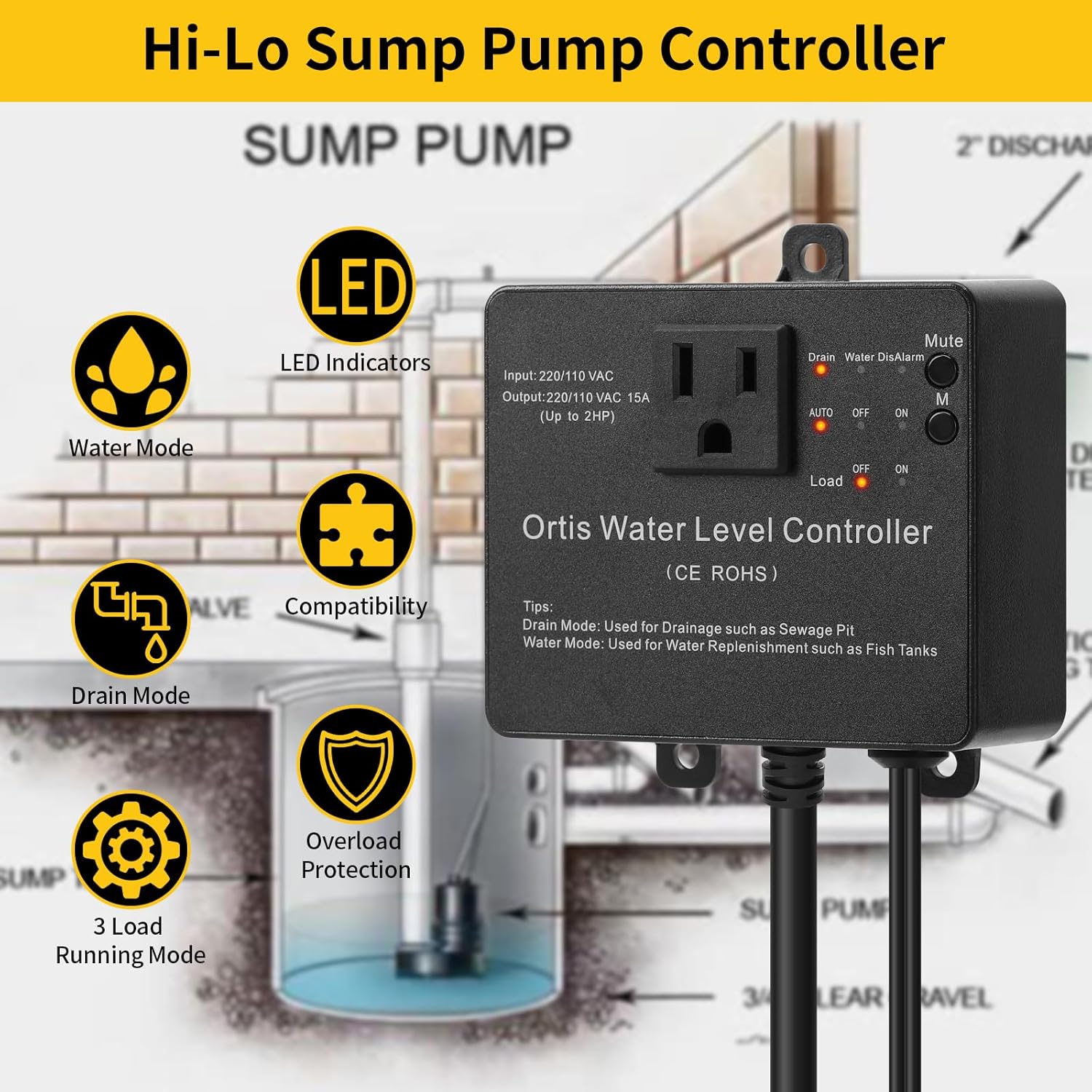
Figuur 3.1: Ortis Water Level Controller Overview met de belangrijkste kenmerken.
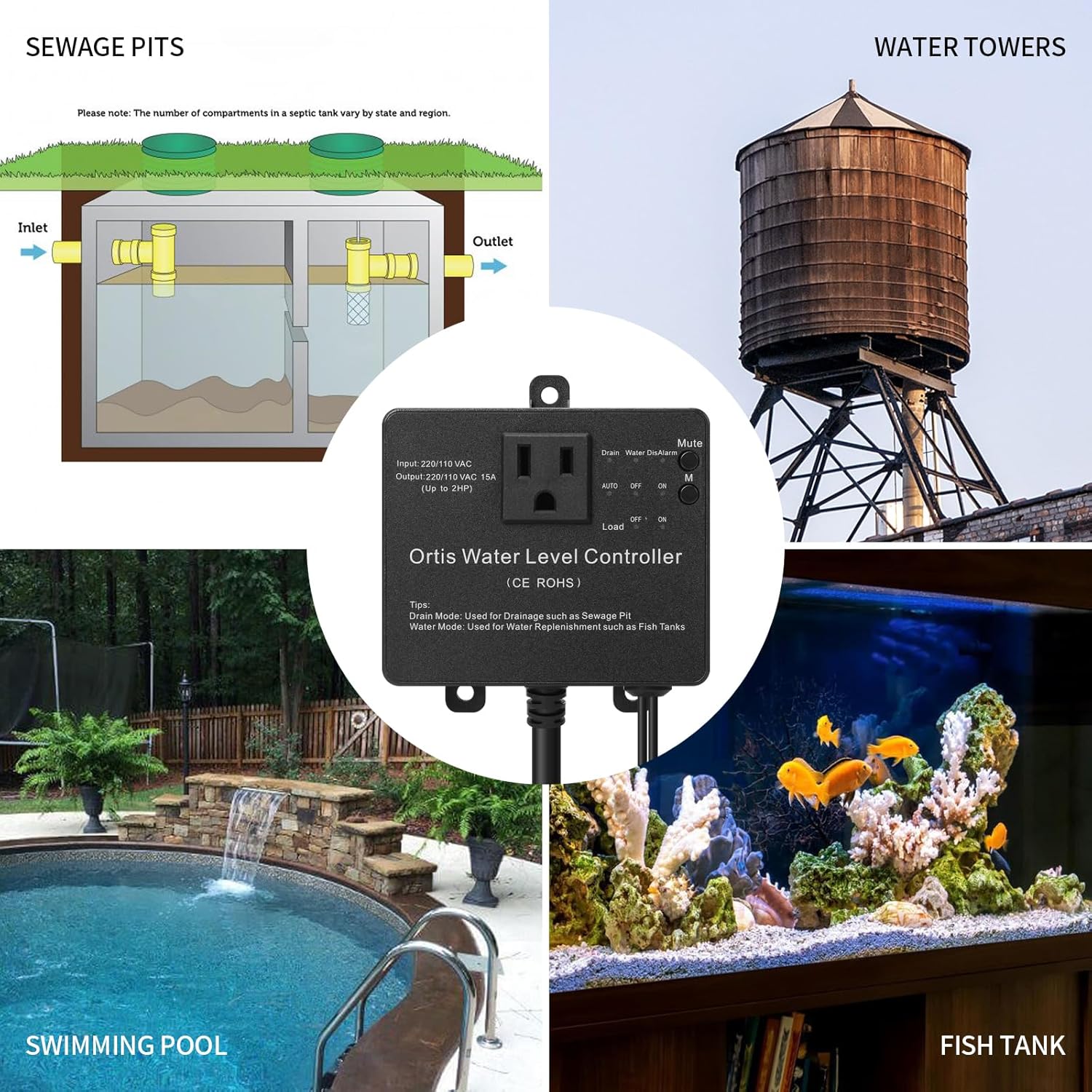
Figuur 3.2: Various Application Scenarios for the Controller.
4. Installatie en installatie
Proper installation is crucial for the reliable operation of the controller.
4.1 Controller-montage
The controller unit should be mounted in a dry location, above the maximum water level, and within reach of a grounded power outlet.
- Schroefmontage: Use appropriate screws and anchors to secure the controller to a wall or stable surface through the mounting tabs.
- Zuignapmontage: For temporary or non-permanent installations, a suction cup can be used to attach the controller to a smooth, clean surface.

Figuur 4.1: Controller Installation Methods.
4.2 Sensor Installation and Adjustment
The dual sensors detect the high and low water levels. Their position determines the operating range of your pump.
- Sensorplaatsing: Position the sensors vertically in the water, ensuring they are securely fastened and will not move. The lower sensor defines the 'low' water level, and the upper sensor defines the 'high' water level.
- Instelbaar bereik: The sensors can be adjusted along their cables to set the desired water level range, from 1/2 inch to 20 inches apart. Ensure both sensors are submerged at the desired 'on' level and the lower sensor is exposed at the desired 'off' level for drain mode, or vice versa for water mode.
- Kabelbeheer: Route sensor cables to prevent entanglement or damage.

Figuur 4.2: Adjustable Sensor Installation.
4.3 Elektrische aansluiting
- Stekker: Plug the controller's power cord into a grounded 220V or 110V AC outlet.
- Pompaansluiting: Plug your sump pump or other load device into the outlet on the front of the controller. Ensure the pump's power requirements do not exceed the controller's output capacity (15A, up to 2HP).

Figuur 4.3: Example Sump Pit Installation.
5. Gebruiksaanwijzing
The controller features a simple interface for selecting operating modes and managing alarms.

Figuur 5.1: Configuratiescherm voorbijview.
5.1 Modusselectie
Use the 'Drain' and 'Water' buttons to select the desired operating mode:
- Afvoermodus: (LED indicator 'Drain' illuminates) In this mode, the controller activates the pump when the water level reaches the upper (high) sensor and deactivates it when the water level drops below the lower (low) sensor. This mode is typically used for emptying sewage pits or sumps.
- Watermodus: (LED indicator 'Water' illuminates) In this mode, the controller activates the pump when the water level drops below the lower (low) sensor and deactivates it when the water level reaches the upper (high) sensor. This mode is typically used for replenishing water in fish tanks or water tanks.
5.2 Power and Operation Switch
The main switch controls the power and operational state of the connected load:
- AUTO: (LED indicator 'AUTO' illuminates) The controller operates automatically based on the selected mode (Drain or Water) and sensor readings.
- OFF: (LED indicator 'OFF' illuminates) The connected pump is turned off, regardless of water levels.
- OP: (LED indicator 'ON' illuminates) The connected pump is continuously turned on, regardless of water levels. Use this for manual override or continuous operation.
5.3 Mute-functie
Press the 'Mute' button to silence any active alarms. The 'DisAlarm' LED will illuminate when the alarm is muted.

Figuur 5.2: Operational Logic in Drain Mode (Sewage Pit Example).
6. Onderhoud
Regular maintenance ensures the longevity and reliable operation of your Ortis controller.
- Sensorreiniging: Periodically inspect and clean the stainless steel sensors to remove any buildup of debris, algae, or mineral deposits that could affect their accuracy. Disconnect power before cleaning.
- Kabelinspectie: Check all cables and connections for signs of wear, damage, or corrosion. Replace any damaged components immediately.
- Besturingseenheid: Keep the controller unit clean and dry. Avoid exposing it to direct sunlight or extreme temperatures.
- Testbewerking: Periodically test the controller's operation by manually raising or lowering water levels to ensure the pump activates and deactivates as expected in the selected mode.
7. Probleemoplossing
Raadpleeg de onderstaande tabel voor veelvoorkomende problemen en hun oplossingen.
| Probleem | Mogelijke oorzaak | Oplossing |
|---|---|---|
| Pump does not turn on/off automatically. | 1. Controller not in AUTO mode. 2. Sensors are dirty or improperly positioned. 3. Pump is not plugged in or is faulty. | 1. Ensure the switch is set to 'AUTO'. 2. Clean sensors and verify their high/low positions. 3. Check pump connection and functionality. |
| Alarm gaat vaak af. | 1. Water level not reaching desired sensor within expected time. 2. Sensorstoring. 3. Alarm sensitivity setting (if applicable, check product documentation). | 1. Check pump operation and water flow. Adjust sensor positions if needed. 2. Inspect sensors for damage or debris. Replace if faulty. 3. Use the 'Mute' button temporarily. Consult manufacturer for alarm logic details. |
| Controller heeft geen macht. | 1. Netsnoer losgekoppeld. 2. Stopcontact heeft geen stroom. 3. Interne zekering doorgebrand. | 1. Ensure power cord is securely plugged in. 2. Test the outlet with another device. Check circuit breaker. 3. Neem contact op met de klantenondersteuning voor hulp. |
| Pump runs continuously in AUTO mode. | 1. Sensor stuck in 'on' position (e.g., upper sensor always wet in Drain Mode). 2. Controller malfunction. | 1. Clean and reposition sensors. Ensure they can freely detect water level changes. 2. Disconnect power and reconnect. If issue persists, contact support. |
8. Specificaties

Figuur 8.1: Controller Dimensions.
| Functie | Specificatie |
|---|---|
| Model | KJ-033 |
| Merk | Ortis |
| Ingangsvolumetage | 220V / 110V wisselstroom |
| Uitgangsstroom | 15A |
| Max. Laadvermogen | Tot 2 pk |
| Sensormateriaal | Roestvrij staal |
| Adjustable Sensor Range | 1/2 inch to 20 inches |
| Fabrikant | FJKJ INC. |
9. Garantie en ondersteuning
Voor garantie-informatie en technische ondersteuning kunt u de productverpakking raadplegen of rechtstreeks contact opnemen met de verkoper/fabrikant. Bewaar uw aankoopbewijs.
Fabrikant: FJKJ INC.