
1. Product voorbijview
The Amkette Hush Pro Astra is a wireless mouse designed for comfort and efficiency. It features 2.4 GHz wireless connectivity, silent switches for quiet operation, an ergonomic design, and adjustable DPI settings for precise control. The mouse also includes an On/Off switch and a smart auto-sleep function to conserve battery life.
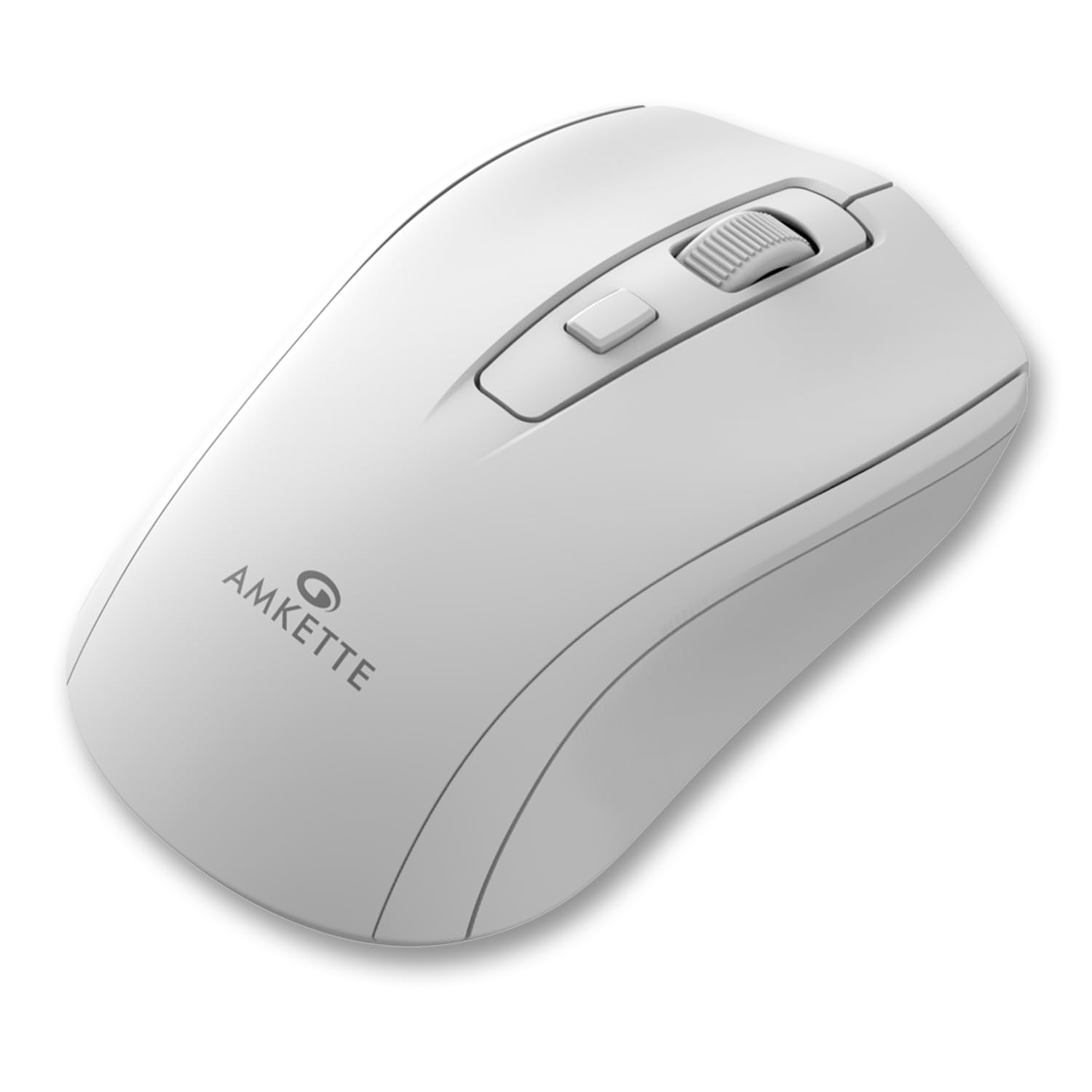
Figure 1: Amkette Hush Pro Astra Wireless Mouse (White)
Belangrijkste kenmerken:
- Geavanceerde 2.4 GHz draadloze connectiviteit: Ensures a stable, lag-free connection.
- Silent Switches: Provides noiseless clicks for an undisturbed work environment.
- Ergonomisch ontwerp: Shaped for comfortable long-term use.
- Verstelbare DPI-instellingen: Three levels (800-1000-1200 DPI) for customizable cursor sensitivity.
- Aan/uit-schakelaar: For manual power control.
- Slimme automatische slaapfunctie: Bespaart automatisch batterijvermogen wanneer het apparaat niet in gebruik is.
- Compact en draagbaar: Easy to carry in a laptop bag.

Figure 2: Ergonomic grip design with matte finish for enhanced comfort.

Figure 3: Silent click switches for quiet operation.

Figure 4: Universal compatibility with Windows, Mac OS, Chrome OS, and Linux.
2. Installatie-instructies
2.1 Pakketinhoud
Before you begin, ensure your package contains the following:
- Amkette Hush Pro Astra Wireless Mouse
- USB Nano-ontvanger
Note: 1 AA battery is required and not included in the box.
2.2 Batterij installatie
- Zoek het batterijcompartiment aan de onderkant van de muis.
- Gently slide the battery cover open.
- Plaats één AA-batterij en zorg ervoor dat de positieve (+) en negatieve (-) polen correct zijn uitgelijnd met de markeringen in het compartiment.
- Sluit het batterijklepje totdat het stevig vastklikt.

Figure 5: Battery compartment and On/Off switch location.
2.3 De muis aansluiten
- Remove the USB Nano receiver from its storage slot, usually located within the battery compartment or on the underside of the mouse.
- Plug the USB Nano receiver into an available USB port on your computer (PC, Mac, Laptop, etc.).
- Schakel de muis in met de aan/uit-schakelaar aan de onderkant.
- Your computer should automatically detect and install the necessary drivers. The mouse will be ready for use within a few seconds.

Figure 6: Connecting the USB Nano receiver to a laptop.
3. Gebruiksaanwijzing
3.1 In-/uitschakelen
To turn the mouse on or off, use the slide switch located on the underside of the mouse. Slide it to the 'ON' position for use and 'OFF' to conserve battery when not in use.
3.2 DPI-aanpassing
The mouse features a dedicated DPI button, usually located behind the scroll wheel. Press this button to cycle through three different DPI (Dots Per Inch) settings: 800, 1000, and 1200. A higher DPI setting results in faster cursor movement, while a lower DPI setting provides more precise control.

Figure 7: DPI button and available sensitivity levels.
3.3 Silent Click-functie
The Amkette Hush Pro Astra is equipped with silent switches, significantly reducing the clicking noise. This feature is ideal for quiet environments, ensuring minimal disturbance during use.
3.4 Smart Auto Sleep Function
To extend battery life, the mouse will automatically enter a sleep mode after a period of inactivity. To wake the mouse, simply move it or click any button.
4. Onderhoud
4.1 Reinigen
- Veeg het oppervlak van de muis schoon met een zachte, droge doek.
- Voor hardnekkig vuil, lichtjes dampReinig de doek met water of een milde reinigingsoplossing. Vermijd agressieve chemicaliën.
- Do not immerse the mouse in water or any liquid.
- Clean the optical sensor on the underside periodically with a cotton swab to ensure smooth tracking.
4.2 Opslag
- When not in use for extended periods, turn off the mouse using the On/Off switch.
- Store the USB Nano receiver inside the mouse's designated slot to prevent loss.
- Keep the mouse in a cool, dry place away from direct sunlight and extreme temperatures.
5. Probleemoplossing
5.1 Muis reageert niet
- Controleer de batterij: Zorg ervoor dat de AA-batterij correct is geplaatst en voldoende is opgeladen. Vervang de batterij indien nodig.
- Aan / uit schakelaar: Verify that the On/Off switch on the underside of the mouse is in the 'ON' position.
- Ontvanger Aansluiting: Ensure the USB Nano receiver is securely plugged into a working USB port on your computer. Try a different USB port.
- Opnieuw koppelen: In rare cases, the mouse and receiver might lose connection. Try unplugging and re-plugging the receiver, then turn the mouse off and on again.
5.2 Onregelmatige cursorbeweging
- Schone sensor: Maak de optische sensor aan de onderkant van de muis schoon.
- Oppervlak: Gebruik de muis op een schoon, niet-reflecterend en egaal oppervlak. Vermijd glas of sterk reflecterende oppervlakken.
- Interferentie: Move the mouse closer to the USB receiver. Other wireless devices or large metal objects might cause interference.
5.3 Korte batterijduur
- Uitschakelen wanneer niet in gebruik: Always turn off the mouse using the On/Off switch when not in use for extended periods.
- Batterijkwaliteit: Use high-quality AA alkaline batteries.
- Automatische slaapstand: The mouse has an auto-sleep function, but manual power-off provides maximum battery conservation.
6. Specificaties
| Functie | Specificatie |
|---|---|
| Merk | Amket |
| Modelnummer | 516 |
| Serie | Hush Pro Astra |
| Connectiviteitstechnologie | 2.4 GHz draadloos (USB nano-ontvanger) |
| Bewegingsdetectietechnologie | Optisch |
| DPI-instellingen | 800-1000-1200 DPI (Adjustable) |
| Speciale functie | Silent Clicks, Ergonomic Design, On/Off Switch, Smart Auto Sleep Function |
| Energiebron | Werkt op batterijen (1 AA-batterij nodig, niet meegeleverd) |
| Compatibiliteit met besturingssystemen | Linux, Windows 7, Windows XP, Mac OS, Chrome OS |
| Productafmetingen | 11x6x0.1cm |
| Artikelgewicht | 30 gram |
| Kleur | Wit |
7. Garantie en ondersteuning
7.1 Garantie-informatie
The Amkette Hush Pro Astra Wireless Mouse comes with a hassle-free 1 jaar fabrieksgarantie vanaf de aankoopdatum. Deze garantie dekt fabricagefouten bij normaal gebruik.
7.2 Klantenservice
For any assistance, queries, or warranty claims, please contact our support team. You can reach them via call or WhatsApp for prompt assistance with any issues.
Please refer to the product packaging or the official Amkette website voor de meest actuele contactgegevens.
8. Productvideo's
Video 1: Amkette Hush Pro Astra Wireless Mouse Overview. This video highlights the ergonomic design, adjustable DPI settings, and silent click features of the mouse.
Video 2: Amkette Hush Pro Astra Wireless Mouse Features. This video demonstrates the advanced 2.4 GHz connectivity, silent operation, and portability of the mouse.