
1. Inleiding
Thank you for choosing the VCHICS Digital Audio Amplifier Receiver Module. This device is designed to provide versatile audio playback options, including Bluetooth, USB, TF card, and FM radio, with adjustable bass and treble controls. This manual will guide you through the setup, operation, and maintenance of your amplifier-module.
2. Belangrijkste kenmerken
- MP3 music playback from TF card, USB disk, and Bluetooth.
- Adjustable Treble, Bass, and Master Volume controls.
- Integrated Bluetooth receiver for wireless audio streaming.
- Ingebouwde FM-radiofunctie.
- AUX port for connection to PC, phone, or CD players.
- Supports AC 110-220V or DC 12-24V input voltage.
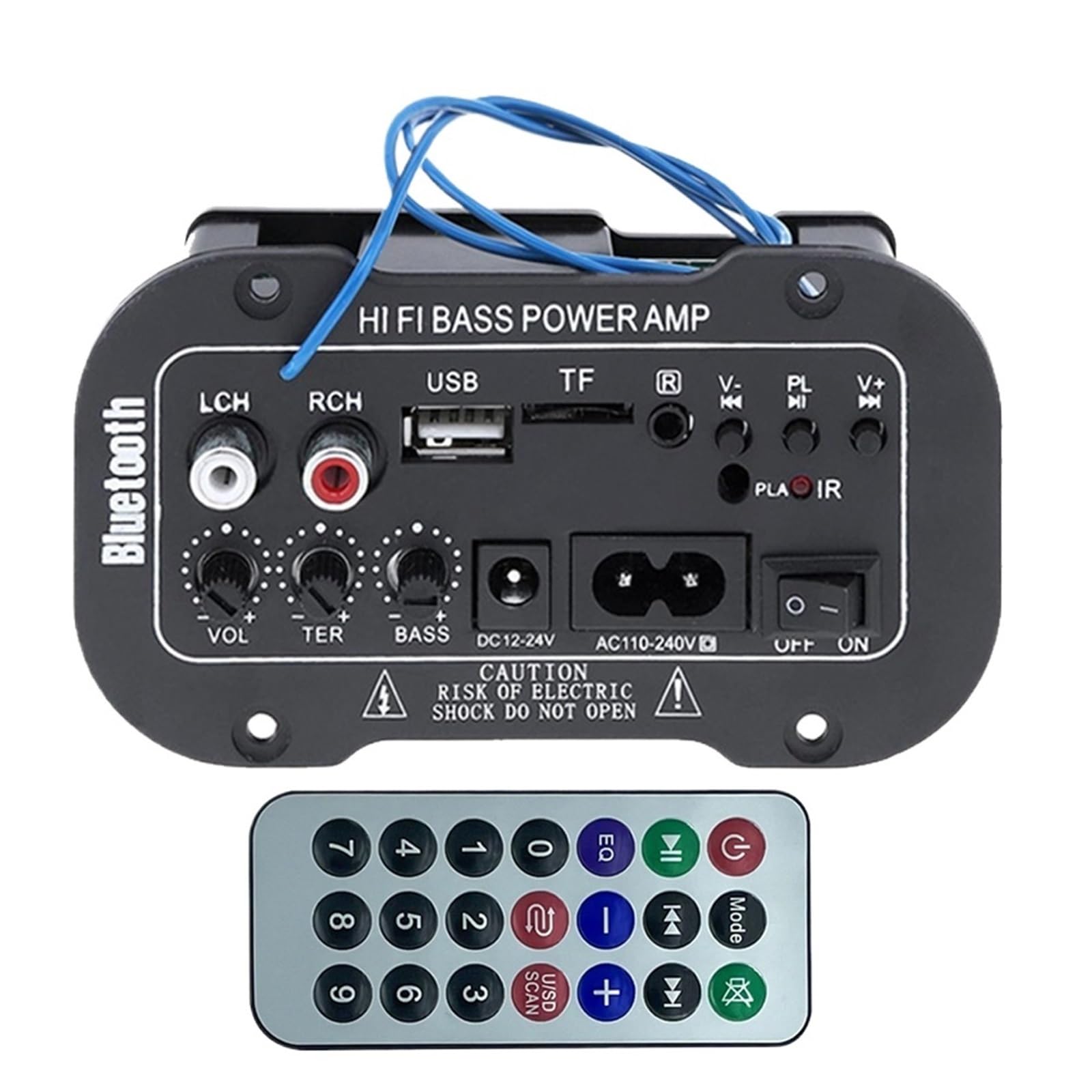
Figuur 1: Overview of the VCHICS Digital Audio Amplifier Receiver Module.
3. Specificaties
| Specificatie | Waarde |
|---|---|
| Bluetooth-versie | 2.1+EDR |
| Bedrijfsvolumetage | 9-20 V DC |
| Werkvermogen | 25-30 W |
| Codec | SBC |
| Impedantie | 4 Ohm |
| Luidsprekerunitgrootte | 133mm |
| Gevoeligheid | 200hv |
| Frequentierespons | 20-20000Hz |
| Artikelgewicht | 400 gram |
| Aantal kanalen | 1 |
| Modelnummer | 1005005454581585 |

Figure 2: Product dimensions (11.7cm x 6.5cm x 4.5cm / 10cm x 4cm).
4. Bediening en aansluitingen
Familiarize yourself with the various controls and connection ports on your amplifier-module:

Afbeelding 3: Gedetailleerd view of controls and connection points.
- LCH / RCH (Audio Input): Left and Right channel audio input for external devices.
- USB-sleuf: Voor het aansluiten van USB-flashdrives voor het afspelen van MP3-bestanden.
- TF-sleuf: For inserting TF (MicroSD) cards for MP3 playback.
- Previous / Next (V- / V+): Navigate tracks or adjust volume in certain modes.
- Play / Pause (PL/IR): Play/pause audio, or initiate FM scan. IR indicates Infrared Sensor for remote control.
- Indicator: Statuslampje.
- Infrarood sensor: For receiving signals from a remote control (if included or compatible).
- UIT / AAN: Power switch for the module.
- AC110-240V: Wisselstroom ingang.
- DC12-24V: Gelijkstroom ingang.
- Bas aanpassen: Rotary knob to adjust bass levels.
- Hoge tonen aanpassen: Rotary knob to adjust treble levels.
- Volume aanpassen: Draaiknop om het hoofdvolume aan te passen.
- Bluetooth-knop: Activeert de Bluetooth-modus.
5. Instellen
5.1 Stroomaansluiting
- Zorg ervoor dat de amplifier module is switched OFF.
- Connect the appropriate power supply to either the Wisselstroom 110-240V input or the DC12-24V input. Use only the specified voltage bereik om schade te voorkomen.
5.2 Luidsprekeraansluiting
Connect your speakers to the output terminals of the amplifier module. Ensure correct polarity (+/-) for optimal sound quality.
5.3 Antenna Connection (for FM Radio)
If using the FM radio function, connect the provided FM antenna to the designated antenna port for better reception.
6. Gebruiksaanwijzing
6.1 In-/uitschakelen
Schakel de UIT / AAN switch to power on or power off the module.
6.2 Bluetooth-verbinding
- Druk op de MODUS button (or the Bluetooth button if labeled) to switch the amplifier to Bluetooth mode.
- On your mobile phone or Bluetooth device, open the Bluetooth settings and search for available devices.
- Selecteer de amplifier's Bluetooth device name (usually "Bluetooth" or similar) from the list to connect.
- Once successfully paired, you can play audio from your device through the ampverliezer.
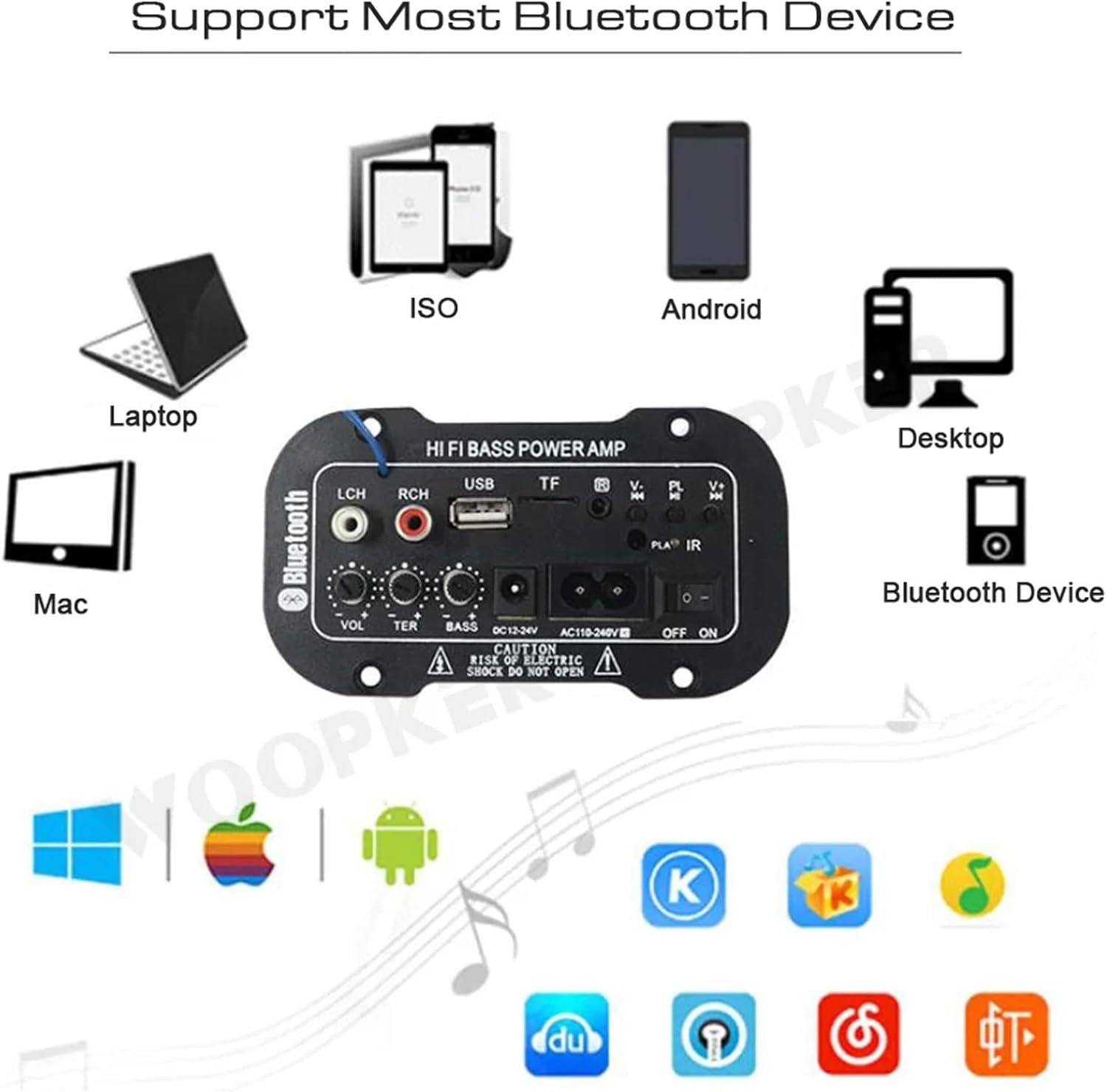
Figuur 4: De amplifier module supports various Bluetooth devices including laptops, phones, and desktops.
6.3 FM-radiobediening
- Ensure the radio antenna is properly connected.
- Druk op de MODUS knop om de amplifier to FM radio mode.
- Druk op de Afspelen / Pauzeren button to initiate an automatic scan for all available FM channels. The module will save them automatically.
- Gebruik de Vorige volgende buttons to switch between saved radio stations.
6.4 USB / TF-kaart afspelen
- Plaats een USB-flashstation in de USB-slot or a TF (MicroSD) card into the TF Slot.
- The module should automatically detect the storage device and begin playing MP3 files. Zo niet, druk dan op de MODUS button to cycle through input sources until USB or TF mode is active.
- Gebruik de Vorige volgende buttons to change tracks and the Afspelen / Pauzeren knop om het afspelen te regelen.
6.5 AUX-ingang
Connect an external audio source (e.g., PC, phone, CD player) to the LCH / RCH (Audio Input) ports using an appropriate audio cable. Press the MODUS button to select the AUX input source.
6.6 Audio aanpassen
Gebruik de Volume aanpassen, Treble aanpassen, En Bas aanpassen rotary knobs to fine-tune your audio output to your preference.
7. Probleemoplossing
- Geen stroom: Ensure the power cable is securely connected and the power switch is in the ON position. Verify the power source is active and providing the correct voltage (AC 110-240V or DC 12-24V).
- Geen geluid: Check speaker connections for correct polarity. Ensure the volume is turned up. Verify the correct input mode (Bluetooth, FM, USB, TF, AUX) is selected. Test with a different audio source.
- Bluetooth maakt geen verbinding: Zorg ervoor dat de amplifier is in Bluetooth mode. Ensure your device's Bluetooth is enabled and within range. Try restarting both the ampversterker en uw Bluetooth-apparaat.
- Slechte FM-ontvangst: Ensure the FM antenna is properly connected and extended. Try repositioning the antenna or the amplifier for better signal.
- USB-/TF-kaart werkt niet: Ensure the USB drive or TF card contains compatible MP3 audio files. Check that the storage device is inserted correctly and not corrupted.
8. Onderhoud
- Houd de amplifier module clean by wiping it with a soft, dry cloth.
- Vermijd blootstelling van het apparaat aan vocht, extreme temperaturen of direct zonlicht.
- Do not attempt to disassemble or repair the module yourself, as this may void any warranty and cause damage.
9. Garantie en ondersteuning
Voor garantie-informatie en technische ondersteuning kunt u de documentatie raadplegen die u bij aankoop heeft ontvangen of contact opnemen met uw verkoper. Bewaar uw aankoopbewijs voor eventuele garantieclaims.