
Invoering
This manual provides essential information for the safe and efficient use of your HP 15 Professional Slim High-Performance Laptop. Please read these instructions carefully before using your device. Keep this manual for future reference.
1. Eerste installatie
1.1 Uitpakken en de stroom aansluiten
Carefully remove the laptop and all accessories from the packaging. Connect the provided AC adapter to the laptop's power port and then to a power outlet. It is recommended to fully charge the battery before first use.

Image: The HP 15 laptop shown from the front, with the power adapter connected to the side. This illustrates the initial connection for charging.
1.2 Eerste opstart en installatie van het besturingssysteem
Press the power button to turn on the laptop. Follow the on-screen instructions to complete the Windows 11 Home operating system setup. This includes selecting your region, connecting to a Wi-Fi network, and creating a user account.

Image: The HP 15 laptop open, displaying the Windows 11 desktop interface, indicating successful operating system initialization.
2. Uw laptop bedienen
2.1 In-/uitschakelen en slaapstand
- Inschakelen: Druk op de aan/uit-knop op het toetsenbord.
- Uitschakelen: Klik op de Startknop, vervolgens op Energie en selecteer 'Uitschakelen'.
- Slaapstand: Sluit het deksel of klik op de Startknop, vervolgens op Energie en selecteer 'Slaapstand'.
2.2 Toetsenbord en touchpad
The laptop features a full-size island-style QWERTY keyboard and a multi-touch touchpad. Use the touchpad for navigation and gestures. Refer to Windows 11 settings for touchpad customization.
2.3 Connectiviteit
Your HP 15 laptop offers various connectivity options:
- Wifi: Supports Realtek Killer Wi-Fi 6 (802.11ax) for high-speed wireless internet access.
- Bluetooth: Integrated Bluetooth 5.3 for connecting wireless peripherals like headphones and mice.
- USB-poorten:
- Two (2) USB 3.2 Gen 1.0 Type-A ports (5 Gbps signaling rate).
- One (1) USB 3.2 Gen 1.0 Type-C port (5 Gbps signaling rate, data transfer only; charging or external monitors not supported).
- HDMI: One (1) HDMI v1.4b output port for connecting to external displays.
- Audio kabel: One (1) headphone/microphone combo port.
Afbeelding: Een kant view of the HP 15 laptop, highlighting the various input/output ports for external device connectivity.
2.4 Audio en camera
- Geluid: Equipped with dual speakers for audio output and HD Audio support.
- Camera: Features an HP True Vision 720p HD camera with integrated dual array digital microphones, suitable for video calls and online meetings.

Image: The HP 15 laptop displaying a video conference call, demonstrating the use of the integrated camera and microphone.
3. Onderhoud en verzorging
3.1 Uw laptop schoonmaken
- Scherm: Gebruik lichtjes een zachte, pluisvrije doek dampReinig met water of een schermreiniger. Spuit de vloeistof niet rechtstreeks op het scherm.
- Toetsenbord en behuizing: Gebruik een zachte, droge doek. Voor hardnekkig vuil een licht damp Er kan een doek worden gebruikt, zodat er geen vocht in de openingen kan komen.
- Vents: Periodically check and gently clean the ventilation openings to prevent dust buildup, which can affect cooling.
3.2 Batterijonderhoud
To maximize battery lifespan, avoid extreme temperatures and prolonged full discharge or full charge states. For long-term storage, charge the battery to approximately 50%.
3.3 Software-updates
Regularly check for and install Windows updates and HP driver updates to ensure optimal performance, security, and compatibility. Access Windows Update via Settings > Windows Update.
3.4 Milieuoverwegingen
This laptop is built with recycled materials, including ocean-bound plastic. Please dispose of the device and its components responsibly at the end of its life cycle, following local regulations for electronic waste.
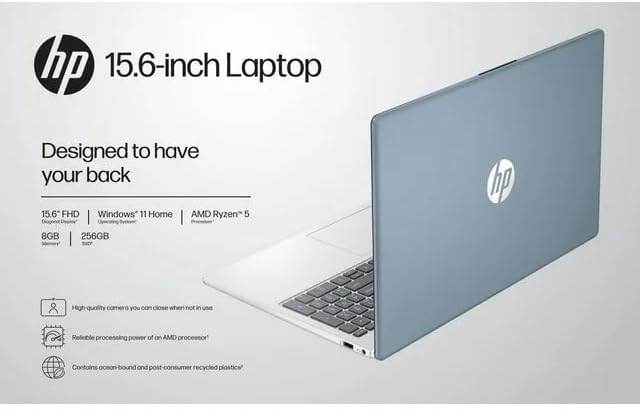
Image: The HP 15 laptop shown from the rear, illustrating its design and potential ventilation areas for maintenance.
4. Problemen met veelvoorkomende problemen oplossen
This section addresses common problems you might encounter. For more complex issues, refer to the HP support webplaats.
4.1 No Power or Laptop Not Turning On
- Zorg ervoor dat de netadapter goed is aangesloten op de laptop en op een werkend stopcontact.
- Controleer of het stopcontact werkt door er een ander apparaat op aan te sluiten.
- Probeer een ander stopcontact.
- Als de batterij helemaal leeg is, laat u deze ten minste 30 minuten opladen voordat u het apparaat inschakelt.
4.2 Weergaveproblemen
- Leeg scherm: Sluit een externe monitor aan via HDMI om te controleren of het probleem bij het beeldscherm van de laptop of bij de grafische uitvoer ligt.
- Beeldscherm dimmen: Adjust screen brightness using the function keys (usually F2/F3 or similar icons) or through Windows display settings.
- Onjuiste resolutie: Adjust the display resolution in Windows Settings > System > Display.
4.3 Problemen met wifi- of Bluetooth-verbinding
- Ensure Wi-Fi and Bluetooth are enabled in Windows Settings > Network & internet or Devices > Bluetooth & devices.
- Start je router/modem opnieuw op om wifi-problemen op te lossen.
- Update wireless drivers through HP Support Assistant or Device Manager.
- Forget and reconnect to the Wi-Fi network or re-pair the Bluetooth device.
4.4 Audio Not Working
- Check volume levels in Windows and ensure speakers are not muted.
- Verify that the correct audio output device is selected in Windows Sound settings.
- Audiostuurprogramma's bijwerken.
- Test with headphones to determine if the issue is with the internal speakers or the audio output.
5. Productspecificaties
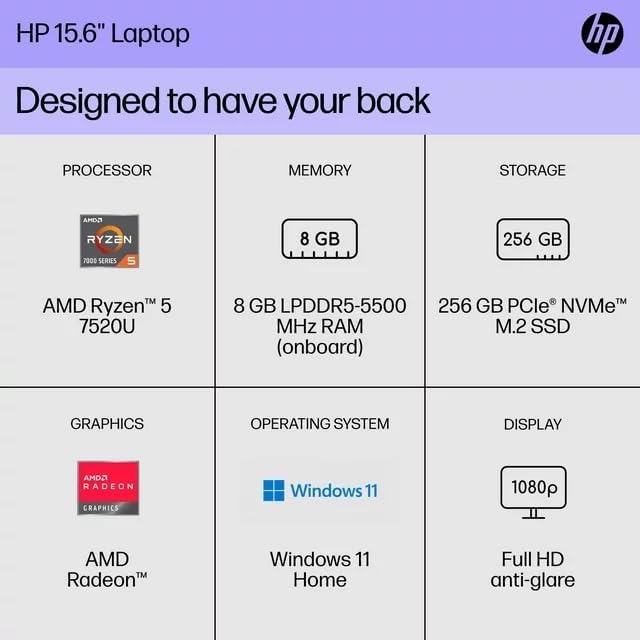
The following are the technical specifications for the HP 15 Professional Slim High-Performance Laptop (Model 15):
| Functie | Detail |
|---|---|
| Modelnaam | PK 15 |
| Verwerker | AMD Ryzen 5 7520U (up to 4.3 GHz max boost, 4 cores, 8 threads) |
| Grafisch | AMD Radeon Graphics (geïntegreerd) |
| Geheugen (RAM) | 8 GB DDR4 SDRAM |
| Opslag | 256 GB PCIe NVMe M.2 SSD |
| Weergave | 15.6-inch diagonal, Full HD (1920 x 1080), micro-edge, anti-glare, 250 nits, 45% NTSC |
| Besturingssysteem | Windows 11 Startpagina |
| Draadloze connectiviteit | Realtek Killer Wi-Fi 6 (2x2), Bluetooth 5.3 |
| Havens |
|
| Camera | HP True Vision 720p HD-camera met geïntegreerde dubbele array digitale microfoons |
| Geluid | Dual speakers, HD Audio |
| Toetsenbord | Full-size island-style QWERTY keyboard |
| Voeding | AC-adapter |
| UPC | 196337455771 |
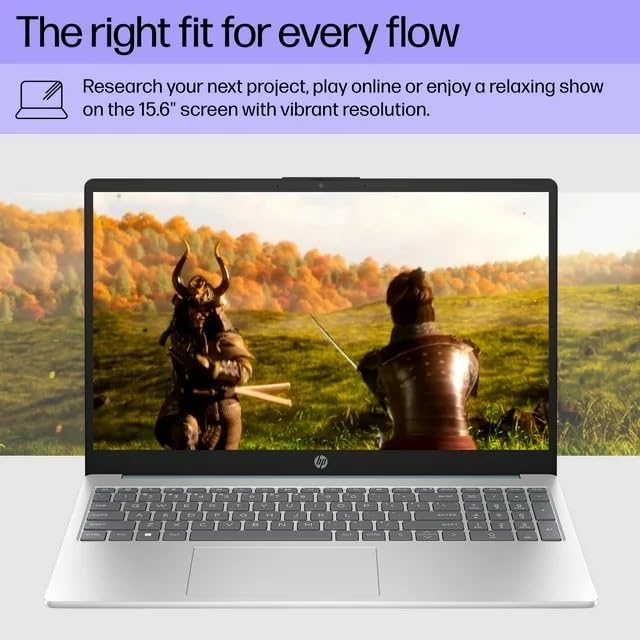
Image: A visual representation of the HP 15 laptop, complementing the detailed specifications listed.
6. Garantie-informatie
This HP 15 laptop is a renewed product and comes with a 90 dagen beperkte garantie. This warranty covers defects in materials and workmanship under normal use. For specific terms and conditions, please refer to the warranty documentation included with your product or contact HP support.
7. Klantenservice
Voor verdere hulp, technische ondersteuning of om bijgewerkte stuurprogramma's en software te downloaden, kunt u terecht op de officiële HP-ondersteuningswebsite. website. You can typically find support resources by searching for "HP Support" and your specific model number (HP 15) on their webplaats.
Online bronnen: https://support.hp.com